Your Guide to the Custom Software Development Process
When people talk about the custom software development process, they're describing the methodical approach to designing, building, and maintaining software that’s made just for one company’s unique needs. It’s the complete opposite of buying an off-the-shelf product; you're creating a solution from the ground up that fits your business goals and workflows like a glove.
Why Build a Custom Solution?
Think of it like this: you could buy a house in a subdivision, or you could hire an architect to design your dream home. Off-the-shelf software is that cookie-cutter house. It’s functional and gets the job done, but it was never truly made for you. Custom development is your dream home, planned and built to your exact specifications. This entire journey, from idea to reality, is what we call the Software Development Life Cycle (SDLC).
This image really drives the point home, showing the difference between a row of identical, pre-packaged options and a unique application built from a specific blueprint.
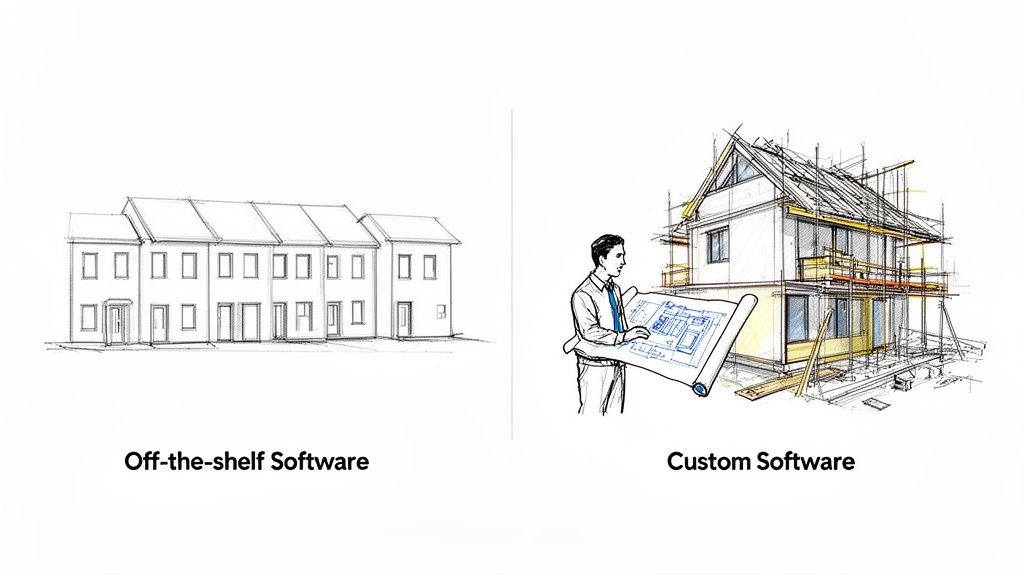
As you can see, every part of custom software is intentional, designed to serve a specific purpose for your business.
Gaining a Competitive Advantage
This isn't just for startups. Established companies also go custom to get a real leg up on the competition. Instead of forcing your teams to work around the limitations of a generic tool, you create software that supports and streamlines how they already work.
The advantages are pretty clear:
- Tailored Functionality: You get every feature you need and nothing you don't. No more paying for bloated software with a dozen tools you'll never touch.
- Enhanced Scalability: The application is architected to grow right alongside your business, so you don't have to worry about performance tanking as you add more users or data.
- Improved Security: You have total control over the security measures, making it far easier to lock down sensitive data and meet compliance standards.
- Seamless Integration: A custom solution is built to plug directly into your other critical systems, creating a smooth, unified tech environment.
With a custom solution, you own it all. You decide the roadmap, you control the updates, and you ensure the software continues to support your long-term vision—no waiting on a third-party vendor to add a feature you desperately need.
Market Trends Underscore the Shift
The move toward custom-built software isn't just a hunch; the numbers back it up. The global market for custom software development was valued at USD 43.21 billion and is on track to explode to USD 334.49 billion by 2034. That’s a compound annual growth rate (CAGR) of about 22.71%. This trend makes it obvious that more and more businesses are seeing the value in tailored solutions. You can dig into the numbers yourself in the full research from Precedence Research.
This guide will break down every essential stage of the custom software development process. By the end, you'll have a clear map to help you bring your own vision to life.
Mapping The Seven Stages of Software Creation
Building a custom piece of software is a lot like constructing a house. You don't just show up with a pile of lumber and start hammering. You need a blueprint, a solid foundation, and a clear plan for every single phase, from laying the plumbing to painting the walls. This methodical approach is known as the Software Development Life Cycle (SDLC), and it’s the proven map that turns a great idea into a tangible, working product.
Think of the SDLC as your project's insurance policy against chaos. Following these structured stages helps keep everyone on the same page, minimizes costly mistakes, and ensures the final product actually solves the problem it was designed for. Rushing or skipping a step is like trying to build the roof before the walls are up—it’s a recipe for disaster.
The entire custom software development process is built on a simple but powerful principle: plan meticulously upfront to save yourself a world of headaches later.
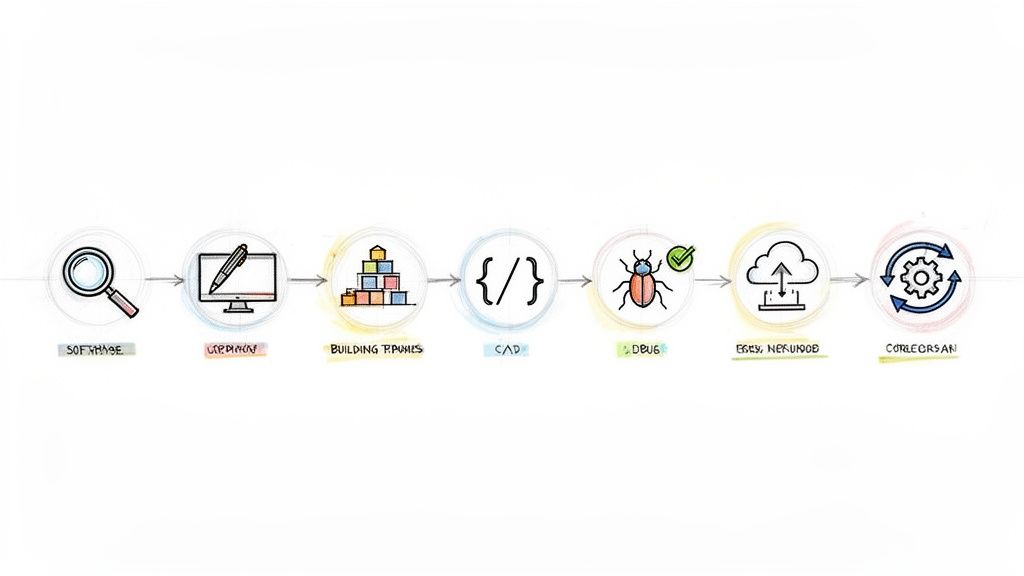
So, let's break down the seven core stages that take a project from a back-of-the-napkin sketch to a live application that grows with your business.
Stage 1: Discovery and Analysis
This is where it all begins—the "big questions" phase. Before a single line of code is written, your team and key stakeholders huddle up to get to the bottom of what you're truly trying to build. Who is this for? What pain point does it eliminate? What are the absolute must-have features for the first version, the Minimum Viable Product (MVP)?
This is all about deep listening and thorough investigation. Business analysts and product managers lead the charge, conducting market research, analyzing competitors, and drilling down into user needs. The goal is to prevent the all-too-common tragedy of building a beautiful, technically perfect product that nobody wants or needs.
The main output here is a Software Requirements Specification (SRS). This document becomes the project's North Star, a detailed guide that everyone can refer back to.
Stage 2: UX and UI Design
Once you know what you're building, it's time to figure out how people will use it and what it will look like. This stage is a one-two punch of User Experience (UX) and User Interface (UI) design.
UX is the invisible architecture of the user's journey. UX designers are obsessed with making the software feel effortless and logical. They create wireframes and clickable prototypes to map out every flow, ensuring users can get from A to B without getting frustrated.
UI, on the other hand, is the visual polish. It’s the color palette, the typography, the icons—everything that gives the software its personality and brand identity. UI designers bring the wireframes to life with a beautiful and consistent look.
A great user experience isn't an accident; it's the result of deeply understanding user psychology and designing a path of least resistance to their goals. A beautiful UI might attract a user, but a seamless UX is what makes them stay.
Stage 3: Architecture and Planning
With the design locked in, the tech leads and senior engineers take over to lay the technical foundation. This is where the heavy-duty decisions are made about the technology stack, database design, and the overall system architecture. It’s about choosing the right tools for the job and building a framework that’s secure, scalable, and won’t crumble under pressure.
Key activities here include:
- Choosing the Tech Stack: This means picking the right programming languages (like Python or Java), frameworks (React, .NET), and databases (PostgreSQL, MongoDB) for the project's unique demands.
- Designing the System Architecture: Will it be a single, monolithic application or a more flexible microservices-based system? This choice has huge implications for future growth.
- Creating a Project Roadmap: The entire project is broken down into smaller, bite-sized tasks and organized into sprints and milestones.
A solid technical blueprint is what allows the development team to build efficiently and confidently. For a closer look at this process, check out our guide on SDLC best practices.
Stage 4: Development and Coding
This is where the magic happens. The development team rolls up their sleeves and starts turning all those plans, designs, and documents into clean, functional code. If the team is using an Agile approach (which most do), this work happens in "sprints"—short, focused bursts of 1-4 weeks where they build and test a specific set of features.
Constant communication is the name of the game here. Daily stand-up meetings keep everyone in sync, and rigorous code reviews maintain high quality standards. This iterative cycle makes it easy to adapt to new information or feedback without derailing the entire project.
Stage 5: Quality Assurance and Testing
Testing isn't something that happens at the very end; it’s a continuous activity that runs in parallel with development. The Quality Assurance (QA) team is on a mission to find and report any bugs, glitches, or inconsistencies before they ever reach the user. Their job is to make sure the software is stable, secure, and performs as expected.
QA engineers run a whole battery of tests:
- Functional Testing: Does every button, form, and feature do what the SRS says it should?
- Usability Testing: Is the app actually easy and intuitive for a real person to use?
- Performance Testing: What happens when 10,000 users log in at once? Can the system handle the load?
- Security Testing: Are there any vulnerabilities that could expose user data or allow for a breach?
Releasing a buggy product can kill your reputation before you even get started. Rigorous testing is non-negotiable.
The Software Development Life Cycle at a Glance
To bring it all together, this table summarizes how each stage contributes to the final product, outlining the goals, deliverables, and the key players involved.
| Stage | Primary Goal | Key Artifacts | Team Roles Involved |
|---|---|---|---|
| 1. Discovery | Validate the idea and define project scope | Software Requirements Specification (SRS), Market Analysis, Feasibility Report | Product Manager, Business Analyst, Stakeholders |
| 2. UX/UI Design | Create an intuitive and visually appealing user interface | Wireframes, Mockups, Prototypes, Style Guide | UX Designer, UI Designer |
| 3. Architecture | Define the technical foundation and technology stack | Technical Specification Document, System Architecture Diagram | Software Architect, Tech Lead, Senior Developers |
| 4. Development | Write the code and build the software features | Source Code, Unit Tests, Feature Builds | Software Developers, DevOps Engineers |
| 5. Testing (QA) | Identify and fix bugs to ensure quality and reliability | Test Cases, Bug Reports, Performance Metrics | QA Engineers, Test Automation Engineers |
| 6. Deployment | Release the software to a live environment for users | Deployed Application, Release Notes | DevOps Engineers, System Administrators |
| 7. Maintenance | Support the live application and plan for future updates | Bug Fixes, Feature Enhancements, Performance Monitoring | Support Engineers, Developers, Product Manager |
This structured flow ensures that every aspect of the software is thoughtfully planned, built, and tested before it reaches your users.
Stage 6: Deployment
This is the moment of truth. After passing all the rigorous tests, the software is ready to be released into the wild. The deployment stage involves moving the code from a testing environment to the live "production" server where real users can access it. This is a carefully orchestrated process designed to be as seamless as possible, often with zero downtime.
Many modern teams use CI/CD (Continuous Integration/Continuous Deployment) pipelines to automate this. These automated systems make releases faster, safer, and far less stressful. Once the switch is flipped, the team keeps a close eye on system performance to catch and fix any unexpected issues right away.
Stage 7: Maintenance and Evolution
Launching the software isn't the finish line; it's the starting line. The custom software development process is a circle, not a straight line. Software needs continuous care and feeding to stay healthy and relevant. This final, ongoing stage is all about supporting users, fixing new bugs that pop up, and planning for future versions.
User feedback and changing market needs will drive the evolution of your product. This cycle of maintenance and improvement is what ensures your software continues to deliver value for years to come, giving you a strong return on your investment.
Choosing Your Build Strategy: Agile vs. Waterfall
Every software project needs a plan of attack, and your development methodology is exactly that. It's the framework that guides how your team works together, responds to new ideas, and ultimately, brings your product to life. The two biggest players in the game are Waterfall and Agile, and they couldn't be more different in their approach.
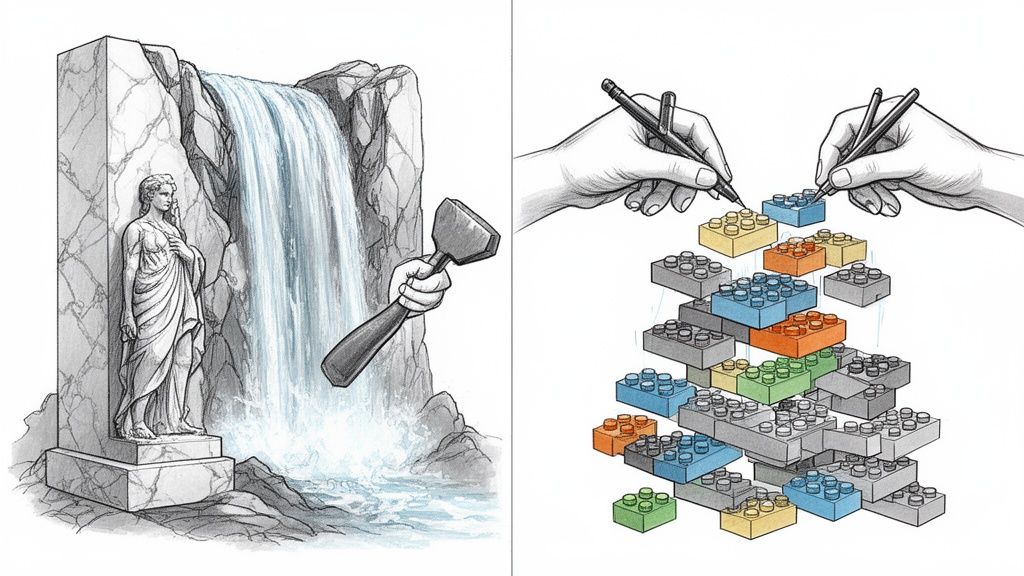
Think of it like this: the Waterfall method is like carving a statue out of a single, massive block of stone. You have to get the design perfect from the very beginning, because once you start chipping away, there's no going back. Every cut is final.
Agile, on the other hand, is like building that same statue with a big box of LEGOs. You build it piece by piece, maybe starting with the base, then a leg, then an arm. After each small section is complete, you can step back, see if you like it, and easily make changes before moving on. It’s all about adapting as you go.
The Structured Approach of Waterfall
The Waterfall model is a straight line. It’s a classic, sequential process where you must fully complete one stage before the next one can even begin. You move from requirements to design, then to implementation, testing, and finally, deployment—like water flowing down a series of falls.
This rigid structure is Waterfall's strength and its weakness. It’s a great fit for projects where the requirements are completely locked down from day one and are not expected to change at all. Think about building a bridge; you don't want the engineering specs changing halfway through construction.
The big risk? If the market shifts or a key stakeholder gets a brilliant new idea mid-project, you're in trouble. Squeezing in a change can throw the entire schedule and budget into chaos. You often don't get real feedback until the very end, which is a gamble.
The Flexible Power of Agile
Agile isn't a single method; it’s more of a philosophy built around iteration and teamwork. It breaks a massive project down into small, digestible chunks called sprints, which usually last anywhere from 1-4 weeks. At the end of every sprint, the team delivers a small, working piece of the software.
This cycle is designed to embrace change. Feedback isn't an afterthought; it's a core part of the process. This lets the team pivot and adjust to new information on the fly, making Agile the go-to choice for innovative products where the final vision might evolve with user input. To really get into the weeds, you can explore this detailed overview of the Agile development methodology.
The core promise of Agile is simple: deliver value to the user, faster. By building and releasing in small increments, you can get a working product into users' hands sooner, gather real-world data, and use those insights to build a better final product.
The shift toward cloud-based software has only accelerated Agile's dominance. A recent market analysis showed that cloud deployment models grabbed about 67% of the custom software development market. This makes sense—businesses need flexible, scalable solutions, and Agile is the perfect way to build them.
Agile vs. Waterfall: A Direct Comparison
Picking the right strategy is a critical decision. This table cuts through the noise and lays out the fundamental differences between the two.
| Feature | Waterfall Methodology | Agile Methodology |
|---|---|---|
| Flexibility | Rigid. Once a phase is done, it’s tough to go back. | Highly flexible. Changes are expected and planned for in each sprint. |
| Client Involvement | Heavy at the start (requirements) and end (delivery), but quiet in the middle. | Constant. Clients provide feedback after every single sprint. |
| Delivery Pace | One big delivery at the very end of the project. | Small, functional pieces are delivered incrementally after each sprint. |
| Risk Factor | High. You don't know if you've built the right thing until the final reveal. | Low. Issues are caught and fixed in short, iterative cycles. |
| Ideal Project Type | Projects with fixed, fully understood requirements and a stable scope. | Complex projects with evolving needs that must adapt to market feedback. |
While Waterfall still has its uses, the reality is that most modern software projects thrive on the adaptability of Agile. Popular frameworks like Scrum give teams a practical rulebook for putting Agile into action. If you're curious about how that works, you can dig into what the Scrum methodology is and how it organizes work into a predictable rhythm.
Assembling Your Software Development Dream Team
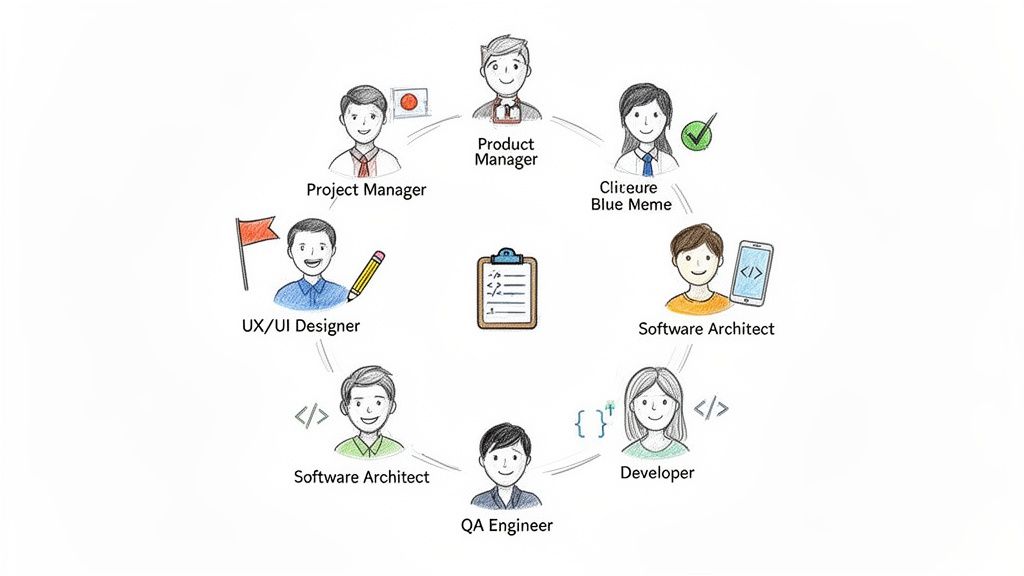
Great software isn't just about code; it's the result of a skilled team working in perfect harmony. Think of it like a symphony orchestra—every musician plays a crucial part. In software, each team member brings a specific talent to the table, and when they all work together, the result is a high-quality product. Getting these roles right is fundamental to navigating the custom software development process.
This team is the engine that drives your project from an idea to a finished product. When everyone knows their role and communication is seamless, the entire process runs smoother, becomes more predictable, and is far more likely to succeed.
Core Roles and Their Responsibilities
While the exact team structure can change depending on the project, a few key players are almost always involved. Each person offers a unique perspective, making sure every angle is covered, from big-picture strategy to the nitty-gritty details. Let's meet the cast.
Product Manager (The Visionary): This is the person who lives and breathes the "why." They are the champion of the product vision, possess a deep understanding of what users actually need, and make the tough calls on which features to build first. Their job is to ensure the team is always focused on what delivers the most value.
Project Manager (The Orchestrator): While the Product Manager focuses on the "why," the Project Manager owns the "how" and "when." They’re the ones juggling timelines, managing the budget, and making sure the development team has everything they need to keep moving forward. They clear the path of any roadblocks.
UX/UI Designer (The User Advocate): This role is all about the end-user. They meticulously map out the application's flow and feel (User Experience or UX) and craft the visual look (User Interface or UI). They create the wireframes and mockups that ensure the final product isn't just functional, but genuinely intuitive and enjoyable to use.
Software Architect (The Master Builder): Before a single line of code is written, the architect draws up the blueprint. They make the critical, high-level decisions about the system's structure, the technology being used, and how it will scale in the future. Their work lays a solid foundation for everything that follows.
These leadership and design roles set the stage, creating a clear plan for the rest of the team to execute.
The Builders and the Guardians
With the vision and blueprint in place, the focus shifts to actually building the thing—and making sure it works. This is where the developers and QA engineers come in, working in a tight loop to build, test, and refine the product.
Software Developers (The Coders): These are the craftspeople turning ideas into reality. They take the designs and technical plans and write the code that makes it all work. They build the features, connect different systems, and are the expert problem-solvers for any technical hurdles that come up.
QA Engineers (The Quality Guardians): The QA team's job is simple: try to break the software so that real users don't have to. They are relentless in their search for bugs, security holes, and performance bottlenecks, ensuring the application is stable and reliable before it ever sees the light of day.
It's a common mistake to think these roles operate in silos. In any modern, agile team, they are in constant communication. Developers, designers, and QA engineers are in daily huddles and sprint reviews, creating a fast feedback loop that nips problems in the bud and keeps quality high.
Scaling Your Team with Augmentation
So what happens when your in-house team is solid, but you're missing one specific piece of the puzzle—say, a mobile developer or a cybersecurity specialist? This is where staff augmentation comes in. Instead of going through a lengthy hiring process, you can bring in an expert from a nearshore agency to fill that specific gap.
This model gives you incredible flexibility. You get the exact expertise you need, for precisely how long you need it, and they slot right into your existing team's workflow. It's the perfect way to scale up quickly, power through a specific project phase, or tap into specialized talent without the long-term commitment of a full-time hire.
Navigating Project Costs, Timelines, and Common Pitfalls
Let's get right to it. The first two questions on everyone's mind are always, “How much is this going to cost?” and “How long will it take?” The most honest answer I can give you is: it depends.
Unlike buying something off the shelf, custom software isn't a product with a price tag. It’s a service, and the final cost and timeline are shaped by a handful of moving parts.
Think about it like building a house. A cozy, one-bedroom cabin in the woods isn't going to have the same budget or construction schedule as a sprawling, multi-story mansion with a home theater and an indoor pool. Software is the same way—the cost is directly tied to the project’s size, complexity, and the number of people working on it.
Understanding Key Cost and Timeline Drivers
The big three variables that drive your budget and schedule are all tangled together. Nudge one, and the other two will almost certainly shift. It's a balancing act you have to manage from start to finish.
- Project Scope: This is the big one. A lean Minimum Viable Product (MVP) with just a few core features will be worlds apart in cost and time from an enterprise-level platform with dozens of integrations and complex user permissions.
- Technical Complexity: Are we building a simple informational website, or are we architecting a system that needs machine learning, real-time data streams, and multiple third-party API connections? The more sophisticated the tech, the more time and specialized brainpower it’s going to take.
- Team Size and Composition: How many developers, designers, and QA engineers do you have on the job? A bigger team can often build faster, but that speed comes at a higher monthly cost.
Because these factors can change, especially when you're working in an Agile way, fixed-price contracts are often a trap. They can kill flexibility and tempt teams to cut corners when unexpected problems pop up. Most projects are better suited to a time and materials model, which keeps things transparent and gives you the wiggle room you need to build the right thing.
For a much deeper look at this, check out our complete guide on software development cost estimation.
Dodging Common Project-Derailing Pitfalls
Even with a perfect budget, projects can still go off the rails. Just knowing what the common pitfalls are is half the battle. Staying clear of these issues is a massive part of a successful custom software development process.
The difference between a project that succeeds and one that fails often comes down to how well the team sees risks coming and gets ahead of them. Being proactive beats reactive damage control every single time.
Here are three of the most common traps I've seen and how you can sidestep them:
1. Uncontrolled Scope Creep
This is the classic project killer. It happens when new features and "wouldn't it be cool if..." requests keep getting tacked on without adjusting the timeline or budget. The original vision gets bloated, deadlines get blown, and your team gets burned out.
- How to Handle It: Put a firm change control process in place. Every new request needs to be formally evaluated, prioritized, and slotted into the backlog for a future sprint—not crammed into the current one. This keeps everyone focused and the scope from spiraling out of control.
2. Communication Breakdowns
When the business stakeholders, product managers, and developers aren't talking, people start making assumptions. That’s when mistakes happen. A simple misunderstanding about a requirement can lead to weeks of building the wrong feature, wasting a ton of time and money.
- How to Handle It: Create a steady rhythm of communication. Daily stand-ups, weekly check-ins with stakeholders, and clear, accessible progress reports are non-negotiable. Use a central project management tool so everyone is looking at the same source of truth.
3. Insufficient Testing and Quality Assurance
I get it—the deadline is looming. But cutting corners on testing is a recipe for disaster. Launching a buggy, unstable product is the fastest way to kill user trust and torpedo your brand's reputation right out of the gate.
- How to Handle It: Weave QA into the process from day one. Testing isn't something you tack on at the end; it should happen in parallel with development. A mix of automated tests for the core stuff and thorough manual testing for the user experience ensures quality is baked in from the start.
To keep your project on track, it’s also smart to look for ways to reduce software development costs without gutting the quality. By setting realistic expectations and actively managing these common challenges, you can steer your project toward a successful launch.
How to Choose the Right Development Partner
Finding the right team is where the rubber meets the road. After all the planning and investment, your project's success comes down to the people you hire to build it. This isn't just about finding coders; it's about finding a partner who will operate as a genuine extension of your own team.
Many businesses are looking toward nearshore development partners for good reason. It’s a model that offers a sweet spot of benefits, solving many of the classic headaches that come with building software. Think of it as having your expert team just a short flight away, not halfway across the world.
Why a Nearshore Partner Makes Sense
The real magic of the nearshore model is how it smooths out the day-to-day work. Because your partner is in a similar time zone, you get real-time collaboration. Problems get solved on the spot, and feedback happens instantly. You’re not stuck waiting 24 hours for an email response to a simple question.
Cultural alignment is another unsung hero here. When your partner understands your business etiquette and communication style, things just click. It leads to a more intuitive and efficient relationship. Plus, you get significant cost savings without the quality trade-offs that can sometimes come with traditional outsourcing.
Choosing a partner is less about outsourcing a task and more about insourcing expertise. The right partner doesn't just build what you ask; they challenge your assumptions, offer better solutions, and are deeply invested in your success.
Your Checklist for Vetting a Partner
To make the right call, you need to do your homework. Use this checklist as a guide to dig in and make sure you’re finding a team that truly fits your needs.
Proven Technical Expertise: Look past the slick sales deck. Ask for case studies that are relevant to your industry and comb through their portfolio. Do they have real, verifiable experience with the specific tech stack you need?
Transparent Communication Protocols: Get specific about how they'll keep you in the loop. You should expect established routines like daily stand-ups, weekly progress reports, and a dedicated project manager. Clear, consistent communication is the foundation of any successful project.
Agile Project Management: Make sure they live and breathe an Agile methodology like Scrum or Kanban. This approach is crucial for staying flexible and adapting to changes without derailing the budget or timeline. Ask them how they handle backlogs and prioritize features.
Robust Quality Assurance: Don't be shy about asking about their testing process. A mature development partner will have a dedicated QA team that runs a mix of automated and manual tests throughout the entire development cycle—not just as a final check.
By vetting potential partners against these points, you can confidently choose a team that has not only the right skills but also the right collaborative mindset to bring your vision to life.
Common Questions About Custom Software Development
Diving into custom software development for the first time? You've probably got a few questions. Let's tackle some of the most common ones I hear from clients to give you a clearer picture of what to expect.
Custom vs. Off-the-Shelf Software
The real difference boils down to purpose and ownership. Off-the-shelf software is built for the masses, so you're stuck adapting your business to how the software works. Custom software is the complete opposite—it's built from the ground up to fit your business like a glove.
Think of it this way: you can rent a generic office space, or you can design and build a headquarters that perfectly matches your company's workflow and culture. With a custom solution, you own the intellectual property and have total control over its destiny.
The Single Most Important Success Factor
While top-tier tech and brilliant engineers are obviously important, the one thing that will make or break your project is clear, consistent communication. When everyone—from stakeholders to product managers to the developers writing the code—is on the same page, you build the right thing. It's that simple.
Most delays and budget blowouts I've seen trace back to a simple misunderstanding. A project with a well-understood vision and constant feedback will always beat one with a disconnected team, no matter how talented they are.
Project success hinges on a shared understanding. The goal isn't just to write code; it's to solve a specific business problem, and that requires constant, transparent dialogue among all parties involved.
Keeping Your Project on Budget
The biggest enemy of any software budget is scope creep. The best way to fight it is to be ruthless about managing new feature requests. You need a process.
Every new idea, no matter how great, has to be evaluated for its business value and placed in the backlog for a future sprint. Shoving it into the current one is a recipe for disaster. This discipline protects your timeline and keeps the team focused on what really matters right now. A well-defined Minimum Viable Product (MVP) is your best friend here.
When to Use Staff Augmentation
Staff augmentation is perfect when you have a solid in-house team but are missing a specific piece of the puzzle. Maybe you have a fantastic team of web developers but suddenly need an iOS expert for a three-month project.
Instead of going through a painful, months-long hiring process, you can bring in a specialist from a partner agency. They integrate directly into your team, giving you the exact expertise you need, for exactly as long as you need it. No more, no less.