How to Create a Content Calendar That Works
Think of creating a content calendar as mapping out a journey. You need to know your destination (your goals), choose your vehicle (the right tool), plot your route (the template and key details), and then fill the car with the right supplies (strategic content ideas). It's all about planning what you'll publish, when you'll publish it, and where it will go to make sure you're always moving toward your business objectives.
Why a Content Calendar Is Your Strategic Command Center
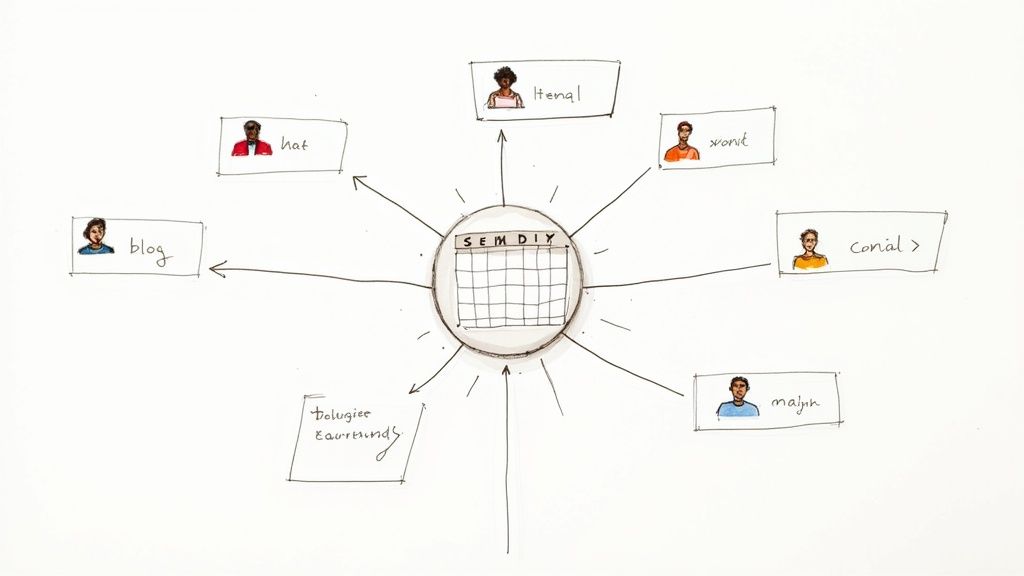
It’s easy to dismiss a content calendar as just a glorified to-do list with dates. That's a huge mistake. In reality, it's the strategic engine for your entire marketing operation. It’s what turns reactive, last-minute scrambling into a proactive, goal-driven machine.
Without a plan, most teams fall into the "random acts of content" trap. You post when an idea strikes, not when it makes sense for your audience or your goals. This leads to mixed messages, wasted effort, and results that are all over the place.
A well-built calendar fixes this. It becomes the single source of truth that gets everyone on the same page—from writers and designers to your social media team. Everyone knows what’s coming down the pipeline, what they’re responsible for, and how their specific task fits into the bigger picture.
Moving from Scheduling to Strategy
A content calendar truly comes alive when it stops being a simple scheduler and becomes a strategic command center. This isn't just semantics; it's a fundamental shift in thinking.
The change happens when every single piece of content is tied to a specific business objective. You stop asking, "What should we post on Tuesday?" and start asking, "What content will help us increase Q3 leads by 15%?"
This strategic viewpoint gives you a massive advantage. It allows you to:
- Keep Your Messaging Consistent: You can ensure your brand voice and core messages are coherent across every channel, from a deep-dive blog post to a quick-fire tweet.
- Spot Content Gaps Instantly: A visual layout of your plan makes it painfully obvious if you're hitting one topic too hard or completely ignoring another. This helps you build a more balanced and effective content mix.
- Make Production a Breeze: When you map out content weeks or even months ahead, you can batch related tasks. Think keyword research, graphic design, and video shoots. It’s a game-changer for efficiency.
A content calendar isn't about killing creativity. It’s about building the structure that lets creativity thrive. It gets rid of the daily "what do I post?" panic and frees up your brain to focus on brilliant, high-impact ideas.
The Foundation for Growth and Scalability
As your marketing grows, a calendar goes from a "nice-to-have" to a "can't-live-without." It's the foundation that lets you scale up content creation without your quality or strategy falling apart.
It also makes tracking your performance far more meaningful. You can draw a straight line from a specific campaign right back to tangible business results. The industry has clearly caught on; the calendar app market was valued at a whopping USD 5.71 billion in 2023, showing just how critical digital scheduling has become for coordinating teams and campaigns.
If you're looking to get granular with a specific platform, check out a comprehensive guide on creating a LinkedIn content calendar for some excellent, platform-specific insights.
Ultimately, mastering the content calendar is the first real step toward building a marketing program that is predictable, measurable, and genuinely effective.
Building Your Calendar's Strategic Foundation
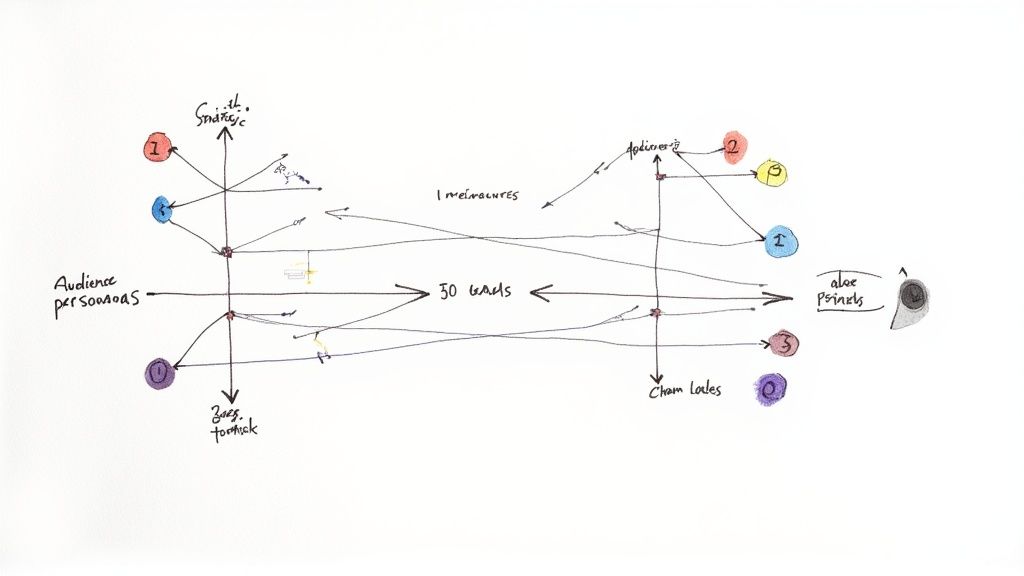
Before you even think about picking a tool or sketching out a template, let’s talk about purpose. Jumping straight into scheduling is a classic mistake. It feels productive, but it’s like building a house without a blueprint—sure, you’re busy, but the end result will be chaotic and unstable.
The real power of a content calendar isn’t just in organizing posts; it's in the strategic foundation you build first. This is where you connect every single piece of content to a real business outcome. It’s a simple shift in mindset that takes you from asking, "What should we post today?" to "What content will actually move the needle on our goals?"
Without this groundwork, you’re just making noise.
Defining Your Content Goals
Every piece of content you create needs a job. Whether it's driving traffic, generating leads, or building brand trust, it has to do something. Your first task is to define what success looks like in clear, measurable terms. These goals will become the North Star for your entire content plan.
Forget vague objectives like "get more followers." We need specific, actionable targets that give your team clarity and make it easy to track your return on investment.
Here are a few examples of what strong, goal-oriented objectives look like:
- Increase organic blog traffic by 20% over the next quarter by targeting long-tail keywords.
- Generate 50 qualified marketing leads per month through gated content like ebooks and webinars.
- Boost social media engagement rates by 5% on LinkedIn by publishing more video content.
- Improve customer retention by creating a monthly newsletter with product tips and success stories.
Once these goals are set, you can work backward to figure out what content you actually need to create. This is the core of a focused, effective plan. To see how these goals slot into a bigger picture, our guide on building a comprehensive digital marketing plan template is a great next step.
Understanding Your Audience and Channels
You can have the best goals in the world, but they’ll fall flat if your content doesn't connect with the right people in the right places. Now, you need to get a practical, no-nonsense understanding of who you’re talking to.
Don't guess. Dig into real data—analytics, customer surveys, sales team feedback—to uncover your audience’s true pain points, questions, and motivations. Where do they actually look for information? What formats do they trust?
The most successful content calendars are built on empathy. They answer the questions your audience is actually asking, not the ones you think they should be asking. This focus on user intent is what separates content that converts from content that just exists.
Once you know their problems, you have to find out where they hang out online. Are they active in specific LinkedIn groups? Scrolling through Instagram Reels? Searching for long-form tutorials on Google? Knowing this stops you from wasting time and money on platforms your audience ignores. Be ruthless and prioritize the channels where you can make the biggest impact.
To make this connection more tangible, here's a quick look at how to translate business objectives into specific content ideas for your calendar.
Mapping Business Goals to Content Ideas
| Business Goal | Target Audience | Relevant Content Format | Example Content Topic |
|---|---|---|---|
| Increase Brand Awareness | New Prospects, Cold Audience | Short-form Video, Infographics | "3 Common Industry Myths, Busted" on TikTok |
| Generate Qualified Leads | Problem-Aware Prospects | Gated Ebook, Webinar | "The Ultimate Checklist for Solving [Pain Point]" |
| Drive Website Traffic | Solution-Aware Searchers | SEO-Optimized Blog Post | "How to Choose the Best [Your Product Category]" |
| Nurture Existing Customers | Current Users, Advocates | Email Newsletter, Case Study | "Pro Tip: Get More Out of [Product Feature]" |
This table isn't just a list; it's a framework for ensuring every idea you add to your calendar has a clear and strategic purpose tied directly to a business need.
Performing a Quick Competitor Analysis
Finally, take a quick but strategic look at what your competitors are doing. The goal here isn't to copy them—it's to find the opportunities they’ve missed. You’re looking for content gaps: topics your audience cares about that your competitors are either ignoring or covering poorly.
As you review their content, ask yourself:
- What topics are they ranking for that you aren't?
- Are there formats (like video, podcasts, or interactive tools) they aren't using effectively?
- Can you provide a more in-depth, valuable perspective on a topic they’ve only scratched the surface of?
This kind of analysis gives you a real competitive edge and helps you brainstorm initial ideas that are already primed for success. It’s no surprise that 47% of B2B marketers attribute their success to having a documented strategy. A well-planned calendar transforms random acts of content into a coordinated machine.
With these foundational pillars in place—clear goals, deep audience insights, and competitive awareness—you're finally ready to start building the actual structure of your calendar.
Choosing Your Tool and Designing Your Template
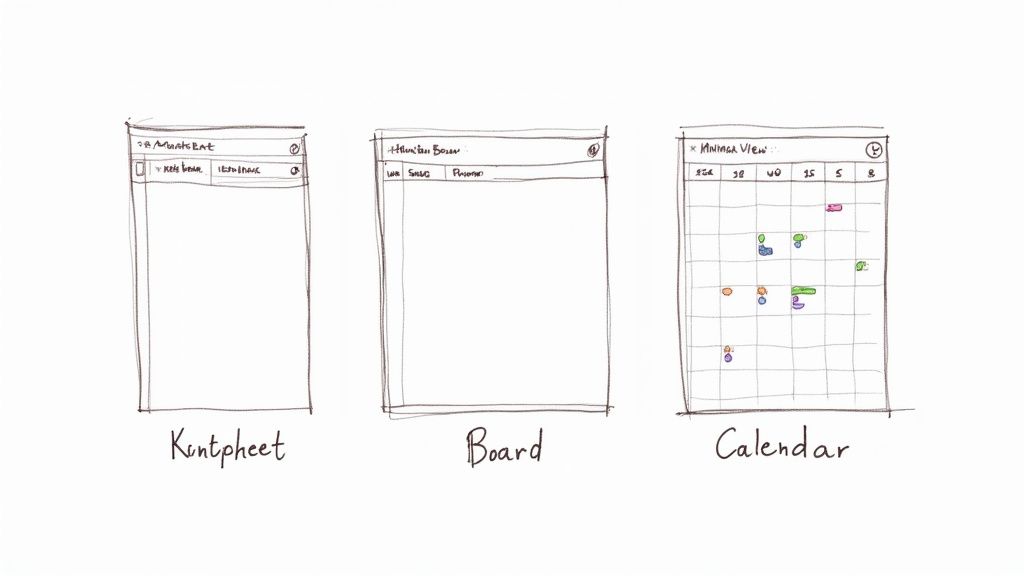
Alright, you’ve mapped out your goals and know what you want to achieve. Now for the fun part: building the actual system that will bring your content strategy to life. This is where we get tactical, picking the right tool and designing the template that will become your team’s single source of truth.
The "right" tool can be anything from a simple spreadsheet to a full-blown project management platform. The best choice really boils down to your team’s size, budget, and how complex your workflow is.
A freelancer I know runs their entire blog schedule from a single Google Sheets tab, and it works perfectly for them. On the other hand, a 10-person marketing team juggling blog posts, videos, and social campaigns would probably find that same spreadsheet chaotic within a week. The goal isn't to find the tool with the most bells and whistles; it's to find the one your team will actually use day in and day out.
Selecting the Right Tool for Your Team
The market for content planning tools is crowded, but most options fall into a few distinct buckets. Don't just look at feature lists—think about your team's daily habits. Are they more comfortable in a spreadsheet or a visual, card-based system?
- Spreadsheets (Google Sheets, Excel): This is the classic starting point for a reason. They're free, completely customizable, and everyone knows how to use them. For small operations, a well-organized spreadsheet is often more than enough.
- Project Management Tools (Asana, Trello, Monday.com): These are built for collaboration and moving projects through stages. They're fantastic for managing workflows, assigning tasks, and hitting deadlines, especially when you have writers, designers, and editors all working on the same piece.
- Dedicated Content Calendar Software (CoSchedule, Loomly): These platforms are purpose-built for marketers. They often come with social media scheduling, built-in approval workflows, and analytics. They’re incredibly powerful but usually come with a subscription fee.
To make sense of the options, it helps to see them side-by-side.
Content Calendar Tool Comparison
Here's a quick breakdown to help you match a tool category to your team's reality.
| Tool Category | Examples | Best For | Key Limitation |
|---|---|---|---|
| Spreadsheets | Google Sheets, Excel | Solopreneurs and small teams with simple workflows. | Lacks automation; real-time collaboration can be clunky. |
| Project Management | Asana, Trello, Notion | Growing teams that need to manage multi-step production. | Not purpose-built for content; may require custom setup. |
| Dedicated Software | CoSchedule, Loomly | Larger marketing teams needing an all-in-one solution. | Can be expensive and may have a steeper learning curve. |
My advice? Start simple. You can always upgrade later when you feel the growing pains of your current system. The best tool is the one that removes friction, not one that adds it.
Designing Your Essential Template Fields
No matter which tool you land on, the heart of your calendar is the template. The columns you create and the information you track will determine whether your calendar is just a list of dates or a true operational hub.
Think of each field as a question you're answering ahead of time to prevent future confusion. You're looking for the sweet spot: enough detail to be genuinely helpful, but not so much that updating it feels like a chore. If you need some inspiration, check out these top content calendar template ideas to see how others structure their plans.
Here are the non-negotiable fields I believe every content calendar needs:
- Publish Date: The day and time the content is set to go live.
- Topic/Headline: The working title or a clear, concise description.
- Author/Owner: The person responsible for getting this piece done. This little field kills so much confusion.
- Content Type: Blog post, video, infographic, social post? This helps you see if your content mix is balanced.
- Status: The current stage of production (Idea, Drafting, In Review, Scheduled, Published). This is your command center.
Your calendar's 'Status' column is the pulse of your content operation. It's what turns a static list of dates into a dynamic project management tool, giving anyone on the team an instant understanding of where every single piece of content stands.
Adding Advanced Fields for Deeper Strategy
Once you’ve got the basics humming along, you can layer in more strategic details. These advanced fields are what connect your day-to-day work back to your bigger business goals, making your impact much easier to measure.
Consider adding these for a more robust setup:
- Target Keyword: What's the primary SEO keyword this content is aiming for?
- Target Audience/Persona: Who, specifically, are we talking to with this piece?
- Distribution Channels: Where will this be promoted once it’s live? (Think: LinkedIn, Twitter, email newsletter, etc.). Planning for promotion before you publish is a game-changer.
- Call to Action (CTA): What do we want the reader to do next? (e.g., "Download the ebook," "Book a demo").
When you design your template this thoughtfully, you're doing more than just organizing dates on a calendar. You're building the command center for your entire content strategy, ensuring every single piece you create is purposeful and primed for success.
Bringing Your Content Calendar to Life
Okay, you’ve got your strategy down and a killer template ready to go. Now for the fun part: filling that calendar with ideas that will actually resonate with your audience. Staring at a blank spreadsheet can be daunting, but trust me, finding great content topics is more about listening than inventing.
Your best ideas are often hiding in plain sight. Start by digging into your customer support tickets or chatting with your sales team. What questions pop up constantly? What are the common frustrations or roadblocks your customers face? Every single one of those is a potential blog post, video, or guide just waiting to be made.
This isn't about guessing what your audience wants; it's about giving them answers to questions they're already asking. It's a surefire way to create content that’s immediately valuable.
How to Brainstorm Content That Actually Connects
Once you've tapped into your internal knowledge base, it's time to look outward. Keyword research is your next move. Using tools like Ahrefs or SEMrush helps you see the exact phrases people are typing into Google, giving you a direct line into their needs. You can uncover topics with high search volume and, ideally, low competition, which gives your content a fighting chance to rank well.
Another trick I swear by is repurposing content that’s already a proven winner. Got a blog post that brings in steady traffic month after month? Don't just let it sit there. You can spin it into:
- An infographic that boils down the key points for social media.
- A quick video script perfect for TikTok or Instagram Reels.
- A deeper dive, like an ebook you can offer as a lead magnet.
This approach is a massive time-saver and lets you get the most mileage out of your best work. If you're feeling stuck, especially on the social media front, our guide is packed with social media content ideas to get you moving again.
The real aim here isn’t just to plug holes in a schedule. It’s to weave a web of interconnected content where every piece supports the others. This creates a much richer experience for your audience and drives better results for you.
Creating a Workflow That Won't Burn You Out
Ideas are one thing, but execution is everything. A solid, repeatable workflow is what turns those brilliant ideas into published content consistently, without overwhelming your team. This means mapping out clear production stages and making sure everyone knows who owns what.
These stages should live right inside your calendar, usually in a "Status" column. It provides a quick, at-a-glance view of where every single piece of content is at any moment. A simple but highly effective workflow often includes these steps:
- Idea/Backlog: This is your parking lot for all new topics.
- To-Do/Assigned: The idea gets the green light and is assigned to a creator.
- Drafting: The writer or creator is actively working on the first version.
- In Review: The draft is passed to an editor or stakeholder for feedback.
- Approved: All revisions are done, and the content is ready to go.
- Scheduled: The piece is loaded into your CMS or social scheduling tool.
- Published: It's live! Time to start promoting it.
Keep It Flexible: Your Calendar Isn't Set in Stone
While having a structure is essential, a content calendar should never be a rigid rulebook. The best ones are living documents, flexible enough to react to breaking news, a sudden industry trend, or an amazing, unexpected opportunity.
A good rule of thumb is to plan your content in detail about one month in advance, while just sketching out the broader themes for the next quarter. This gives your team a clear runway without boxing you into a plan that could be stale in a few weeks.
I always recommend leaving a few "wildcard" slots open each month. You can use these for reactive content—like a quick take on a competitor's big announcement or a post that ties into a trending topic. This blend of proactive planning and nimble reaction is what keeps a brand feeling current and relevant.
The discipline a calendar enforces pays off, big time. We know that companies who blog consistently see 55% more website traffic and an incredible 434% more indexed pages. That kind of impact comes directly from disciplined planning and publishing. As data from ampifire.com shows, a well-managed calendar is the backbone of any marketing strategy that hopes to scale and truly connect with an audience.
Turning Your Calendar into a Performance Tool

A great content calendar doesn’t just look forward; it learns from the past. If you’re only using it as a scheduling tool, you're leaving a ton of value on the table. Think of it as a dynamic system that should get smarter with every article you publish, creating a feedback loop that consistently sharpens your results.
This is how you transform your calendar from a static plan into a strategic weapon. It’s where you stop guessing what works and start using hard data to make decisions. By baking an optimization process right into your workflow, you ensure your content strategy is always evolving.
Tracking the Right Metrics for Success
First things first: you have to know what to measure. Chasing every vanity metric under the sun is a fast track to data overload and confusion. Instead, laser-focus on the key performance indicators (KPIs) that tie directly back to those business goals you set at the very beginning.
Remember, different types of content have different jobs, so you can't measure them all with the same yardstick. It just doesn't make sense.
Here’s a practical way to think about KPIs for common content types:
- Blog Posts & Articles: Here, the goal is usually to attract and engage. Keep an eye on organic traffic, time on page, bounce rate, and keyword rankings. Are people finding you through search? And more importantly, are they sticking around?
- Social Media Updates: Social is all about interaction. You'll want to track the engagement rate (likes, comments, shares), reach, and the click-through rate (CTR) on any links you post.
- Lead Magnets (Ebooks, Webinars): This content exists to capture leads, plain and simple. The two numbers that matter most are the conversion rate of the landing page and the number of qualified leads it generated.
Go ahead and add a few columns to your content calendar template specifically for these metrics. After a piece has been live for a bit—say, 30 days—make it a habit to go back and plug in the data. This simple discipline is the foundation of a data-driven content engine.
Establishing a Monthly Content Review
Data is pretty useless if you don't actually analyze it. This is why you need to build a regular content review into your team’s routine. I’ve found a monthly meeting is the perfect cadence—it’s frequent enough to spot trends early but not so often that it becomes a drag.
The purpose of this meeting is simple: figure out what's working, what isn't, and why.
Your monthly content review is where your calendar becomes a strategic weapon. You're not just looking at numbers; you're looking for patterns. This is how you discover that your audience loves case studies but ignores listicles, or that your "how-to" videos on LinkedIn are outperforming everything else.
During this review, have your team sort through the data you’ve tracked and categorize your content into three buckets: winners, losers, and opportunities. This framework makes it much easier to decide what to do next.
Taking Action on Your Insights
Now for the most important part: turning your analysis into action. The insights from your monthly review should directly shape the content you plan for the coming weeks. This is how you close the loop and get that continuous improvement cycle going.
Here’s how to put your findings to work and make your content calendar smarter:
- Double Down on Winners: Identify your top-performing topics and formats. If that blog post on a specific industry pain point drove a ton of traffic, plan a follow-up article, a webinar, or a video series on that same theme. Give the people more of what they clearly want.
- Learn From or Retire Losers: Take a hard look at the content that fell flat. Was the topic off? The format boring? The headline weak? Sometimes you can salvage a good idea by putting it in a better format, but other times it’s best to just cut your losses and steer clear of similar topics.
- Fill the Content Gaps: Your analysis will almost always reveal gaps. Maybe you'll see a competitor ranking for keywords you haven't touched, or you might realize you have nothing for prospects at the bottom of the funnel. Slot these ideas into your calendar to build a more well-rounded strategy.
This cycle of planning, publishing, measuring, and optimizing is what separates truly effective content from the stuff that just adds to the noise. As you look for fresh ideas, diving into a range of proven content marketing techniques can spark inspiration for your next planning session. Your calendar is no longer just a schedule—it’s an intelligent tool that drives real, measurable growth.
Got Questions About Content Calendars? We've Got Answers.
Even with the best-laid plans, a few questions always crop up once you start putting a content calendar into practice. Let's tackle some of the most common ones I hear from marketing teams.
How Far Out Should We Plan Our Content?
This is a classic "it depends" question, but here’s what I've found works best for most teams.
You'll want to have your content planned in detail—we're talking specific topics, headlines, assigned writers, and target keywords—at least one full month in advance. This gives everyone enough breathing room to create high-quality work without that chaotic, last-minute rush to hit publish.
For a longer-term view, I recommend sketching out a high-level plan for the next quarter. This isn't about locking in every single post. Instead, focus on major themes, upcoming product launches, seasonal campaigns, and the big-rock content pillars you need to support. This three-month outlook keeps your monthly sprints tied to bigger business objectives.
And a pro tip: always leave a few open slots in your monthly calendar. You never know when a trend will pop or a news story will break that's perfect for a quick, reactive piece of content.
What’s the Real Difference Between a Content Calendar and an Editorial Calendar?
Good question. People often use these terms interchangeably, but there's a slight distinction that can be helpful.
Think of a content calendar as the master plan for everything your marketing team produces, across every single channel. It's the big picture that includes your blog posts, social media schedules, email newsletters, YouTube videos, and even paid ad campaigns.
An editorial calendar is usually more focused, drilling down into the workflow for your published, often long-form, content. It’s all about the lifecycle of articles, white papers, case studies, and e-books—from idea to outline, draft, and final publication.
Honestly, for most teams, trying to maintain two separate documents is just extra work. The most practical approach is to combine them into one comprehensive content calendar that serves as the command center for your entire operation.
How Can I Get My Team to Actually Use the Calendar?
Ah, the million-dollar question. A content calendar is useless if it just sits there collecting digital dust. The secret is to make it the absolute, undeniable single source of truth for your content operations. If an idea or task isn't in the calendar, it doesn't exist.
Here are a few tactics that work wonders for team buy-in:
- Make it part of your rituals. Kick off every weekly content meeting by pulling up the calendar. This simple act reinforces its importance and gets everyone on the same page about priorities.
- Give everyone clear ownership. Every single task on that calendar needs to have a name next to it. No more "who's handling this?" confusion. Accountability is everything.
- Make it a team effort. I love adding an "Idea Parking Lot" or "Backlog" column. This gives anyone on the team a place to drop their content suggestions, fostering a sense of shared ownership and keeping your content pipeline full.
The most effective way I've seen to drive adoption is to tie the calendar directly to your wins. When you share performance reports, show the team how the content they planned in the calendar is driving real traffic, generating leads, and sparking conversations. Once people see it as a tool for success, they'll want to use it.