A Pragmatic Guide: how to improve developer productivity
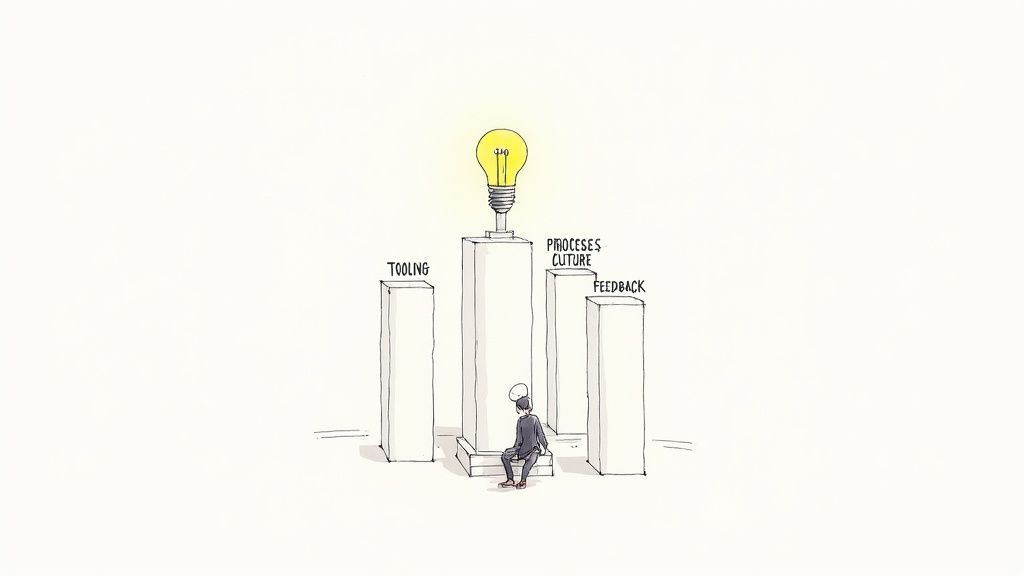
Boosting developer productivity isn't about cracking a whip to make engineers code faster. It's a game of removing friction—systematically, thoughtfully, and relentlessly. The real magic happens when you focus on four key areas: intelligent tooling, streamlined processes, a high-trust culture, and insightful feedback loops.
When you get these four pillars right, you create an environment where developers can truly hit their stride and do their best work.
The Real Drivers of Developer Productivity
It’s a common mistake for leaders to measure productivity by lines of code or the raw number of features shipped. That kind of thinking is a direct path to burnout and buggy software. I’ve seen it happen. Real, sustainable productivity is born from a smarter strategy that looks at the entire development lifecycle, from the first planning meeting to the final deploy.
This guide is a playbook for doing just that. We'll skip the generic advice and get straight to actionable steps you can use, whether you're a startup, an SME, or a team working with nearshore developers.
A Holistic Framework for Improvement
You can't just throw a new tool at your team and expect miracles. A balanced approach is crucial. If you don't fix the clunky processes or address the fear of failure, that shiny new tool will just gather dust. The biggest gains come when all these elements work together.
Here’s a breakdown of how the four pillars connect:
- Intelligent Tooling: Think fast CI/CD pipelines, smart IDEs, and automation that handles the grunt work. These tools free up developers' mental energy for the hard stuff—solving complex problems.
- Streamlined Processes: Clear, well-defined workflows for code reviews, branching strategies, and sprint planning are essential. They eliminate confusion and bottlenecks, paving a smooth road from an idea to a deployed feature.
- High-Trust Culture: This is about creating an environment where people feel safe to collaborate, share knowledge, and communicate openly (especially asynchronously). It empowers engineers to take ownership and innovate.
- Insightful Feedback Loops: Quick, meaningful feedback is a game-changer. From automated test results to direct user input, this is how developers learn the impact of their work and make better decisions.
When you start treating productivity as a systemic outcome instead of an individual metric, you build a much more resilient engineering organization. The real goal is to create a well-oiled machine where developers have everything they need to excel without pointless frustration.
Think of this playbook as your roadmap. Before we dive into the specific tactics, the table below provides a quick summary of the strategies we'll be covering, organized by our four core pillars.
Four Pillars of Developer Productivity
This table offers a high-level look at the core strategies for creating a more effective and empowered engineering team.
| Pillar | Key Focus Area | Example Action |
|---|---|---|
| Tooling | CI/CD and Automation | Implementing parallel testing to cut build times by 40% |
| Processes | Code Review Efficiency | Adopting stacked pull requests to unblock dependent work |
| Culture | Onboarding and Communication | Creating an onboarding buddy system for new remote hires |
| Feedback | Engineering Metrics | Tracking Lead Time for Changes to identify process bottlenecks |
Use this as a reference point as we explore each of these areas in more detail. Let's get started.
Using Intelligent Tooling and Automation to Supercharge Your Workflow
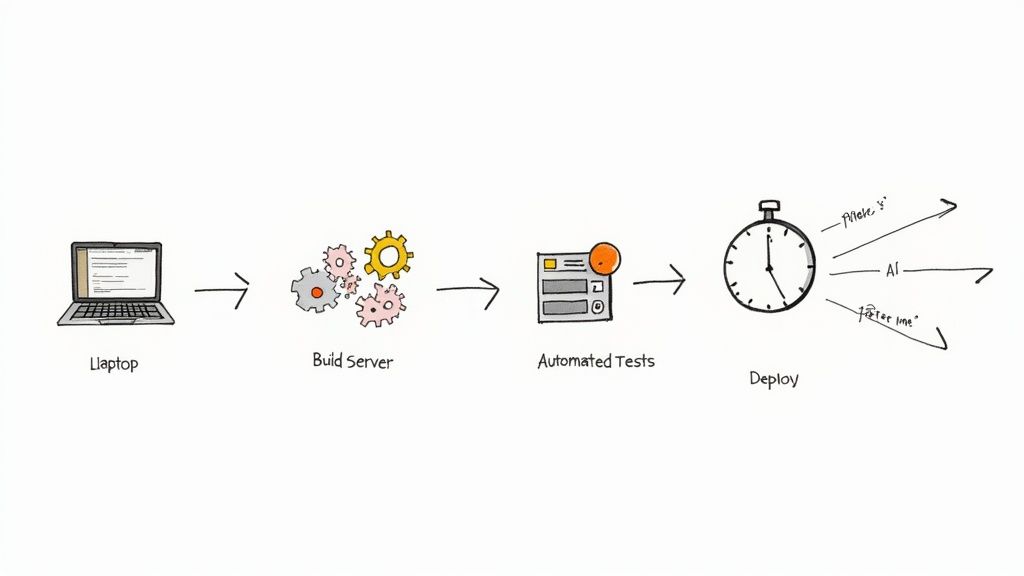
The right tools don't just help developers work; they're a force multiplier, amplifying their skills and focus. Forget generic advice. Real gains in developer productivity come from strategically using high-impact tools that remove friction and automate the tedious parts of the job.
This isn't just about having a CI/CD pipeline. It's about turning that pipeline into a competitive advantage that gives developers feedback in minutes, not hours. It means setting up Integrated Development Environments (IDEs) to be genuine coding partners, not just fancy text editors.
Slash Build Times with an Optimized CI/CD Pipeline
A slow Continuous Integration/Continuous Deployment (CI/CD) pipeline is a notorious productivity killer. When a developer has to wait 30 minutes or more for a build, they lose context, their focus drifts, and the whole team's momentum grinds to a halt. The goal is to make that feedback loop as tight as possible.
Here’s where to focus your efforts:
- Parallelize Your Test Suites: Instead of running tests one by one, configure your pipeline to run them in parallel. Splitting a 20-minute test suite across four parallel jobs can cut that stage down to just five minutes.
- Implement Smart Caching: Cache everything you can—dependencies, build artifacts, and Docker layers. If the code or configuration hasn't changed, there's absolutely no reason to rebuild or re-download everything from scratch on every single run.
- Optimize Your Build Steps: Profile your build process to find the slowest steps. Sometimes a simple change, like switching to a more efficient compiler or optimizing a container image, can shave precious minutes off every build.
I once worked with a team whose build time had crept up to a painful 45 minutes. By introducing parallel testing and aggressive caching, we got it down to under eight minutes. The impact was immediate: developers could merge code multiple times a day, and our deployment frequency nearly tripled.
Harness AI-Powered IDEs to Reduce Cognitive Load
Modern IDEs are incredibly powerful, but their true potential is unlocked with smart plugins and AI assistants. These tools help reduce the cognitive load on developers, letting them stay focused on complex logic instead of boilerplate code and syntax.
Take a look at GitHub Copilot, an AI pair programmer that offers intelligent code suggestions right in the editor.
The tool doesn't just complete single lines; it suggests entire functions and code blocks based on the context of the file and natural language comments. This capability turns a simple comment into a functioning piece of code, radically speeding up development for common patterns and tasks.
There's a reason these AI tools are becoming so common. Studies have shown up to a 55% increase in coding speed for developers using AI assistants. In fact, 90% of software professionals now use AI tools in their work, with nearly 60% regularly using three or more in their daily workflows.
Automate the Grunt Work to Unleash Creativity
So many essential development tasks are repetitive, tedious, and just ripe for automation. Freeing your engineers from this kind of work is a direct investment in their productivity and job satisfaction.
Consider automating these common friction points:
- Environment Setup: Use tools like Docker Compose or Dev Containers to create one-click, reproducible development environments. This completely eliminates the "it works on my machine" problem and can save a new developer days of setup time.
- Code Formatting and Linting: Automate code style checks with tools like Prettier and ESLint, triggered by pre-commit hooks. This ends pointless debates over style during code review, which is a major time sink. You can find more tips for efficient reviews in our code review checklist.
- Regression Testing: Set up automated end-to-end and visual regression tests that run with every pull request. This gives developers the confidence to make changes without having to manually test every part of the application.
To really get the most out of a distributed team, look into the best remote work productivity tools for teams that improve collaboration. These platforms often integrate seamlessly with development workflows, bridging gaps in communication and project management. The right mix of development and collaboration tools creates an ecosystem where developers can thrive, whether they’re in the same room or on different continents.
Refining Your Development Processes to Eliminate Friction
Even the slickest tools can’t save a busted process. Inefficient workflows are the silent assassins of developer productivity. They create this invisible friction that grinds teams to a halt, kills morale, and leaves everyone guessing what to do next.
This isn't about piling on more rules. It's about paving a smooth, clear road from a great idea to a deployed feature. When your processes are clunky, your developers spend more time fighting the system than they do building the product. Think about it—chaotic code reviews, confusing branching strategies, or agile meetings that drag on forever are all just forms of friction. Tackling these head-on is one of the biggest levers you can pull to boost your team's output.
Reimagining the Code Review Process
The code review, or pull request (PR), is fundamental to writing good code, but man, can it be a bottleneck. We’ve all seen it: a PR just sits there for days, waiting for a review. That’s a classic blocker. Not only does it delay the feature, but it forces the developer to jump back into old code days later, which is a massive productivity killer.
You've got to aim for a review turnaround time of a few hours, not a few days. Getting there takes a bit of a culture shift and a few practical changes.
- Keep PRs Small and Focused: A pull request should do one thing, and do it well. A monster 5,000-line PR is impossible to review properly and is a huge red flag that your process is broken. Aim for PRs under 200-300 lines of code—they're just so much easier and faster to get through.
- Establish Clear Review Guidelines: Write down what reviewers should actually be looking for. Is it logic? Style? Test coverage? Security vulnerabilities? When you’re clear about this, you cut down on the long, subjective debates and focus the review on what really matters.
- Use Automation for the Small Stuff: Let automated linters and formatters handle the nitpicky style arguments. A code review should be a high-level conversation about architecture and logic, not a debate over comma placement.
Adopting Modern Branching Strategies
Your branching strategy is the roadmap for how code gets from a developer's laptop into production. If that map is overly complex and rigid, you’re just setting yourself up for painful merge conflicts and painfully slow integration cycles. For most teams today, especially those doing continuous delivery, simpler is almost always better.
This is where trunk-based development comes in. It’s a modern approach where every developer commits to a single shared branch (the "trunk" or main). All the feature work happens in short-lived branches that get merged back into the trunk constantly, often multiple times a day.
This way of working has some huge upsides:
- Reduces Merge Conflicts: Small, frequent merges are way easier to handle than a massive, week-long merge bomb.
- Improves Code Visibility: Everyone sees the latest code as it’s checked in, which naturally leads to better collaboration.
- Enables Continuous Integration: It’s the perfect foundation for a CI/CD pipeline because the trunk is always in a releasable state.
Shifting from a complex Git-flow model to trunk-based development can feel like a big leap, but the productivity gains are real. It forces your team to make smaller, more manageable changes, which is a win for both speed and quality.
Energizing Your Agile Ceremonies
Agile meetings like sprint planning, stand-ups, and retros are supposed to align the team and sharpen your processes. Too often, they just turn into soul-crushing, time-wasting events. The trick is to keep them focused, actionable, and short.
Take sprint planning. It can easily bloat into an hours-long debate club. To fix this, make sure all your stories are well-defined and estimated before anyone even walks into the room. The meeting itself should be for making a final commitment and asking clarifying questions, not for discovery.
If you want to dig deeper into running meetings that don't suck the life out of your team, check out these guides on agile software development best practices. You’ll find frameworks for making your ceremonies more productive and engaging. At the end of the day, you want developers leaving these meetings feeling energized and crystal clear on their goals, not drained and confused.
Cultivating a High-Impact Engineering Culture
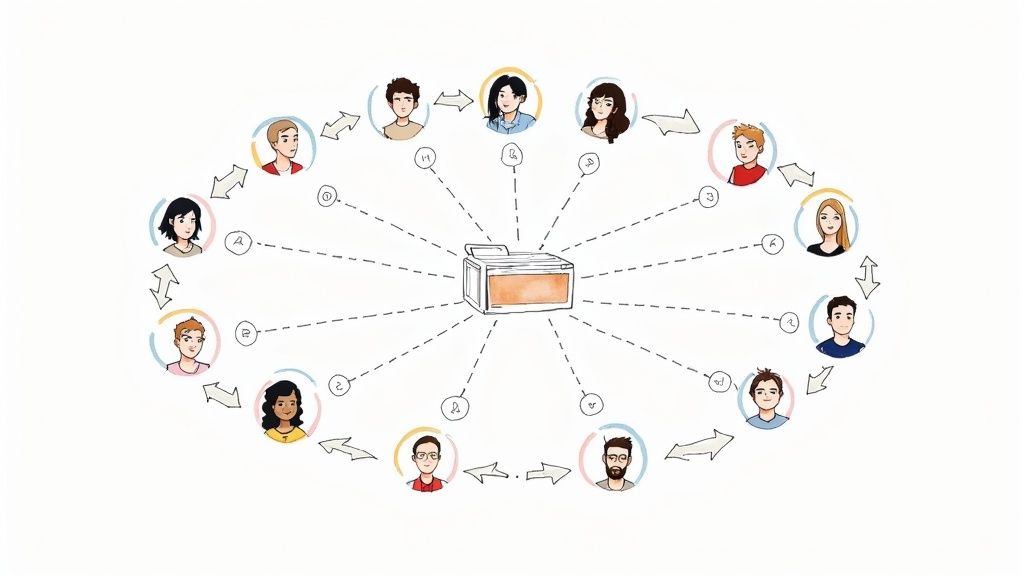
You can have the most sophisticated CI/CD pipeline and the cleanest codebase, but if your engineering culture is broken, you're just spinning your wheels. Culture isn't a "nice-to-have"; it's the invisible force multiplier that determines whether your team thrives or just survives.
It's the human layer that makes everything else work. It’s about building an environment where developers feel safe to fail, are empowered to take ownership, and are genuinely motivated to help each other succeed. Let’s get into the practical steps for building that foundation.
Streamline Your Onboarding for Day-One Impact
A new developer’s first week is critical. A clunky, confusing onboarding process can leave them feeling isolated and unproductive for months. But a great one? It sets the tone for immediate contribution and long-term success.
The goal should be to get every new hire—whether they're in the office or part of your nearshore team—shipping meaningful code within their first week. This isn't about throwing them into a complex feature. It's about giving them a clear, structured path to a quick win.
- Build a "First PR" Checklist: Spell it out. Guide them from cloning the repo and getting their local environment running to understanding the CI pipeline and making a small, low-risk change like fixing a typo or a minor bug.
- Assign an Onboarding Buddy: Pair every new hire with a seasoned team member. This person is their go-to for navigating unwritten rules, asking "stupid" questions, and getting introduced to the right people.
- Treat Your Docs Like Code: Your "Getting Started" guide should be flawless. The best way to test it is to have new hires follow it to the letter and point out every single place they get stuck. If they hit a wall, that's a bug in your documentation, not a failing on their part.
For distributed or augmented teams, a rock-solid onboarding process is even more essential. Check out our guide on tips for managing remote teams for more strategies to make new hires feel connected and effective from day one.
Master Asynchronous Communication
Constant interruptions are the kryptonite of developer productivity. Every Slack ping, shoulder tap, or "quick question" shatters focus and triggers a costly context switch. A culture that defaults to async communication is a culture that respects deep work.
This means being intentional with tools like Slack, Microsoft Teams, and Linear.
The goal isn't to kill synchronous communication, but to make it the exception, not the rule. Protect your team's focus time like it's your most valuable asset—because it is.
Instead of a vague "Hey, you got a sec?" message that demands an immediate response, write a single, detailed message with all the necessary context. This empowers the receiver to reply on their schedule without derailing their current task. Encourage rich, detailed descriptions in tickets and pull requests to preemptively answer questions.
Run Fewer, Better Meetings
Meetings are the single most expensive activity for an engineering team. A one-hour meeting with five engineers isn't a one-hour meeting; it's five hours of your team's most valuable problem-solving time, gone. That doesn't even account for the lost productivity from context switching before and after.
Before you click "send" on that calendar invite, ask one simple question: "Could this be an email, a Slack thread, or a shared doc?" More often than not, the answer is yes.
When a meeting is unavoidable, make it count by following these non-negotiable rules:
- No Agenda, No Meeting: Everyone should know exactly why they are there and what you need to achieve.
- Invite Only the Essentials: If someone doesn’t need to actively contribute, let them read the meeting notes later. Respect their time.
- Embrace the 25-Minute Meeting: Parkinson's Law is very real—work expands to fill the time you give it. You'll be amazed how much more productive a focused 25-minute meeting is than a meandering 60-minute one.
- End with Clear Action Items: Every meeting must end with a summary of decisions and a list of who is responsible for what, and by when.
A culture of trust, psychological safety, and respect for deep work is what separates high-performing teams from the rest. The table below illustrates the stark difference between a low-trust and high-trust environment.
Low-Trust vs High-Trust Engineering Culture Impact on Productivity
| Characteristic | Low-Trust Culture (Productivity Killer) | High-Trust Culture (Productivity Multiplier) |
|---|---|---|
| Psychological Safety | Developers fear making mistakes; they hide problems and avoid risks. | Developers feel safe to experiment, fail, and learn. This accelerates innovation. |
| Knowledge Sharing | Information is hoarded; "knowledge silos" are common. | Documentation is a shared responsibility; mentorship and pairing are encouraged. |
| Feedback | Code reviews are adversarial; feedback is taken personally. | Code reviews are constructive and seen as a collaborative tool for quality. |
| Autonomy | Micromanagement is rampant; every decision requires layers of approval. | Engineers are given ownership and trusted to make decisions about their work. |
| Blame Culture | When things go wrong, the focus is on finding who to blame. | When things go wrong, the focus is on a blameless post-mortem to fix the process. |
Ultimately, fostering a high-trust culture isn't about adding foosball tables or free lunches; it's about systematically removing the friction, fear, and ambiguity that hold great people back.
Nail Your Metrics and Feedback Loops
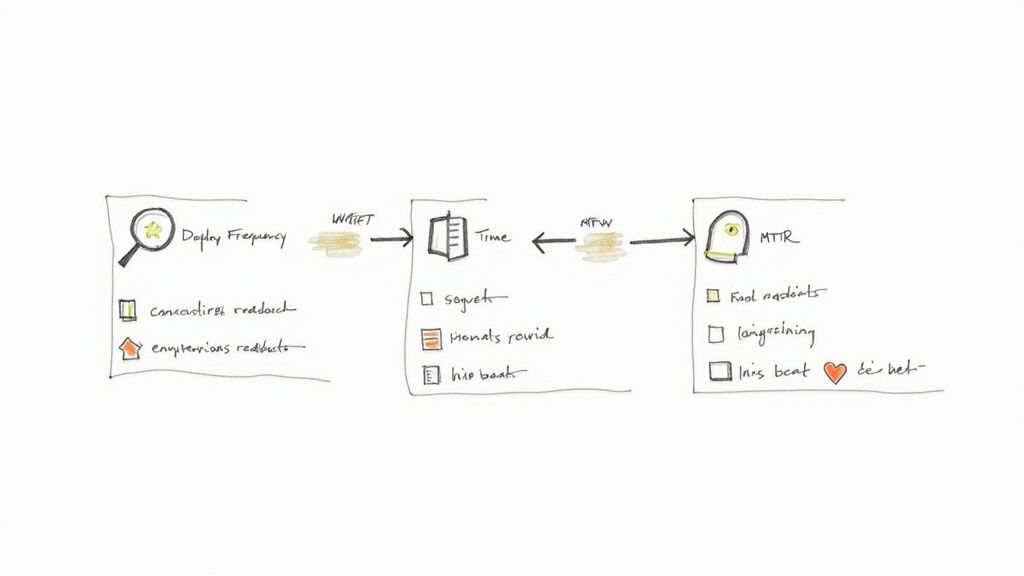
You can't fix what you don't measure. In software, that means you need good data. But be warned: the wrong data is far worse than no data at all. Chasing vanity metrics like lines of code or story points per developer is a classic mistake that crushes morale and encourages all the wrong behaviors.
Think of metrics as a flashlight, not a hammer. They should illuminate system-wide bottlenecks and spark helpful conversations, not be weaponized to judge individual performance. When you start measuring the health of the system instead of the output of individuals, you foster a culture of collective ownership where everyone wins.
Start With the DORA Metrics
If you're not sure where to begin, the DORA (DevOps Research and Assessment) metrics are an excellent starting point. They give you a high-level, respected view of your software delivery performance without getting bogged down in micromanagement. They work because they measure the outcomes of your entire development process, not just one piece of it.
Here’s a quick rundown:
- Deployment Frequency: How often do you successfully release code to production? Elite teams are doing this multiple times a day, which signals a highly stable and automated pipeline.
- Lead Time for Changes: How long does it take for a commit to go from a developer's laptop to running in production? This measures the raw efficiency of your entire workflow, from code review to deployment.
- Change Failure Rate: What percentage of your deployments cause an outage or failure? A low number here is a strong indicator of high quality and robust testing.
- Time to Restore Service: When something inevitably breaks, how long does it take you to fix it? This reflects your team's ability to respond to incidents and recover quickly.
Tracking these numbers gives you a powerful diagnostic tool. Is lead time dragging? It could point to a bottleneck in your code review process. Is the change failure rate creeping up? Maybe it’s time to invest in better automated testing.
Create Tight Feedback Loops
Metrics are only half the battle. The other, equally critical part is creating tight feedback loops that get information back to your developers as fast as humanly possible. The sooner a developer understands the impact of their work, the faster they can learn, adapt, and improve.
Look at every stage of your development lifecycle—each one is an opportunity to reduce uncertainty and rework.
- Automated Test Feedback: This is your fastest loop. Tests should run automatically on every commit and give clear, actionable feedback in minutes. A developer should never have to wait hours to find out they broke something.
- Code Review Feedback: As we've covered, this loop needs to be quick and constructive. A pull request that sits idle for days is a massive productivity killer.
- User Feedback: The ultimate feedback comes from your users. Tools like feature flags let you get new code in front of a small group of users to gather real-world data before a full rollout. Connecting developers directly to this feedback builds empathy and leads to much better product decisions.
For a deeper look into the nuts and bolts of this, understanding how to go about implementing development feedback loops can provide a ton of practical value.
Look Beyond the Numbers: The Developer Experience
While data is crucial, don't forget the human element. Sometimes, what the metrics show and what your developers feel are two very different things. This is especially true with new tools like AI.
For instance, a recent study found that experienced developers using AI tools actually took 19% longer to complete tasks than those without them. The surprising part? They believed the AI made them about 20% faster. This tells us that developers might value these tools for the improved experience—like reducing cognitive load—even if the clock tells a different story.
The real key is to balance your quantitative metrics with qualitative feedback. Use retrospectives and one-on-ones to dig into the story behind the data. A drop in deployment frequency might look bad on a chart, but it could be because the team is wisely investing time to pay down technical debt—a move that will unlock much higher productivity down the road. Always ask "why."
Navigating Real-leal Productivity Trade-Offs
Let’s be honest: there are no silver bullets in software engineering. Every single strategy for improving developer productivity has a catch. The real skill isn't finding a perfect solution, but understanding the compromises and making smart decisions that actually fit your team—whether you're a scrappy startup or a larger company working with nearshore talent.
A perfect example of this is the double-edged sword of AI assistants. That rush of getting instant code is incredibly tempting, but it’s definitely not a free lunch. I’ve seen teams save an hour writing code, only to spend the next ten trying to unravel a subtle, AI-generated bug that took down production.
The AI Productivity Paradox
AI-assisted development is the quintessential modern trade-off. The promise of huge time savings is absolutely real, but so are the hidden costs. It's a classic give-and-take: you gain speed in one place and introduce friction somewhere else.
The numbers back this up. Field studies of 4,867 developers showed an average productivity jump of around 26% when using AI tools effectively. A staggering 68% of developers even reported saving more than 10 hours a week. But here's the kicker: 45% of those same engineers said that debugging the AI's code often took more time than fixing code they wrote from scratch. You can dig into more of these stats over on Arcade's blog.
This data screams "trade-off." Your team might ship features faster, but your QA and debugging cycles need to be rock-solid to catch a whole new category of potential problems.
Speed vs. Quality: A Delicate Balance
Then there's the age-old battle between development speed and code quality. Everyone knows the pressure to ship faster. Cutting corners on testing or blowing past code reviews might juice your velocity for a sprint or two, but it’s a recipe for a long-term slowdown.
This is the very definition of technical debt. Every shortcut is a loan you take out against future productivity, and the interest compounds fast. Eventually, the bill comes due, and you pay it back with crippling bugs, painful refactors, and a codebase everyone is afraid to touch.
Sustainable productivity is all about finding the right balance. It doesn't mean being slow; it means being smart.
- Try trunk-based development. This encourages small, frequent commits that are easier to test and review.
- Automate your regression testing. This gives you a safety net, so you can move fast without breaking things.
- Set a strict SLA on code reviews. A 24-hour turnaround policy, for instance, keeps things moving without sacrificing that crucial quality check.
The point isn't to get rid of trade-offs—you can't. The point is to make them intentional. Know exactly what you're giving up to get a specific benefit, instead of letting the costs sneak up on you later.
Perceived Productivity and the Developer Experience
Finally, don't ever forget the human side of the equation. Hard metrics are great, but they only paint part of the picture. A developer’s feeling of productivity and their day-to-day experience are just as critical for long-term success.
If you roll out a new process that makes your engineers feel micromanaged, or a tool that's a nightmare to use, their morale will tank. It won't matter what your DORA metrics say. Burnout is the ultimate productivity killer, and it almost always starts with a crummy developer experience.
Lasting improvements come from giving your team the tools and autonomy to navigate these hurdles themselves. It’s all about making deliberate choices that lead to sustainable gains—not just short-term wins that leave your team exhausted and your codebase in shambles.
Got Questions About Developer Productivity? We've Got Answers.
Here are some quick, no-nonsense answers to the questions engineering leaders ask most often when they're trying to boost their team's output. Think of this as the rapid-fire round to complement the deeper strategies we've already covered.
How Can We Measure Productivity Without Being Creepy Micromanagers?
This is a big one. The secret is to stop focusing on individual output and start looking at team-level outcomes. Metrics like lines of code or tickets closed are not just outdated; they actively encourage the wrong behavior and breed a culture of distrust.
Instead, shift your focus to system-level metrics that show you the health of your entire development process. The DORA metrics are the gold standard here for a reason:
- Deployment Frequency: How often are you actually shipping code to production?
- Lead Time for Changes: How long does it take for a commit to make it all the way to a live user?
- Change Failure Rate: What percentage of your deployments blow up and cause an issue?
- Time to Restore Service: When things do break, how fast can you fix them?
Using these metrics is like using a flashlight to find bottlenecks in your system, not a hammer to bash individual developers. It builds trust and makes everyone feel like they own the entire process, from idea to production.
What’s the Single Biggest Mistake You See Teams Make?
Hands down, it's chasing the "silver bullet." Teams get stuck on the idea that one new tool or the latest trendy agile framework will magically solve all their productivity woes. It never does.
A shiny new tool can't fix a broken process, and a rigid new process can't fix a culture where people don't trust each other. Real, lasting improvements come from looking at your tooling, processes, and culture as one interconnected system.
Sure, investing in a powerful CI/CD tool like GitHub Actions or CircleCI is a great move. But its impact will be blunted if your code review process is a multi-day slog or if your engineers are too scared of breaking things to experiment. You need a balanced approach to see real change.
How Do We Stop Developers from Being Interrupted All Day?
Protecting focus time is probably the single most impactful thing you can do for productivity. Every Slack ping and "quick" meeting is a wrecking ball to deep work, forcing an expensive context switch that kills momentum.
You have to create an environment that values focus. Start by setting clear communication rules. Push for asynchronous communication for anything that isn't a true emergency. A well-written Slack message or a comment in a Jira ticket is almost always better than a tap on the shoulder that demands an instant answer.
It also helps to designate someone—a team lead or product manager—to act as a gatekeeper. They can field incoming requests and shield the engineers, letting them stay in the zone and do what they do best: build.