A concise overview of legacy system modernization strategies
Modernizing a legacy system isn't just about a tech upgrade; it's a strategic move essential for survival. Clinging to outdated technology introduces serious security holes and operational drag that can sink a business. Think of it as a critical investment to stay competitive, efficient, and secure in a market that doesn't wait for anyone.
Why Ignoring Legacy Systems Is Costing You
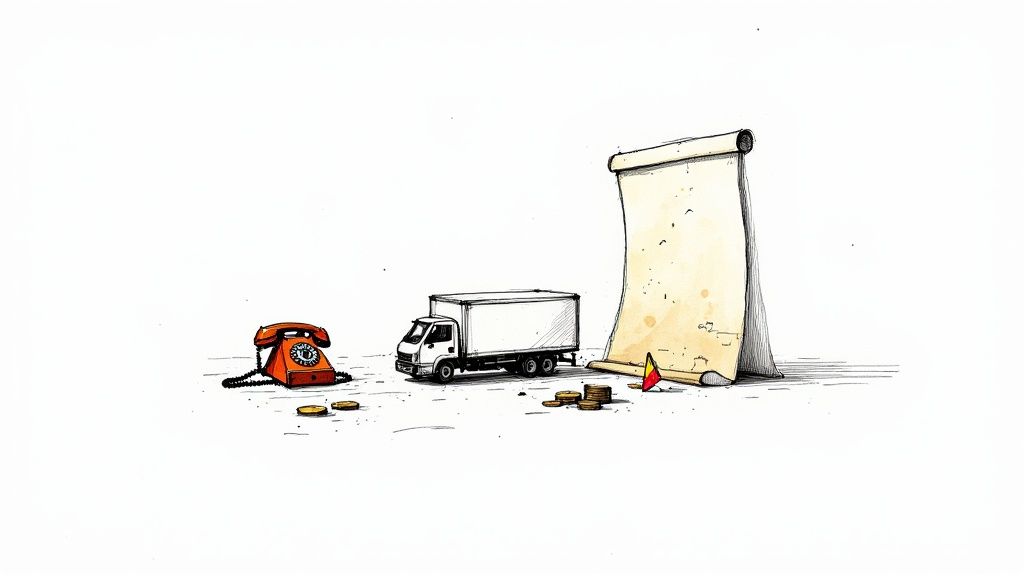
Running a business on a legacy system is like trying to manage a modern delivery service with a paper map and a rotary phone. Sure, it technically works, but the sheer inefficiency and risk are actively damaging your bottom line. Putting off modernization isn't saving you money; it's just letting hidden costs bleed your resources and kill your potential for growth.
This inaction snowballs into a whole host of problems that businesses wrestle with every day. Once you reframe modernization as a necessary investment in your company's future, it becomes painfully clear: the risk of standing still is far greater than the cost of moving forward.
The Rising Tide of Maintenance Costs
Keeping old systems alive is a money pit, plain and simple. As the hardware gets older and the original developers retire or move on, finding anyone who can actually fix things becomes a costly scavenger hunt. These systems often need expensive, custom-band-aids just to keep running, gobbling up a huge slice of the IT budget that should be going toward innovation.
And this isn't a small drain. A 2025 report from the U.S. Government Accountability Office (GAO) found that just ten of the federal government's most critical legacy systems cost about $337 million annually to operate. That staggering number shows just how much financial weight these old systems can place on even the biggest organizations. Learn more about the compelling statistics behind legacy code.
Glaring Security Vulnerabilities
Most legacy systems were built long before today's security threats even existed. Their fundamental architecture can't support modern security protocols, making them an open invitation for cyberattacks. You can't patch or update them to defend against new vulnerabilities, leaving sensitive company and customer data dangerously exposed.
A single data breach can trigger devastating financial losses, shatter your company's reputation, and bring on hefty regulatory fines. Suddenly, that outdated system isn't just an inconvenience—it's a massive liability.
These hidden risks are a huge part of the cost. When you finally decommission these systems, practices like secure hard drive destruction are non-negotiable to prevent data from falling into the wrong hands.
The Struggle for Top Talent
Let's be honest: top-tier engineers and developers want to work on interesting problems with modern tools. Forcing them to wrestle with archaic, poorly documented systems is a surefire way to kill morale and send them looking for a new job. This talent drain creates a vicious cycle that's hard to break:
- Recruitment Difficulty: Good luck attracting skilled professionals when your tech stack is older than they are.
- Knowledge Loss: When the one or two people who actually understand the old system walk out the door, they take that irreplaceable knowledge with them.
- Innovation Stalemate: Without a capable and motivated team, your ability to build new products or even react to market shifts grinds to a halt.
Choosing Your Modernization Path
So, you've decided it's time to tackle that legacy system. That's a huge step. The next, and arguably most critical, is figuring out how to do it. There's no magic bullet here. The right path depends on the state of your system, your budget, your team's skills, and exactly what you need to achieve.
Think of your old system like a classic car. Do you just need to get it running well enough to drive to a new, modern garage? That's one option. Or do you want to swap out the engine for a high-performance electric motor while keeping the vintage body? That's another. You could even decide to scrap it and buy a brand-new Tesla. Each choice comes with its own trade-offs in cost, time, and risk.
Let's break down the most common modernization playbooks.
The 7 Rs: Your Modernization Playbook
The industry often talks about the "7 Rs" of modernization. These aren't rigid rules but a spectrum of options, from quick fixes to complete overhauls. We'll start with the least disruptive and work our way up.
1. Rehost (Lift-and-Shift)
This is the fastest and most straightforward approach. You're essentially taking your application and its data from an on-premise server and moving it to a cloud infrastructure like AWS or Microsoft Azure. The key here is that the application's code and architecture remain almost entirely unchanged.
- The Analogy: You’re moving your furniture to a new, better-equipped apartment. You haven’t bought any new furniture, but now you have better security, a 24/7 super, and you’re not responsible for fixing the leaky roof anymore.
- Best For: Getting out of a data center fast, reducing infrastructure overhead, or as a first step in a longer-term cloud journey. It’s a quick win.
2. Replatform (Lift-and-Reshape)
A step beyond rehosting, replatforming involves moving to the cloud while making small, targeted optimizations to take advantage of cloud-native features. This might mean swapping an old, self-managed database for a managed cloud service like Amazon RDS or using a container orchestration platform.
- The Analogy: You’ve moved into that new apartment, and now you’re making a few smart upgrades. You swap your old window AC unit for central air and ditch your personal router for the building's high-speed fiber internet.
- Best For: When you want some tangible cloud benefits—like improved performance or reduced management—without the cost and risk of a major rewrite.
3. Refactor
Here, we start digging into the code itself. Refactoring means restructuring the application's internal source code to improve its design and clean up technical debt, all without changing what the application actually does from a user's perspective. It makes the system easier and safer to change in the future.
- The Analogy: The lights in your house all work, but the wiring is a chaotic, 50-year-old mess. Refactoring is like hiring an electrician to rewire the whole place. On the outside, nothing has changed. But now, it’s safer, more efficient, and you can finally install that smart home system you wanted.
- Best For: A business-critical system that works but has become a nightmare to maintain or update. It’s an investment in future agility.
4. Rearchitect
This is where things get more serious. Rearchitecting means fundamentally changing the application's structure. The most common example is breaking down a large, monolithic application into a set of smaller, independent microservices. This is a major project, but it can dramatically improve scalability and development speed.
Before you go down this road, it's worth understanding the https://getnerdify.com/blog/microservices-architecture-advantages and the challenges they present.
- The Analogy: You’re not just rewiring; you’re knocking down interior walls to create an open-concept living space. The house’s external footprint is the same, but the internal flow and function are radically different and better suited to a modern lifestyle.
- Best For: Monolithic systems that have become a bottleneck, preventing teams from innovating and deploying features independently.
5. Rebuild (or Rewrite)
Sometimes, the old code is just not worth saving. Rebuilding means starting from scratch, throwing away the old application, and creating a new one with modern tools and a fresh perspective. It allows you to completely rethink the solution based on today's business needs, not yesterday's.
- The Analogy: The old house has a cracked foundation and a leaky roof. It's time to tear it down and build a brand-new home on the same lot, perfectly designed for your family's current needs.
- Best For: When the legacy system is fundamentally broken, the technology is obsolete, or the business logic is so outdated that fixing it is more expensive than starting over.
6. Replace
Why build what you can buy? The replace strategy involves retiring the old application and swapping it out for an existing commercial-off-the-shelf (COTS) or Software-as-a-Service (SaaS) solution.
- The Analogy: Forget building a house. You sell your old property and buy a turnkey home in a managed community. You get all the modern amenities without any of the construction headaches, though you have less say in the floor plan.
- Best For: Commodity functions that don’t give you a competitive edge—think HR, CRM, or accounting. Let a dedicated vendor handle it.
7. Retire
This one is simple: just turn it off. As you analyze your portfolio, you'll often find applications that are no longer used or whose functionality has been absorbed by other systems. Decommissioning them saves money and reduces your attack surface.
- The Analogy: That old, dusty shed in the backyard that no one has opened in 10 years? It's time to tear it down and reclaim the space.
- Best For: Redundant or obsolete applications that provide zero business value.
For a deeper dive, this technical guide to legacy system modernization offers some great hands-on perspectives.
Legacy Modernization Strategies at a Glance
Choosing the right path from these options can feel daunting. This table provides a quick cheat sheet to help you compare the core trade-offs.
| Strategy | Primary Goal | Effort & Risk Level | Best For |
|---|---|---|---|
| Rehost | Reduce infrastructure costs quickly | Low | Getting out of a data center ASAP; a first, non-disruptive step to the cloud. |
| Replatform | Gain some cloud benefits without a rewrite | Low to Medium | Leveraging managed services (e.g., databases, containers) for better performance. |
| Refactor | Improve code quality and maintainability | Medium | Cleaning up technical debt in a valuable but hard-to-change application. |
| Rearchitect | Increase agility and scalability | High | Breaking down a business-critical monolith into microservices. |
| Rebuild | Align with modern business needs | Very High | When the current system is beyond repair and business requirements have changed. |
| Replace | Adopt a best-in-class standard solution | Varies | Non-core functions where a SaaS product is a better fit (e.g., HR, CRM). |
This overview helps frame the decision, but remember that many real-world projects blend these approaches for different parts of a system.
Hybrid Strategies: The Strangler Fig Pattern
Modernization doesn't have to be an all-or-nothing, "big bang" event. In fact, that's often the riskiest way to do it. A much safer and more pragmatic approach is to modernize incrementally.
The best-known incremental method is the Strangler Fig Pattern. Imagine a fig vine growing on an old tree. It starts small, but over time it wraps itself around the host, eventually becoming the dominant structure. The old tree inside can then rot away, leaving the strong, new vine in its place.
In software, you do the same thing:
- You identify a piece of functionality in your legacy monolith.
- You build that feature as a new, separate microservice.
- You then redirect all traffic for that specific feature from the old system to the new service.
You repeat this process, piece by piece, gradually "strangling" the old monolith. Over time, more and more functionality moves to the new, modern architecture until the legacy system has nothing left to do and can be safely retired. This approach minimizes risk, delivers value faster, and avoids a massive, high-stakes cutover.
A Framework for Making the Right Choice
Knowing your options is one thing, but confidently picking the right one is a whole different ballgame. With so many modernization strategies on the table, it's incredibly easy to get stuck in "analysis paralysis"—that state where you’re so afraid of making the wrong move that you make no move at all. To break free, you need a structured way to look at your system and tie your technical decisions directly to your business goals.
Think of it like a mechanic sizing up a classic car. They don’t just start yanking out parts. They pop the hood, check the engine's health, look for rust on the frame, and ask the owner about their budget and what they plan to do with it. Weekend drives? Cross-country races? That context changes everything. We need to take that same diagnostic approach with our legacy systems.
The Four Pillars of Your Decision Framework
Your decision should really stand on four key pillars. By running your legacy system through this filter, a clear path will start to emerge, pointing you toward the strategy that makes the most sense. This isn't about a gut feeling; it's about making a data-backed choice.
- Business Value: How much does this system really matter to your core operations and your edge in the market?
- Technical Health: What’s the reality of the code quality, the architecture's stability, and the tech it’s built on?
- Team Skillset: Does your team have the know-how to keep the old system running, or the skills to build its replacement?
- Risk Tolerance: How much disruption, budget overrun, and timeline slip can the organization actually stomach?
By digging into these areas, you can start to map your specific situation to the strategies we've discussed. For a deeper dive into how these choices shape your overall tech stack, exploring various enterprise application architecture patterns can add some really valuable context.
Probing Questions to Guide Your Choice
Let’s turn those pillars into questions you can actually ask. Getting your technical and business stakeholders in a room to hash these out will quickly shine a light on the best path forward.
Assessing Business Value
- Is the core business logic a secret sauce? If the logic inside is a key competitive differentiator, strategies like Refactor or Rearchitect make a lot of sense—they preserve and polish that value. If it's just generic plumbing, a Replace with a standard SaaS tool is probably far more efficient.
- How much money or operational efficiency depends on this system? Systems tied to significant revenue justify bigger investments like a Rebuild or Rearchitect to secure future growth.
- What future business plans will this system block? If the system is a bottleneck for innovation, you need to get more aggressive.
A system might be working fine today but be a total roadblock for the company’s five-year plan. What you need tomorrow is just as important as how it performs right now.
Evaluating Technical Health
- How gnarly is the codebase? A tangled, poorly documented mess often makes a Refactor way too risky. This pushes you toward a fresh Rebuild or a gradual Strangler Fig approach.
- Is the underlying technology ancient and unsupported? If you can't get hardware or find security patches, a Rehost or Replatform becomes an urgent first step just to manage the immediate risk.
- How painful is it to deploy changes? If every minor update is a weeks-long ordeal of testing and hoping for the best, you have a major agility problem that rearchitecting can solve.
Gauging Your Team and Resources
- Who really understands this system? If all the knowledge is locked in the heads of one or two people nearing retirement, you're sitting on a time bomb. Modernization becomes a mission to transfer that knowledge before it walks out the door.
- Does your team speak cloud? A skills gap might make a simple Rehost the only realistic short-term option, giving you time to upskill or bring in new talent.
- What's the budget really look like? A tight budget naturally favors lower-cost moves like Rehost or incremental encapsulation. A bigger war chest opens the door to a full Rebuild or Replace.
Answering these questions honestly gives you the raw data you need. It helps you pick a strategy that doesn’t just fix a technical problem, but actually delivers real, measurable value back to the business.
Building Your Modernization Roadmap

Picking a strategy is a huge win, but it's really just the starting line. Now comes the hard part: turning that high-level decision into a concrete, step-by-step plan. A successful modernization project isn’t some massive, all-at-once leap of faith. It’s a carefully orchestrated journey, broken down into manageable phases that let you manage risk, demonstrate progress, and keep everyone bought in.
Think of it like building a house. You don't just dump a truck full of lumber on a plot and start swinging a hammer. You begin with a blueprint (Planning & Design), survey the land (Discovery), pour the foundation (Pilot), build the frame (Phased Rollout), and, only then, do you demolish the old shack (Decommissioning). Each stage is critical and builds on the last.
Stage 1: Discovery And Assessment
This is all about intelligence gathering. Before you touch a single line of code, you need a deep, honest understanding of what you’re up against. The whole point is to map out the existing system’s architecture, untangle its dependencies, see how business processes really work, and tally up the technical debt.
Key activities here usually involve:
- Code and Dependency Analysis: Firing up automated tools to map the application's true structure, sniff out hidden interdependencies, and pinpoint the ugliest parts of the codebase.
- Stakeholder Interviews: Sitting down with the actual users, developers, and support teams. They know the system's quirks, pain points, and undocumented workarounds better than anyone.
- Infrastructure Review: Documenting the servers, databases, and integrations you’re currently running on to figure out what a migration will actually take.
The main takeaway from this phase is a comprehensive System Assessment Report. This document isn’t just a summary; it’s the data-backed reality check that confirms your chosen strategy is the right one.
Stage 2: Planning And Design
Okay, you’ve got a clear picture of the "as-is" state. Now you can get to work designing the "to-be" architecture. This is where your strategy becomes a detailed technical blueprint and a real project plan. You'll define the scope, lock in key milestones, line up your resources, and decide how the whole initiative will be managed.
One of the biggest calls you'll make here is how to staff the project. You'll almost certainly need a blend of your internal folks—the ones who hold that priceless institutional knowledge—and outside experts who bring fresh skills and perspective. Many companies find success with nearshore staff augmentation to bring in skilled developers who are in a compatible time zone and can integrate smoothly with the team, all without the overhead of direct hires.
Rushing the planning stage is a classic, costly mistake. A solid plan that anticipates risks and sets realistic timelines is the single best predictor of whether a modernization project will sink or swim.
Stage 3: Pilot Execution
Time to make it real. Instead of trying to modernize the entire system in one terrifying "big bang," you pick a small, low-risk, but representative piece of it for a pilot. This could mean rewriting a single microservice, moving a non-critical component to the cloud, or applying the Strangler Fig pattern to one small part of the application.
This pilot isn’t just a test run; it serves a few vital purposes:
- Validates Your Approach: It proves your chosen strategy and tech stack actually work in your environment, not just on paper.
- Builds Team Confidence: It gives the team an early win and lets them get their hands dirty with the new tools and processes.
- Uncovers Unknowns: It shines a light on all the unexpected technical roadblocks and process gaps you didn't know you had, but in a safe, controlled way.
Stage 4: Phased Rollout And Iteration
With a successful pilot in the rearview mirror, you can kick off the broader, phased rollout. But this isn't a rigid, waterfall-style march to the finish line. It's an agile, iterative process where you tackle the system in logical chunks, or "waves," based on business priorities and technical dependencies.
Each wave is a mini-cycle of its own: develop, test, deploy, and learn. This loop lets you deliver value back to the business bit by bit, get feedback from users early and often, and adjust your plan as you go. It dramatically lowers the risk of a massive failure and keeps the project aligned with what the business actually needs.
Stage 5: Legacy Decommissioning
This is the final, and most satisfying, step: officially pulling the plug on the old system. It's never as simple as just flipping a switch, though. You need a careful process to make sure every last bit of data has been migrated, all user traffic is flowing to the new system, and no forgotten processes are still trying to ping the old infrastructure.
A proper decommissioning means archiving old data to meet compliance rules, shutting down servers to stop paying for them, and updating all the documentation. It’s the final act that officially closes the book on the old system and lets you finally cash in on the cost savings and efficiencies of your new, modern platform.
How AI Is Changing the Modernization Game
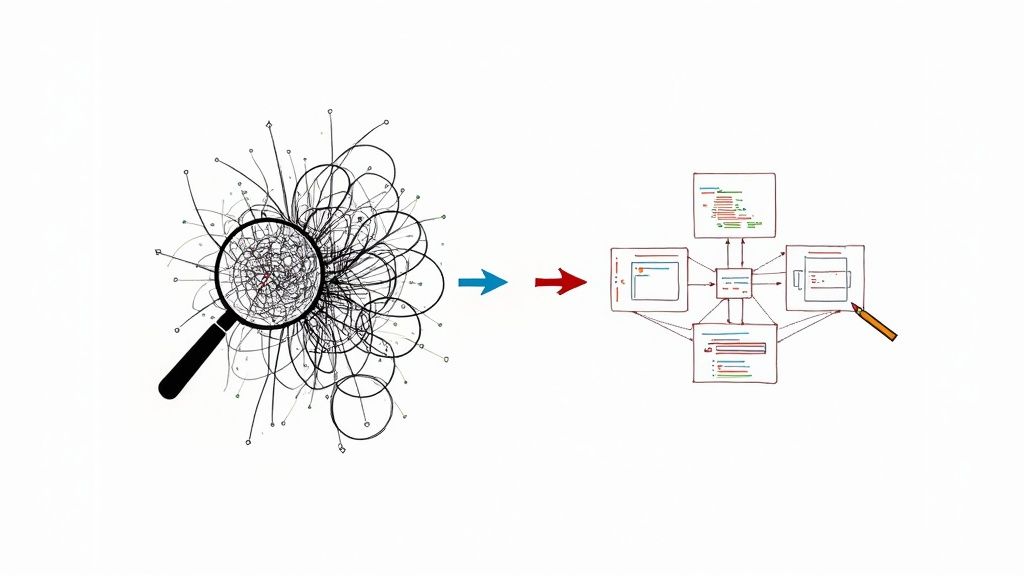
The traditional modernization roadmap is being completely redrawn by Artificial Intelligence. It's no longer just a buzzword. AI-powered tools are now taking on the most tedious, error-prone tasks that used to make these projects feel like a massive gamble. This is fundamentally changing high-risk, multi-year overhauls into projects that are far more predictable and, frankly, achievable.
Imagine you're trying to restore a century-old mansion. For years, the only way to understand its plumbing and wiring was to knock holes in walls and trace every pipe by hand—a slow and messy process. AI is like bringing in a crew with ground-penetrating radar. They can scan the entire structure instantly, mapping out every connection, finding hidden weak spots, and even suggesting the most efficient way to bring it up to code.
Automating the Detective Work
One of the biggest headaches in any of the legacy system modernization strategies is just figuring out what the old system actually does. Decades of undocumented patches and forgotten business rules can turn even a simple codebase into a tangled mess. This is where AI is making its first big impact.
AI-driven tools can chew through millions of lines of ancient code to:
- Map Dependencies: They automatically chart how different modules and services are connected, which helps you avoid that "oops, we broke something" moment during a migration.
- Translate Obsolete Code: These tools can convert logic from old-school languages like COBOL into modern standards like Java or Python, saving thousands of hours of manual rewriting.
- Identify Business Rules: AI can reverse-engineer the critical business logic that was baked into the code but never written down, preserving vital operational knowledge.
This isn't just about moving faster; it's about eliminating guesswork. The automated analysis provides a clear, data-driven blueprint of your legacy system, so your team can plan with confidence instead of just crossing their fingers.
Generating the Future from the Past
AI isn't just good at reading old code; it's getting incredibly good at writing new code, too. Generative AI tools can now produce clean, efficient, and well-documented code based on the business logic they’ve extracted from the legacy system. This is a massive leap forward for refactoring and rebuilding projects.
The impact is already clear. A recent Forrester report found that over 70% of digital transformation initiatives get stuck because of their legacy systems. AI tools are built to break through that logjam by accelerating the whole process, from initial analysis to final code generation. You can see what this looks like in practice by checking out the top AI-driven legacy modernization platforms of 2025.
As these tools get smarter, modernization will become less about painful reverse-engineering and more about smart, strategic architectural design. It’s the key to finally paying off that decades-old technical debt.
Measuring the Success of Your Project
Getting your modernized system live isn't the finish line—it's the starting gun. A successful project is about so much more than just flipping a switch. To prove the whole effort was worth it and keep everyone from the C-suite down on board, you have to connect the new tech to real business results using Key Performance Indicators (KPIs).
If you don't have clear metrics, you're just guessing. You won't know if the millions of dollars and thousands of hours you poured into modernization actually made a difference. You need a balanced view to see the project's success from every angle.
Defining Your Scorecard
The best way to get a full picture is to group your KPIs into four key areas. This "balanced scorecard" approach stops you from celebrating a technical achievement that secretly costs a fortune or frustrates your users. Each category answers a crucial question about the project's real value.
- Financial KPIs: Are we saving money?
- Operational KPIs: Are we working smarter and faster?
- Business KPIs: Are our customers and employees better off?
- Technical KPIs: Is the new system more stable and secure?
This framework gives you a holistic view and helps prove that the return on investment was real.
The real trick is to translate technical wins into business language. A 50% reduction in deployment time isn't just a cool stat for the dev team; it’s a competitive edge that means you're beating rivals to market with new features.
Key Metrics Across the Board
Let's dig into some specific examples for each category. You can use these as a starting point to build your own measurement plan.
Financial Metrics
This is where the CFO is paying attention. These numbers are all about proving the ROI.
- Total Cost of Ownership (TCO): Show a clear reduction in spending on old hardware, expensive software licenses, and the niche experts needed to keep the old system running.
- Operational Expense Reduction: Measure the direct savings from things like a smaller server footprint or lower cloud energy bills.
Operational and Business Metrics
These KPIs get at the heart of efficiency, speed, and how people feel about the new system.
- Deployment Frequency: Moving from monthly to weekly deployments is a massive win for agility.
- Time-to-Market: How fast can you take an idea and get it into the hands of a customer? Measure this from start to finish.
- User Satisfaction Scores (CSAT/NPS): Actually ask your users. Send out surveys to see if the new system is truly easier and more effective for them.
- System Uptime and Performance: Nothing proves reliability like hard data on availability and response times. For a deeper dive, check out these application monitoring best practices to make sure you're tracking what matters.
Technical Metrics
These metrics are about the health of your new architecture and its ability to last.
- Code Complexity: Use static analysis tools to show a decrease in cyclomatic complexity. This is solid proof that your new code is easier and cheaper to maintain.
- Security Vulnerabilities: Track the number of security issues found and fixed. A downward trend is a powerful way to demonstrate a much stronger security posture.
Common Questions About Legacy System Modernization
Diving into a major tech overhaul always stirs up a lot of questions. It’s only natural. People want to know what to expect, from project timelines to how it will affect their daily jobs. Let’s tackle some of the most common questions we hear from teams getting ready to modernize.
How Long Does a Modernization Project Take?
This is the big one, but there's no magic number. The timeline really hinges on the path you choose and how tangled your current system is. A straightforward Rehost, often called a "lift-and-shift," might be done in a few weeks. But if you’re doing a full Rebuild or taking the gradual Strangler Fig approach, you could be looking at a project that lasts several months or even over a year.
The trick is to not boil the ocean. A smart plan breaks the work into manageable phases. A well-scoped pilot project can show real, measurable results in just one quarter, which is fantastic for building momentum and getting everyone on board.
Will Modernization Disrupt Our Daily Business Operations?
Making sure the business keeps running smoothly is priority number one. A good modernization strategy is designed from the ground up to minimize disruption. This is exactly why methods like the Strangler Fig pattern were invented—they help you avoid a scary "big bang" switch-over where everything could go wrong at once.
By rerouting users to new services one by one, you can perform the upgrade behind the scenes without pulling the rug out from under your team. It all comes down to careful planning. You schedule deployments for quiet times and map out the transition so that for the end-user, it feels seamless.
The goal isn’t just to replace old technology; it’s to do so while ensuring business continuity. A phased rollout protects revenue and keeps daily operations stable throughout the entire process.
Do We Need to Hire a New Team?
Not usually, and in fact, that can be a mistake. A modernization project is a golden opportunity to invest in your current team and grow their skills. Your people possess priceless knowledge about why the business runs the way it does. You can't buy that.
While you might need to bring in specialists for a specific technology—like a cloud architect or a developer with a certain language—the most successful projects blend old and new. Your internal team knows the business logic inside and out, and an external partner or a nearshore team can bring the technical firepower to get it done faster. It’s that combination of institutional knowledge and specialized expertise that really makes a project fly.