Test Strategy Template: Build a Testing Plan (test strategy template)

Think of a test strategy template as your organization's constitution for quality. It’s a high-level, reusable document that lays out the fundamental approach to software testing. Essentially, it defines why and how you test, creating a consistent benchmark that guides every project. It's your north star for quality assurance.
What Is a Test Strategy and Why You Need a Template
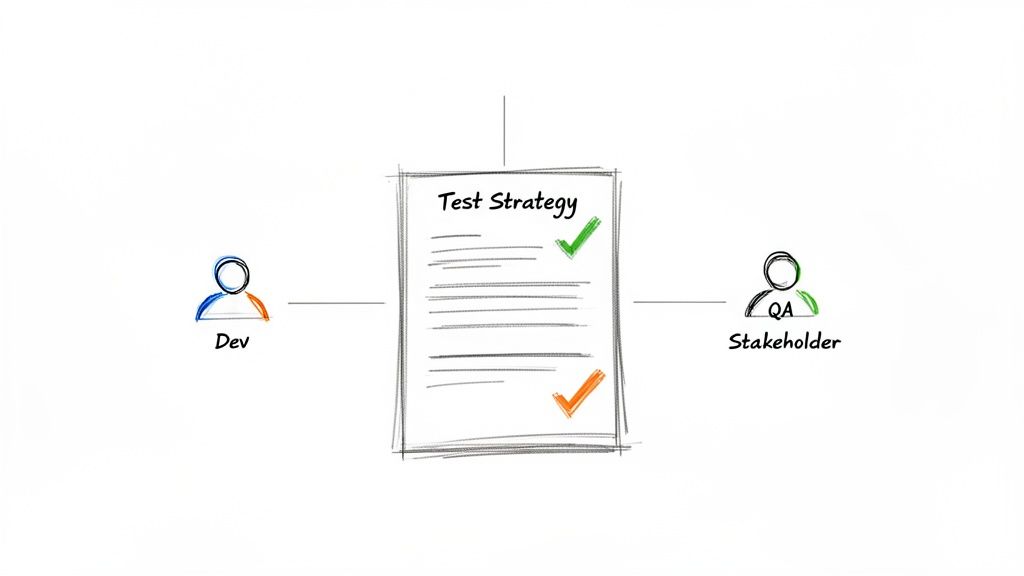
It’s easy to mix up a "test strategy" with a "test plan," but they play very different roles. The test strategy is the long-term vision—a static guide that rarely changes unless your core engineering processes get a major overhaul.
On the other hand, a test plan is dynamic and project-specific. It’s the tactical document that outlines the what, when, and who of testing for a single feature or release.
This is where a solid test strategy template becomes so valuable. It standardizes your entire approach to quality. Instead of starting from scratch and reinventing the wheel for every project, your team has a proven framework to build upon. This not only saves a huge amount of time but also embeds best practices right from the get-go.
The Strategic Advantage of a Template
A good template brings much-needed clarity and consistency across the entire development lifecycle. It makes sure everyone—from developers and QA engineers to product managers and stakeholders—shares the same understanding of what "quality" means for your product. This alignment is absolutely critical for sidestepping the miscommunications and scope creep that can derail a project.
A well-defined strategy helps you:
- Connect Testing to Business Goals: It forces you to tie every testing activity back to what the business actually wants to achieve, ensuring your effort is focused on what matters to users.
- Set Clear Quality Standards: The template defines what "done" looks like by establishing concrete entry and exit criteria for each testing phase.
- Speed Up Onboarding: New hires can get up to speed on your quality processes much faster, which shortens their learning curve and makes them productive sooner.
- Get Ahead of Risks: It makes you think proactively about potential risks and lay out mitigation plans before they blow up into full-blown emergencies.
A classic mistake is drafting a test strategy in an echo chamber. The best ones are born from collaboration. You need input from development, product, and business teams to get a complete picture of the project's goals and risks.
Distinguishing Strategy from Planning
To really get why a template is so powerful, you have to understand where it fits. The test strategy is the umbrella that the test plan lives under—it provides the guiding principles. In my experience, teams that invest in a solid test strategy document see a massive payoff. Some major projects have cut production defects by up to 50%. You can dig into more data on this over at BrowserStack.
To clear up any confusion, it's helpful to see the key differences side-by-side.
Test Strategy vs Test Plan Key Differences
This table quickly clarifies the distinct roles of a test strategy and a test plan, helping you understand their unique purposes and how they work together.
| Aspect | Test Strategy (The Big Picture) | Test Plan (The Nitty-Gritty) |
|---|---|---|
| Purpose | Defines the overall approach and objectives for testing. | Details specific actions for a particular project. |
| Scope | High-level, often applies to multiple projects or the entire organization. | Project-specific, covering a single release, feature, or sprint. |
| Longevity | Static, changes infrequently (e.g., annually or when core processes change). | Dynamic, created and updated for each project iteration. |
| Content | Methodologies, tools, environments, risk categories, and quality standards. | Schedules, resources, test cases, and specific features to be tested. |
The test strategy sets the "rules of the game," while the test plan outlines the "plays" for a specific match. Both are essential for a winning quality process.
Ultimately, a test strategy template shifts your team from a reactive to a proactive mindset. By building a solid foundation for your entire quality assurance in software development process, you're setting yourself up to ship better products, faster. It’s more than just a document; it’s a strategic asset that drives real results.
Breaking Down Your Test Strategy Template
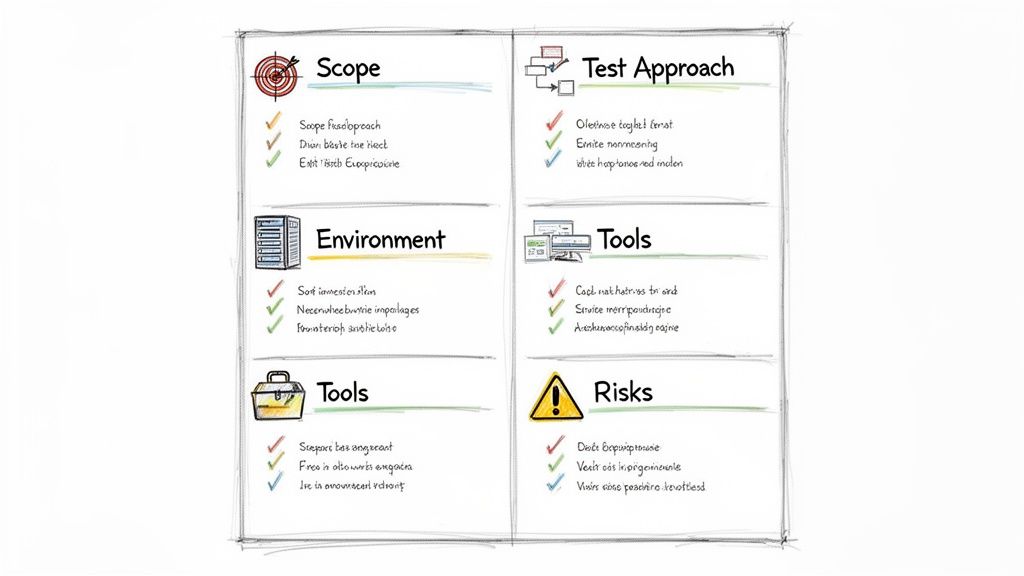
Alright, you've got the template. Now, let's turn that blank document into your project's roadmap to quality. The real magic happens when you start filling it out, transforming it from a simple outline into a powerful strategic plan.
To make this practical, we’ll walk through the process using a hypothetical e-commerce app I'll call "ShopSphere." This isn't just a box-ticking exercise. Every field in this test strategy template is designed to spark a critical conversation about quality, risk, and how you'll spend your team's valuable time.
Defining Scope and Objectives
First things first, let's set the foundation. This section draws a clear line in the sand, defining exactly what you're testing and why it matters to the business. Without this clarity, it’s far too easy for testing efforts to drift into areas that don't deliver real value.
For our ShopSphere app, a vague goal like "test the app" won't cut it. A strong objective is sharp and measurable.
- Business Objective: Ensure the new one-click checkout feature boosts conversion rates by at least 5% without causing any payment processing errors.
- Testing Objective: Confirm the one-click checkout is functional, secure, and performs well on Chrome, Safari, and Firefox, plus both iOS and Android. Our goal is a 95% pass rate for all critical user paths.
The scope is just as important—it dictates what’s in and what’s out. This single step prevents hours of wasted effort on features that aren't even part of the current release.
- In Scope: User login, product search, shopping cart features, and the new one-click checkout.
- Out of Scope: The old multi-page checkout process (which is being deprecated) and the backend inventory management portal for admins.
Getting this right from the start focuses your team's energy where it will have the biggest impact on the project's success.
Selecting the Right Test Approach
Your test approach is your game plan. It’s the "how" behind achieving your objectives. This isn't a one-size-fits-all decision; the best approach really depends on the project's complexity, its stage of development, and the information you have on hand.
You've got a few solid methodologies to choose from:
- Analytical Strategy: This is a classic, requirements-driven approach. You dig into user stories and functional specs to build your test conditions. It's methodical and fantastic for risk-based testing.
- Model-Based Strategy: Here, you create a visual model of how the system should behave—think flowcharts of a user's journey. It’s a lifesaver for complex systems where it's easy to get lost in the details.
- Consultative Strategy: This is all about collaboration. You pull in stakeholders, product owners, and other experts to help define what's most important to test. This ensures your testing is locked in with what users and the business actually need.
Analytical strategies have been a staple for good reason. My own experience, and industry data, shows they can lead to 40-60% better risk coverage by forcing a methodical prioritization of tests. You can get a deeper look at this foundational method on Headspin's blog.
For the ShopSphere checkout feature, I'd recommend a hybrid approach. We’d lean on an analytical strategy for the payment processing requirements (where details are king) and a consultative one for usability, working directly with the product manager to map out real-world user scenarios.
Outlining Environment, Tools, and Resources
Now we get down to the brass tacks. Any ambiguity in this section is a recipe for delays and frustration right when testing is supposed to be ramping up.
Test Environment Requirements
Be brutally specific. "A test server" is practically meaningless.
- Hardware: Call out server specs, especially if performance testing is on the table.
- Software: List the exact operating systems, browsers (with versions!), and database versions you'll need.
- Network: Define any special conditions you need to simulate, like spotty 3G speeds for mobile users.
Tools and Resources
This is your arsenal. List the software and the people who will make it all happen.
- Test Management: We'll use Jira with the Zephyr plugin to track test cases.
- Automation: Selenium for the web UI and Appium for mobile.
- Performance: JMeter will be used to load test the payment gateway.
- Personnel: Name names. Who is the QA lead? The automation engineer? The manual testers?
I’ve seen this go wrong so many times. A common pitfall is forgetting to secure a dedicated test environment. If your QA team has to share a staging server with developers who are constantly pushing new code, your test results will be unreliable and full of false negatives.
Performing a Thorough Risk Analysis
Think of risk analysis as being a professional pessimist for a day so you can be an optimist on launch day. The goal is to anticipate what could go wrong and have a plan ready. I find it helps to categorize risks to keep them organized.
For our ShopSphere project, here’s what might keep me up at night:
- Technical Risks: The third-party payment gateway API goes down. (Mitigation: We'll implement robust timeout and error-handling logic.)
- Project Risks: Our lead automation engineer gets pulled onto another project. (Mitigation: All test scripts must be well-documented, and another team member will be cross-trained.)
- Business Risks: The new checkout flow, despite being faster, is confusing and actually lowers conversion rates. (Mitigation: We'll run A/B tests with a small group of real users before a full rollout.)
When a test strategy template is filled out with this kind of detail, it becomes more than just a document. It’s a powerful tool for communication and alignment. Crafting a solid plan is much simpler with a structured guide, and our software testing checklist can help ensure you don’t miss a single critical step along the way.
Integrating Smart Test Automation
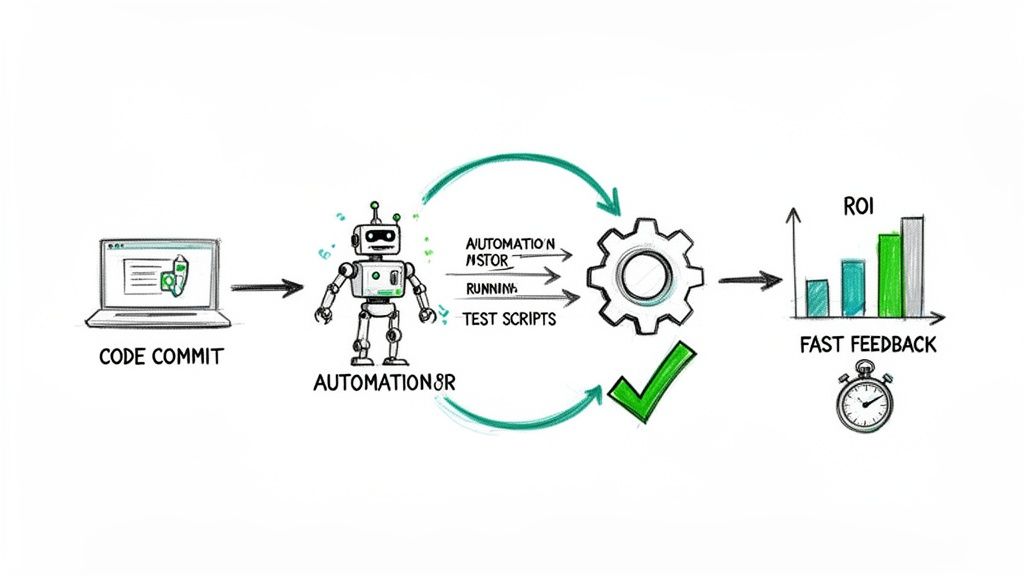
Automation is the engine of any modern test strategy, but it’s a powerful tool that’s incredibly easy to misuse. The single biggest mistake I see teams make is trying to automate everything. It sounds great on paper, but it almost always leads to brittle test suites, sky-high maintenance costs, and a frustratingly low return on your investment.
A much smarter approach is to define a realistic automation scope right from the start. Your test strategy template should have a section dedicated to this, focusing squarely on ROI. Instead of a blanket policy, you need to be surgical. The goal is to prioritize the tests that deliver the most bang for your buck when automated.
The evolution of test automation has been incredible. Since the mid-2010s, solid strategies have turbocharged software delivery, helping teams hit 60% test coverage goals and run regression cycles that are 50% faster. The data, which you can explore further on Inflectra.com, proves a crucial point: success comes from strategic application, not sheer volume.
Prioritizing Your Automation Candidates
So, what makes a test a good candidate for automation? I always tell my teams to look for tasks that are repetitive, predictable, and absolutely critical to the application's health. You want to free up your manual testers to do what they do best: complex, exploratory testing where human intuition is king.
Here are the prime candidates to lock in for your strategy:
- Regression Tests: These are the most obvious and highest-value targets. Automating your regression suite ensures new features don't break existing functionality, and it can run lightning-fast after every single code change.
- Critical-Path User Flows: Think about the most important journeys a user takes, like completing a purchase or creating an account. Automating these end-to-end tests acts as a constant health check on your core business logic.
- Data-Driven Tests: Any test that needs to be run with a ton of different data sets is perfect for automation. Testing a login form with hundreds of valid and invalid username/password combinations is mind-numbing for a person but trivial for a script.
Selecting the Right Automation Tools
Your choice of tools will make or break your automation efforts. There’s no single "best" tool—the right one depends entirely on your project's technology stack, your team's skills, and your budget. This decision has to be clearly documented within your test strategy.
When you're weighing your options, consider these key areas:
| Tool Factor | Key Questions to Ask | Example Scenarios |
|---|---|---|
| Tech Stack Compatibility | Does the tool play nice with our front-end framework (React, Angular) and back-end language (Python, Java)? | Selenium is a versatile workhorse for web apps, while Cypress is often favored for modern JavaScript frameworks. |
| Team Skillset | Can our QA team write scripts in the tool's language, or are we looking at a steep learning curve and extensive training? | If your team knows JavaScript, Cypress or Playwright are natural fits. If they're stronger in Python, Selenium might be a better choice. |
| Maintenance Overhead | How easy is it to update tests when the UI changes? Does the tool have robust locators and self-healing features? | Tools with "auto-wait" features can drastically reduce flaky tests, which saves a massive amount of maintenance time. |
| Community & Support | Is there a large, active community for support? Is professional help available if we hit a wall? | Open-source tools like Selenium have huge communities, offering a wealth of free resources and advice. |
Integrating Automation into Your CI/CD Pipeline
The ultimate goal here is creating rapid feedback loops. Manually kicking off automated tests is better than nothing, but the real magic happens when you integrate them directly into your Continuous Integration/Continuous Deployment (CI/CD) pipeline. This is a non-negotiable part of modern agile software development best practices.
A typical workflow looks something like this:
- A developer commits new code.
- The CI server (like Jenkins or GitLab CI) automatically builds the application.
- Once the build succeeds, the CI server automatically triggers the automated test suite.
- The results are immediately fed back to the team.
If tests pass, the build moves on to the next stage. If they fail, the build is "broken," and the team is notified instantly. This simple process stops bugs from ever making it into the main codebase.
This immediate feedback is what enables teams to move fast and with confidence. By defining a smart automation strategy and embedding it deep within your development workflow, you transform testing from a bottleneck into a genuine quality accelerator.
Fine-Tuning Your Template for Different Projects
A great test strategy template is just that—a template. Where it really proves its worth is in how you adapt it. I've seen teams make the mistake of treating their strategy doc as a rigid, one-size-fits-all checklist, but that's a recipe for disaster. The reality is that testing a responsive web app, a native mobile app, and a project with a distributed team are three completely different ballgames.
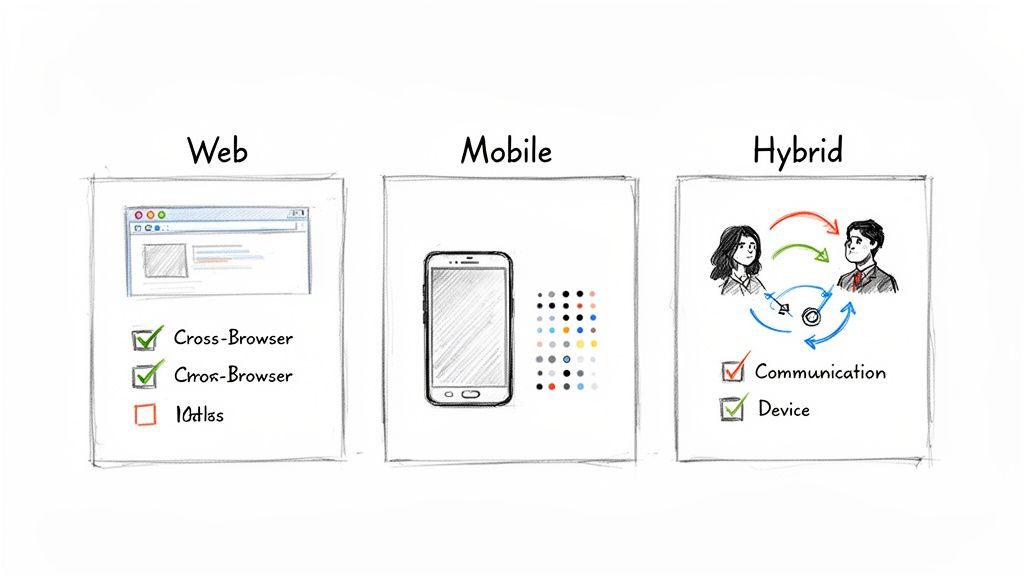
Real strategic planning means getting your hands dirty and molding that template to fit the project's unique DNA. You have to dig into the tech stack, the user base, and even how the team is structured. By making these thoughtful tweaks, you turn a generic document into a sharp, actionable roadmap that actually guides the project toward a successful launch.
Let’s walk through how to make these critical adjustments for three of the most common scenarios you'll face.
Customizing for Web Applications
When it comes to testing web applications, your biggest enemy is fragmentation. People will be hitting your site from an almost comical variety of browsers, screen sizes, and operating systems. If your strategy doesn't account for this chaos from the start, you're practically guaranteeing that major bugs will slip into production.
The main goal here is to ensure everyone has a consistent, stable experience, no matter what they're using.
So, your web-specific adjustments need to be laser-focused. Cross-browser compatibility is the absolute first thing to tackle. You have to explicitly list which browsers and versions you're officially supporting. This simple act can prevent countless hours of debate down the road about whether a glitch on an obscure, outdated browser is really a bug.
Here are a few other must-haves for your web strategy:
- Performance Under Load: What happens when Black Friday hits and a thousand users try to check out at once? Your strategy needs a clear plan for load and stress testing those critical user journeys.
- Accessibility (a11y) Compliance: Don't forget that a huge chunk of your audience might be using screen readers or other assistive tech. Your template should call out adherence to standards like WCAG and list the tools you'll use to check for it.
- Responsive Design Verification: You need to detail exactly how you'll test the UI across different breakpoints. From a tiny phone screen to a massive 4K monitor, everything needs to look and work right.
Tailoring for Mobile Applications
Moving to mobile adds a whole new dimension of headaches. You're no longer just worried about browsers; now you're juggling different hardware, OS versions, and, crucially, flaky network conditions. The experience for someone on a brand-new iPhone with rock-solid Wi-Fi is worlds apart from someone on a three-year-old Android device with a spotty 3G connection. Your test strategy has to acknowledge this.
Device fragmentation is your biggest challenge. Since you can’t possibly test on every phone out there, you need a smart, data-driven approach. This usually means creating a device matrix based on market share data for your target audience, making sure you get a good mix of manufacturers (Samsung, Google, etc.), OS versions, and screen sizes.
A huge blind spot I see all the time in mobile testing is ignoring real-world conditions. Testing in the lab on a perfect Wi-Fi network won't find the bug that crashes the app when a user drives through a tunnel and loses their data connection mid-purchase. Mandate testing under simulated poor network conditions.
Don't forget to add these mobile-specific checks to your template:
- Battery and Resource Usage: Is your app a battery hog? Your strategy should include performance profiling to make sure you're not draining the user's phone or eating up all their memory.
- Interrupt Testing: What happens when a phone call comes in right as the user is about to confirm a payment? You have to plan for testing interruptions like calls, texts, and other app notifications.
- Platform-Specific Guidelines: Both Apple’s App Store and the Google Play Store have very specific rules. Your strategy needs to include checkpoints to ensure you're in compliance before you try to submit.
Structuring for Hybrid and Nearshore Teams
When your developers are in one time zone and your QA team is in another, communication breakdown is your biggest risk. A test strategy for a distributed team is less about the tech and more about the people and processes. Any ambiguity in your process will be amplified by distance, so absolute clarity is your best defense.
The whole point is to establish airtight protocols for communication, bug triage, and handoffs. Who gets the final say on a bug's priority when the US team is asleep? How do you coordinate who is using the staging environment and when? Your test strategy template needs to spell this out in black and white.
Define your tools and the "rules of engagement" for each one. Something like this works well:
| Tool | Purpose & Protocol |
|---|---|
| Slack/Teams | For urgent, real-time chats only. Any important decision or bug detail must be logged in the official project tool. |
| Jira/Asana | The single source of truth. All user stories, test cases, and bug reports live here. Define the required fields and status rules so nothing gets lost. |
| Confluence/Wiki | The central library for all documentation, including the test strategy itself, environment details, and process guides. |
Finally, make sure your strategy mandates some scheduled overlap. A daily 30-minute sync where the outgoing QA team can hand off to the incoming team is invaluable for keeping momentum and squashing blockers before they fester overnight.
Common Pitfalls in Test Strategy and How to Avoid Them
Even the most carefully planned test strategy can hit a wall if it falls into a few common, and totally avoidable, traps. Let's be honest, a document is just a document. It only becomes powerful when it’s a living, breathing guide that the whole team actually uses. Knowing what can go wrong from the start helps you sidestep these issues and build a much more effective testing plan.
The most common mistake I see? The test strategy is created in a vacuum. A QA lead locks themselves away and emerges with a perfectly formatted document, but it's a theoretical exercise, completely detached from the reality of the development cycle and what the business actually cares about.
When this happens, you get a plan that developers see as impractical and product managers feel is disconnected from user needs. And the result is always the same: the shiny new strategy gets ignored, and everyone just goes back to chaotic, last-minute testing.
Creating the Strategy in a Silo
A test strategy template isn't a solo assignment; it's a team sport. For it to have any real impact, it needs to be the product of conversation and collaboration, not just one person's perspective. The real goal here is to create a sense of shared ownership over quality.
Pro Tip: Kick things off with a collaborative workshop. Seriously, get key developers, the product owner, and maybe a business stakeholder in a room (virtual or physical). Get in front of a whiteboard and hash out the risks, define the scope, and agree on what "quality" means for this project. That one meeting can change the document from a "QA thing" into a genuine team commitment.
A test strategy that isn't co-authored by the development team is just a wish list. True alignment happens when everyone has a hand in building the plan, making them accountable for its success from day one.
Being Too Generic or Vague
Another classic blunder is a strategy that's so high-level it’s basically useless. I’ve seen countless documents with statements like "we will perform performance testing" or "security will be checked." Without specifics, these are just empty promises. This vagueness forces people to make critical decisions on the fly, usually when they're under pressure, and that's when things break.
A solid strategy doesn't leave room for interpretation. It needs to be precise, answering the "what," "how," and "why" so clearly that anyone on the team can pick it up and understand the game plan.
Pro Tip: For every single testing type you list, nail down the specifics: the tools you'll use, the success metrics (your exit criteria), and the environments. Don't just say "test for performance." Instead, write something like: "We will use JMeter to simulate 200 concurrent users hitting the checkout API in the staging environment. Our exit criterion is an average response time under 800ms." See the difference? Actionable.
Failing to Evolve the Document
Projects are not static. Priorities change, features get added or cut, and timelines shift. A test strategy that’s written once and then tossed into a folder is doomed to become irrelevant, especially in an agile world. Treating it like a stone tablet is the fastest way to make it useless.
Think of it as a living document. It has to reflect what’s actually happening with the project right now. Regular check-ins and updates aren't just a nice-to-have; they're essential for keeping your testing efforts pointed in the right direction.
Pro Tip: Make it a habit to review the test strategy at the start of each new sprint or major release. It doesn't have to be a long meeting. Just ask one simple question: "What's changed since we last looked at this, and how does it affect our testing approach?" This simple discipline ensures your plan stays a relevant, valuable tool instead of a historical artifact.
Got Questions About Your Test Strategy? We've Got Answers.
Even with a great template, actually putting a test strategy into motion for the first time can feel a little daunting. That's perfectly normal. Getting a team to think differently about quality is a big shift, and it’s smart to work through the details.
Let’s dig into some of the most common questions that pop up when teams start using a formal test strategy template. Think of this as your field guide for the real-world challenges you'll face.
How Often Should We Update This Thing?
This is the big one, especially for agile teams where "constant change" is just another Tuesday. The short answer is: your test strategy isn't a "set it and forget it" document. It’s a living guide that has to grow and adapt right alongside your projects.
The core of your strategy—your commitment to automation, your approach to risk—should remain pretty solid. But the document itself needs regular check-ups.
I've found a two-part rhythm works best:
- Before any major project or release kicks off. This is an absolute must. You have to revisit the strategy to make sure it actually fits the project's specific goals, tech stack, and risks.
- On a regular schedule, like quarterly or every six months. Put a recurring meeting on the calendar. This is your chance to fold in what you've learned from recent releases and make tweaks based on changes to the team or the company's goals.
Who Actually Owns the Test Strategy?
While everyone should have a voice in creating the strategy, you need a single, clear owner. In most organizations, that's the QA Lead or Head of Quality. This is the person who ultimately signs off on it.
Their job is to make sure the strategy gets created, maintained, and communicated. But they're a facilitator, not a dictator.
A classic mistake is when the QA Lead gets the strategy signed off without looping in development leadership. If you want the strategy to have any teeth, the Head of Quality and the Head of Engineering both need to formally agree on it. That shared accountability is what makes it a practical tool, not just another document no one reads.
Can We Use One Strategy for Multiple Projects?
Absolutely. In fact, that's the whole point. A test strategy is meant to be a high-level guide. It establishes the "rules of the road" for quality across your entire department or organization.
Your core strategy should outline the things that don't change much from project to project:
- The testing levels everyone agrees on (unit, integration, E2E).
- The approved toolset (e.g., Selenium for web automation, Jira for tracking).
- Your standard process for handling risks and triaging bugs.
Then, for each specific project, you'll create a test plan. The test plan inherits all the principles from the strategy but gets into the nitty-gritty: the exact features in scope, the testing schedule, and who's doing what.
Think of it this way: the strategy is your constitution, and the test plan is the specific law for a particular situation.
How Do I Get My Team to Actually Use This?
Rolling out any new process is part sales job. If you just drop a template in a shared folder and send a team-wide email, you can bet it will be ignored. You have to sell the why.
Get everyone together for a meeting focused specifically on this. Don't just show them a blank template—explain the headaches it's going to solve. Frame it as a way to kill ambiguity, stop last-minute fire drills, and finally get everyone on the same page about what "quality" means.
Walk them through an example filled out for a recent project. Make it real. And make it clear this is a starting point for a conversation, not a mandate from above. That collaborative approach is the only way to get the buy-in you need for it to stick.