The 12 Top CRM Software for Small Business Growth in 2026
Finding the top CRM software for small business can feel overwhelming. With dozens of platforms promising to streamline your sales pipeline, manage customer relationships, and automate marketing, it's difficult to know which one truly fits your specific operational needs and budget. A generic, feature-heavy CRM designed for a large enterprise can create more complexity than it solves, bogging down your team with unnecessary tools and a steep learning curve. The right system, however, acts as a central nervous system for your business, unifying sales, marketing, and customer service data to drive growth.
This comprehensive guide cuts through the noise. We've analyzed the market to bring you a curated list of the best CRM solutions specifically tailored for small and medium-sized businesses (SMEs). Instead of just listing features, we provide a practical deep-dive into each platform's strengths and weaknesses. You'll find detailed breakdowns, including:
- Best-for use cases to match a CRM to your business model (e.g., B2B sales, e-commerce, service-based).
- Honest pros and cons based on real-world application and limitations.
- Clear pricing comparisons to help you evaluate total cost of ownership.
- Key integration potential for connecting with tools you already use.
Our goal is to equip you with the insights needed to make an informed decision without spending weeks on research. Each review includes direct links and screenshots to give you a clear view of the user experience. By the end of this article, you will have a clear path to selecting, implementing, and optimizing a CRM that scales with your ambition.
1. HubSpot CRM
HubSpot CRM has solidified its position as a top CRM software for small business by offering an incredibly robust free-forever platform combined with an intuitive user interface. It’s designed as an all-in-one growth engine, integrating sales, marketing, and service tools into a single, unified database. This eliminates the data silos that often plague growing businesses, providing a 360-degree view of every customer interaction.
The platform's standout feature is its "Hub" model, allowing you to start with the free CRM and add specialized Marketing, Sales, or Service Hubs as your needs evolve. This scalability is ideal for SMBs that require advanced functionality but want to avoid a massive upfront investment. To maximize efficiency with this platform, it's beneficial to explore its HubSpot CRM automation capabilities. These features streamline tasks like email follow-ups and lead nurturing, freeing up valuable time. The platform’s seamless integration with tools like Gmail and Outlook makes it an easy addition to existing workflows.
Key Features & Use Case
- Best For: Startups and SMBs looking for a powerful, free entry point to CRM with a clear path to scale.
- Free Core CRM: Includes contact management, deal pipelines, email tracking, and live chat.
- Unified Platform: Native marketing, service, and content tools work together seamlessly.
- AI-Powered Tools: New assistants and automation features accelerate sales and marketing tasks.
- Implementation Tip: Leverage HubSpot Academy. The free courses provide excellent training for getting your team onboarded quickly and ensuring you're using the platform to align with your digital marketing plan.
Pricing and Limitations
While the free tier is generous, be mindful of scaling costs. The price can increase significantly as you add more marketing contacts or upgrade to professional-tier Hubs for advanced features and support.
Website: https://www.hubspot.com/products/crm
2. Salesforce Starter Suite
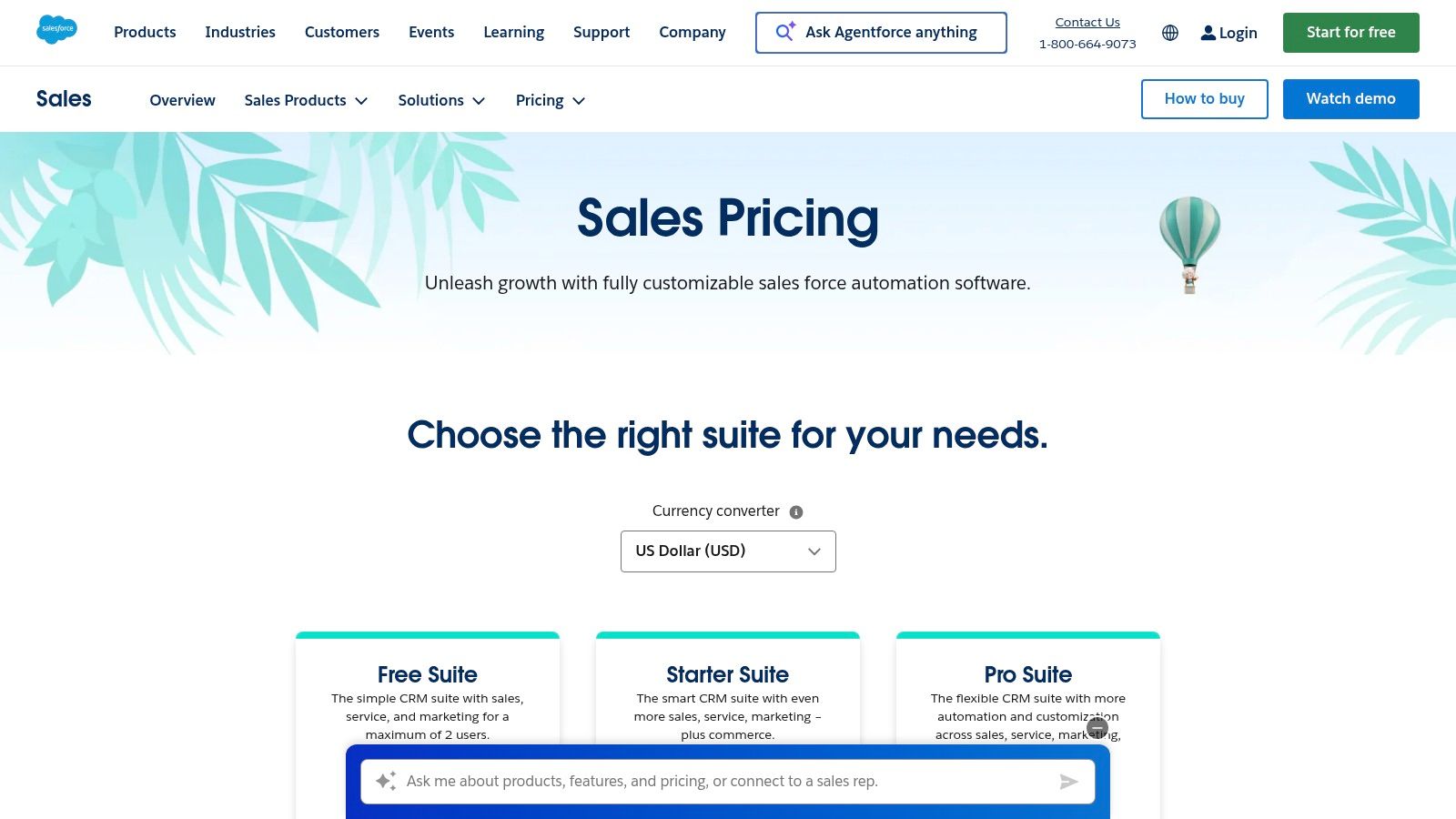
Salesforce has long been an enterprise giant, but its Starter Suite makes it one of the top CRM software for small business by bundling core sales, service, and marketing tools into a simplified and affordable package. This offering is designed for SMBs that want the power and scalability of the Salesforce ecosystem without the complexity of its higher-tier products. It provides a clear growth path, allowing businesses to start small and scale up to the full Sales Cloud as their operational needs become more sophisticated.
The platform’s strength lies in its foundation and vast partner ecosystem. Even at the entry level, you get access to a robust feature set, including lead routing, automated data synchronization, and powerful mobile apps. For businesses looking to deeply integrate or customize their CRM, it's worth noting the demand for skilled professionals in various Salesforce engineering roles. Leveraging the AppExchange marketplace allows for thousands of extensions, ensuring the CRM can adapt to nearly any business process, ultimately helping to increase website conversions and streamline sales funnels.
Key Features & Use Case
- Best For: Ambitious SMBs that anticipate significant growth and will need deep customization and a large app ecosystem in the future.
- All-in-One Suite: Combines core sales, service, and marketing automation features in one package.
- AppExchange Marketplace: Access to thousands of third-party apps to extend functionality.
- Scalability: Provides a direct upgrade path to more advanced editions like Professional and Enterprise.
- Implementation Tip: Start with the out-of-the-box templates for dashboards and reports. Customize them gradually as your team becomes more familiar with the platform to avoid initial complexity.
Pricing and Limitations
The Starter Suite offers a competitive entry point, but costs can rise quickly as you add more users or require features from higher tiers. While powerful, customizing Salesforce beyond the basics can have a steeper learning curve compared to simpler CRM solutions.
Website: https://www.salesforce.com/sales/pricing/
3. Zoho CRM
Zoho CRM is a standout choice among the top CRM software for small business, particularly for those seeking a powerful, customizable platform that won't break the bank. It operates at the heart of the extensive Zoho ecosystem, which includes over 40 native business applications. This tight integration allows for a unified approach to managing sales, marketing, and support by connecting natively with tools like Zoho Books for accounting and Zoho Campaigns for email marketing, effectively creating a single source of truth for all business operations.
The platform's strength lies in its deep customization capabilities. Users can tailor modules, fields, and layouts to match specific business processes without needing extensive technical knowledge. Its "Blueprint" feature guides sales teams through prescribed processes, ensuring consistency and reducing errors. This level of control, combined with a user-friendly interface, makes it a scalable solution that can grow alongside a business. Choosing the right underlying system is crucial, and understanding the differences between a CRM and the best CMS for small business is a key first step in building an effective tech stack.
Key Features & Use Case
- Best For: SMBs that need an affordable, all-in-one solution and plan to use other Zoho business apps.
- Deep Customization: Modify modules, add custom fields, and use Blueprints to enforce sales processes.
- Zia AI Assistant: Provides lead predictions, task reminders, and anomaly detection to help teams work smarter.
- Strong Native Ecosystem: Seamlessly integrates with 40+ other Zoho apps, reducing the need for third-party tools.
- Implementation Tip: Start by mapping your primary sales process before building it out with Zoho's Blueprint feature. This ensures the automation aligns directly with how your team actually sells.
Pricing and Limitations
Zoho offers very competitive pricing, including a free-forever plan for up to three users. However, the learning curve for its reporting builder can be steep for new users, and some of the most advanced AI-powered features are reserved for higher-priced enterprise tiers.
Website: https://www.zoho.com/crm/
4. Pipedrive
Pipedrive is a sales-first CRM designed to make sales teams unstoppable. It’s built around a visual, activity-based selling methodology, emphasizing proactive steps to push deals through the pipeline. This focus makes it one of the top CRM software for small business options for teams that need to prioritize closing deals without getting bogged down by complex, multi-departmental features. The platform is celebrated for its clean, intuitive user experience and rapid setup, allowing teams to get started and see results quickly.
The core of Pipedrive is its Kanban-style pipeline management, which provides an at-a-glance overview of your entire sales process. This clarity empowers sales reps to focus on the right activities at the right time. With powerful integrations, AI-powered assistance, and a highly-rated mobile app, Pipedrive ensures your sales process is efficient, whether you're at your desk or on the go. Its simplicity and strong focus on sales activities make it a formidable tool for results-driven teams.
Key Features & Use Case
- Best For: Small to mid-sized sales teams needing an easy-to-learn, visually-driven tool for managing deal flow and forecasting.
- Visual Sales Pipelines: Intuitive drag-and-drop interface for tracking deal stages and progress.
- Activity-Based Selling: Prompts users to schedule their next action (call, email, meeting) for every deal.
- AI Sales Assistant: Provides performance tips, automates tasks, and helps create insightful reports.
- Implementation Tip: Start by meticulously defining your sales stages within the Pipedrive pipeline. A clearly defined process is essential to leverage the platform's activity-based prompts and forecasting accuracy.
Pricing and Limitations
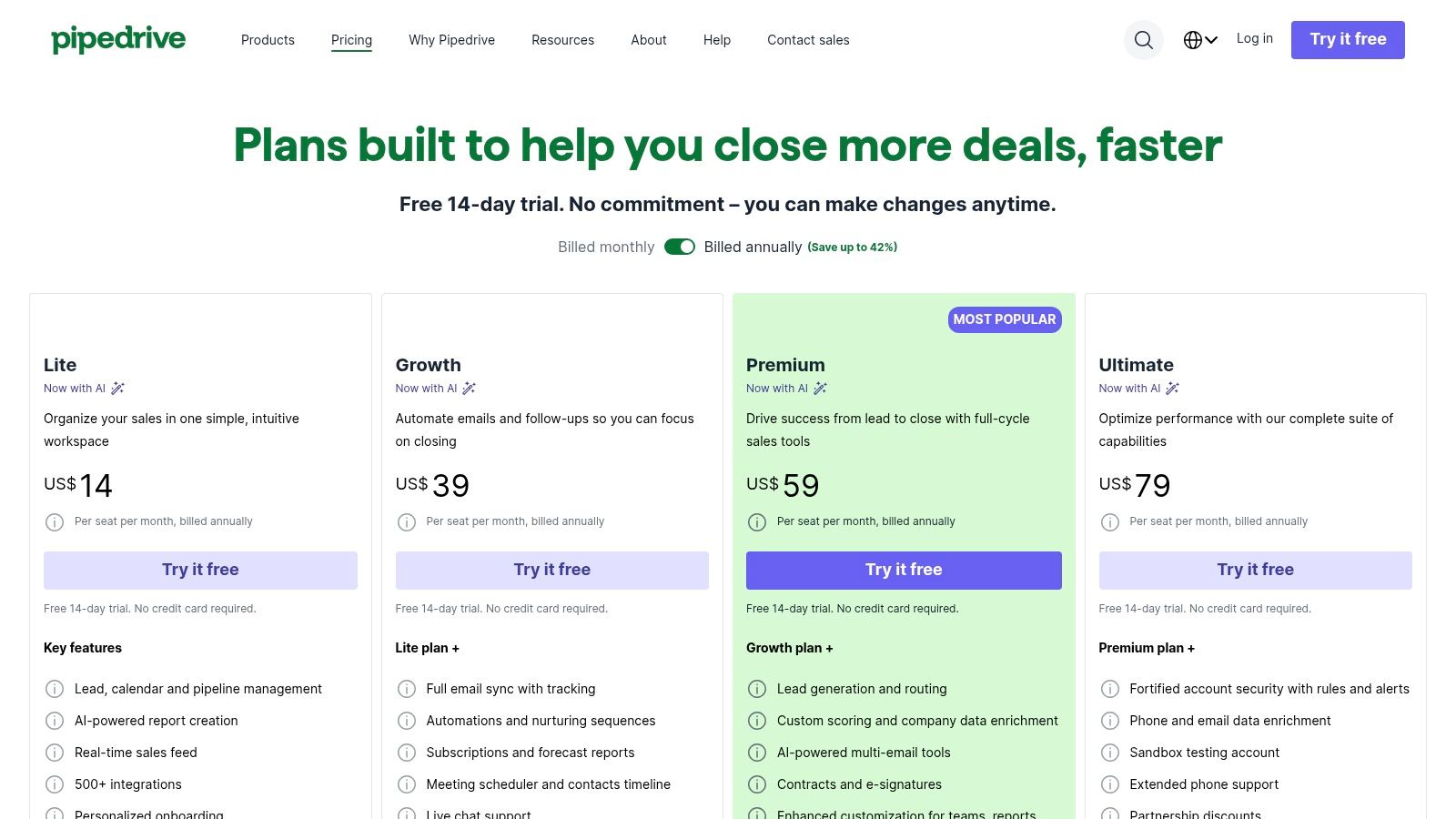
Pipedrive offers a 14-day free trial but does not have a free-forever plan. Its pricing is tiered, with more advanced features like workflow automation and crucial reporting capabilities reserved for higher-priced plans. Its primary focus on sales means native marketing and customer service tools are less comprehensive compared to all-in-one platforms.
Website: https://www.pipedrive.com/pricing
5. Freshsales (Freshworks CRM)
Freshsales, part of the Freshworks CRM suite, offers exceptional value by bundling powerful sales tools with built-in communication channels. It is designed for small to mid-sized businesses that want to unify their sales conversations, providing integrated phone, chat, and email functionalities directly within the platform. This approach eliminates the need for multiple disparate tools and gives sales teams a complete, chronological view of every prospect interaction in one place.
The platform's key differentiator is its AI-powered assistant, Freddy AI, which automates lead scoring, identifies at-risk deals, and even suggests next-best actions for sales reps. This level of intelligence, typically reserved for enterprise-grade software, makes Freshsales a compelling choice for SMBs seeking a competitive edge. Its clean user interface and straightforward setup process ensure a smooth onboarding experience, allowing teams to get up and running quickly with minimal friction.
Key Features & Use Case
- Best For: Sales-focused SMBs that need an affordable, all-in-one CRM with integrated communication tools and AI assistance.
- Built-in Communications: Includes phone, email, and chat to manage all prospect interactions from a single screen.
- Freddy AI Assistant: Provides predictive lead scoring, deal insights, and content suggestions to boost productivity.
- Visual Sales Pipelines: Offers drag-and-drop functionality to easily track deals as they move through different stages.
- Implementation Tip: Start by configuring the built-in phone and email sync. This immediate consolidation of communication channels is where Freshsales delivers its quickest value.
Pricing and Limitations
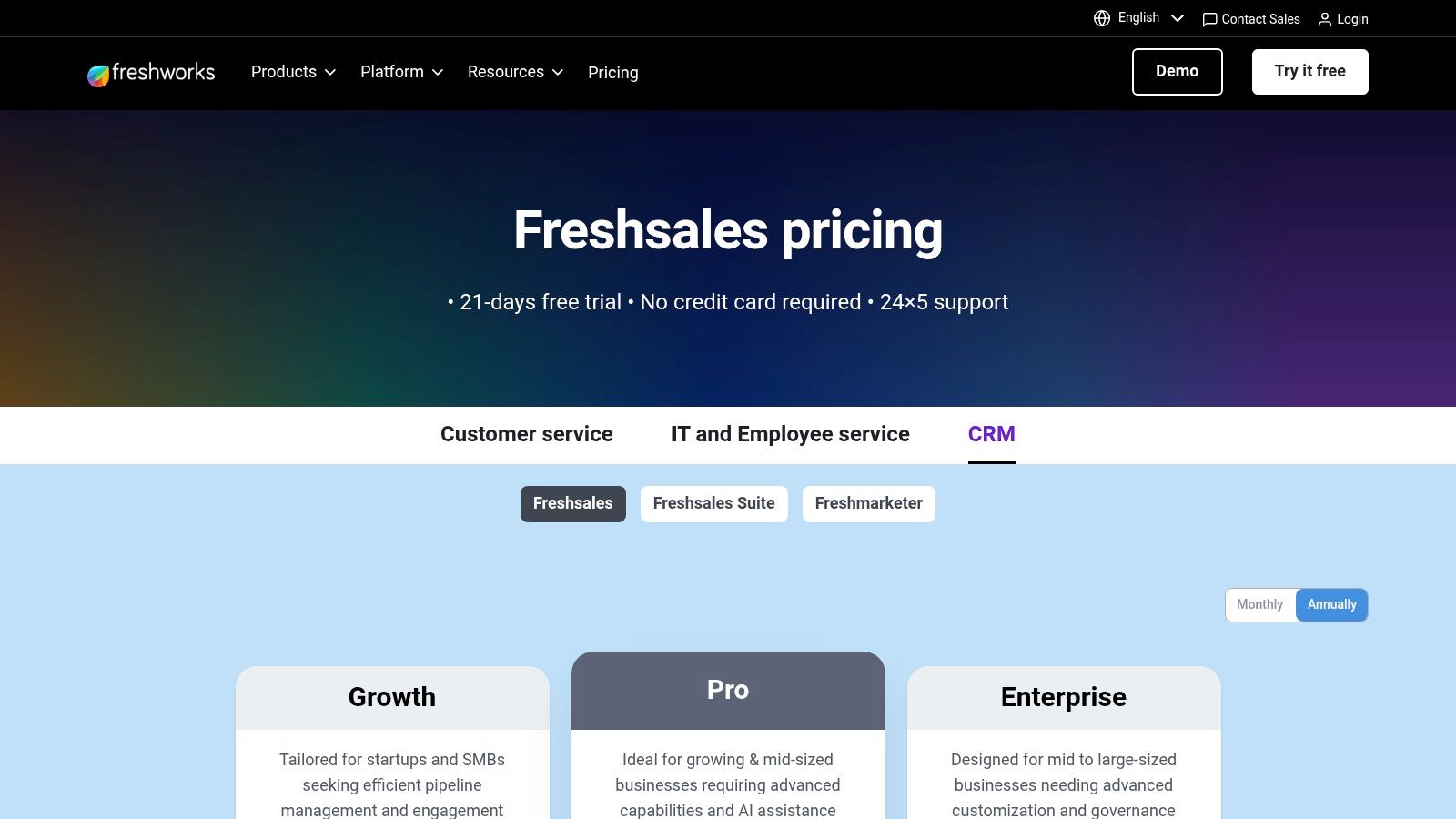
Freshsales offers a generous free-forever plan for up to three users, which includes 24x5 support. Paid plans are competitively priced, but some advanced AI features are only available as paid add-ons. While it has an app marketplace, the number of native integrations is smaller than some competitors, potentially requiring Zapier or API usage for more complex tech stacks.
Website: https://www.freshworks.com/crm/pricing/
6. monday sales CRM
monday sales CRM leverages the highly visual and flexible monday.com Work OS to create a CRM that’s deeply integrated with project management and operational workflows. It stands out for its no-code customization, allowing small businesses to build their ideal sales pipeline using intuitive, colorful boards. This approach is perfect for operations-heavy teams that want to manage customer relationships and internal tasks within a single, unified environment, eliminating the need to juggle multiple platforms.
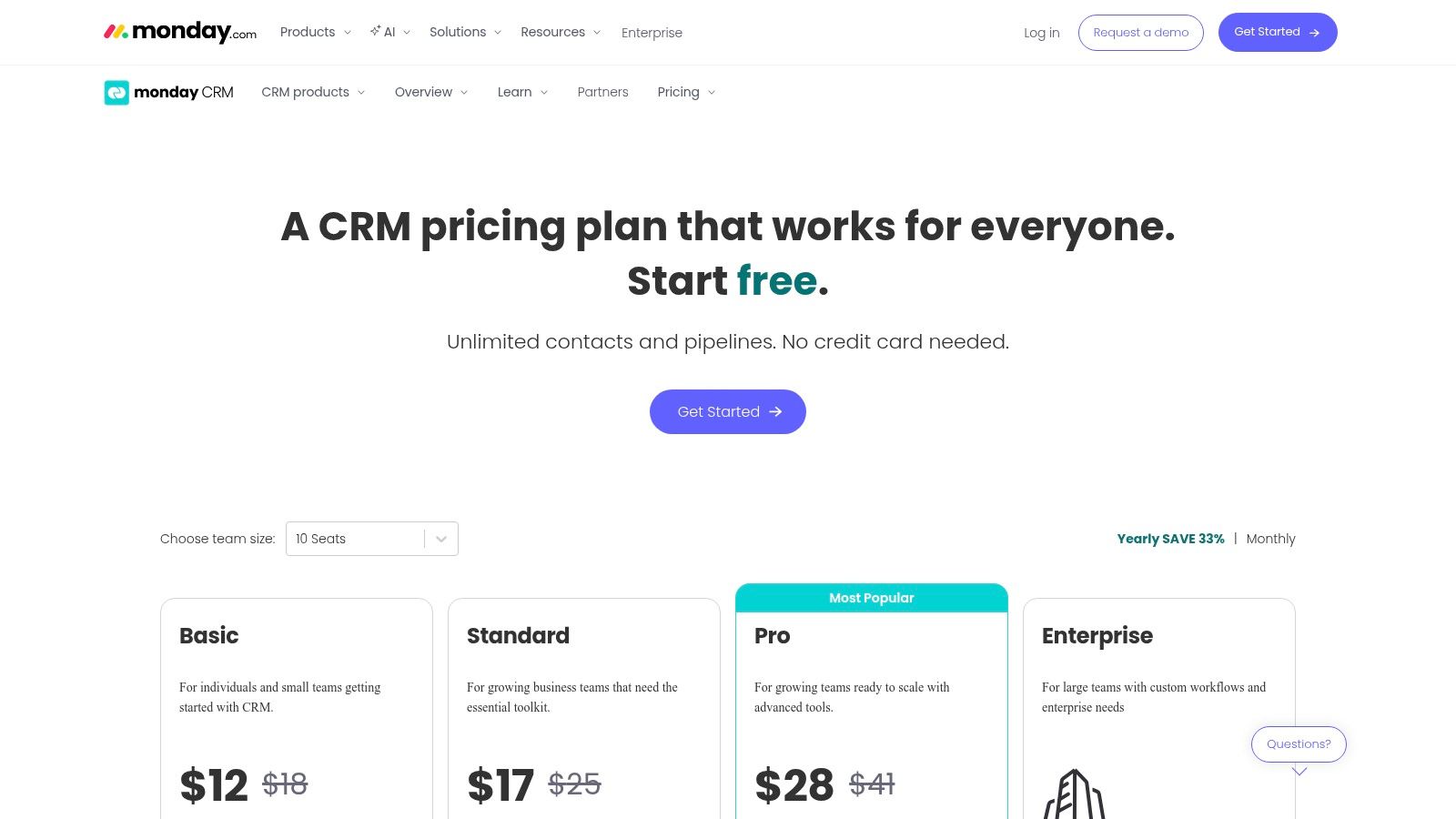
The platform’s strength lies in its visual interface, which makes tracking leads, deals, and contacts straightforward and even enjoyable. By connecting CRM data directly to project boards, teams can seamlessly transition from a closed deal to project kickoff, ensuring smooth handoffs and clear communication. Its automation capabilities, which scale with each plan, help streamline repetitive tasks like follow-up reminders and status updates, making it a strong contender for the top crm software for small business.
Key Features & Use Case
- Best For: Businesses that need a CRM tightly coupled with project management and operational tasks.
- Visual Pipelines: Highly customizable and visual sales pipelines built on monday.com’s board structure.
- Unified Workspace: Manage sales, projects, and team tasks all in one place.
- Automation & Integration: Two-way email sync and powerful automations to connect workflows.
- Implementation Tip: Start with a pre-built CRM template and customize it column by column to match your exact sales process, ensuring the tool adapts to your business, not the other way around.
Pricing and Limitations
While powerful, monday sales CRM requires a minimum of three paid seats, which can increase the entry-level cost for very small teams or solo entrepreneurs. Additionally, more advanced sales features like quotes, invoicing, and email sequences are reserved for the higher-priced tiers.
Website: https://monday.com/crm/pricing
7. Keap (formerly Infusionsoft)
Keap, widely known by its former name Infusionsoft, positions itself as a premier all-in-one CRM by integrating robust sales and marketing automation directly into its core. It's particularly popular among solo entrepreneurs and small B2C service businesses who need a single platform to manage customer lifecycle follow-up, create marketing campaigns, build landing pages, and process payments. This integrated approach helps streamline operations by eliminating the need to patch together multiple different tools.
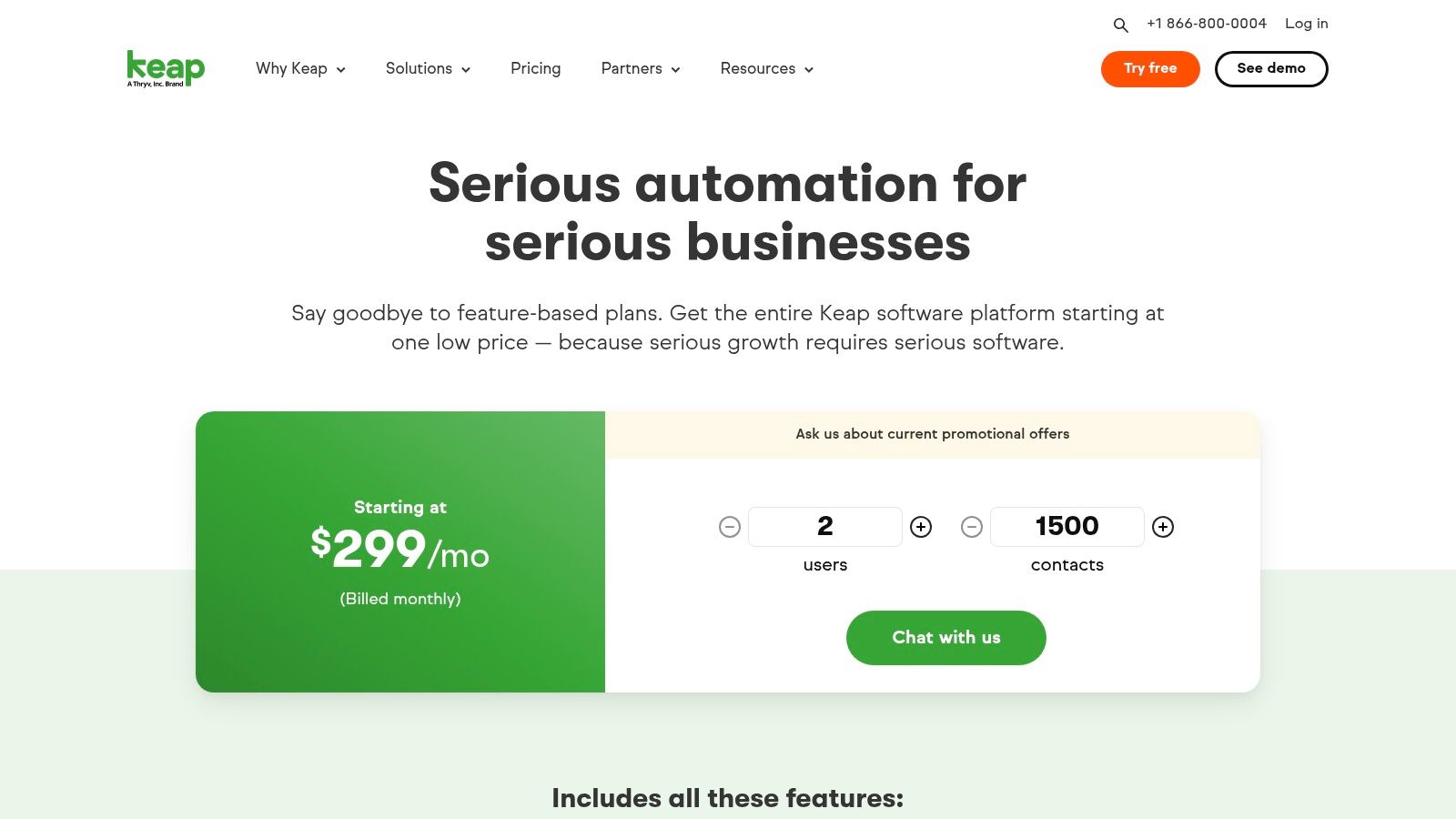
The platform’s key differentiator is its powerful visual automation builder, which allows users to design sophisticated email and SMS campaigns with simple drag-and-drop functionality. This makes it one of the top CRM software for small business owners who want to automate complex follow-up sequences without needing technical expertise. By combining CRM, payments, and advanced marketing automation, Keap provides a comprehensive solution for managing the entire customer journey, from lead capture to invoicing and repeat business.
Key Features & Use Case
- Best For: Service-based small businesses and solo founders who need powerful, built-in marketing automation and payment processing.
- Visual Automation Builder: Create intricate email and SMS marketing campaigns for lead nurturing and lifecycle follow-up.
- All-in-One Functionality: Includes landing pages, appointment scheduling, invoicing, and payment processing.
- Text Marketing: Offers a dedicated business line for text marketing (availability varies by region and plan).
- Implementation Tip: Take advantage of Keap's implementation services or partner network. The platform is powerful but has a learning curve, and expert guidance ensures you set up your automations correctly from day one.
Pricing and Limitations
Keap's primary limitation is its higher starting price compared to other SMB-focused CRMs, and mandatory onboarding packages can add to the initial cost. Additionally, some of its advanced features, like dedicated text marketing, are limited to U.S. and Canadian users.
Website: https://keap.com/pricing
8. Insightly
Insightly stands out in the crowded CRM space by seamlessly bridging the gap between sales and project delivery. Its unified platform is designed for businesses where the work begins after the deal is won, like agencies, consultants, and service-based companies. By integrating powerful CRM functionalities with built-in project management, Insightly ensures a smooth transition from a closed opportunity to a fully managed project, eliminating data handoff errors and improving client visibility from start to finish.
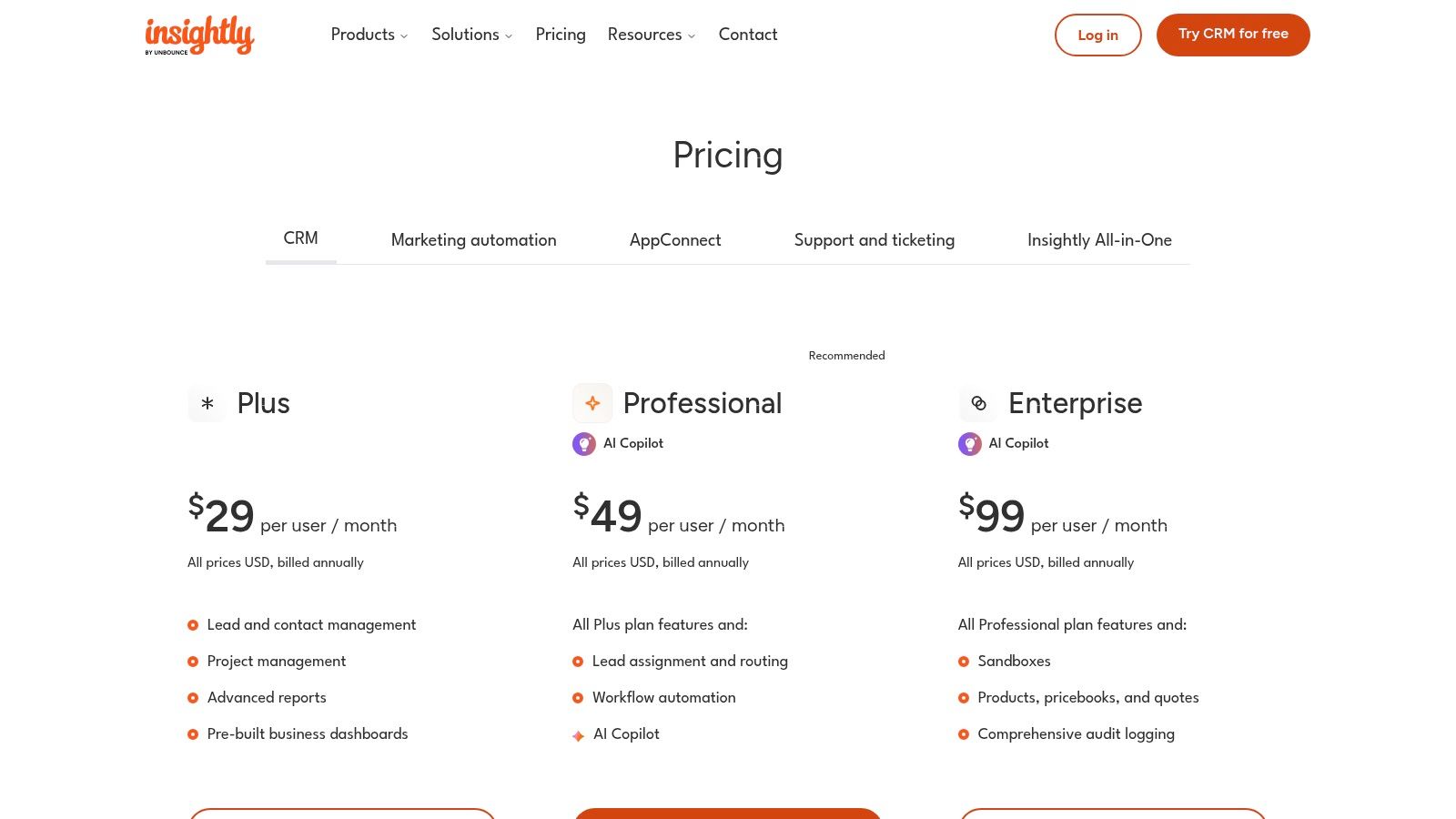
This dual functionality makes it a unique choice among the top CRM software for small business, providing a single source of truth for the entire customer lifecycle. The platform offers a clean, modern interface and robust workflow automation to streamline repetitive tasks. As a business grows, Insightly scales with optional, yet fully integrated, Marketing and Service modules, allowing for an all-in-one solution without the complexity of managing disparate systems. The recent addition of an AI Copilot further enhances productivity by automating content creation and data analysis.
Key Features & Use Case
- Best For: Service-based SMBs, agencies, and consultancies needing to manage post-sale projects directly from their CRM.
- Unified Sales & Projects: Convert closed deals into projects with one click, preserving all contact data and history.
- Workflow Automation: Automate lead routing, task creation, email alerts, and other multi-step business processes.
- AppConnect Integrations: A powerful no-code integration builder connects Insightly to hundreds of other business apps.
- Implementation Tip: Start by mapping your entire customer journey, from lead acquisition to project completion, to configure your pipelines and project templates effectively from day one.
Pricing and Limitations
Insightly offers competitive per-user pricing, but its most powerful automation, reporting, and phone support features are reserved for higher-tier plans. While the entry-level support is functional, teams requiring immediate, comprehensive assistance may need to upgrade.
Website: https://www.insightly.com/pricing-plans/
9. Copper
Copper has carved out a unique niche as a top CRM software for small business by building its platform exclusively for Google Workspace users. It lives directly inside Gmail, eliminating the need to switch between tabs and enabling teams to manage leads, track deals, and update customer information from their inbox. This deep integration streamlines workflows for businesses already embedded in the Google ecosystem, making CRM adoption feel natural rather than disruptive.
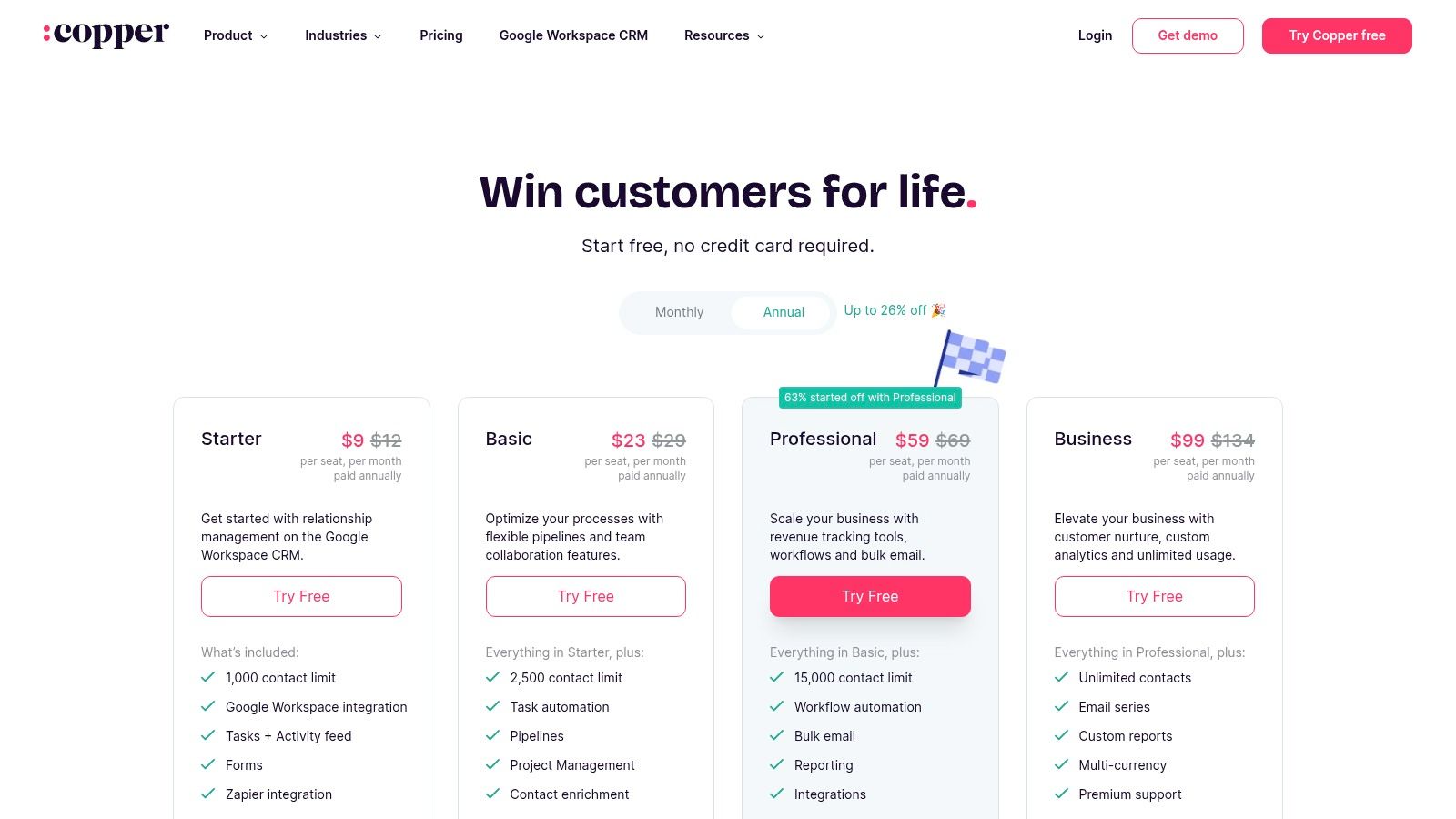
The platform automatically captures contact details and communication history from emails, meetings, and calendar events, significantly reducing manual data entry. Its visual pipeline is intuitive, providing a clear overview of sales stages right within the Gmail interface. For relationship-driven businesses where email is the primary sales tool, Copper's seamless functionality turns the inbox into a powerful, centralized command center, enhancing productivity and ensuring no opportunity falls through the cracks.
Key Features & Use Case
- Best For: Small to medium-sized businesses heavily invested in Google Workspace (Gmail, Calendar, Drive).
- Native Google Workspace Integration: Functions as a sidebar in Gmail and integrates with Google Calendar and Sheets.
- Automated Data Capture: Automatically populates contact profiles and logs email interactions.
- Visual Sales Pipelines: Drag-and-drop interface to track deals and manage sales cycles.
- Implementation Tip: Install the Copper Chrome extension for your entire team on day one to ensure immediate adoption and consistent data capture from Gmail.
Pricing and Limitations
Copper does not offer a free plan, though it has a 14-day free trial. The Basic plan is quite limited in terms of contact capacity and lacks automation features. To access workflow automation, bulk email, and advanced reporting, businesses must upgrade to the more expensive Professional or Business plans.
Website: https://www.copper.com/pricing
10. Capsule CRM
Capsule CRM offers a refreshingly simple and effective approach to customer relationship management, making it an excellent choice for very small businesses and solopreneurs. Its strength lies in a clean, uncluttered interface that prioritizes core CRM functions without overwhelming users with unnecessary features. The platform focuses on efficiently managing contacts, tracking sales opportunities through a visual pipeline, and organizing daily tasks, ensuring users can get up and running with minimal training.
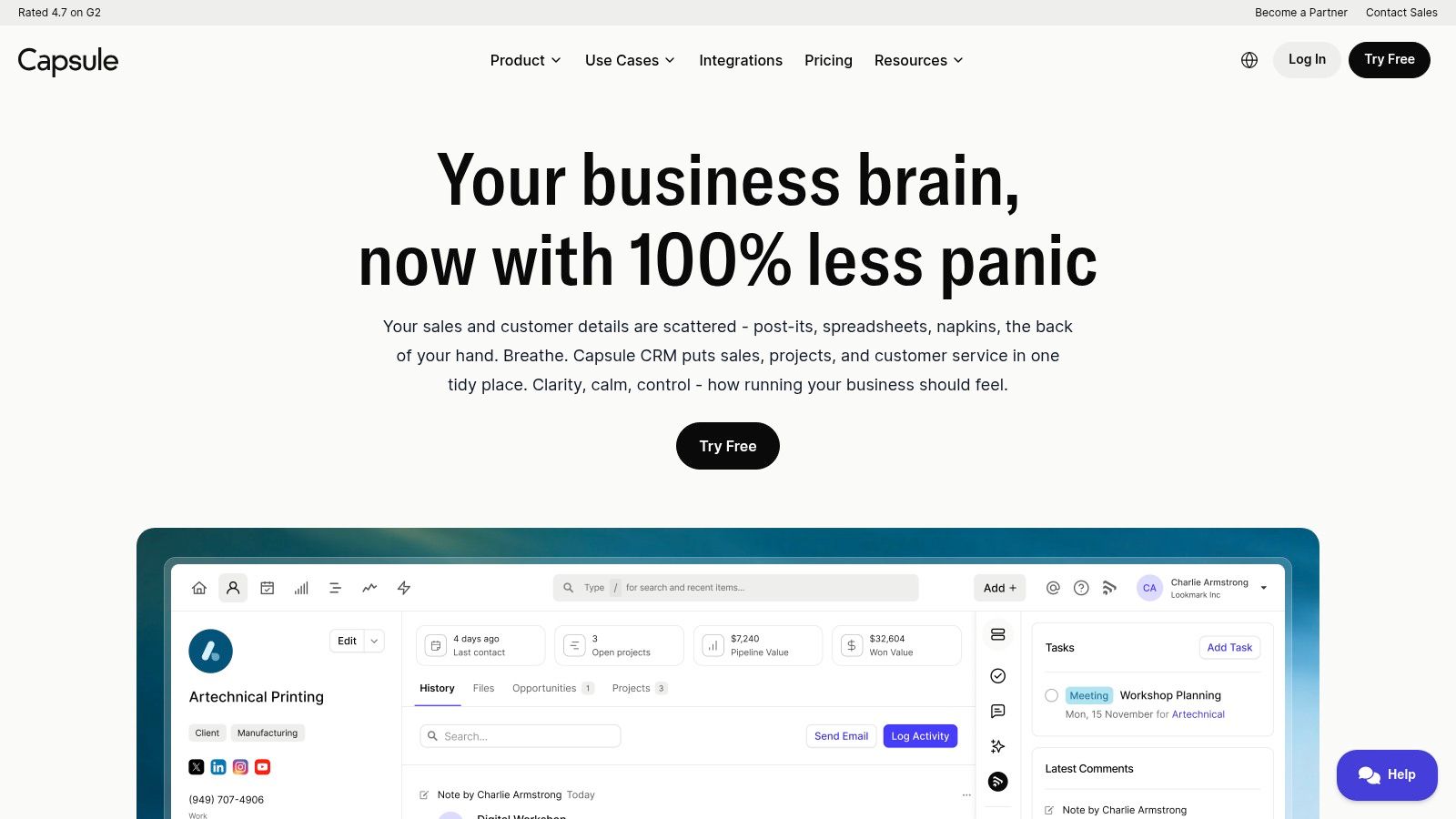
This lightweight design philosophy makes Capsule CRM one of the top CRM software for small business teams who need a practical, no-fuss solution. It integrates smoothly with essential tools like Google Workspace, Microsoft 365, Xero, and Mailchimp, allowing it to act as a central hub for customer data without disrupting existing workflows. The platform’s strong mobile apps also ensure that sales and contact information are always accessible on the go, which is a significant advantage for dynamic small teams.
Key Features & Use Case
- Best For: Freelancers, consultants, and micro-businesses (1-10 employees) needing a straightforward, affordable contact and sales pipeline manager.
- Simple & Focused: Core features include contact management, sales pipeline visualization, task management, and case tracking.
- Practical Integrations: Connects seamlessly with popular accounting, email marketing, and productivity software.
- Generous Free Tier: A free-forever plan is available for up to 2 users and 250 contacts, making it a risk-free entry point.
- Implementation Tip: Start by connecting your email inbox and importing contacts. This immediately populates the CRM and lets you begin tracking communication history without manual data entry.
Pricing and Limitations
While Capsule excels at simplicity and affordability, it lacks the advanced marketing automation and in-depth reporting found in larger platforms. The paid tiers are competitively priced but support is primarily email-based, which may be a drawback for teams requiring immediate phone assistance.
Website: https://capsulecrm.com/
11. Close CRM
Close CRM is a powerhouse for inside sales teams, built from the ground up to accelerate outbound communication and streamline follow-ups. Unlike general-purpose CRMs, its core strength lies in its deeply integrated calling, SMS, and email capabilities, which are all accessible from a single, unified interface. This design eliminates the need for third-party dialers or communication apps, allowing sales reps to focus on high-volume outreach and lead engagement without switching between tools.
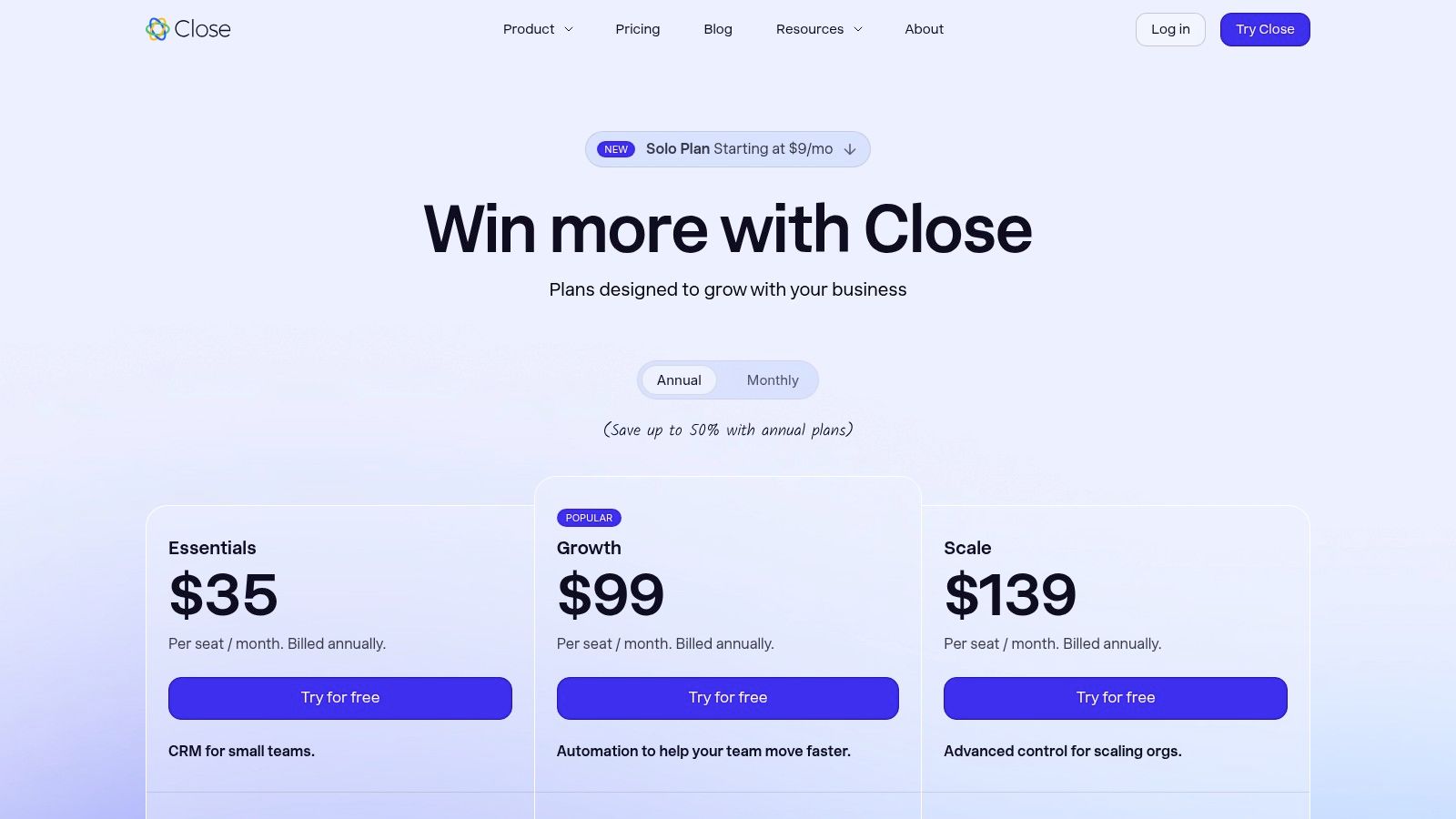
The platform is engineered for speed, offering features like Power and Predictive Dialers on its higher-tier plans to maximize call efficiency. Its workflow automation and AI-powered email assistant help teams scale their communication efforts while maintaining a personal touch. For any business where the sales process is heavily reliant on calls and emails, Close stands out as one of the top CRM software for small business solutions focused squarely on improving sales velocity and productivity.
Key Features & Use Case
- Best For: SMBs and startups with high-volume inside sales teams that need to make hundreds of calls and send thousands of emails.
- All-in-One Communication: Native calling, two-way SMS, and bulk email are built directly into the platform, centralizing all outreach activities.
- Powerful Dialers: Available Power and Predictive Dialers significantly increase the number of live conversations sales reps can have daily.
- Workflow Automation: Automate outreach sequences, follow-up tasks, and lead nurturing to ensure no opportunity falls through the cracks.
- Implementation Tip: Start by importing a small, targeted lead list to test calling and email sequences. This helps you refine your scripts and workflows before rolling out the platform to the entire team.
Pricing and Limitations
Close offers clear, user-based pricing with no long-term contracts, which is great for flexibility. However, the entry-level plan is limited to a single user and has a cap on leads. Businesses should also factor in the additional costs for calling and SMS credits, as these can add to the total monthly spend depending on usage volume.
Website: https://www.close.com/pricing
12. G2 (Small-Business CRM Category)
While not a CRM itself, G2’s dedicated small-business CRM category is an indispensable resource for making an informed decision. It serves as a trusted software marketplace where you can compare the top CRM software for small business side-by-side. The platform aggregates thousands of verified user reviews, providing an unbiased look into how each tool performs in real-world scenarios. This peer-driven insight is crucial for cutting through marketing hype and understanding the true strengths and weaknesses of different vendors.
G2 excels at helping you create a shortlist based on your specific needs. Its powerful filtering tools allow you to sort CRMs by company size, user satisfaction scores, feature set, and pricing. The side-by-side comparison grids are particularly useful for visualizing how top contenders stack up on key attributes like ease of use, quality of support, and implementation time. This data-driven approach saves countless hours of manual research and helps you confidently move toward vendor trials.
Key Features & Use Case
- Best For: Businesses in the research phase looking to compare vendors and build a shortlist based on verified, independent user feedback.
- Verified User Reviews: Access authentic feedback from real SMB users, detailing their experiences.
- Comparative Grids: Easily compare multiple CRMs on features, satisfaction ratings, and market presence.
- Buyer Guides and Reports: Download in-depth reports and guides to understand the CRM landscape better.
- Implementation Tip: Use G2 to validate the claims made on vendor websites. Pay close attention to recent reviews and look for recurring themes in both positive and negative feedback to identify potential red flags or standout benefits.
Pricing and Limitations
G2 is free for buyers to use. However, it's important to be aware that some vendors may have sponsored placements which can influence their visibility on category pages, though this does not affect their review scores. Additionally, pricing information on G2 can sometimes lag behind the rapid changes made by vendors, so always verify costs directly on the vendor's site.
Website: https://www.g2.com/categories/crm/small-business
Top 12 Small-Business CRM Comparison
| Product | Core features | UX / Quality | Pricing & Value | Target audience | Unique selling point |
|---|---|---|---|---|---|
| HubSpot CRM | ✨ Free CRM core, marketing/service/content hubs, large integrations, AI tools | ★★★★★ | 💰 Freemium; can scale costly | 👥 Startups & SMB growth teams | ✨ All‑in‑one growth platform; 🏆 excellent onboarding & learning |
| Salesforce Starter Suite | ✨ Core CRM, lead routing, mobile, customizable reports, AppExchange | ★★★★ | 💰 Moderate → high as you scale | 👥 SMBs needing deep customization & scale | ✨ Massive ecosystem & upgrade path; 🏆 enterprise-grade extensibility |
| Zoho CRM | ✨ Custom modules/Blueprints, Zia AI, multiple pipelines, 40+ native apps | ★★★★ | 💰 Low-cost, high feature breadth | 👥 SMBs wanting integrated business apps | ✨ Strong native app ecosystem; great price/performance |
| Pipedrive | ✨ Visual Kanban pipelines, activity tracking, 500+ integrations, automations | ★★★★★ | 💰 Moderate | 👥 Small sales teams & closers | ✨ Pipeline-first UX; 🏆 extremely easy to learn and use |
| Freshsales (Freshworks CRM) | ✨ Built-in phone/chat/email, Freddy AI, multiple pipelines | ★★★★ | 💰 Value-oriented; free tier for small teams | 👥 SMBs wanting integrated communications + AI | ✨ Telephony + AI bundled at attractive price |
| monday sales CRM | ✨ Visual boards, unlimited pipelines, two-way email sync, automations | ★★★★ | 💰 Moderate (seat minimums can raise entry cost) | 👥 Ops-heavy teams needing CRM ↔ work ops | ✨ No-code customization; unified work & CRM environment |
| Keap | ✨ Visual automation (email & SMS), landing pages, payments, texting line | ★★★ | 💰 Higher starting price | 👥 Solo founders & small B2C service businesses | ✨ All-in-one lifecycle marketing + payments |
| Insightly | ✨ CRM + built-in project management, automation, AppConnect, AI Copilot | ★★★★ | 💰 Competitive per-user | 👥 Agencies & SMBs that deliver post‑sale projects | ✨ Seamless convert-deal‑to‑project workflows |
| Copper | ✨ Deep Gmail & Calendar integration, pipelines, automation, contact enrichment | ★★★★ | 💰 Moderate | 👥 Google Workspace teams | ✨ Inbox-native CRM with minimal setup |
| Capsule CRM | ✨ Contacts, opportunities, pipelines, simple automation, solid mobile apps | ★★★ | 💰 Very affordable; free plan for tiny teams | 👥 Micro‑SMBs & solo teams | ✨ Lightweight, fast onboarding and practical integrations |
| Close CRM | ✨ Built-in calling/SMS, power/predictive dialers, workflows, AI email assistant | ★★★★ | 💰 Moderate; calling credits may add cost | 👥 High-volume outbound sales teams | ✨ Best-in-class telephony for outbound sales; 🏆 power dialers |
| G2 (SMB CRM category) | ✨ Filterable reviews, comparative grids, buyer guides, direct vendor links | ★★★★ | 💰 Free research (vendor sponsorships exist) | 👥 Buyers shortlisting CRM vendors | ✨ Verified user reviews and comparison tools for shortlist decisions |
Final Thoughts
Navigating the crowded market for the top CRM software for small business can feel overwhelming, but making an informed decision is one of the most impactful investments you can make in your company's future. The right platform moves beyond being a simple digital rolodex; it becomes the central nervous system of your customer-facing operations, driving efficiency, deepening relationships, and ultimately fueling sustainable growth. Throughout this guide, we've explored a diverse range of powerful tools, from all-in-one platforms like HubSpot and Zoho CRM to sales-focused powerhouses like Pipedrive and Close. Each offers a unique blend of features, pricing, and philosophy.
The key takeaway is that there is no single "best" CRM for every small business. The ideal choice is entirely dependent on your specific circumstances, goals, and operational realities. A startup focused on high-velocity outbound sales will have vastly different needs than a service-based business prioritizing long-term client relationship management.
Key Takeaways and Your Next Steps
As you move from evaluation to decision, keep these core principles at the forefront of your strategy:
- Define Your "Why": Before you get lost in feature lists, clearly articulate the primary problem you need to solve. Is it lead leakage? Inefficient follow-up processes? A lack of visibility into your sales pipeline? Your core pain point is your North Star.
- Prioritize User Adoption: The most feature-rich CRM is useless if your team refuses to use it. Consider the technical aptitude of your staff. An intuitive interface, like that of Copper or Capsule CRM, might deliver a higher ROI than a more complex system if it means your team will actually log their activities consistently.
- Think About Tomorrow, But Buy for Today: It’s crucial to choose a CRM that can scale with you. Look for platforms with tiered plans and integration capabilities that will support your growth. However, avoid overbuying. Don't pay for enterprise-level features you won't need for another five years. Start with what you need now, master it, and then expand.
A Practical Framework for Your Decision
To put this into action, follow this simple, three-step process:
- Shortlist Your Top 3: Based on our reviews, select three CRMs that align most closely with your budget, team size, and primary use case. For example, if you're heavily invested in the Google Workspace ecosystem, Copper should be on your list. If you need powerful, affordable marketing automation, HubSpot CRM or Zoho CRM are strong contenders.
- Engage with Demos and Free Trials: This step is non-negotiable. Sign up for the free trials of your shortlisted candidates and run real-world scenarios through them. Have your team members test them out. Can they easily create a new deal, log a call, and find a contact's history? The hands-on experience will reveal more than any review ever could.
- Map Out Implementation: Don't just think about the software; think about the rollout. Who will be responsible for data migration? What training will be required? Which existing tools (like your email marketing platform or accounting software) need to be integrated? Planning this phase is just as important as choosing the tool itself.
Partnering for Success
Choosing and implementing the top CRM software for small business is a significant project, but you don't have to go it alone. Whether you need help customizing a platform to your unique workflow, integrating it with your existing tech stack, or augmenting your team with nearshore talent to manage the system, expert support can accelerate your success.
The journey to finding the perfect CRM is a strategic one that lays the foundation for every customer interaction you'll have. By focusing on your specific needs and planning for adoption, you can transform this decision from a daunting task into a powerful catalyst for your business's growth.