Website: website development project management for faster web delivery
A website project that starts with writing code is a project destined for trouble. True project management excellence begins by turning a client’s big-picture vision into a rock-solid plan before a single design element is created.
This is all about defining clear objectives, mapping out a precise scope, and getting everyone—from stakeholders to developers—on the same page. Getting this foundation right is what prevents scope creep and keeps your project on track and on budget.
Establishing Your Project Foundation
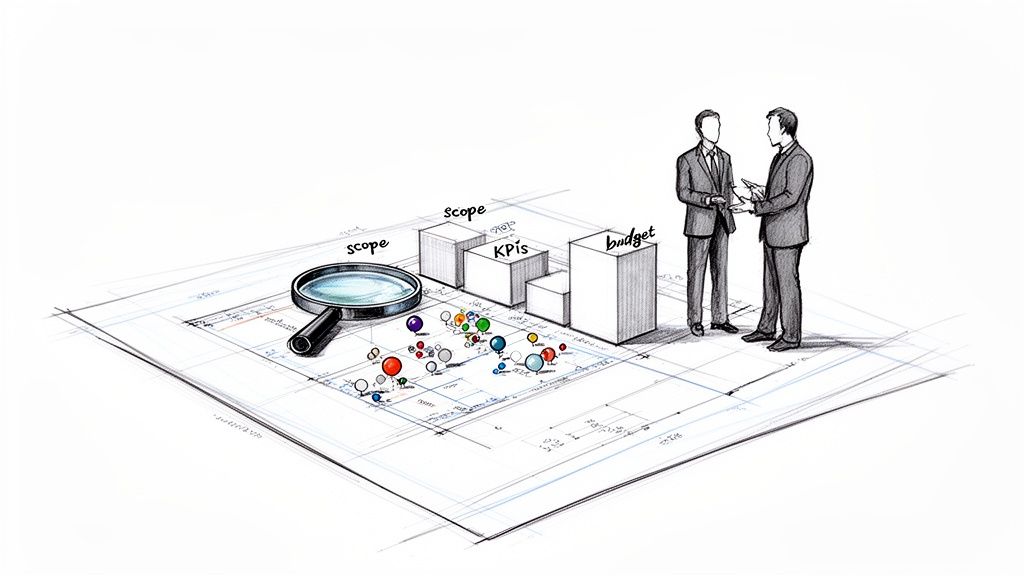
Every great web project kicks off not with a fancy mockup or a line of code, but with a conversation. The discovery and planning phase is where you take abstract ideas and forge them into an actionable blueprint. Honestly, this is the most critical stage of all. A misstep here will echo through the entire project, creating a domino effect of delays, budget blowouts, and a whole lot of headaches.
Think of it like building a house. You wouldn't just start digging a foundation without an architect’s blueprint detailing every single room, window, and outlet. Website development is no different; you have to map everything out with precision from the very beginning.
Uncovering True Business Needs
Your first job is to dig deeper than the initial request. When a client says, "We need a modern website," that’s just the starting point. It's your responsibility to figure out what "modern" actually means for their business goals. This is where focused stakeholder interviews come in.
I've found these questions are great for getting to the heart of the matter:
- What is the number one business problem this website absolutely has to solve? (e.g., increase qualified leads, streamline online sales, improve brand perception)
- Who are we building this for, and what do we need them to do when they get here?
- Six months after we launch, how will we know if we succeeded? What numbers will we look at? (e.g., a 20% increase in form submissions, a 15% reduction in bounce rate)
- What features are non-negotiable for launch, and what can we put on a "nice-to-have" list for later?
These conversations transform vague wishes into concrete objectives and Key Performance Indicators (KPIs). At the same time, you should be doing a thorough competitor analysis. See what the competition is doing well and, more importantly, where they're dropping the ball. This intel is gold; it helps you build a site that not only looks great but genuinely outperforms others in the market.
Creating a Watertight Project Scope
Once you have clear objectives, it’s time to draft a detailed project scope. This document is your project's north star and your single best defense against scope creep. A fuzzy scope is why a staggering 45% of projects run over budget. If you want to master this skill, our guide on how to define project scope is an excellent resource.
A project scope tells your client exactly what your team will deliver, when it will be delivered, and for how much. Without it, you're flying blind, leaving the project open to endless revisions and shifting goalposts.
Your scope document needs to be crystal clear. It should detail all functionalities, deliverables, and technical specifications, leaving no room for interpretation. It also locks in the budget and lays out a realistic timeline with key milestones for things like design approvals, content delivery, and development sprints.
The Power of Planning Tools
This early stage generates a ton of information, and you need a central place to keep it organized and accessible. This is where a good project management tool becomes non-negotiable.
In the fast-paced world of web development, the numbers speak for themselves. Companies using dedicated project management software successfully complete 61% of their projects on time. Teams trying to wing it without these tools? They only hit that mark 41% of the time. That 20% difference, highlighted in ElectroIQ's project management statistics report, shows just how vital these platforms are for managing the complex dance of sprints, feedback, and deadlines.
Kicking Off the Agile Build and Design Process
Okay, the blueprint is solid. The discovery and planning phases are done. Now, we roll up our sleeves and start building. This is where the project shifts from abstract ideas to tangible, working code, and it’s where a smart project manager really earns their keep. The build phase isn't a straight line; it's a dynamic, looping process of creating, getting feedback, and refining on the fly.
This is exactly why the Agile methodology is the gold standard for web development today. Forget the old-school, rigid "waterfall" approach. With Agile, we break the entire project down into small, bite-sized cycles called sprints. This lets the team ship functional pieces of the website in a matter of weeks, get real-world feedback, and adjust course without blowing up the timeline or budget.
Making Sprint Cycles Work for You
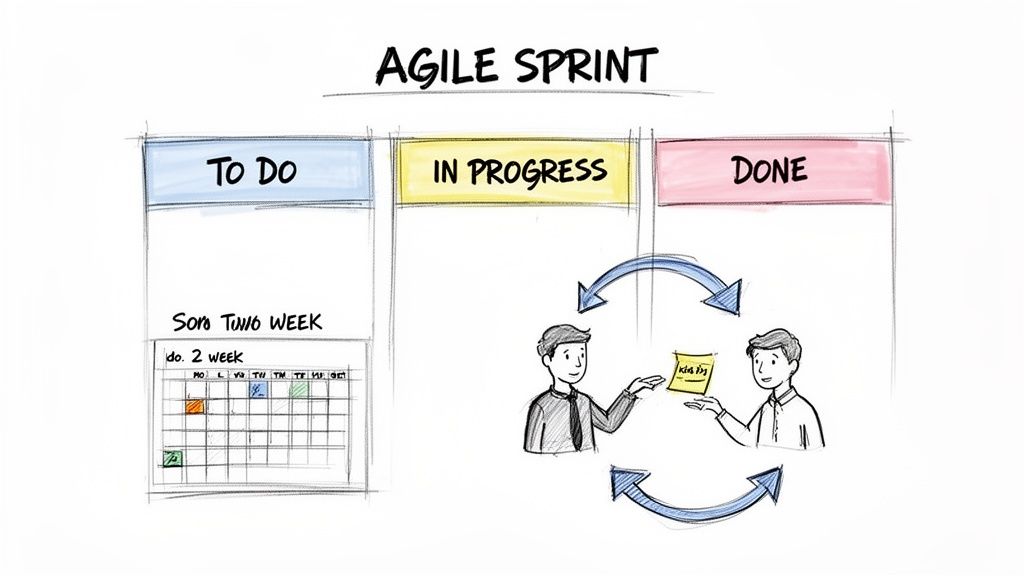
In my experience, a two-week sprint is the sweet spot. It's just long enough for the team to build something meaningful but short enough that the pressure is on and nobody loses focus. As the project manager, your job is to be the conductor of this two-week orchestra.
Here’s what that rhythm typically looks like:
- Sprint Planning: The whole team huddles up to pull a handful of top-priority items from the project backlog. We break these big ideas down into concrete tasks that can be realistically completed within the next two weeks.
- Daily Stand-ups: This is our quick, 15-minute morning alignment. It's not a status report for me; it's a chance for the team to sync up on what they did yesterday, what they’re tackling today, and—most importantly—what’s getting in their way.
- Sprint Review: At the end of the two weeks, it's show-and-tell time. The team demos what they’ve built to the client and other stakeholders. This is a massive win for transparency and gives us an immediate feedback loop.
- Sprint Retrospective: After the demo, the team meets privately. We have a candid chat about what worked, what was a struggle, and how we can make the next sprint even smoother. This is the engine of continuous improvement.
This cycle keeps the energy high and shows constant, visible progress. It’s a world away from the old method of disappearing for six months and then doing a "big reveal" that nobody likes.
The Art of the User Story
What fuels these sprints? A well-managed backlog of user stories. Forget technical jargon. A user story is just a plain-English description of a feature from the perspective of the person who will actually use it.
So, instead of a task like "Implement authentication module," the user story would be: "As a returning customer, I want to log in with my email and password so I can view my order history." This simple format forces everyone—from designers to developers—to stay focused on solving the user's problem.
A great user story captures the "who," "what," and "why" of a feature. It gives your team the context they need to build something that actually helps people, not just tick a box on a checklist.
With a backlog full of stories, prioritization becomes key. One of the most effective frameworks I rely on is the MoSCoW method:
- Must-Have: These are the absolute, non-negotiable features for launch. Think login, checkout, or core product viewing.
- Should-Have: Very important features that add major value, but the site could technically launch without them.
- Could-Have: "Nice to have" features. We'll tackle these if we have extra time and resources.
- Won't-Have (this time): Features we've all agreed are out of scope for now. This helps manage expectations and prevents scope creep.
Using MoSCoW forces those tough but critical conversations about what truly matters for day one. If you want to dive deeper into these concepts, our guide to Agile software development best practices is a great resource.
The PM as the Central Communication Hub
Throughout every sprint, the project manager is the glue holding everything together. You’re the translator between client feedback and technical tasks, the shield protecting the team from distractions, and the single source of truth for the project.
This becomes even more critical when you're working with a distributed team, like bringing in a nearshore development partner. The PM's job is to make sure those augmented team members are woven seamlessly into the process. They need to be in the stand-ups, have clear user stories assigned to them, and feel like part of the core team. Done right, you can tap into incredible expertise to crush your sprint goals without creating communication bottlenecks.
Building Your Project Management Tech Stack
Once your Agile process is mapped out, you need the right tools to bring it to life. A thoughtfully assembled tech stack acts as the central nervous system for your project, turning what could be a chaotic mess of tasks and deadlines into a clear, efficient workflow. The real goal here isn't just tracking what needs to be done; it's about creating a single source of truth that keeps everyone—from designers and developers to key stakeholders—on the same page.
The project management software market is exploding, valued at $7.24 billion and on track to hit $12.02 billion by 2030. That growth reflects the real-world complexity of building modern websites. Despite this, some eye-opening data from a Mosaicapp report on project management software shows that while 88% of organizations use some kind of PM tool, only a meager 23% are using dedicated software. That gap represents a massive opportunity to gain a serious competitive edge.
Choosing Your Core Project Management Platform
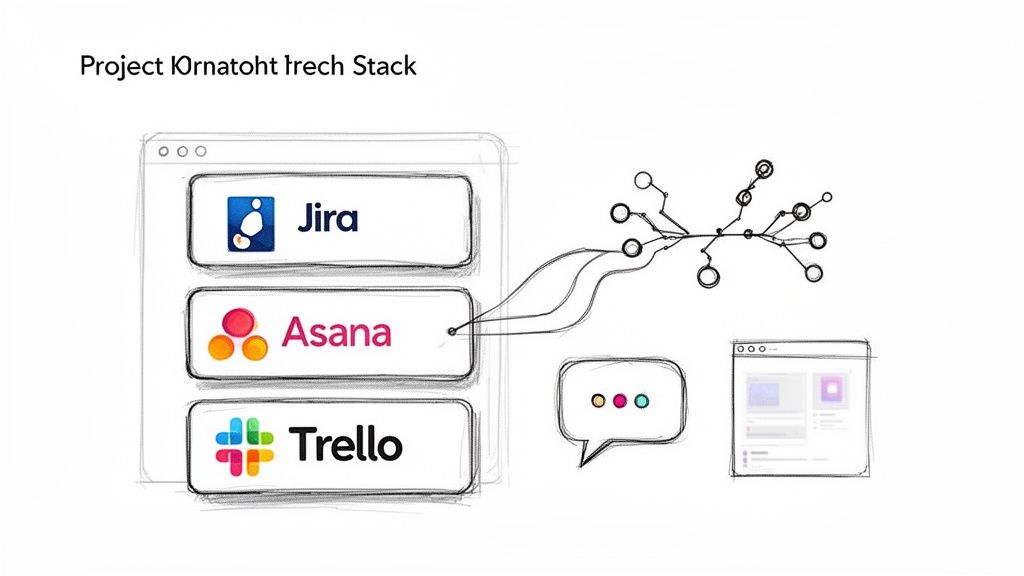
The heart of your tech stack is the platform where tasks are assigned, progress is visualized, and collaboration happens. While there are countless options, the big three—Jira, Asana, and Trello—cover most use cases, each with its own personality. The best fit comes down to your project’s scale and your team’s preferred way of working.
Jira: This is the powerhouse, purpose-built for software development teams. If you're building a complex web application with intricate back-end logic and a formal Scrum process, Jira is your best bet. Its deep integration with developer tools and robust reporting features like burndown charts are invaluable for technical projects.
Asana: This tool finds the sweet spot between robust features and user-friendliness. Asana shines when you have marketing, content, and design teams working hand-in-hand with developers. I’ve found its timeline and workload management views are fantastic for spotting dependencies and making sure no one on the team is getting buried.
Trello: For simplicity and visual organization, it’s hard to beat Trello. Its Kanban board approach is incredibly intuitive, making it perfect for smaller projects, marketing-focused websites, or teams just dipping their toes into formal project management. It can get a bit cluttered on larger builds, but for straightforward workflows, it's a dream.
Your project management tool shouldn't force you into a workflow you hate. The best platform is the one your team will actually use consistently. Start with the simplest option that meets your core needs and only add complexity when the project demands it.
Project Management Software Comparison for Web Dev Teams
Choosing the right platform is critical, as it forms the backbone of your team's daily operations. This table breaks down the key differences between the leading tools to help you decide which one aligns best with your project complexity, team structure, and budget.
| Tool | Best For | Key Agile Features | Integration Capability | Pricing Model |
|---|---|---|---|---|
| Jira | Complex software projects & teams following strict Scrum/Agile. | Advanced reporting (burndown, velocity), backlogs, sprints. | Excellent (dev tools) | Per-user, with a free tier. |
| Asana | Cross-functional teams needing visibility across tasks & timelines. | Timelines, workload management, Kanban boards, lists. | Very good (business apps) | Per-user, with a free tier. |
| Trello | Small teams, simple projects, and visual task management. | Simple Kanban boards, checklists, automation (Butler). | Good (Power-Ups) | Freemium, with per-user plans. |
Ultimately, the "best" tool is subjective. A small agency building brochure sites would likely find Jira to be overkill, while a team building a SaaS platform would quickly outgrow Trello. Test a few with your team before committing.
Building the Supporting Ecosystem
A great project management platform is just the start. To truly nail project delivery, you need a connected ecosystem of tools that support the entire web development lifecycle, from the first wireframe to the final deployment. When these tools talk to each other, you eliminate information silos and keep the whole team moving in sync.
Here are the essential supporting players I always make sure to have in place:
Communication Hub (e.g., Slack): This is where the day-to-day chatter happens. Integrating your PM tool with Slack is a non-negotiable for me. Getting instant pings for task updates or comments right where the conversation is happening prevents constant context switching. We always set up dedicated channels like
#project-clientnameto keep everything organized.Design and Prototyping (e.g., Figma): Gone are the days of emailing static PDFs back and forth. Modern tools like Figma are built for live collaboration, allowing developers, clients, and PMs to leave comments directly on the designs. This creates an incredibly clear and efficient feedback loop.
Version Control (e.g., Git): This is the bedrock of the development process. Hosted on platforms like GitHub or GitLab, Git maintains a complete history of every line of code. It allows multiple developers to work on a project without stepping on each other's toes. As a project manager, you don’t need to be a Git wizard, but understanding its role is crucial for managing the development workflow.
Documentation (e.g., Confluence, Notion): Every project accumulates a mountain of knowledge—technical specs, meeting notes, client decisions. A central wiki or documentation hub acts as the project’s collective brain, ensuring that vital information is always easy to find and isn’t lost in a forgotten email thread.
By carefully choosing and connecting these tools, you’re not just buying software—you’re designing an environment where every single person has the context and clarity they need to deliver exceptional work.
Mastering Pre-Launch Quality and Testing
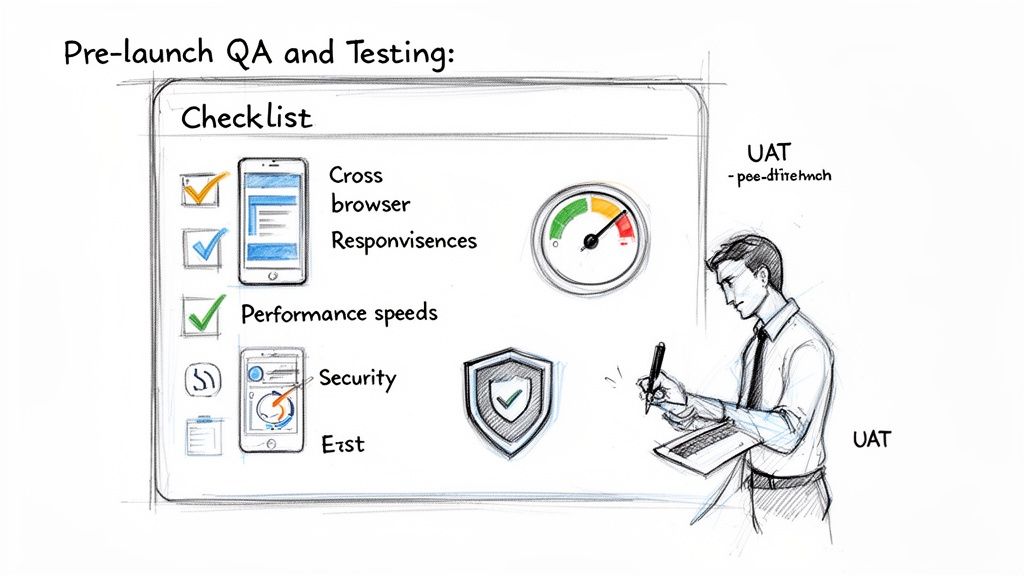
You can't just stumble into a flawless website launch. It’s the direct result of a tough, methodical quality assurance process that catches problems before your users ever do.
After all those weeks of design and development sprints, the temptation to just get it live is huge. But this is the exact moment where the best projects pump the brakes, get deliberate, and really put the new site through its paces.
This whole phase really boils down to two key parts: Quality Assurance (QA), which is your internal team’s job, and User Acceptance Testing (UAT), which is where the client gives their final blessing. As the project manager, you’re the conductor for both. A sloppy testing phase can completely derail a project, leading to a buggy launch that kills user trust from day one.
Building a Bulletproof QA Plan
Think of your internal QA process as the first line of defense. It’s where your team’s sole mission is to try and break the website in every way imaginable, all within a safe, controlled environment. A solid QA plan is way more than just clicking around a few pages; it's a systematic grind against a clear set of criteria. For a deep dive, this software testing checklist is a fantastic resource to make sure nothing gets missed.
A good plan always has multiple layers of testing:
- Cross-Browser and Device Testing: The site has to work and look great on Chrome, Firefox, Safari, and Edge. Period. That also means testing it on iPhones, Androids, tablets, and desktops with different screen sizes.
- Performance Testing: How fast is it? Tools like Google PageSpeed Insights are non-negotiable for finding what’s slowing things down. A slow site is a conversion killer—40% of users will bounce if a page takes more than three seconds to load.
- Functional Testing: Do all the forms, buttons, and links actually do what they’re supposed to? This is the nitty-gritty work of testing every single interactive piece to make sure it functions correctly.
- Security Vulnerability Scans: You have to run basic security checks to look for common weak spots like cross-site scripting (XSS) or SQL injection risks. This is especially critical if the site handles any kind of user data.
Conducting Effective User Acceptance Testing
Once your internal team is confident the site is ready for the spotlight, it’s time for User Acceptance Testing (UAT). This is where the client and their key stakeholders get their hands on it to confirm it does everything they asked for in the project scope. The goal is to get clear, actionable feedback—not vague notes like, "I don't like this color."
You have to guide the client through this. Never just send a link and say, "Let us know what you think." That's a recipe for chaos.
Provide clients with specific testing scenarios. Give them clear instructions like, "Please test the checkout process by purchasing product X using a test credit card number" or "Try to find our contact information and submit a query through the form." This keeps them focused on the core functions.
Use a simple tool for feedback, like a shared spreadsheet or a tool like Marker.io, where they can log issues. Every ticket should include the page URL, what they expected, what really happened, and a screenshot. This structured approach avoids messy email threads and gives your developers exactly what they need to fix things fast.
Your Final Pre-Launch Checklist
With QA and UAT in the rearview mirror and the last bugs squashed, you're almost there. But before hitting the big red "launch" button, there's one last sanity check for all the small-but-critical details. Forgetting one of these can turn launch day into a nightmare.
- Analytics Setup: Is Google Analytics (or whatever tool you’re using) installed and tracking data correctly?
- SEO Essentials: Are title tags, meta descriptions, and image alt tags all in place? Is the sitemap generated and submitted to Google Search Console?
- 301 Redirects: If this is a site redesign, have you mapped all the old URLs to their new homes to protect that precious SEO value?
- Favicon and Social Icons: Is the little browser tab icon uploaded? Do social sharing links pull the right image and text?
- Backup and Rollback Plan: Do you have a final, clean backup of the site? More importantly, do you have a documented plan to switch back to the old site instantly if something goes terribly wrong?
Running through this final checklist is what separates a good launch from a great one. It ensures that when you finally go live, the site isn't just working—it’s fast, secure, and ready to start delivering results from the very first visitor.
Phase 6: Life After Launch
Here's a hard truth: the moment a website goes live isn't the finish line. It’s the starting line. Many teams make the mistake of celebrating the launch and immediately moving on, but this last phase is what separates a good project from a great, long-lasting digital asset.
Getting this part right is all about a smooth handoff and establishing a clear plan for what comes next. You’re not just delivering a product; you're transitioning ownership and empowering the client to succeed with their new tool.
The Art of the Seamless Project Handoff
A great handoff is your final act of setting the client up for success. The goal is to make them feel completely confident and in control, not like they've just been handed the keys to a spaceship without a manual. A little proactive effort here prevents a flood of panicked "how do I do this?" emails down the road.
I've learned that a solid handoff package is non-negotiable. Here’s what I always include:
- The "Under the Hood" Guide: This is the technical documentation. It covers the tech stack, key integrations, and server details. Think of it as the go-to resource for any developer who touches the site in the future.
- The "How-To" Manual for the CMS: This is a user-friendly guide, often packed with quick video walkthroughs, showing the client's team how to handle everyday tasks. Think updating text, adding a new blog post, or swapping out a banner image.
- Live Training Sessions: We always schedule dedicated time to walk the client's team through their new site's back-end. It's an open Q&A session where they can get their hands dirty in a supportive environment and build real confidence.
This process ensures the client can manage their day-to-day needs without feeling tethered to us. It also sets the stage for a stronger long-term relationship. As you think about this, exploring different website self-service strategies can be a game-changer, giving users the power to find their own answers and feel truly empowered.
Building a Proactive Maintenance Plan
A new website is a lot like a new car—it needs regular tune-ups to keep it running well. Without a maintenance plan, performance will slowly degrade, and security holes will inevitably appear. This isn't an optional add-on; it's essential for protecting the client's investment.
We make sure this schedule is crystal clear before we wrap up the project.
Think of post-launch maintenance not as an expense, but as insurance. It protects the website's performance, security, and long-term value. Skipping it is one of the fastest ways to let a brand-new asset fall into disrepair.
A solid maintenance plan should always include these recurring tasks:
- Consistent Backups: Set up automated daily or weekly backups of both the website files and the database. This is your ultimate safety net if things go sideways.
- Security Patching: Constantly apply updates for the CMS core, themes, and any plugins. You have to patch vulnerabilities as soon as they're found. After all, a staggering 44% of hacking incidents happen because of outdated websites.
- Performance Checks: Regularly monitor page load speeds and server response times. A slow site is a one-way ticket to a high bounce rate and a terrible user experience.
- Uptime Monitoring: Use a service that sends instant alerts if the site goes down. This lets you jump on the problem immediately and minimize any business impact.
Moving From a Project to a Product Mindset
The most successful websites are never truly "done." The final, and perhaps most important, part of world-class project management is shifting from a one-and-done project mindset to a continuous product mindset. The launch isn't the end; it's the beginning of a data-driven journey.
With the site live, you can finally start gathering real-world user data. By keeping a close eye on analytics and user behavior, you can see exactly what’s working and what isn’t. For example, if you see a huge number of users abandoning their cart on a specific step, that’s not a failure—it's a bright, flashing sign telling you exactly where to focus your next optimization efforts.
This endless cycle of monitoring, learning, and iterating is what transforms a website from a static digital brochure into an evolving asset that delivers real, measurable business value long after the launch-day champagne has been finished.
Answering Your Burning Project Management Questions
No matter how airtight your plan is, questions are a natural part of any complex website build. Let’s tackle some of the most common ones that pop up for product managers, founders, and marketing leads. My goal here is to give you direct, no-nonsense answers to help you steer your project with confidence.
How Do You Handle Scope Creep?
Honestly, the best way to manage scope creep is to stop it before it even starts. Your most powerful tool is an incredibly detailed project scope and Statement of Work (SOW) that you nail down during the planning phase. This document needs to be crystal clear about every single feature and deliverable, leaving zero room for interpretation.
When a new request inevitably pops up, it has to go through a formal change request process. This isn't about being difficult or just saying "no." It's about professionally assessing how the new idea impacts the timeline, budget, and team capacity. The project manager can then present those trade-offs to the stakeholders, turning it into a strategic decision, not a reactive one.
Using an Agile framework also helps contain scope creep by its very nature. Big new ideas get discussed and prioritized for future sprints, not just jammed into the current one.
Agile vs. Waterfall: What’s the Real Difference?
Think of Waterfall as a straight line. It's a rigid, sequential process where you have to complete one entire phase, like design, before you can even think about starting the next, like development. This only really works for projects where the requirements are perfectly understood and absolutely will not change from day one—which is pretty rare.
Agile, on the other hand, is all about iteration and flexibility. We break the project down into small, bite-sized cycles called "sprints," which usually last about two weeks. This approach creates a built-in rhythm for continuous feedback and adaptation. For the vast majority of web projects where things can and do evolve, Agile is the way to go. It seriously reduces risk and gets the team and the client collaborating in a much more effective way.
At its core, the difference is adaptability. Waterfall locks you into a plan from the start. Agile not only expects change but embraces it, making it a much better fit for the dynamic world of web development.
What Exactly Is Nearshore Staff Augmentation?
Simply put, nearshore staff augmentation is when a company hires skilled tech professionals from a nearby country, usually one in a similar time zone. For a website project, this could mean bringing on a specialist in a particular JavaScript framework or a senior UI/UX designer to fill a gap on your team. You get access to a massive talent pool without the long-term commitment or overhead of a full-time, in-house employee.
This model is a fantastic way to scale your development team up or down as the project demands. The big wins here are often better cultural alignment, minimal time zone headaches allowing for real-time collaboration, and significant cost savings compared to local hiring. It's a go-to strategy for startups and businesses that need to boost their capabilities without breaking the bank.
What KPIs Should I Actually Be Tracking?
Your Key Performance Indicators (KPIs) need to tell two different stories: one about the health of the project itself, and one about the business results it's driving.
For project health, you need to keep a close eye on a few key metrics:
- Schedule Variance: Are we ahead, behind, or right on schedule?
- Cost Variance: How are we tracking against the budget?
- Sprint Burndown: Is the team actually completing the work they committed to in each sprint?
Once the site is live, the focus shifts to business outcomes that prove the project was worth it. These are the numbers that really matter to stakeholders:
- Conversion Rate
- Average Session Duration
- Bounce Rate
- Page Load Speed
These metrics give you a clear, data-backed view of your project's return on investment (ROI). For anyone juggling multiple website initiatives at once, developing solid habits for managing multiple projects without burnout is crucial for keeping all these KPIs moving in the right direction.