What Is Native App Development A Guide To Peak Performance

When you hear the term native app development, think of it as creating a mobile app that's custom-built for a single operating system. It’s like a master tailor crafting a bespoke suit—it’s made for a perfect fit, and nothing else. This means you build one version of your app specifically for Apple's iOS and a completely separate version for Google's Android, using the programming languages and tools each platform prefers.
What Is Native App Development, Really?
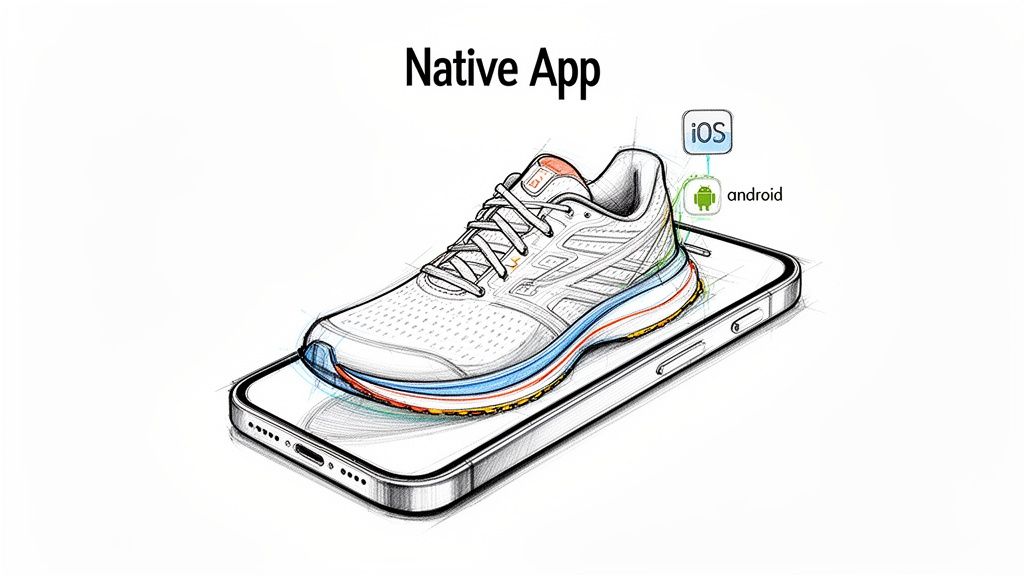
Let's stick with the tailor analogy, or even better, imagine a professional running shoe. It’s not just any shoe; it’s engineered precisely for a runner's foot, their stride, and the terrain they’ll be on. It provides a perfect fit, unbelievable support, and peak performance. That’s exactly what a native app does for a smartphone.
Unlike other approaches that try to be a jack-of-all-trades, native apps are coded in the platform’s mother tongue. This direct, no-compromise approach is what makes them so powerful.
Speaking The Platform's Language
To build a native iOS app, developers use a language like Swift (or its predecessor, Objective-C). For a native Android app, the go-to languages are Kotlin (or the classic, Java).
By using the platform's own language, the app can "speak" directly to the device's operating system and hardware. There's no need for an interpreter or a translation layer in between, which is what gives native apps their signature speed, rock-solid reliability, and buttery-smooth responsiveness. Everything just feels right because the app is running exactly the way the phone’s creators designed it to.
A native app is built using the same tools and conventions as the operating system itself. This creates a seamless, intuitive user experience that feels completely natural to the user, leading to higher engagement and satisfaction.
Unlocking The Full Potential of a Device
Because a native app is built from the ground up for a specific ecosystem (iOS or Android), it gets a VIP pass to all of the device's features, often on day one of their release. This opens up a world of possibilities.
- Advanced Hardware Integration: You get full, unfettered control over the camera, GPS, accelerometer, and even biometric sensors like Face ID or fingerprint scanners.
- Optimized Performance: Need to run graphics-heavy games, process complex animations, or crunch big numbers? Native apps handle these intensive tasks without breaking a sweat.
- Push Notifications: The app can tap directly into the operating system's notification system, making them more reliable and deeply integrated.
- Platform-Specific UI/UX: The app will naturally follow the platform’s design rules, like Apple’s Human Interface Guidelines or Google’s Material Design. This makes your app feel instantly familiar and intuitive to users.
This deep integration doesn't just make the app perform better—it makes it feel better. It’s polished, trustworthy, and delivers the kind of high-quality experience users expect from their favorite apps. It’s no surprise that many of the most successful apps on the planet, from social media giants to essential productivity tools, are built natively.
The Core Technologies Behind Native Performance
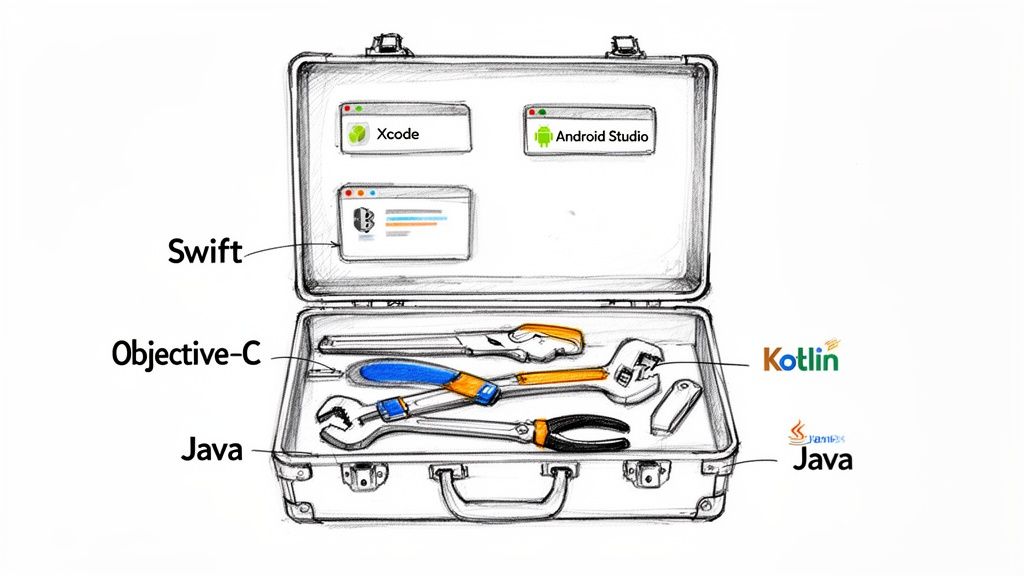
To really get why native apps feel so smooth and responsive, we need to peek inside the developer's toolbox. That exceptional performance isn't magic; it’s the result of using programming languages, development kits (SDKs), and design environments (IDEs) built specifically for either iOS or Android.
This platform-specific approach is the reason native apps are such a dominant force. In fact, by 2025, native app development is expected to pull in the highest revenue share in the entire app market, hitting 37.92%. This is because native code can talk directly to a device's hardware, making features like the camera or GPS feel instantaneous and integrated. For a deeper dive into the market, Mordor Intelligence offers some great insights.
Building For The Apple Ecosystem
When you're creating an app for an iPhone or iPad, you're working within Apple's tightly controlled world. It’s a closed ecosystem, but that's a good thing—it means Apple provides a suite of powerful, polished tools to ensure every app is stable, secure, and fast.
The main language for any new iOS project today is Swift. Apple rolled it out in 2014 as a modern replacement for its predecessor, Objective-C. Swift was built from the ground up for speed and safety, with a clean syntax that's just easier to read and write, which naturally cuts down on bugs and development headaches.
- Swift's Key Advantages:
- Performance: It's lightning-fast, with speeds that rival older, more complex C-based languages.
- Safety: The language itself is designed to prevent common coding errors from ever happening.
- Modern Features: It supports new programming styles that make code easier to manage as projects grow.
Before Swift, everything was built with Objective-C. You'll still find it in a lot of older apps, but almost all new development happens in Swift. The entire workshop for iOS development is an application called Xcode, Apple's official IDE. Think of it as the ultimate command center, containing a code editor, a debugger for squashing bugs, an interface builder, and tools to analyze performance. It's everything a developer needs to build, test, and ship an app to the App Store. For a closer look at optimizing app speed, you can read our guide on how to improve app performance.
Crafting Apps For The Android Universe
Over in the Android world, things are a bit different. It’s a much more open ecosystem with a staggering variety of devices from countless manufacturers. To handle this diversity, Google provides its own unique set of development tools designed to create apps that run smoothly on thousands of different phones and tablets.
The go-to language for modern Android development is Kotlin. Google officially named it the preferred language in 2017, and for good reason. It’s a modern, streamlined language that runs on the Java Virtual Machine (JVM) and works perfectly with Java, which was the original language for Android.
Kotlin was specifically designed to fix many of Java's common frustrations. It introduces features like null safety, which single-handedly eliminates one of the most frequent causes of app crashes, leading to far more stable applications.
Just like Swift, Kotlin helps developers write cleaner code faster. While Java is still a major player—especially in large, established apps—Kotlin is clearly the future of the platform.
The official IDE for building these apps is Android Studio. Built on JetBrains' powerful IntelliJ IDEA platform, it's an incredibly capable tool. Android Studio comes packed with:
- A flexible build system: Easily manages project dependencies and different versions of an app.
- An advanced code editor: Offers smart suggestions and tools to refactor code on the fly.
- A powerful emulator: Lets developers test their app on a massive range of virtual devices without needing the physical hardware.
Ultimately, these two distinct toolsets—Swift and Xcode for iOS, Kotlin and Android Studio for Android—are what make native development special. They give developers the power to build apps that are perfectly tuned for the hardware they run on, delivering the best possible performance and a user experience that just feels right.
Comparing Native Apps To The Alternatives
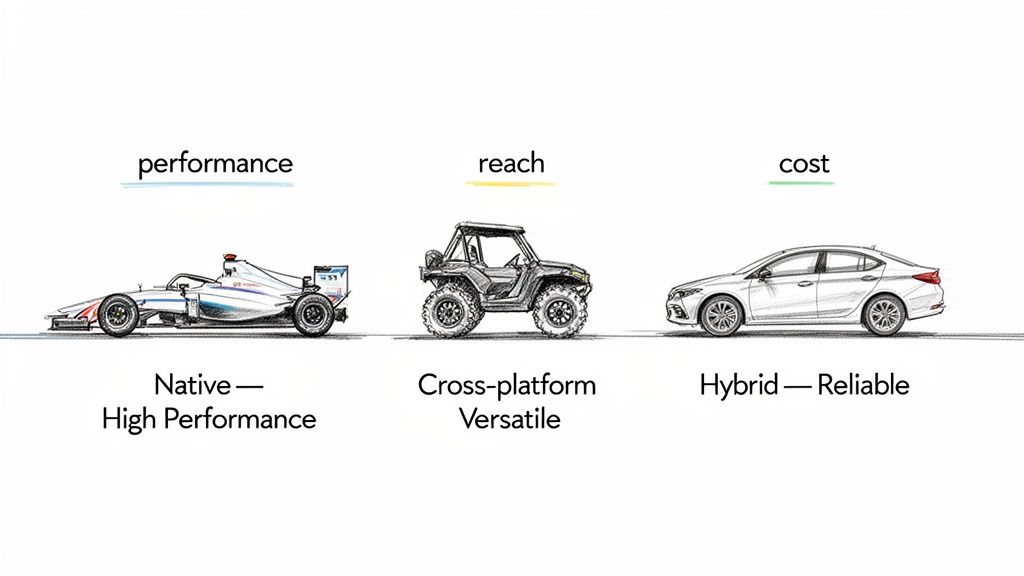
Choosing how to build your app is a huge business decision, a bit like picking the right vehicle for a specific job. Think of native app development as the high-performance race car—meticulously engineered for a single track (either iOS or Android) to deliver blistering speed and precision. But it’s not the only car on the road.
To make a smart choice, you need to understand the alternatives: cross-platform, hybrid, and Progressive Web Apps (PWAs). Each one strikes a different balance between performance, cost, and how quickly you can get to market. Let's break down how they really stack up against each other.
Cross-Platform Development: The All-Terrain Vehicle
Cross-platform development is the all-terrain vehicle (ATV) of the app world. It’s built to conquer multiple environments—in this case, both iOS and Android—using just one codebase. Developers write the code once, and a framework like React Native or Flutter translates it into something that runs almost like a native app on each platform.
This approach dramatically cuts down development time and cost since you aren't building and maintaining two separate apps. The trade-off? While performance is often very good, it can't quite match the silky-smooth responsiveness of a true native app. You might also face delays or need clever workarounds to access the absolute latest OS features. For a deeper dive, check out our guide on mobile app cross-platform development.
Hybrid Apps: The Reliable Family Sedan
Hybrid apps are the dependable family sedans of mobile development. They are essentially websites tucked inside a native "shell." A developer builds the app using standard web technologies—HTML, CSS, and JavaScript—and then uses a tool like Apache Cordova to bundle it up for the app stores.
This is often the fastest and cheapest way to get an app onto both iOS and Android devices. The main drawback here is performance. Because the app is running in a web browser component, it doesn't have that direct line to the device's hardware, which often leads to a user experience that feels a bit sluggish or less polished than its native counterpart.
The whole idea of native development exploded when Apple launched its App Store in 2008, with Google’s Android Market following close behind. This kicked off a race to build apps that could squeeze every drop of power out of a device. That legacy still fuels the enterprise mobile app market, which hit a value of USD 189.22 billion in 2026 and is expected to climb to USD 338.42 billion by 2031. You can find more of these mobile app development statistics to see the trend.
Progressive Web Apps: The Instant-Access Option
Progressive Web Apps (PWAs) aren't really "apps" in the traditional sense—you won't find them in an app store. They are highly advanced websites designed to look and behave just like a native app. Users find them through their web browser and can even "install" a shortcut to their home screen for quick access.
PWAs have a few killer advantages:
- No Installation Needed: Users can start using them instantly, no app store download required.
- Platform Independent: They work on any device that has a modern web browser.
- Offline Capabilities: They can save data locally, allowing them to function even without an internet connection.
But there are serious limitations. A PWA’s access to native device features like advanced camera functions, fingerprint scanners, or sophisticated push notifications is heavily restricted compared to a native app. They work best for content-heavy sites or simple tools where deep hardware integration isn't the main goal.
A Head-To-Head Comparison
To help you see the differences more clearly, here's a side-by-side comparison of the four main approaches. The best choice really boils down to what matters most for your specific project.
Native vs Cross-Platform vs Hybrid vs PWA
| Attribute | Native App | Cross-Platform App | Hybrid App | Progressive Web App (PWA) |
|---|---|---|---|---|
| Performance | Excellent | Very Good | Moderate | Good |
| User Experience | Seamless & Platform-Specific | Nearly Native Feel | Good, but Less Polished | Web-Based Feel |
| Device Feature Access | Full & Immediate | Very Good (Sometimes Delayed) | Limited | Very Limited |
| Development Cost | High | Medium | Low | Lowest |
| Speed to Market | Slowest | Fast | Faster | Fastest |
| Codebase | Separate for iOS & Android | Single Shared Codebase | Single Shared Codebase | Single Shared Codebase |
| Distribution | App Stores | App Stores | App Stores | Web Browser (No Store) |
Ultimately, this decision is all about your strategic goals. If you absolutely need top-tier performance, a flawless user experience, and unrestricted access to the device hardware, then native development is your only real answer. But if your priorities lean more toward a tighter budget and a faster launch, one of the other options will likely be a much better fit.
Why Top Companies Still Bet on Native Development
After looking at the different ways to build an app, you might be wondering: why do so many top-tier companies invest the extra time and money into native development? It all comes down to a commitment to quality. Brands like Airbnb, Spotify, and Waze go native because it delivers a superior product that translates directly into business wins—through raw speed, a flawless user experience, full access to device hardware, and tighter security.
This isn't just about a few milliseconds shaved off a loading screen; it's about keeping users happy and engaged. We’ve all been there—a slow, clunky app is an app that gets deleted. In fact, research shows that 70% of users will ditch an app if it takes too long to load. Native apps are built for speed, tapping directly into the device’s core processing power to deliver the kind of snappy, responsive performance that earns loyalty.
Unbeatable Performance and Responsiveness
Think of it like the difference between running a game directly on a high-end gaming PC versus streaming it over a spotty internet connection. One feels instant and fluid; the other is a laggy, frustrating mess. That’s the fundamental advantage of going native.
Because native apps are compiled into the specific language of the device’s processor (machine code), they run as efficiently as possible. This delivers some serious perks:
- Faster Load Times: The app opens and responds to your taps almost instantly.
- Smoother Animations: Complex transitions and visual effects glide across the screen without a hint of stutter.
- Efficient Processing: Demanding tasks, like crunching complex data or rendering high-resolution graphics, are handled with ease.
This premium performance makes an app feel solid and professional, which has a direct impact on whether users stick around and leave positive reviews.
A Truly "At Home" User Experience
A great app doesn't just work—it feels right on your phone. This is where native apps truly shine. They're designed from the ground up to follow the specific user interface (UI) and user experience (UX) guidelines of their platform. An iPhone app built with Swift will look and behave exactly like an iPhone user expects, complete with familiar menus, gestures, and controls.
By sticking to platform design conventions, native apps flatten the learning curve for users. This creates an intuitive, comfortable experience that feels like a natural part of the phone, which goes a long way in boosting user adoption and trust.
When an app's buttons, navigation, and behavior are instantly recognizable, people feel more confident and in control from the moment they open it.
Unrestricted Access to Device Features
One of the biggest reasons to choose native development is the unlimited access it provides to a device's hardware and built-in software. While other methods might offer limited or delayed access through plugins, native apps get an all-access pass from day one.
This unlocks a ton of innovative possibilities that can make a product stand out. Developers can seamlessly integrate core device functions, including:
- Advanced Camera and Sensor Controls: Tap into multi-lens camera systems, augmented reality (AR) frameworks, and biometric scanners like Face ID or fingerprint readers.
- GPS and Geolocation: Build highly accurate location tracking for navigation, fitness apps, or local discovery features.
- Push Notifications: Integrate deeply with the operating system for more reliable and interactive notifications that users will actually see.
- NFC and Bluetooth: Enable features like contactless payments, seamless device pairing, and connecting to the world of IoT gadgets.
Having this direct line to the hardware lets you build unique, high-value features that simply aren't on the table with other approaches.
Enhanced Security and Reliability
For any app handling sensitive user data, security is non-negotiable. Native apps have a clear edge here because they can leverage the platform's built-in security features directly. They benefit from all the layers of protection baked into the operating system, like data encryption, secure keychain for password storage, and process sandboxing.
Since native code doesn't rely as heavily on third-party libraries or web views to function, it presents a much smaller target for potential attacks. This built-in stability and security make native development the go-to choice for banking, healthcare, and enterprise apps where data protection is everything. Ultimately, this robust foundation also leads to fewer crashes and a more dependable experience for everyone.
Your Roadmap To Building A Native App
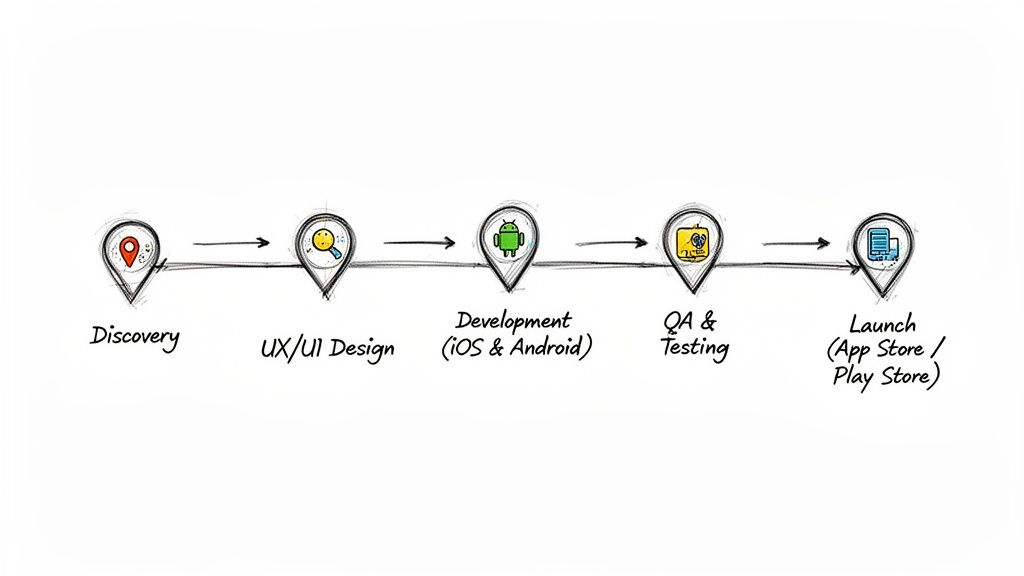
Turning a great idea into a polished app on someone's home screen is a structured journey, not a chaotic sprint. For founders and product managers, understanding this lifecycle is key to setting realistic expectations for timelines, costs, and the talent you’ll need. The path to a successful native app isn't random; it follows a well-defined roadmap with distinct phases, each one building on the last.
This process is so much more than just coding. It's a strategic sequence of planning, designing, building, testing, and deploying. Each step demands a unique set of skills and careful management to ensure the final product hits your business goals and, just as importantly, delights your users. To really get this right, you have to master the various software development cycle stages.
Phase 1: Discovery And Strategy
Before a single line of code gets written, the most critical work has to happen. The Discovery phase is all about deep research and getting everyone aligned. This is where you validate your app idea, figure out exactly who you're building for, scope out the competition, and nail down what makes your app special.
Key activities during this stage look something like this:
- Market Research: Who are your users? What are their pain points? What solutions are they using now?
- Feature Prioritization: Making the tough calls between "must-haves" and "nice-to-haves" to define a lean Minimum Viable Product (MVP).
- Technical Feasibility: A gut check with engineers to assess the technical lift and potential roadblocks for building on both iOS and Android.
- Monetization Strategy: Deciding how the app will make money—will it be subscriptions, one-off purchases, or ads?
Getting this foundation right sets the project's direction and saves you from costly U-turns later. A clear strategy ensures everyone, from stakeholders to developers, is pulling in the same direction.
Phase 2: UX And UI Design
With a solid strategy in place, the focus shifts to crafting the user experience (UX) and user interface (UI). For native apps, this means designing two distinct interfaces that feel perfectly at home on their respective platforms, following Apple's Human Interface Guidelines and Google's Material Design.
The UX designer acts as the architect, mapping out the app's flow with wireframes and prototypes to show how users will get from A to B. Then, the UI designer brings it to life, adding the visual layer of colors, fonts, and icons to create a beautiful and intuitive interface that’s a pleasure to use.
A common mistake is trying to force a one-size-fits-all design on both iOS and Android. True native design respects the unwritten rules of each platform, making the app feel intuitive and trustworthy to people who live on their devices.
Phase 3: Development And Iteration
This is where the vision starts turning into a real, functional product. In native development, this means running two parallel projects—one for the iOS app using Swift or Objective-C, and another for the Android app using Kotlin or Java.
Development is usually managed with an Agile methodology, which breaks the project into small, two-week cycles called "sprints." Each sprint focuses on building a specific set of features, which allows the team to test, get feedback, and make adjustments on the fly. This iterative approach keeps the project on track and flexible enough to adapt to new insights. For a deeper dive, check out our guide on the mobile app development lifecycle.
Phase 4: Quality Assurance And Testing
Rigorous testing isn't just a nice-to-have; it's absolutely non-negotiable for launching a high-quality native app. The Quality Assurance (QA) team works hand-in-hand with developers from the beginning, hunting down bugs, performance lags, and usability hiccups.
Testing happens at multiple levels:
- Unit Testing: Developers test individual pieces of their own code.
- Integration Testing: The team makes sure all the different parts of the app play nicely together.
- User Acceptance Testing (UAT): Real users get their hands on the app to give feedback on the overall experience.
This comprehensive testing across a ton of different devices and OS versions is what ensures your app is stable, secure, and works flawlessly for every single user.
Phase 5: Deployment And Maintenance
Finally, it's launch time. This involves prepping the app for submission to the Apple App Store and Google Play Store, both of which have their own strict guidelines and review processes. But once the app is live, the work is far from over. The journey continues with ongoing maintenance—releasing updates for new operating systems, rolling out new features, and listening to user feedback to keep improving.
This whole roadmap is what justifies the investment in native builds, which consistently lead the pack in performance and revenue. The mobile app market is projected to explode from USD 330.02 billion in 2026 to an incredible USD 1,017.18 billion by 2034, with native iOS apps driving a huge part of that growth. You can discover more insights about the mobile application market's explosive growth on fortunebusinessinsights.com.
When Should You Go Native?
Choosing your development path isn't just a technical decision—it's a strategic one. You're balancing your budget, your timeline, and your long-term ambitions for the app. While there are faster and cheaper ways to get an app to market, some projects simply demand the raw power and precision that only native development can deliver.
Think of it this way: if your app's entire reason for being is tied to providing a lightning-fast, buttery-smooth experience, going native isn't just an option; it's the foundation of your success. It’s like building a high-performance race car—you don't start with off-the-shelf parts. You engineer every component for maximum speed and control.
The Clear-Cut Cases for Native
For certain types of apps, trying to use anything other than native code is asking for trouble. You risk ending up with a clunky, frustrating product that alienates users and falls flat. If your idea fits into one of these buckets, consider native development your go-to.
- High-Performance Mobile Games: When you're dealing with demanding 3D graphics, complex physics engines, or gameplay that requires instant feedback, you need direct access to the phone's graphics and processing power. Native code provides that pipeline, ensuring a lag-free experience.
- Augmented Reality (AR) and Virtual Reality (VR) Apps: These apps are all about creating a seamless, immersive world. That requires a near-instantaneous connection to the device's camera, gyroscope, and motion sensors. Native development offers the low-latency performance needed to make those experiences believable.
- Apps with Deep Hardware Integration: Does your app need to talk to IoT devices over Bluetooth, handle NFC payments, or use advanced biometric scanners? Native APIs give you the most stable and reliable control over the device’s hardware.
- Applications Where Security is Paramount: For any app in fintech, healthcare, or enterprise sectors handling sensitive user data, native is the gold standard. It allows you to fully tap into platform-specific security features like hardware-level encryption and secure enclaves.
When your app's competitive edge comes from its performance or a unique hardware-based feature, native isn't just the best choice—it's often the only one that will produce a polished, professional product.
Knowing When Native Is Overkill
It’s just as important to recognize when native development is more than you need. The investment of time, money, and specialized talent is significant, and for some projects, it’s simply not practical.
If you’re building a straightforward content app, like a blog or a simple news reader, a cross-platform or web-based approach will likely serve you just fine. The same goes for building a Minimum Viable Product (MVP). If your goal is to quickly test a business idea with a limited budget, a hybrid or cross-platform solution can get you into the app stores much faster and for less cost. It's all about matching the tool to the job at hand.
Common Questions About Native App Development
When you're weighing the decision to go native, a few big questions always come up around cost, launch strategy, and how long it's all going to take. It's smart to get these sorted out before diving in. Let's walk through the questions we hear most often from teams considering a native build.
Is Native Development Always More Expensive?
This is the big one, and the short answer is yes, the upfront investment is usually higher. You’re essentially funding two separate projects, one for iOS and one for Android, which means you need specialized developers for each. That initial bill will naturally be bigger than a single cross-platform build.
But that's only half the story. The real conversation is about long-term return on investment (ROI). Native apps are rock-solid. Their performance and stability mean you'll spend far less time and money chasing down bugs after launch. More importantly, that premium user experience you’re paying for? It leads to happier users, better reviews, and higher retention rates, which is where you see the true value over time.
Should I Launch On Both Platforms Simultaneously?
It's tempting to want to hit the entire market at once, but launching on both iOS and Android from day one isn't always the wisest move. A staggered launch—picking one platform to start with—is often a more strategic and budget-friendly way to go, especially if you're a startup testing the waters.
So, how do you choose? It all comes down to knowing your audience.
- Look at your user data: If your target customer is overwhelmingly an iPhone user, starting with iOS is a no-brainer.
- Check the market: In some countries or demographics, Android completely dominates the market. If that's your target, you start there.
Launching on a single platform lets you validate your idea, get crucial feedback, and perfect your app with half the initial investment. Once you’ve proven the concept, you can confidently roll out to the second platform.
How Long Does A Native App Project Take?
There's no single answer here, but a typical native app project takes somewhere between four to nine months to get from a rough idea to a live app in the store.
That's a wide range, and the final timeline really hinges on a few key things:
- Feature Complexity: An app with a few core functions is worlds away from one packed with custom animations, complex integrations, and a heavy-duty backend. The more you add, the longer it takes.
- Design Requirements: If you're aiming for a truly unique, highly polished UI/UX, your team will need more time to nail the implementation perfectly across both operating systems.
- Team Size and Experience: A seasoned, well-oiled team will always move faster and more efficiently than a smaller or less experienced crew.