The 12 Best Wireframing Tools for Teams in 2026
A great digital product starts not with code, but with a clear blueprint. A wireframe acts as this foundational sketch, outlining the structure, layout, and user flow of a website or app before a single pixel of high-fidelity design is created. Choosing from the best wireframing tools is a critical decision that impacts team collaboration, development efficiency, and the final user experience. A poor fit can lead to miscommunication and costly rework, while the right tool streamlines the entire design-to-development pipeline, enabling teams to validate ideas quickly and build with confidence.
This guide dives deep into the top options available today, helping you navigate the landscape whether you're a startup sketching an MVP, an SME refining a product, or a team leveraging nearshore talent to scale your design efforts. We move beyond generic feature lists to provide an honest assessment of each platform’s unique strengths, limitations, pricing, and ideal use cases. Understanding the roles involved in this process is also vital; if your team is growing, knowing how to effectively hire UX/UI professionals will ensure you have the right talent to maximize the value of your chosen software.
Our goal is to help you find the best wireframing tools for your specific needs. Each entry includes detailed analysis, screenshots, and direct links to help you compare options efficiently. We’ll examine how platforms like Figma, Balsamiq, and Axure stack up for different project types, team sizes, and integration requirements. This curated list is designed to equip you with the insights needed to select a tool that accelerates your workflow from initial concept to developer handoff.
1. Figma
Figma has cemented its position as the industry-standard, all-in-one design platform, making it one of the best wireframing tools for teams that need to move seamlessly from initial concept to high-fidelity prototype and developer handoff. Its browser-first, cloud-native architecture enables unparalleled real-time collaboration, eliminating version control issues and OS lock-in. This is a game-changer for distributed teams, especially those using nearshore staff augmentation, as designers, developers, and product managers can co-edit and leave contextual feedback on the same file simultaneously.
The platform excels at every stage of the design process. For early ideation, FigJam (Figma's online whiteboard) is perfect for brainstorming and creating basic user flows. As you move into structured design, you can leverage a vast community library of wireframe kits and UI templates to accelerate your workflow. If you want to refine your process, learning how to create wireframes efficiently within the platform is key to unlocking its full potential.
Figma's real power lies in its scalability. What starts as a simple wireframe can evolve into an interactive prototype using smart animation and component variables. Finally, its "Dev Mode" provides developers with the specs, assets, and code snippets needed for a smooth handoff, bridging the gap between design and implementation.
Key Details & Pricing
| Feature | Details |
|---|---|
| Best For | Collaborative teams, end-to-end design, and developer handoff. |
| Pros | Excellent for remote/distributed teams; massive community plugin and template ecosystem; flexible role-based pricing for viewers and editors. |
| Cons | Advanced prototyping and design system features have a steeper learning curve; enterprise-grade security costs more. |
| Pricing | Free plan available; Professional starts at $12 per editor/month (billed annually). |
Website: https://www.figma.com/wireframe-tool/
2. Balsamiq
Balsamiq has carved out a distinct niche as one of the best wireframing tools by intentionally focusing on one thing: rapid, low-fidelity wireframing. Its core philosophy is to keep the focus on structure and user flow, not visual polish. The tool's signature hand-drawn, sketch-like aesthetic prevents stakeholders from getting distracted by colors and fonts, ensuring that conversations remain centered on layout and functionality. This makes it an ideal choice for brainstorming sessions, early-stage ideation, and gathering feedback from a wide range of participants, including non-designers.
The platform is designed for speed and simplicity. With a vast library of pre-built UI controls and stencils, users can drag-and-drop elements to build screen mockups in minutes. Its remarkable ease of use means product managers, developers, and business analysts can create and share ideas without needing any design training. For teams, especially those using nearshore staff augmentation, Balsamiq's straightforward approach and simple sharing capabilities facilitate clear communication and quick alignment on core concepts before committing to high-fidelity design work in more complex tools.
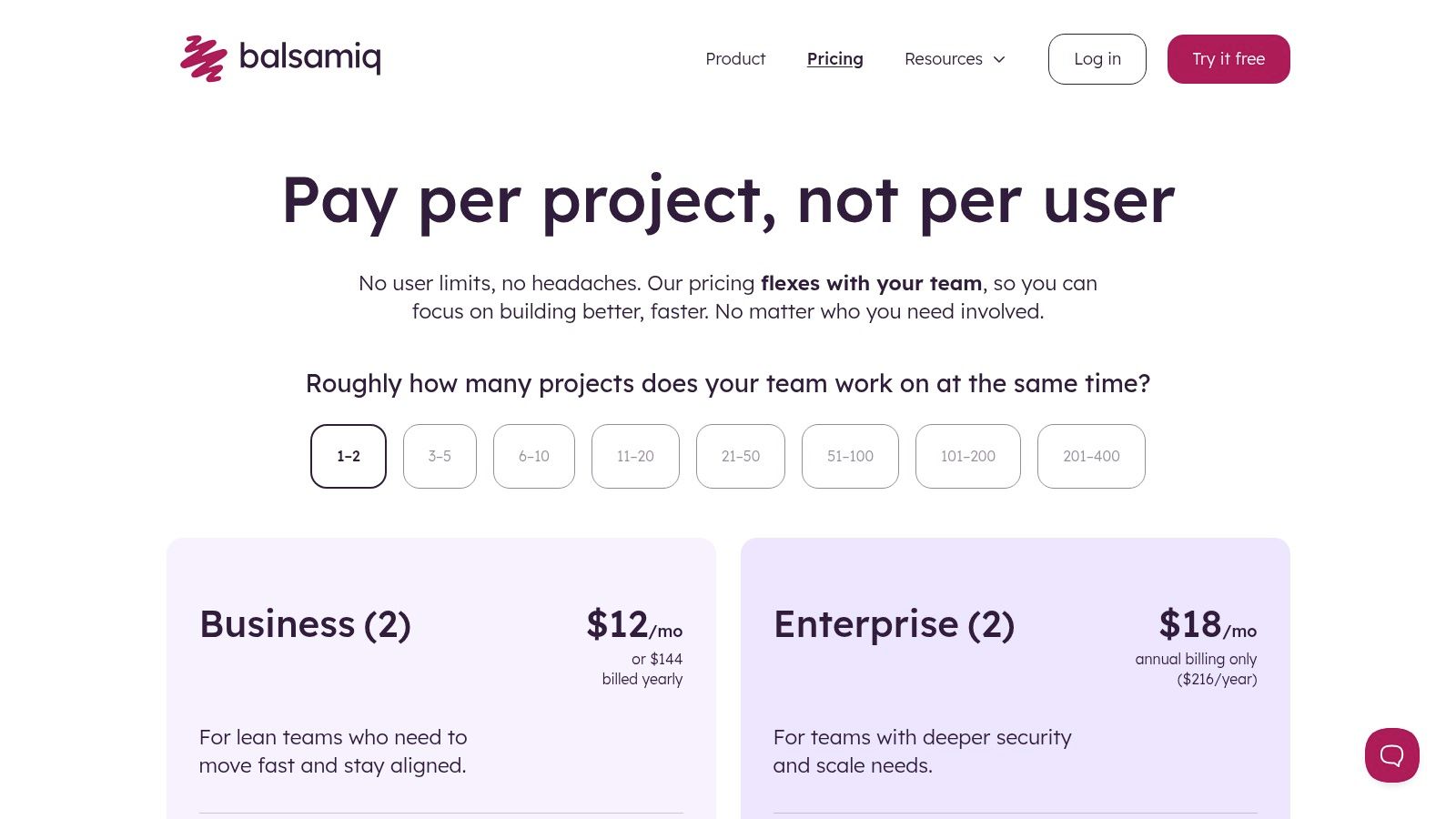
Balsamiq's unique per-project pricing is another significant differentiator. Instead of charging per user or editor seat, plans are based on the number of active projects. This model encourages broad collaboration, allowing an unlimited number of users to comment and view wireframes, making it a highly cost-effective solution for gathering widespread stakeholder input.
Key Details & Pricing
| Feature | Details |
|---|---|
| Best For | Rapid low-fidelity wireframing, non-designers, and early-stage ideation. |
| Pros | Extremely low learning curve; sketch-like style keeps focus on structure; cost-effective per-project pricing allows unlimited users. |
| Cons | Intentionally limited to low-fidelity; not suitable for interactive prototyping or developer handoff; lacks advanced design system features. |
| Pricing | Free 30-day trial; Cloud plans start at $9/month for 2 projects (billed annually). |
Website: https://balsamiq.com/pricing/
3. Axure RP + Axure Cloud
Axure RP has long been the powerhouse for UX professionals who need to build complex, logic-driven prototypes with unparalleled depth and interactivity. Positioned among the best wireframing tools for enterprise-grade projects, its desktop-first application is engineered for creating highly realistic simulations. This is ideal for testing intricate user flows, data-driven interfaces, and conditional logic scenarios long before a single line of code is written.
The platform shines when projects demand more than just static screens. Using dynamic panels, variables, and adaptive views, designers can build everything from simple wireframes to fully functional prototypes that feel like the final product. Axure Cloud complements the desktop app by providing a space to host, share, and gather feedback on these prototypes. It also offers developer handoff features, providing comprehensive specifications and annotations, which are crucial for teams focused on following the best practices for user interface design.
While its robust feature set introduces a steeper learning curve compared to more streamlined tools, no other platform offers its level of no-code interaction design. It remains a top choice for complex software applications, financial systems, and any project where detailed functional specifications and sophisticated prototyping are non-negotiable requirements for success.
Key Details & Pricing
| Feature | Details |
|---|---|
| Best For | High-fidelity prototyping, complex interactions, and enterprise UX teams. |
| Pros | Unmatched no-code interaction depth with conditional logic; excellent documentation and annotation for developer handoff. |
| Cons | Steeper learning curve than most alternatives; desktop-first workflow can feel less collaborative for some teams. |
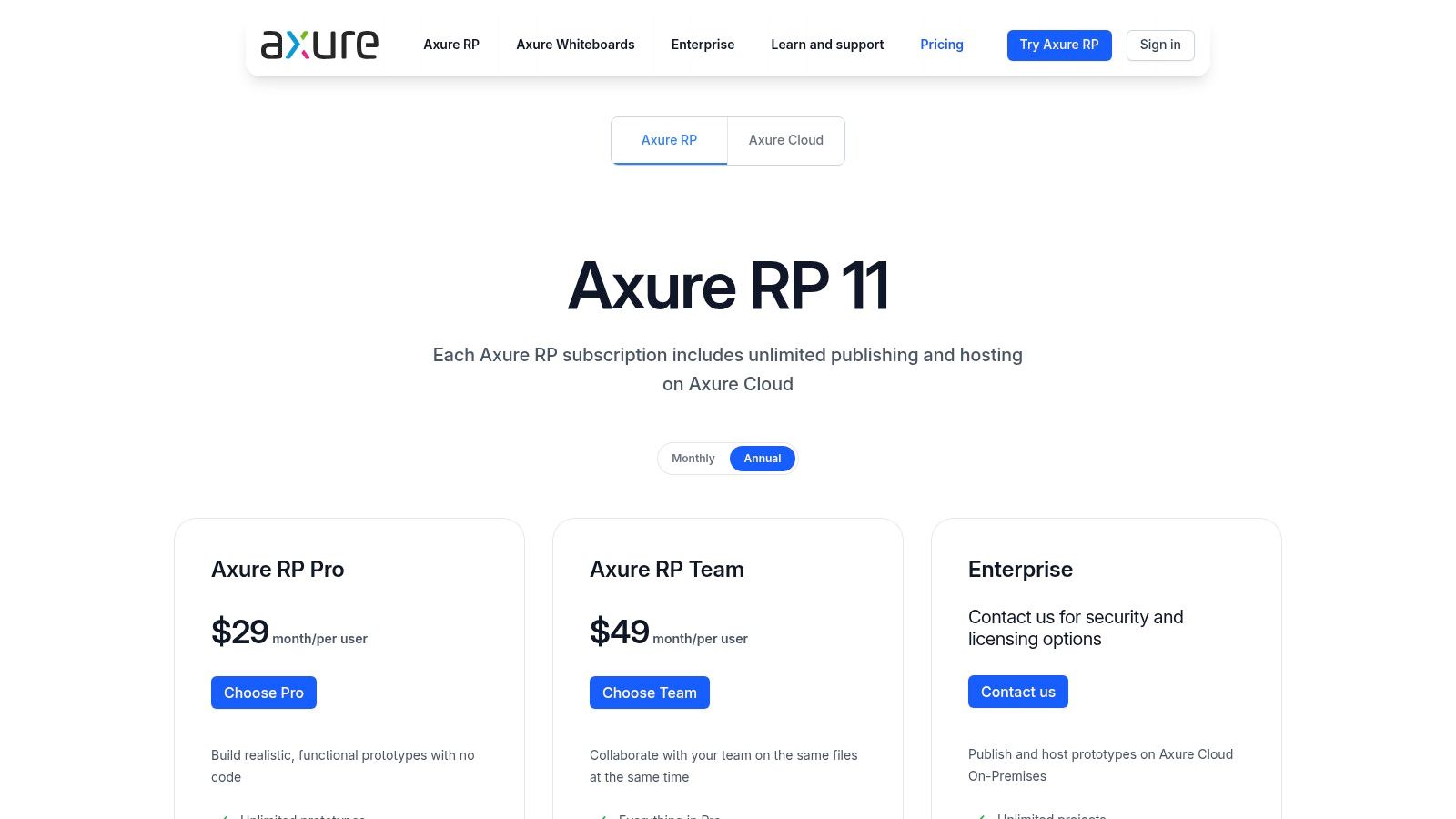
| Pricing | Starts at $25 per user/month for Axure RP Pro (billed annually). Axure Cloud for Business starts at $30 per user/month. |
Website: https://www.axure.com/pricing
4. Sketch (Mac)
Sketch was the Mac-native design powerhouse that pioneered many of the vector-based UI design features now considered standard. It remains one of the best wireframing tools for individuals and macOS-centric teams who prioritize a focused, responsive desktop application over a browser-first environment. Its strength lies in its speed and simplicity, offering a clean interface that allows designers to move from low-fidelity wireframes to pixel-perfect mockups without unnecessary friction.
While its editor is Mac-only, Sketch has evolved to support modern collaborative workflows through its web app. Subscribers can share designs for real-time collaboration, feedback, and developer handoff in any browser, mitigating some cross-platform limitations. This makes it a viable option for teams where designers use Macs but stakeholders or developers use other operating systems. The platform's commitment to a native experience ensures high performance and offline access, a key differentiator for designers who prefer or need to work locally.
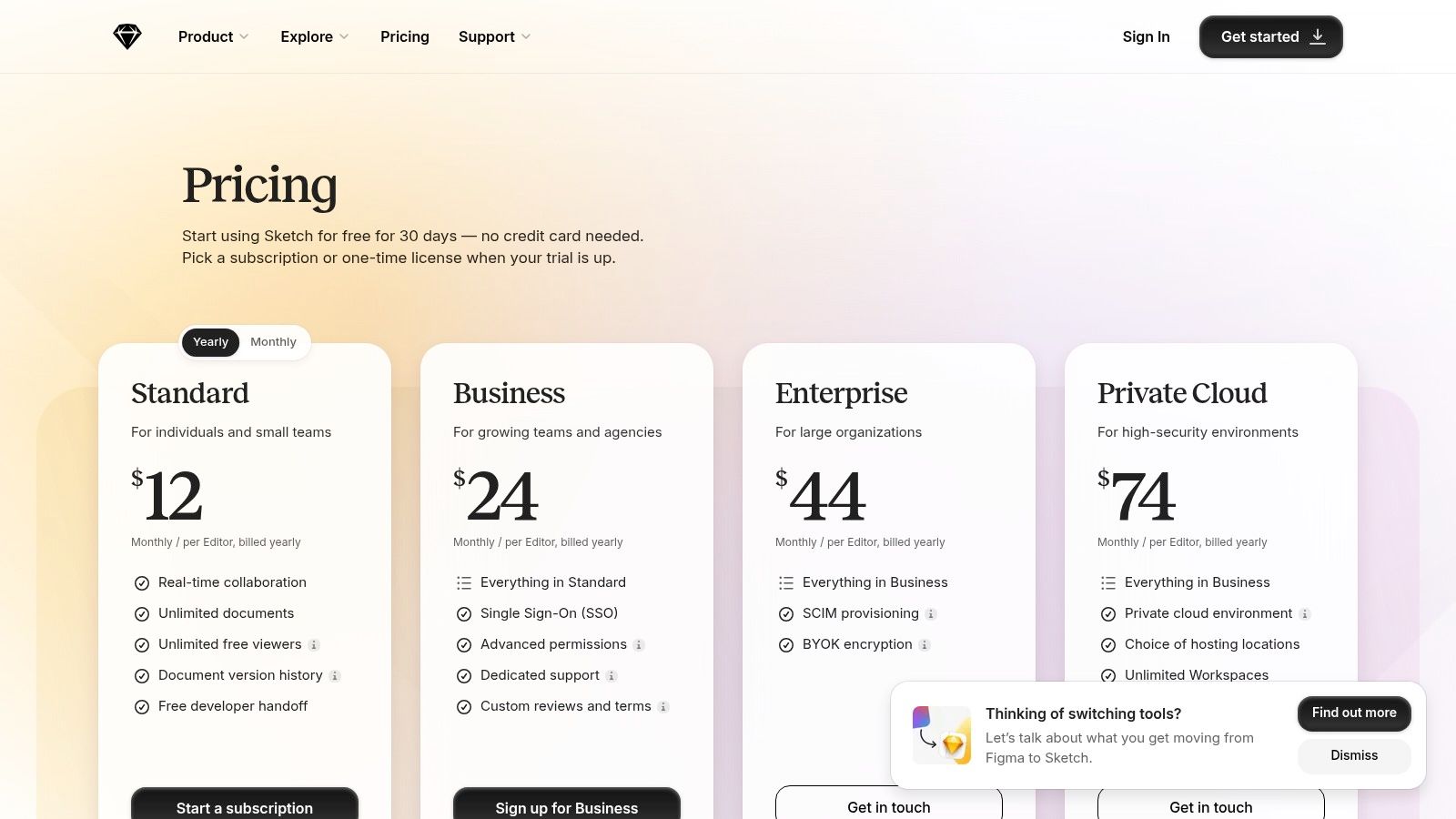
Sketch's appeal is also in its flexible licensing. You can opt for a traditional perpetual license for the Mac app or a subscription that includes the web-based collaboration and handoff features. For those exploring advanced functionalities or transitioning from existing platforms, understanding how other tools integrate with specific design ecosystems is key. You might find valuable insights from projects like Sketch To. Ultimately, its role in the UX design process is to provide a stable, efficient foundation for creating and iterating on UI concepts.
Key Details & Pricing
| Feature | Details |
|---|---|
| Best For | Mac-based designers, offline work, and teams preferring a native app experience. |
| Pros | Fast, focused Mac experience favored by many designers; flexible licensing: subscription or Mac-only perpetual license. |
| Cons | Mac-only editor limits mixed-OS teams; advanced collaboration requires subscription. |
| Pricing | Subscription starts at $10 per editor/month (billed annually); a Mac-only license is also available for a one-time fee. |
Website: https://www.sketch.com/pricing/
5. Miro
Miro has evolved from a simple digital whiteboard into a powerful collaborative hub, making it one of the best wireframing tools for early-stage ideation and cross-functional workshops. Its strength lies in its infinite canvas, which allows teams to map out complex user flows, brainstorm information architecture, and create low-to-mid-fidelity wireframes in the same space where they conduct research and planning. This unified environment is ideal for teams, including those using nearshore staff augmentation, to align on strategy before committing to high-fidelity design.
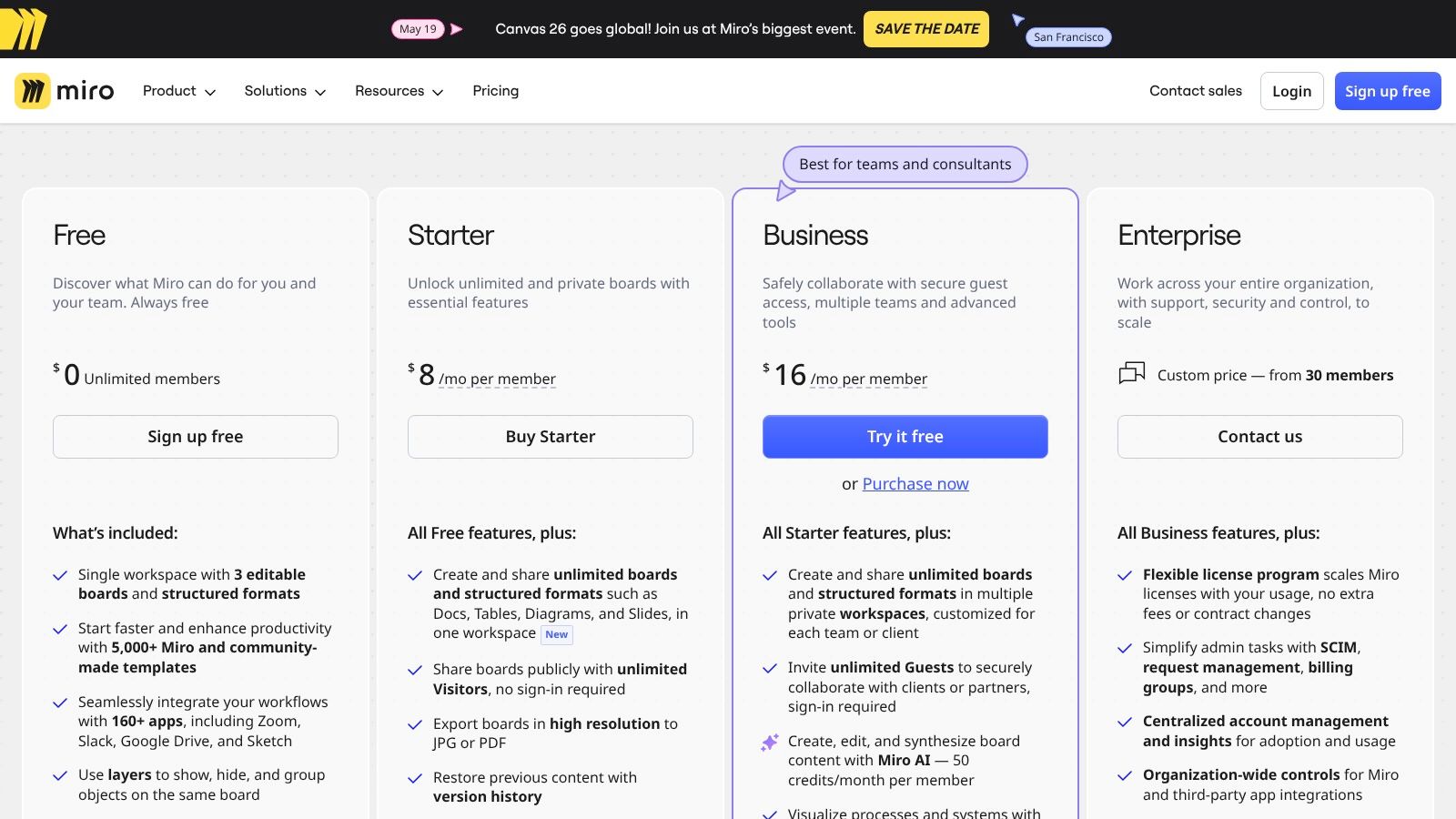
The platform excels at the discovery phase of a project. Using its built-in wireframe libraries, device frames, and extensive icon sets, product managers and designers can quickly assemble screen mockups to visualize concepts. The vast community-driven template gallery, Miroverse, offers countless pre-built wireframe patterns and user journey maps, significantly accelerating the initial design process. This allows for rapid iteration based on stakeholder feedback gathered directly on the canvas.
While not a replacement for dedicated UI design software, Miro’s capabilities can be extended with add-ons like Miro Prototypes, which allows users to link frames and create simple, clickable walkthroughs. This feature is perfect for validating user flows and presenting initial concepts to stakeholders without needing to switch tools. Its primary value is in keeping the entire ideation process, from brainstorming to basic wireframing, consolidated in one highly accessible and collaborative space.
Key Details & Pricing
| Feature | Details |
|---|---|
| Best For | Early-stage ideation, collaborative workshops, and mapping user flows. |
| Pros | Extremely intuitive for non-designers; excellent for remote discovery sessions; massive template library (Miroverse) accelerates workflows. |
| Cons | Lacks advanced prototyping and component management features; some interactive functions require paid add-ons. |
| Pricing | Free plan available; Starter plan begins at $8 per member/month (billed annually). |
Website: https://miro.com/pricing/
6. Lucidchart (Lucid Suite)
Lucidchart excels as a diagramming tool that has been powerfully adapted for UX and UI workflows, making it one of the best wireframing tools for teams that prioritize clarity in process and documentation. While not a dedicated UI design platform like Figma, its strength lies in creating detailed user flows, sitemaps, and low-to-mid-fidelity wireframes that non-designers can easily understand. This makes it an ideal choice for collaborative environments, especially those involving nearshore staff augmentation, where business analysts, developers, and product managers need a shared visual language.
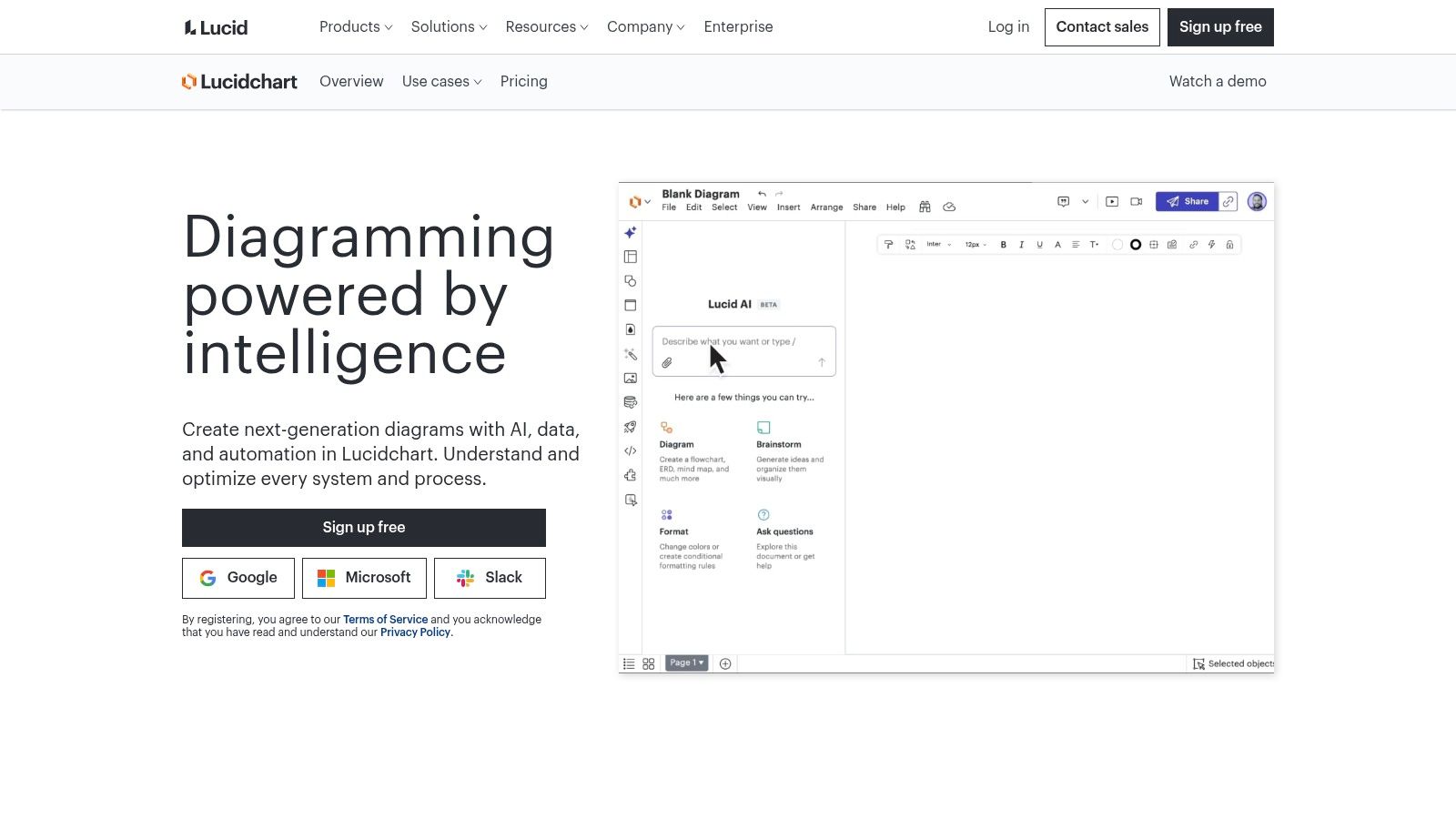
The platform offers dedicated UI shape libraries and a wide range of wireframe templates for web and mobile, allowing teams to get started quickly. Its real-time collaboration features, commenting, and presentation mode streamline the feedback process, ensuring all stakeholders are aligned before moving to high-fidelity design. The ability to combine UX flows with technical system diagrams in a single tool is a unique advantage, bridging the gap between user experience and back-end architecture. Lucidchart is particularly effective for mapping out complex application logic and user journeys in a clear, accessible format.
Key Details & Pricing
| Feature | Details |
|---|---|
| Best For | Creating detailed user flows, technical diagrams, and wireframes for cross-functional team alignment. |
| Pros | Very low learning curve for non-designers; excellent for combining UX flows with technical documentation. |
| Cons | Lacks advanced prototyping and high-fidelity design features; enterprise pricing is not transparent. |
| Pricing | Free plan available; Individual starts at $7.95/month; Team starts at $9 per user/month (billed annually). |
Website: https://www.lucidchart.com/
7. Whimsical
Whimsical carves out its niche as a lightning-fast visual collaboration suite, making it one of the best wireframing tools for teams that prioritize speed and clarity over high-fidelity detail. Its unified workspace combines wireframes, flowcharts, mind maps, and docs, allowing product managers and cross-functional teams to map out entire user journeys in one place. The interface is intentionally minimalist, removing friction so that anyone, including non-designers, can jump in and contribute to a low-fidelity mockup without a learning curve.
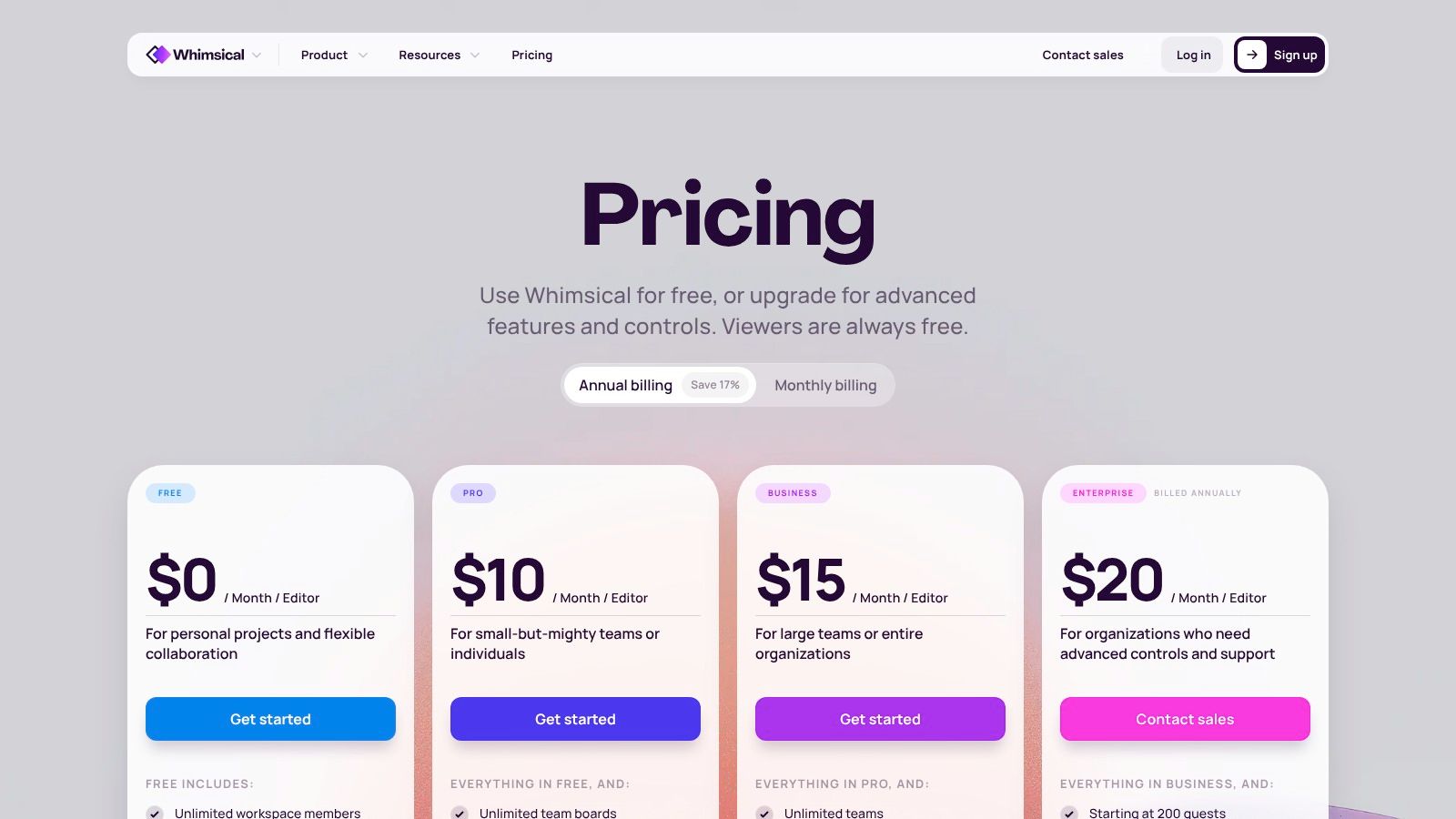
The platform is built on an infinite canvas, providing a clean, structured environment where teams can connect wireframes directly to flowcharts and project notes. Its library of pre-built elements is designed for rapid iteration, with configurable components that are easy to drag, drop, and connect. This makes it ideal for early-stage brainstorming, user flow validation, and communicating core concepts before committing to a full-fledged design tool.
While Whimsical doesn't aim to compete with comprehensive prototyping platforms, its strength lies in its simplicity and focus. For teams, especially those using nearshore staff augmentation, it serves as an excellent foundational tool for aligning on scope and functionality. The ability to quickly visualize and comment on ideas ensures that everyone from stakeholders to developers is on the same page from the very beginning.
Key Details & Pricing
| Feature | Details |
|---|---|
| Best For | Rapid low-fidelity wireframing, user flows, and ideation for cross-functional teams. |
| Pros | Extremely easy for non-designers to learn and use; transparent pricing with a generous guest model; combines multiple ideation tools in one workspace. |
| Cons | Not suitable for complex high-fidelity designs or advanced interactive prototyping; smaller plugin and template ecosystem compared to larger platforms. |
| Pricing | Free plan available; Pro starts at $10 per editor/month (billed annually). |
Website: https://whimsical.com/pricing
8. Uizard
Uizard has carved a unique niche as an AI-powered design tool, making it one of the best wireframing tools for non-designers and teams focused on rapid ideation. Its core strength is its ability to instantly convert text prompts, hand-drawn sketches, or even screenshots into editable, multi-screen wireframes and mockups. This dramatically lowers the barrier to entry, empowering product managers, founders, and marketers to visualize concepts without needing deep design expertise or complex software.
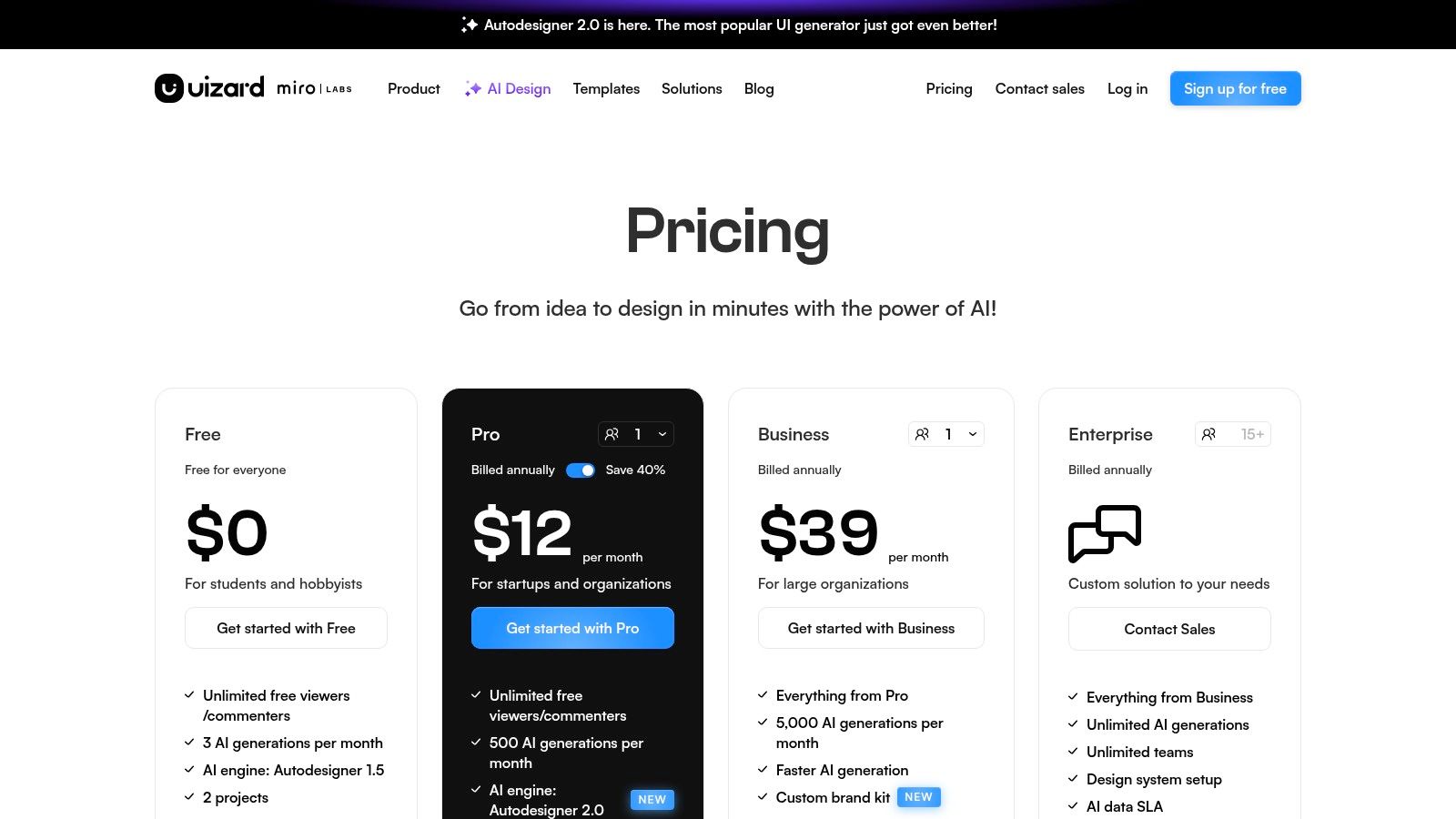
The platform is designed for speed. With features like Autodesigner, you can generate an entire UI project from a simple text description, which is invaluable for early-stage MVP exploration. The Wireframe Mode allows you to toggle between low-fidelity and high-fidelity views, keeping the focus on structure and flow during initial stages. For teams needing to move quickly from a napkin sketch to a shareable concept, Uizard's scanner is a game-changer.
While it excels at getting initial ideas onto the screen, Uizard is not intended to replace comprehensive design systems or high-fidelity prototyping tools like Figma. Instead, it serves as an excellent starting point, generating a solid foundation that can then be refined or imported into more powerful platforms. Its collaborative features ensure that the entire team, regardless of technical skill, can contribute to the design process from the very beginning.
Key Details & Pricing
| Feature | Details |
|---|---|
| Best For | Rapid idea validation, non-designers, and early-stage startups. |
| Pros | Extremely fast idea-to-wireframe turnaround; very low learning curve for founders and product managers; multiple AI-powered generation methods (prompt, sketch, screenshot). |
| Cons | Not a replacement for deep design-system work; AI-generated designs may require significant clean-up for production-level fidelity. |
| Pricing | Free plan available; Pro starts at $12 per creator/month (billed annually). |
Website: https://uizard.io/pricing/
9. Framer
Framer bridges the gap between design and development by offering a single platform to take an idea from wireframe to a fully functional, published website. It excels for teams that want to design, build, and ship web projects without a traditional handoff process. The platform combines a familiar, intuitive design canvas with powerful site-building capabilities, including a built-in CMS, fast hosting, and SEO tools, making it one of the best wireframing tools for marketing sites and interactive web experiences.
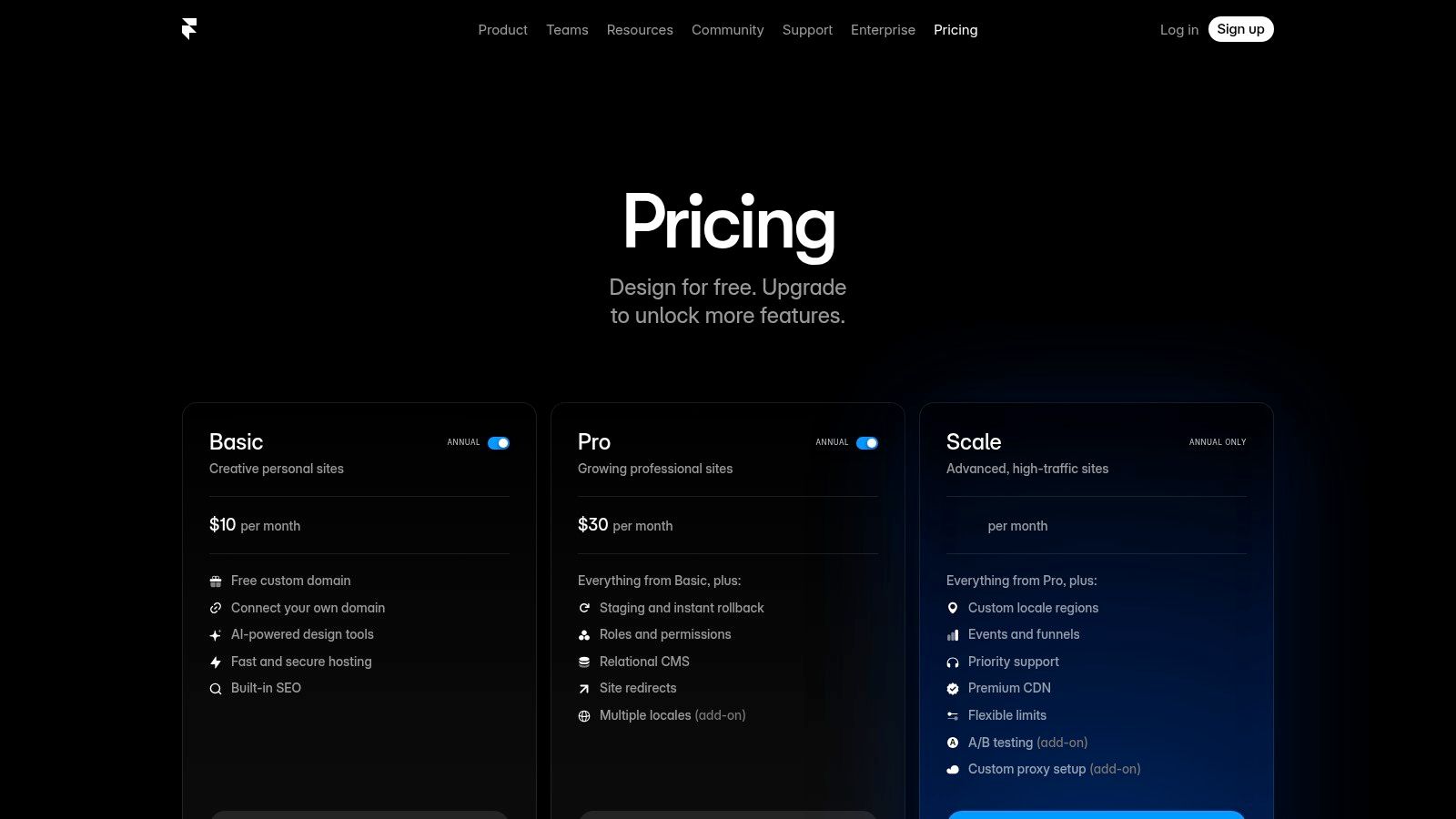
Its real-time collaborative canvas allows designers and stakeholders to work together on layouts and components, which can then be brought to life with animations and interactions directly within the tool. This direct path from concept to live product streamlines workflows, especially for agencies or startups needing to launch quickly. Features like team permissions, staging environments, and version rollbacks provide the necessary controls for professional web development workflows.
The platform's strength is its end-to-end nature. A low-fidelity wireframe can be iterated upon, enhanced with high-fidelity components from its extensive libraries, and published to a global CDN with a single click. This unique capability makes it a powerful choice for teams where designers are also responsible for the final build and deployment.
Key Details & Pricing
| Feature | Details |
|---|---|
| Best For | Designing and building interactive websites, marketing teams, and agencies. |
| Pros | Seamless transition from wireframe to a live, high-performance website; excellent for interactive prototypes; staging and permissions are great for agency workflows. |
| Cons | Pricing is website-oriented and can be complex with usage-based overages; less suited for complex app prototyping compared to Figma or Axure. |
| Pricing | Free plan for hobby projects; Basic plan starts at $5 per site/month (billed annually). |
Website: https://www.framer.com/pricing
10. Marvel (marvelapp)
Marvel is a rapid design and prototyping tool that excels in simplicity and speed, making it an excellent choice for teams needing to create and validate clickable wireframes without a steep learning curve. Its web-based platform is engineered for quick turnarounds, allowing designers to transform static sketches or mockups into interactive prototypes in minutes. This is particularly effective for early-stage validation, where gathering quick user feedback on core flows is more important than visual polish.
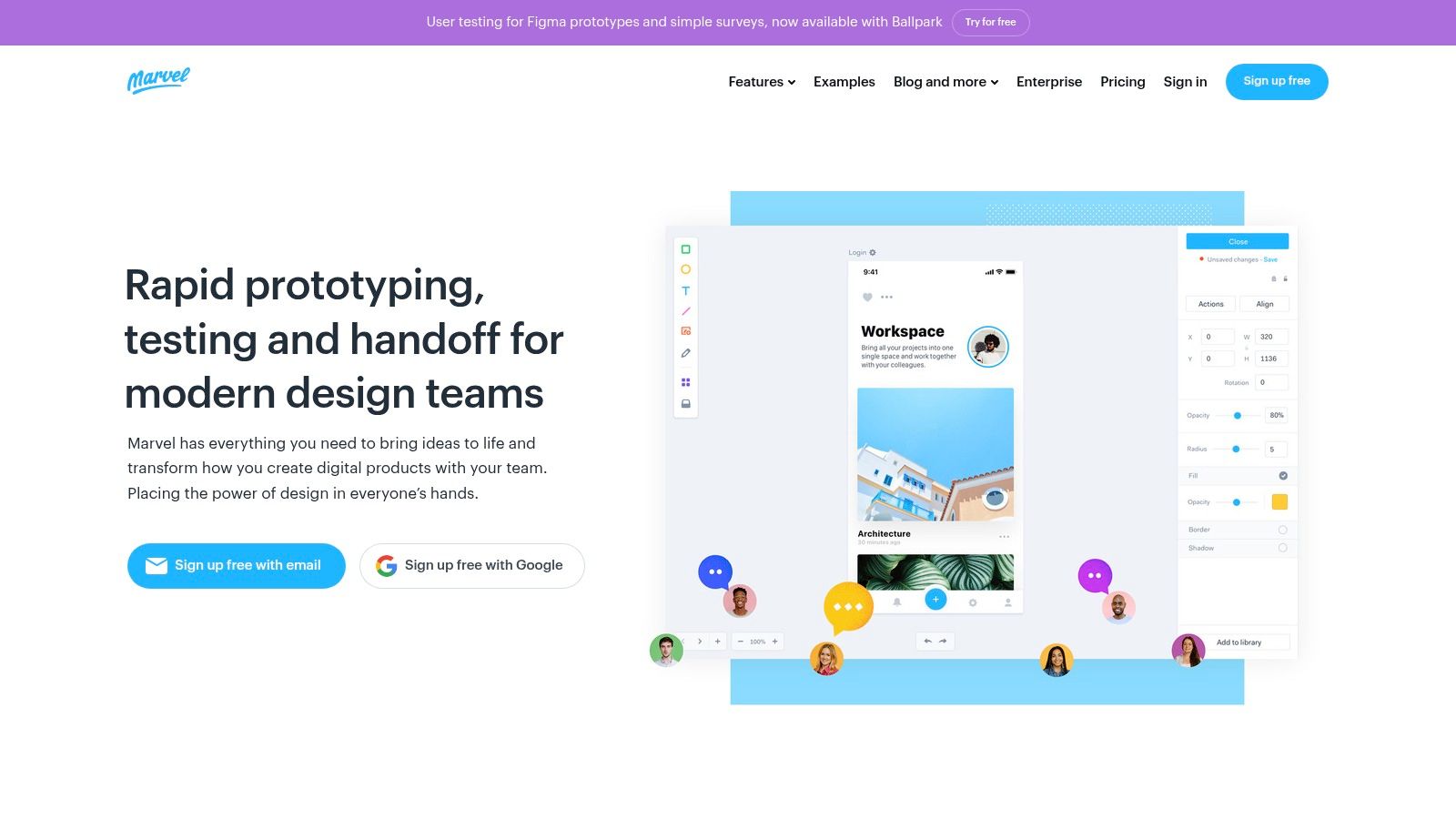
The platform’s standout feature is its integrated, lightweight user testing module. You can send a link to stakeholders or test participants and receive video, audio, and analytical feedback directly within the platform. This tight feedback loop is invaluable for agile teams, especially those working with nearshore developers who need clear, validated concepts before beginning implementation.
While it may not have the extensive design system capabilities of more complex platforms, Marvel’s focus is its strength. It provides a straightforward path from idea to interactive concept, complete with an automated handoff feature that generates specs and CSS for developers. Its mobile companion app further streamlines the process, letting you turn sketches into app prototypes directly from your phone.
Key Details & Pricing
| Feature | Details |
|---|---|
| Best For | Rapid prototyping, early-stage user testing, and teams needing a simple, fast tool. |
| Pros | Very low learning curve for creating clickable wireframes; built-in lightweight user testing is useful for quick feedback; mobile companion app for on-the-go design. |
| Cons | Less depth in component libraries and design system management; advanced features are behind higher-tier plans. |
| Pricing | Free plan available; Pro plan starts at $12 per month (billed annually). |
Website: https://marvelapp.com/
11. G2 — Wireframing Software Category
While not a wireframing tool itself, G2’s dedicated category is an invaluable resource for discovering, comparing, and validating the best wireframing tools on the market. Instead of relying solely on marketing copy, G2 provides a meta-level view powered by verified user reviews, feature-based comparison grids, and real-time satisfaction ratings. This allows teams to cut through the noise and shortlist solutions based on specific needs like team size, operating system, or required integrations. It’s the perfect starting point for any team building a business case for a new software purchase.
The platform is particularly useful for uncovering niche or emerging tools that might not appear in every top-ten listicle. You can filter by criteria such as SSO support, pricing models (free, subscription, etc.), and specific features like prototyping or user flow creation. By reading detailed reviews from current users in similar industries or company sizes, you gain practical insights into a tool’s actual strengths and weaknesses, helping you avoid a costly mismatch. For startups and SMEs, this reality check is crucial for making a smart investment.
Using G2 effectively means leveraging its comparison grids to see how your top three or four contenders stack up head-to-head on features that matter most to your workflow. This data-driven approach complements traditional research and helps teams make a more informed and confident decision.
Key Details & Pricing
| Feature | Details |
|---|---|
| Best For | Comparing tools, reading verified user reviews, and creating shortlists. |
| Pros | Provides a quick reality check from current user feedback; excellent for discovering options beyond the most popular tools. |
| Cons | Ratings can sometimes lag behind rapid product updates; some vendor information, like exact pricing, can be gated or incomplete. |
| Pricing | Free to use for research and reviews. |
Website: https://www.g2.com/categories/wireframing
12. Capterra — Wireframe Tools Directory
Instead of being a singular tool, Capterra serves as a comprehensive software marketplace, making its dedicated directory one of the best resources for comparing wireframing tools. This is particularly valuable for product managers and procurement teams tasked with finding a solution that fits specific budgetary, feature, and deployment requirements. The platform allows users to filter and sort through dozens of options, providing a high-level overview of the landscape before committing to demos or trials.
Capterra's strength lies in its standardized comparison framework. You can quickly see pricing models, user ratings, and core functionalities side-by-side, which helps create an initial longlist of potential tools. For teams, especially those using nearshore staff augmentation, this research phase is critical for identifying platforms with collaboration features that support distributed workflows. The site aggregates user reviews and often links directly to vendor trials, streamlining the evaluation process from discovery to hands-on testing.
While not a creation tool itself, its utility in the decision-making process is undeniable. It helps teams validate choices and discover niche tools they might have otherwise missed. By using its filters strategically, you can narrow down the market based on essential criteria like operating system compatibility, integration capabilities, and team size, ensuring the final selection aligns perfectly with your project needs.
Key Details & Pricing
| Feature | Details |
|---|---|
| Best For | Market research, software comparison, and budget planning. |
| Pros | Easy to scan pricing tiers and deployment information; useful for budgetary research and creating longlists; aggregates user reviews. |
| Cons | Pricing summaries can lag behind vendor changes; some listings may skew toward vendors with marketplace spend; reviews can lack technical depth. |
| Pricing | Free to use for research and comparison. |
Website: https://www.capterra.com/wireframe-software/
Top 12 Wireframing Tools — Feature & Pricing Comparison
| Tool | ✨ Core features | ★ UX / Quality | 💰 Pricing & Value | 👥 Target audience | 🏆 Best for |
|---|---|---|---|---|---|
| Figma | ✨ Browser-based co-editing, prototyping, Dev Mode | ★★★★★ Modern collaborative UX | 💰 Subscription; role-based seats | 👥 Distributed design & dev teams | 🏆 Ecosystem & real-time collaboration |
| Balsamiq | ✨ Rapid low‑fi stencils, simple sharing | ★★★★ Very approachable for non-designers | 💰 Per-project billing; budget-friendly | 👥 PMs, stakeholders, educators | 🏆 Fast, clear low‑fidelity layouts |
| Axure RP + Axure Cloud | ✨ Conditional logic, variables, publish to Cloud | ★★★★ Powerful but steeper learning curve | 💰 License/subscription; enterprise-ready | 👥 Enterprise UX & complex apps | 🏆 Highest no‑code interaction depth |
| Sketch (Mac) | ✨ Mac-native design, components, web viewer | ★★★★ Fast native macOS performance | 💰 Subscription or one-time Mac license | 👥 macOS design teams | 🏆 Native Mac performance & tooling |
| Miro | ✨ Collaborative whiteboard, wireframe libs, add-ons | ★★★★ Excellent for workshops & discovery | 💰 Freemium + paid add-ons | 👥 Cross-functional teams & workshops | 🏆 Ideation & stakeholder alignment |
| Lucidchart | ✨ Diagram + wireframe shapes, Visio import/export | ★★★★ Low friction for business users | 💰 Tiered SaaS; team pricing | 👥 Engineers, analysts, business stakeholders | 🏆 Combine UX flows with technical diagrams |
| Whimsical | ✨ Flowboards, wireframes, clean components | ★★★★ Very approachable & fast | 💰 Transparent pricing; generous guest model | 👥 PMs, marketers, quick-collab teams | 🏆 Speed & simplicity for non-designers |
| Uizard | ✨ AI sketch→prototype, screenshot/hand-draw scanner | ★★★☆ Very fast ideation; needs polish | 💰 Startup-friendly tiers; AI plans | 👥 Founders, PMs, MVP teams | 🏆 Rapid AI-driven prototyping |
| Framer | ✨ Design→live site workflow, CMS, analytics | ★★★★ Smooth publish & staging | 💰 Site-oriented pricing; hosting costs possible | 👥 Agencies building live sites | 🏆 Fast path from prototype to live product |
| Marvel | ✨ Clickable prototypes, user testing, dev handoff | ★★★★ Lightweight & easy to learn | 💰 Affordable plans for small teams | 👥 Small teams validating flows | 🏆 Built-in quick user testing |
| G2 — Wireframing Category | ✨ Rankings, verified reviews, filters | ★★★★ Crowd-sourced credibility | 💰 Free to use; links to vendor pricing | 👥 Buyers researching tools | 🏆 Wide verified user feedback & shortlists |
| Capterra — Wireframe Directory | ✨ Product overviews, price snapshots, comparisons | ★★★☆ Helpful for budgeting & alternatives | 💰 Free to browse; vendor links | 👥 Budget-conscious buyers & evaluators | 🏆 Easy pricing snapshots & longlist building |
Choosing Your Blueprint for Success
Navigating the landscape of the best wireframing tools can feel overwhelming, but the journey ends with a powerful realization: the perfect tool is the one that disappears into your workflow, allowing your team to focus on ideas, not on the software itself. We've explored a wide spectrum, from the rapid, low-fidelity sketching of Balsamiq to the all-encompassing design ecosystem of Figma. We've seen how specialized tools like Axure RP handle complex, logic-driven prototypes and how collaborative whiteboards like Miro and Whimsical facilitate essential early-stage brainstorming.
The key takeaway is that your choice should be a strategic one, directly aligned with your team's structure, project goals, and development methodology. There is no single "best" tool, only the right tool for the job at hand.
From List to Action: How to Make Your Final Decision
To transition from reading this list to implementing a tool, focus on a few core principles. Resist the allure of the most feature-rich option if your needs are simple. Conversely, don't handicap a complex project with a tool that lacks the necessary fidelity or interactive capabilities.
Consider these final decision-making factors:
- Fidelity vs. Speed: If your primary need is to validate concepts and user flows quickly, a low-fidelity tool like Balsamiq or Whimsical is your best bet. If you need to create a pixel-perfect blueprint that doubles as a final UI design, an integrated platform like Figma or Sketch is non-negotiable.
- Collaboration as a Priority: For teams, especially those including remote members or nearshore staff augmentation, real-time collaboration is critical. Figma, Miro, and Marvel are built from the ground up to support this, creating a single source of truth that prevents miscommunication and streamlines feedback. This shared virtual space is invaluable for keeping distributed teams synchronized.
- The Developer Handoff: How will your wireframes and prototypes translate into code? Tools like Figma, Sketch, and Axure RP offer robust developer handoff features, providing code snippets, design specs, and asset exports that significantly reduce friction between design and development teams. This is a crucial consideration for any serious product development effort.
- Scalability and Ecosystem: Think about your future needs. Will you need to build a comprehensive design system? Does the tool integrate with your existing project management software (like Jira or Asana) or testing platforms? Choosing a tool like Figma or the Lucid Suite provides an ecosystem that can grow with your organization.
Implementing Your Tool for Maximum Impact
Once you’ve made your choice, successful implementation is the next hurdle. Don't just introduce the tool; introduce a process around it. Establish clear conventions for naming, versioning, and component usage. For teams new to a formal wireframing process, start small. Use the tool for a single feature or a small internal project to build familiarity and confidence before rolling it out company-wide.
For businesses leveraging nearshore talent, proactive integration is key. Ensure your extended team members are onboarded not just to the project, but to your chosen toolset and established workflows from day one. This investment in process alignment pays dividends in efficiency and product quality.
Ultimately, the best wireframing tools are catalysts for communication. They are the bridge between a fleeting idea and a tangible digital product. By selecting the right platform and integrating it thoughtfully into your design-to-development pipeline, you are not just creating layouts; you are building a blueprint for success. You are laying a solid foundation that ensures your final product is intuitive, effective, and perfectly aligned with both user needs and business objectives.