Ecommerce Platform Comparison Your Guide to Growth

Choosing the right ecommerce platform is one of the most foundational decisions you'll make for your business. If you're looking for a quick takeaway, Shopify is brilliant for startups who need to get running fast, WooCommerce offers incredible flexibility for those already on WordPress, BigCommerce has impressive built-in B2B features, and Adobe Commerce (formerly Magento) is the powerhouse for enterprise-level needs.
But of course, it's never that simple. Let's dig into what really matters when picking your digital storefront.
Choosing Your Ecommerce Foundation

Think of your ecommerce platform as the digital equivalent of a physical store's location and architecture. It dictates your daily operations, your marketing reach, and most importantly, your ability to grow. Picking the wrong one can lead to constant operational friction, lost sales, and eventually, a costly and frustrating migration.
This ecommerce platform comparison isn't just a list of features. We’re going to get into what actually impacts your day-to-day business and your bottom line.
- Total Cost of Ownership (TCO): It’s not just about the monthly subscription. We’ll look at the hidden costs—transaction fees, must-have apps, and the developer hours you might need to budget for.
- Scalability and Performance: What happens during a Black Friday traffic surge? Can the platform handle 50,000 SKUs without grinding to a halt? We’ll find out.
- Customization and Control: We'll explore that crucial trade-off between out-of-the-box simplicity and the power to create a truly unique brand experience.
The global ecommerce market is on a tear, projected to blow past $6.86 trillion in sales by 2025. This isn't just a big number; it's a clear signal that building on a scalable foundation is non-negotiable if you want a piece of that pie.
To get you started, the table below gives a quick overview of where each platform shines. This is just a starting point, of course. Your decision will also be tied to your content strategy and how you manage your site's information. For more on that, you might find our guide on the best CMS for a small business a helpful read, as these decisions often go hand-in-hand.
At a Glance Ecommerce Platform Suitability
| Platform | Best For | Core Strength |
|---|---|---|
| Shopify | Startups & DTC Brands | Unmatched ease of use and a vast app store for rapid launch. |
| WooCommerce | WordPress Site Owners | Maximum control and customization within the WordPress ecosystem. |
| BigCommerce | B2B & Complex Catalogs | Powerful built-in features for B2B sales and intricate catalogs. |
| Adobe Commerce | Enterprise-Level Businesses | Highly scalable and customizable for complex, large-scale operations. |
| Headless | Omnichannel Brands | Ultimate flexibility to create unique front-end experiences. |
This table helps narrow the field, but the best choice always depends on your specific business goals, technical resources, and growth plans.
Monolithic vs. Headless Architecture
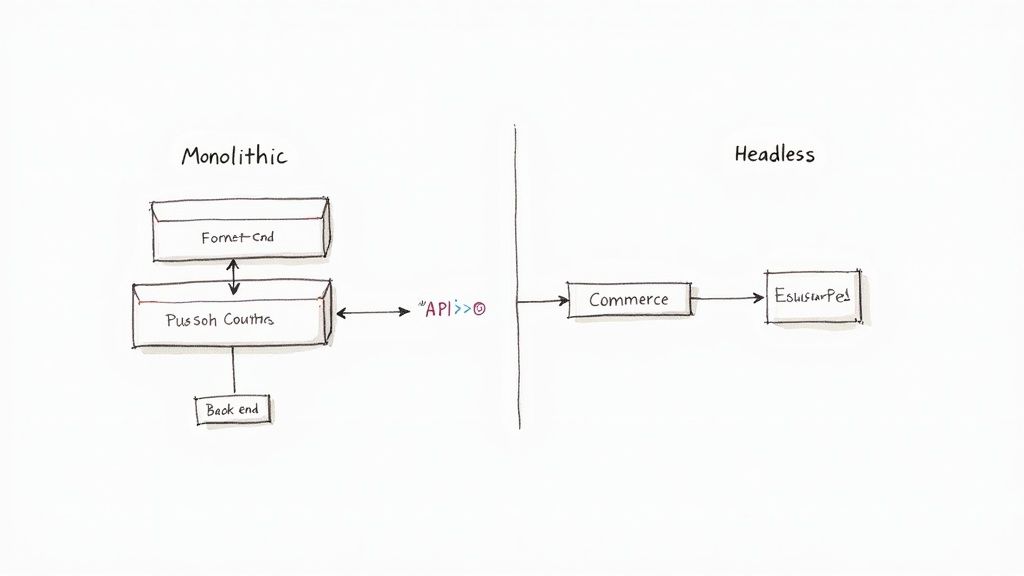
Before diving into a direct platform-by-platform comparison, we have to look under the hood. The architecture your store runs on—either monolithic or headless—is the single most important technical decision you’ll make. It dictates your flexibility, performance, and ability to craft the exact customer experience you envision.
A monolithic architecture is the traditional, all-in-one model. Think of platforms like Shopify or WooCommerce as a complete package where the front-end (the storefront your customers see) and the back-end (the business logic, inventory, and order management) are tightly woven together.
This integrated approach is fantastic for getting to market quickly. Everything you need is in one box, managed through a single dashboard. But that simplicity comes with a trade-off: this tight coupling can be creatively restrictive. Making a significant change to the customer-facing design often requires complex, risky updates to the back-end, which can easily bog down development.
The Rise of Headless Commerce
On the other side of the coin is headless architecture. This approach completely decouples the front-end "head" from the back-end "body." Your back-end becomes a pure commerce engine—handling products, inventory, payments, and orders—while your front-end can be anything you can dream up. It could be a custom-built website, a native mobile app, a smart mirror, or even a kiosk.
Communication between the two happens through APIs. This separation gives you incredible freedom. Your marketing team can completely overhaul the customer experience with the latest front-end technology without ever needing to touch the core commerce functions. It’s perfect for brands that want to build something truly unique and serve customers across many different touchpoints.
A headless approach allows brands to innovate on the customer experience layer without being constrained by the back-end platform's limitations. It shifts the focus from "what can the platform do?" to "what experience do we want to create?"
This architecture fundamentally changes how you think about your digital presence. With a headless setup, a single back-end can power dozens of different front-end experiences, a huge advantage for any serious omnichannel strategy.
Making the Right Architectural Choice
So, which path is right for you? It boils down to a classic trade-off: simplicity versus control.
- Choose Monolithic if: Speed to market, ease of use, and a lower initial technical investment are your top priorities. This is a battle-tested model that works exceptionally well for most direct-to-consumer brands and startups that need to get off the ground fast.
- Choose Headless if: You demand total design freedom, have ambitious plans to sell across multiple channels (web, mobile, social, etc.), and have the development resources to manage a more sophisticated tech stack.
While headless offers incredible power, it also brings more complexity and, typically, a higher cost. You're now managing multiple systems that need to talk to each other, which requires a skilled development team. This approach is often achieved by piecing together a suite of specialized services, a concept you can explore further in our guide to ecommerce microservices architecture.
As we continue our platform comparisons, keep these two foundational models in mind. They are the DNA of each platform and heavily influence every strength and weakness we’ll discuss.
A Detailed Look at the Top Ecommerce Platforms
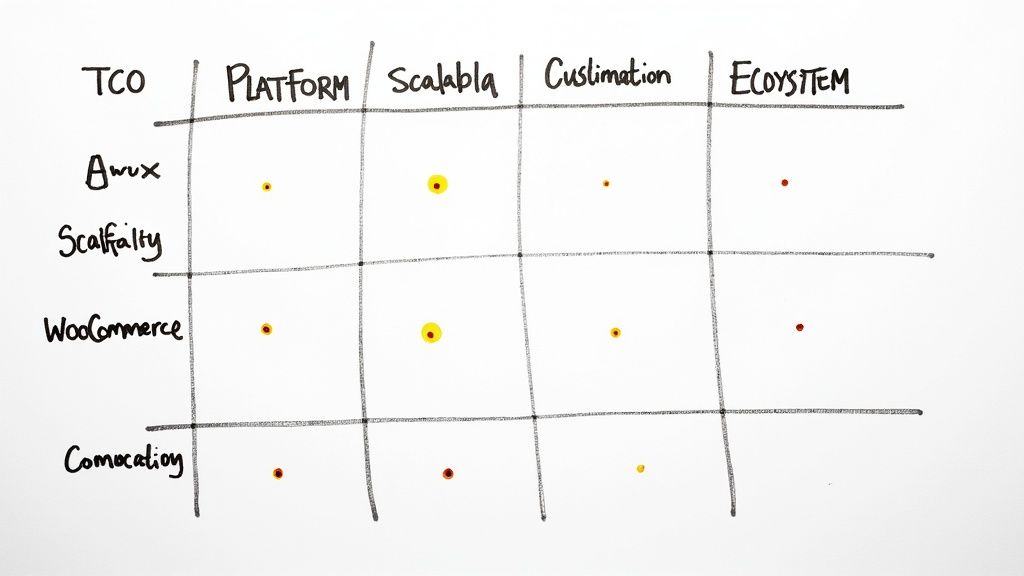
Choosing your ecommerce platform isn't just a tech decision—it’s a business move that defines how you operate and how you’ll grow. This breakdown goes beyond the glossy feature lists to dig into the four pillars that actually impact your bottom line. We’re comparing Shopify, BigCommerce, Adobe Commerce, WooCommerce, and headless solutions.
We'll be looking at the real Total Cost of Ownership (TCO), scalability under pressure, how deep customization can go, and the strength of each platform's ecosystem. Getting these details right is the difference between picking a platform that works for you today and one that will carry you into the future.
Unpacking the Total Cost of Ownership
That monthly subscription fee you see advertised? It’s just the tip of the iceberg. The true cost of any platform is a mix of subscriptions, transaction fees, must-have app costs, and hidden development or maintenance expenses. This is the TCO, and it’s wildly different for each contender.
Shopify’s Predictable Model
Shopify's pricing is refreshingly straightforward. You have a clear monthly subscription, and if you stick with Shopify Payments, you skip their platform transaction fees, leaving just the standard credit card processing rates. It’s clean and predictable.
But the real cost starts to creep up as you lean on the app store. A growing store can easily spend an extra $50 to $200 per month on apps for things like loyalty programs, advanced product reviews, or subscription features. The sticker price is rarely the final price.
WooCommerce’s A La Carte Investment
WooCommerce's biggest draw is that it's a free plugin. This is also its most misleading attribute. While the software itself costs nothing, you are on the hook for absolutely everything else.
- Hosting: A good, managed WordPress host that can handle real traffic will run you anywhere from $30 to over $300 a month.
- Premium Extensions: Features that come standard elsewhere, like abandoned cart emails or subscription tools, often mean buying plugins that cost $50 to $250 a year—each.
- Security and Maintenance: You'll need to pay for security plugins, an SSL certificate, and maybe even a developer's time for updates and troubleshooting.
This model puts you in control of every dollar spent, but it can get more expensive and complicated than an all-in-one solution if you're not careful.
The core TCO debate boils down to a predictable, bundled expense (Shopify, BigCommerce) versus a variable, build-it-yourself investment (WooCommerce, Adobe Commerce). The right choice hinges on whether you value operational simplicity or granular budget control.
The Cost of BigCommerce and Adobe Commerce
BigCommerce brings a major TCO advantage to the table: it charges zero platform transaction fees across all its plans. For stores with significant sales volume, this is a massive saving. Your costs are mostly contained to the monthly plan and any paid apps you choose.
Adobe Commerce (formerly Magento) sits at the highest end of the TCO spectrum. While there's a free open-source version, the full Adobe Commerce platform comes with hefty licensing fees, premium hosting requirements, and a constant need for specialized developer investment. It’s firmly an enterprise-level commitment.
Scalability and Performance Under Pressure
Scalability is more than just handling a traffic spike. It’s about how the platform performs as your product catalog swells, your order volume multiplies, and you expand into new markets—all without slowing to a crawl.
A platform's performance during a Black Friday sale is the ultimate test of its infrastructure. For SaaS platforms like Shopify and BigCommerce, this is their bread and butter. They manage the servers and ensure your store stays fast and online, no matter what.
With self-hosted platforms like WooCommerce and Adobe Commerce, all that responsibility falls on your shoulders. Your site's performance is only as good as your hosting plan and your team's optimization skills. It offers incredible power but also introduces major risks if not managed by an expert.
Looking at the market in 2025, Shopify and WooCommerce are the clear leaders. Shopify powers around 28.6% of the top one million ecommerce sites and a staggering 30% of all U.S. ecommerce sites. Meanwhile, WooCommerce holds a strong 16-21% market share in key regions, a testament to its open-source appeal.
Customization and Developer Experience
Creating a unique brand experience is non-negotiable. This is where the platforms really start to show their differences, often trading ease of use for creative freedom.
Shopify’s Guided Customization
Shopify gives you fantastic customization within a well-defined box. Its Liquid templating engine and huge theme marketplace let you build beautiful, on-brand stores. But it also has its limits, like a rigid URL structure and a locked-down checkout process (unless you're on Shopify Plus), which can be a point of friction for developers wanting total control.
The Unrestricted Freedom of WooCommerce and Adobe
As open-source platforms, WooCommerce and Adobe Commerce offer nearly limitless customization. If you can dream it and code it, you can build it. This freedom is a developer’s paradise, enabling truly bespoke features and unique user journeys. Of course, that power comes with the heavy burden of maintenance, updates, and security.
BigCommerce’s Hybrid Approach
BigCommerce finds a nice middle ground. It offers more out-of-the-box flexibility than Shopify, with things like editable URLs and a more robust system for product options. It also has powerful APIs and headless commerce options for brands ready to build a completely custom front-end.
Headless: The Ultimate in Flexibility
Solutions like commercetools are the final word in customization. By separating the back-end commerce engine from the front-end presentation layer, a headless architecture frees developers to use any modern technology (like React or Vue.js) to build incredibly fast, content-rich experiences across websites, mobile apps, and even IoT devices.
Ecosystem and Integrations
A platform is only as strong as the community and tools surrounding it. The quality of its app marketplace, theme selection, and network of professional partners can make or break your experience.
Shopify’s Massive App Store
Shopify has the biggest and most mature app ecosystem, period. With over 8,000 apps, you can find a ready-made solution for almost any business need, from marketing automation to complex inventory logistics. This allows you to add powerful features without writing a line of code.
WooCommerce’s WordPress Advantage
WooCommerce benefits from the entire WordPress plugin ecosystem, which boasts over 59,000 plugins. This gives you an unmatched selection of tools, but it comes with a major caveat: you have to be extremely careful. Poorly coded or incompatible plugins can slow your site to a crawl and introduce security vulnerabilities.
Feature and Capability Matrix
To help you visualize these differences, the table below provides a side-by-side comparison of each platform's core strengths and ideal use cases.
| Feature/Criteria | Shopify | BigCommerce | Adobe Commerce | WooCommerce | Headless (e.g., commercetools) |
|---|---|---|---|---|---|
| Ideal User | Startups, DTC Brands | Growing B2B/B2C, Complex Catalogs | Large Enterprise, Global Brands | WordPress Users, DIY Businesses | Tech-forward, Omnichannel Brands |
| Core Architecture | Monolithic (SaaS) | Monolithic (SaaS), Headless option | Monolithic (Self-hosted/PaaS) | Monolithic (Self-hosted Plugin) | Headless (API-first) |
| Customization | High (within framework) | Very High (APIs, Headless) | Unlimited (Open-source) | Unlimited (Open-source) | Total Freedom (API-driven) |
| TCO Model | Predictable Subscription + App Costs | Predictable Subscription, No Trans. Fees | High (Licensing, Hosting, Dev) | Variable (Hosting, Plugins, Dev) | High (Subscription, Dev Team) |
| Developer Experience | Good (Liquid, APIs) | Excellent (APIs, Stencil CLI) | Complex (Requires Specialization) | Excellent (WordPress Standards) | Excellent (Modern Stack, APIs) |
| Ecosystem Strength | Excellent (Largest App Store) | Very Good (Curated Apps) | Strong (Extensive Extensions) | Excellent (WordPress Plugins) | Growing (Integration Partners) |
This matrix clearly illustrates the fundamental trade-offs. Platforms like Shopify provide operational simplicity and a massive app store but place some limits on pure creative control. On the other end, open-source options like WooCommerce hand you the keys to everything but demand far more technical ownership and a much less predictable budget.
Real World Use Cases and Scenarios
A spec sheet can tell you what a platform does, but it can’t tell you how it feels to run your business on it day-in and day-out. The real test comes when a platform meets the messy, specific challenges of an actual business. Let's ground this comparison in the real world and see how these platforms stack up for different business models.
By walking through these common scenarios, you can get a much clearer picture of which platform's DNA truly aligns with your own.
The Fast-Growing Startup
Picture a new direct-to-consumer (DTC) brand—say, one selling sustainable activewear. Their biggest needs are speed to market, a beautiful storefront, and almost zero technical headaches. They need to pour their energy into product development and marketing, not debugging code or managing servers.
For this kind of business, Shopify is the undisputed champion. Its guided setup is so smooth that a determined founder can go from a great idea to their first sale in a single weekend. The theme store is packed with polished, mobile-ready designs, and the app ecosystem is a treasure trove of plug-and-play tools for everything from email marketing to social proof. Startups often grapple with logistics, and understanding the best shipping methods for Shopify stores is a perfect example of a practical challenge the platform helps solve.
Shopify’s all-in-one, managed environment is designed to eliminate technical friction, letting founders focus on what they do best: building their business.
The B2B Wholesaler
Now, let's switch gears to a company selling industrial parts to other businesses. Their world is completely different. They live and breathe customer-specific pricing, bulk order forms, and complex shipping rules. A standard DTC storefront just won't cut it.
This is where BigCommerce shines right out of the box. It has more serious B2B features built directly into its core than any other SaaS competitor, meaning less reliance on clunky workarounds.
- Customer Groups: You can easily segment buyers into tiers (e.g., Gold, Silver, Bronze) and automatically show them unique pricing or even hide certain products.
- Bulk Ordering: Core functions like purchase order management and quoting are already there, which are absolute must-haves for wholesale.
- API-First Approach: Its open API makes it much easier to connect with essential business systems like an Enterprise Resource Planning (ERP) or Customer Relationship Management (CRM) platform.
For a B2B operation, choosing BigCommerce often means you can skip bolting on a dozen expensive apps just to get the basic functionality you need.
The Complex Enterprise with Omnichannel Ambitions
Think about a global brand with a huge product catalog, brick-and-mortar stores, and a popular mobile app. They need a single, powerful commerce engine to run multiple, unique front-end experiences. The goal is one seamless brand identity across every single customer touchpoint.
This is the perfect scenario for a headless architecture, powered by a platform like commercetools or BigCommerce’s headless solution. By decoupling the back-end commerce engine (the "body") from the customer-facing presentation layer (the "head"), the brand gets complete creative control. They can use modern frameworks to build blazing-fast websites and slick mobile apps that all pull data from the same central hub of products and orders.
A headless strategy is the definitive move for enterprises that see their digital channels as a core brand experience, not just a store. It lets you innovate on the front-end without ever touching the complex business logic humming away in the back.
It’s a serious investment in development talent, but for large-scale, experience-driven brands, the payoff in flexibility and performance is unmatched.
The Content-Driven Brand on a Budget
Finally, imagine a popular blogger who has spent years building a loyal audience on WordPress. Now they want to start selling merchandise directly to their readers. The top priorities are flawless integration with their existing content and total control over branding, all without breaking the bank.
Here, WooCommerce is the most natural and powerful choice. As a WordPress plugin, it turns an existing website into a full-featured online store without forcing a migration to a new platform. This gives the creator complete ownership over their hosting, design, and most importantly, their data.
It certainly requires more hands-on technical management, but WooCommerce empowers content-first businesses to monetize their audience directly. This is critical for maintaining a cohesive brand and creating a smooth journey from a blog post to the checkout. A great customer journey is non-negotiable, and you can dive deeper into that topic in our guide to improving the e-commerce user experience.
The reality is that every brand is competing for attention. Consider Amazon's shadow: in 2025, it’s projected to control a massive 37.6% of the entire U.S. online retail market. With over 2.2 billion monthly visits, its dominance forces every other business to choose a platform that lets them build a unique, compelling experience to carve out their own space. You can explore more data on ecommerce platform market share at Statista.com.
Planning Your Platform Migration
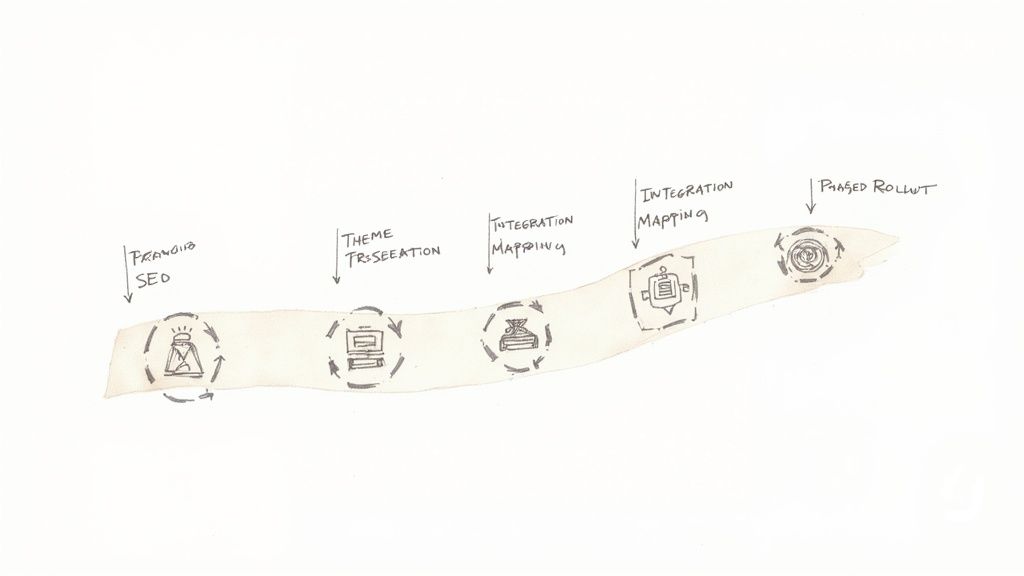
Choosing a new ecommerce platform is a huge step, but the real work starts with the migration. This is where the rubber meets the road. A platform switch touches every single part of your online business, and without a solid plan, you're looking at lost data, broken customer journeys, and a devastating hit to your search rankings.
But it doesn't have to be that way. A well-planned migration minimizes the chaos and sets you up for serious growth. This isn't about flipping a switch overnight; it's about carefully moving your entire digital operation to a new foundation. The goal is to keep the revenue flowing and make the transition invisible to your customers.
Building Your Migration Blueprint
Before you even think about moving data, you need to do a complete audit of your current store. This is non-negotiable. You’re essentially creating an inventory of your entire digital storefront, mapping out every component to make sure nothing gets left behind.
A rock-solid migration plan needs to cover a few critical areas:
- Data Audit and Mapping: Start by cataloging every piece of data you need to move—products, customer accounts, order histories, even gift cards. You'll need to figure out exactly how the data fields on your old platform will line up with the new one.
- SEO Preservation Strategy: Pull a complete list of your current URLs and map each one to its new destination. This is absolutely essential for setting up 301 redirects and protecting the search authority you’ve worked so hard to build.
- Theme and Design Transfer: Bad news: you can't just copy-paste your theme. You’ll have to either pick a new theme on the target platform or budget for custom development to recreate your brand's look and feel.
- Integration and App Mapping: Make a list of every app, plugin, and third-party service you currently rely on. Your next job is to find equivalents on the new platform or plan for custom integrations to fill the gaps.
Treating the migration like a structured project with clear milestones turns a potentially overwhelming task into a manageable process. It’s the only way to ensure critical business functions don’t fall through the cracks.
Migration is more than a technical task; it's a strategic business operation. The primary goal is not just to move data but to protect and enhance the customer experience and your hard-earned SEO rankings throughout the process.
The Phased Rollout and Minimizing Disruption
Going for a "big bang" launch where you switch everything at once is a recipe for disaster. A phased rollout is a much smarter, safer approach. This strategy lets you launch the new site in stages, giving you time to test functionality and squash bugs without putting your entire business on the line.
For example, you could start by running the new platform "headless" for a single channel, like a new mobile app, while your main website stays on the old system. Another popular method is launching the new site to a small segment of your audience first. This gives you invaluable real-world feedback before you open the floodgates.
When to Engage External Expertise
Even the best in-house teams run into skill gaps during a complex migration. Knowing when to call in reinforcements isn't a sign of weakness—it's smart strategy. Partnering with a specialized development agency can give you a major advantage right when you need it most.
Here’s where nearshore staff augmentation can be a game-changer:
- Access to Specialized Skills: You get immediate access to developers who live and breathe your target platform, whether it’s Shopify Plus or Adobe Commerce. They know the platform's quirks and can navigate challenges your team has never seen before.
- Accelerated Timeline: Bringing in outside experts can drastically cut down your migration timeline, which means less time spent in a disruptive transition period.
- Cost Efficiency: Nearshore partnerships are often a surprisingly cost-effective way to get top-tier talent without the long-term overhead of hiring full-time employees for a one-off project.
By handing off tasks like complex data migration, custom theme development, or tricky API integrations, you free up your internal team to focus on what they do best. It’s a collaborative approach that ensures your migration is a success and your business is ready to hit the ground running on its new, more capable platform.
Frequently Asked Questions About Ecommerce Platforms
When you start comparing ecommerce platforms, the real questions pop up pretty quickly—and they're rarely just about feature checklists. Getting straight answers to these is crucial for picking a platform that actually supports your business goals for the long haul. Let's dig into the questions we hear most often from merchants.
What’s the True Total Cost of Ownership?
That monthly subscription fee you see advertised? That's just the tip of the iceberg. The Total Cost of Ownership (TCO) is the real number, covering every single expense needed to run and grow your store. It’s the only way to get an honest financial picture.
With SaaS platforms like Shopify and BigCommerce, the costs are fairly predictable. You're looking at your subscription fee, payment processing fees (typically around 2.9% + 30¢ per transaction), and the monthly cost for essential apps, which can easily tack on another $50-$200 per month.
On the other hand, the TCO for open-source platforms like WooCommerce can be all over the map. The core software is free, but you're on the hook for everything else:
- Performance Hosting: Don't skimp here. Expect to pay anywhere from $30-$300+ a month for hosting that won’t buckle under heavy traffic.
- Premium Plugins: Essential features like abandoned cart recovery or subscriptions almost always require paid extensions, which can run you $50-$250 each, per year.
- Security and Maintenance: You’ll need to budget for security plugins, an SSL certificate, and maybe even a developer's time to handle updates and keep things secure.
The real question on TCO isn't "which is cheaper?" It's "do I want a predictable, bundled expense, or do I prefer a variable, build-it-yourself investment?" The right answer really comes down to how flexible your budget is and what technical skills you have in-house.
How Do I Know When I’ve Outgrown My Platform?
Outgrowing a platform isn't usually a single dramatic event. It’s more like a slow accumulation of friction—a growing pattern of limitations that starts to actively hold back your growth and drive your team crazy.
Here are the classic warning signs:
- Constant Workarounds: Your team is spending more time patching together manual solutions to get around the platform’s shortcomings than they are on actual growth initiatives.
- Performance Bottlenecks: The site grinds to a halt during sales, updating the product catalog takes forever, or you start seeing a spike in checkout errors.
- Integration Roadblocks: You can't connect to a critical new system, like an ERP or a specialized marketing tool, because the platform’s API just can’t handle it.
- Creative Constraints: Your marketing and design teams hit a wall every time they try to create a unique customer experience because the templates are too rigid or the checkout is locked down.
When these problems start feeling like just another Tuesday, it’s a clear signal. Your platform has gone from a growth engine to a business constraint.
Can I Switch Platforms Without Losing My SEO Rankings?
Yes, you absolutely can—but you need a meticulous game plan. A successful migration is all about preserving the search authority you've worked so hard to build. You have to tell search engines exactly where every piece of content has moved.
The single most important step is implementing 301 redirects. This means creating a detailed map that permanently forwards every URL from your old site to its new home. Skipping this is the quickest way to tank your SEO. A solid migration strategy also involves moving all your metadata (titles, descriptions), auditing your content, and making sure your new site’s technical SEO is dialed in from day one.
App Marketplace vs. Custom Integrations?
Choosing between a pre-built app and a custom integration is a classic trade-off between speed, cost, and specificity. An app from a marketplace is your go-to for standard business needs. It’s fast, relatively cheap, and you can often have it running in minutes.
But what if your business runs on a unique workflow or proprietary software? That’s when a custom integration becomes non-negotiable. It’s a significant upfront investment in both time and money, but the result is a solution that fits your business perfectly—something an off-the-shelf app could never do. The right choice hinges on one simple question: is your need common, or is it completely unique to how you operate?