Understanding iOS App Development Cost A Practical Guide

So, how much does it actually cost to build an iOS app? The truth is, there's no single price tag. You could be looking at anything from $10,000 for a simple, focused app to well over $200,000 for a complex platform with all the bells and whistles.
The final number really boils down to three things: your project's scope, the slickness of its design, and the team you bring on board to build it.
Your Quick Guide To iOS App Development Costs

Trying to get a fixed price for an app without the details is like asking "how much for a car?" Are we talking about a reliable daily driver or a luxury sports car loaded with custom features? The price difference is massive, and for good reason. App development works the exact same way.
A simple app, what we in the industry call a Minimum Viable Product (MVP), is your daily driver. It's built with just the essential features needed to get the job done and prove your concept. On the other end of the spectrum, a complex, enterprise-grade application is the luxury sports car—fully loaded with a custom backend, advanced security, and seamless integrations.
Breaking Down The Numbers
Figuring out which category your idea falls into is the first step toward building a realistic budget. Each tier of complexity doesn't just impact the final cost; it also dramatically affects how long it will take to get your app into the App Store. A straightforward project might be ready in a few months, whereas a sophisticated build could easily take the better part of a year.
To get a feel for the broader market, you can check out this guide on the average cost to develop an app, which covers different platforms and industries.
Key Takeaway: An app's budget is a direct reflection of its ambition. The more features, custom design work, and complexity you add, the more resources it’s going to need.
To give you a clearer picture, here’s a quick summary table breaking down the typical costs and timelines based on an app's complexity. This should help you get a ballpark idea of where your project might land.
iOS App Cost Estimates By Complexity Level
This table gives you a snapshot of what to expect at each stage, from a basic MVP to a full-featured enterprise application.
| App Complexity | Estimated Cost Range | Typical Timeline | Example Features |
|---|---|---|---|
| Simple (MVP) | $10,000 – $50,000 | 2–4 Months | Basic UI, user login, push notifications, simple content feed |
| Medium | $50,000 – $150,000 | 4–8 Months | Custom UI, API integrations, payment gateways, user profiles |
| Complex (Enterprise) | $150,000 – $300,000+ | 8+ Months | Advanced backend, real-time sync, AI/ML features, custom animations |
These ranges are a great starting point. As we continue, we’ll dive deeper into the specific factors that influence these numbers and help you build a more precise estimate for your own project.
Deconstructing The Core Cost Drivers Of An iOS App
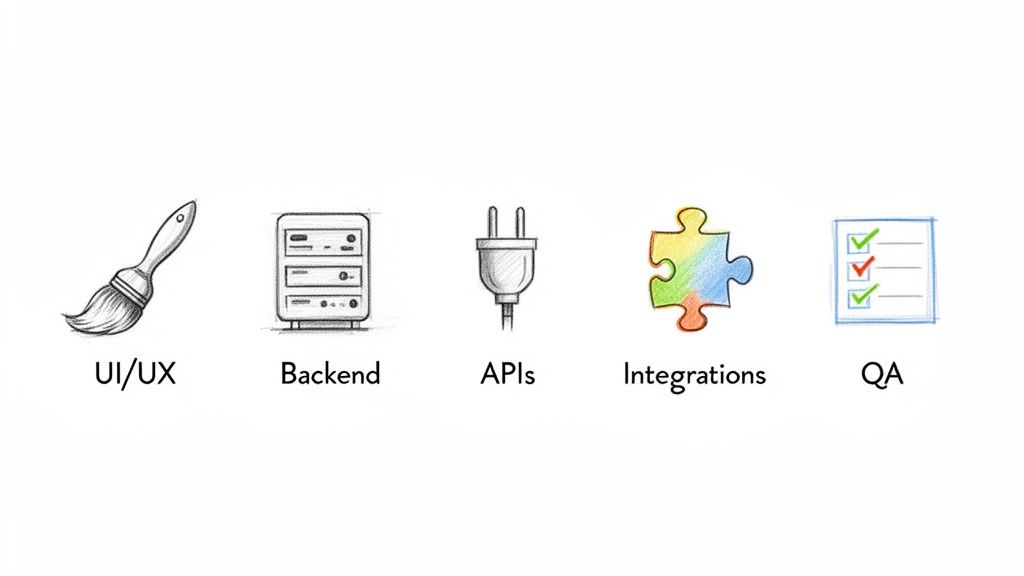
To get a real handle on the iOS app development cost, you have to look under the hood. The final number you see on an invoice isn't pulled out of thin air; it’s a sum of distinct parts, each demanding its own blend of expertise, time, and resources.
Think of it like building a custom home. The final price isn't just for the house itself—it’s for the architectural plans, the foundation, the plumbing, the custom cabinetry, and the high-end finishes. A simple one-bedroom cabin is worlds apart from a sprawling multi-story mansion in terms of cost, and the same logic applies to apps.
Let’s break down the key "building materials" that will shape your app's budget.
App Features And Functionality
This is, without a doubt, the single biggest lever on your budget. Every feature, from a simple "like" button to a complex video-streaming function, adds hours to the development timeline. More features mean more code, more testing, and more money. It’s that simple.
For example, the cost to build a basic iOS app, what we often call a Minimum Viable Product (MVP), usually falls somewhere between $10,000 and $50,000. This gets you in the door with core functionalities like user sign-ups, simple profiles, and maybe push notifications—all within a two-to-four-month timeframe. For a deeper dive into how these numbers add up, you can discover more insights about the iOS app development cost breakdown.
As you start layering on more sophisticated capabilities, the costs naturally start to climb. Here are a few common features that pack a budgetary punch:
- Social Integrations: Letting users sign in with their Apple, Google, or Facebook accounts seems simple, but it requires careful work with each platform's API.
- Payment Gateways: If you want to sell anything, you'll need to securely integrate a service like Stripe or PayPal. This isn't just a "plug-and-play" task; it involves significant development and security testing.
- User-Generated Content: Features that let people upload photos, post reviews, or create detailed profiles require a solid backend to store and manage all that data.
- Real-Time Features: Things like live chat, instant notifications, or GPS tracking introduce a whole new layer of complexity and demand a lot more development muscle.
UX/UI Design Complexity
Your app’s design is its handshake—it’s the first impression you make. On the iOS platform, users have high expectations; they want apps that are not just functional but beautiful and intuitive. The level of custom design work you need will directly influence your cost.
Sticking to Apple’s standard, built-in UI elements is the most budget-friendly path. But if your brand demands custom animations, unique illustrations, or a completely bespoke interface that screams your brand, you'll need to set aside a larger chunk of the budget for dedicated UX/UI designers. This isn't just about making things pretty; it's a process that involves wireframing, prototyping, and user feedback to ensure the app is a joy to use.
Backend Infrastructure
If your app is the car, the backend is the engine. It’s all the server-side stuff that users never see but absolutely rely on—things like data storage, user authentication, and all the business logic that makes your app work.
Some incredibly simple apps, like a basic calculator, might not need a backend at all. But the moment your app needs users to log in, save information, or interact with each other, you need a powerful backend infrastructure. Building this "engine" is a major undertaking and a significant cost driver. The more data you need to handle and the more users you expect, the more complex and expensive that engine becomes.
Insight: A robust and scalable backend is an investment in your app's future. Skimping here can lead to performance issues, security vulnerabilities, and major headaches as your user base grows.
Third-Party API Integrations
Why reinvent the wheel? Third-party Application Programming Interfaces (APIs) are lifesavers that let your app tap into existing services to add powerful features quickly. For instance, instead of building a mapping system from scratch, you can integrate Google Maps. Need weather data? Plug into a weather API.
While these integrations can save you a mountain of development time upfront, they aren't free. Each API adds to the ios app development cost because it takes a developer's time to implement it, test it thoroughly, and handle any potential errors. On top of that, many of these services charge ongoing subscription fees, which you'll need to factor into your app's long-term operational budget.
How App Complexity Defines Your Budget And Timeline
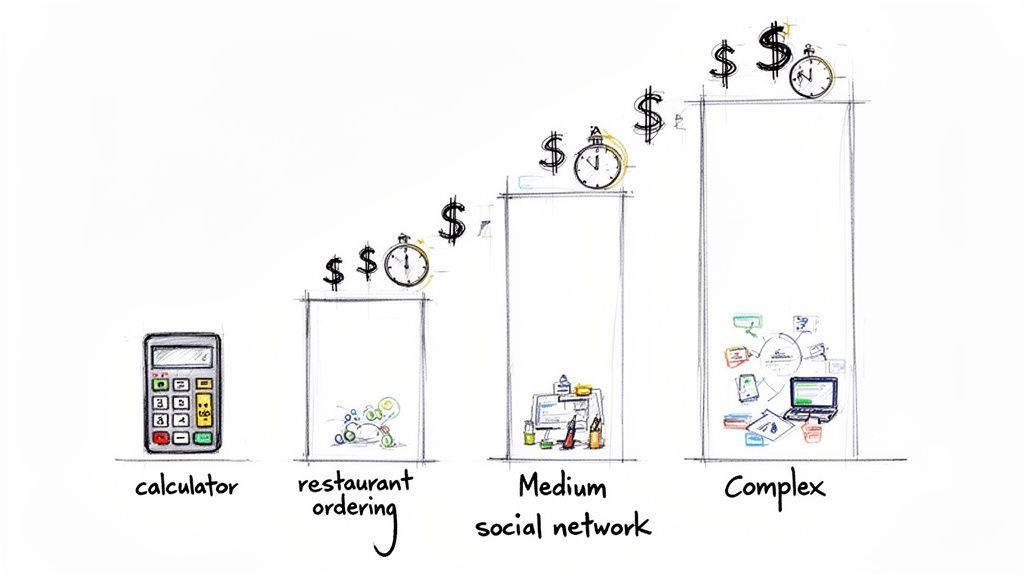
The biggest question I always get is, "How much will my app cost?" The honest answer is always, "It depends." The single most significant factor driving your iOS app development cost is complexity. Think of it like building a house: a simple garden shed is worlds away from a custom-built skyscraper, and apps are no different.
To get a realistic financial picture, you have to understand which "tier" your idea falls into. Is it a straightforward utility or a data-heavy social network? By breaking projects down into simple, medium, and complex categories, we can move past a vague, one-size-fits-all estimate and build a real roadmap for your development and funding.
Simple Apps: The Essential Starting Point
Simple apps are your entry point. We're talking about apps with a single, clear purpose—a basic calculator, a straightforward to-do list, or maybe a single-player puzzle game. Their defining characteristic is a limited feature set that relies almost entirely on standard iOS UI components.
These apps rarely need a complicated backend or connections to other services. All the data and logic usually live right there on the user's phone. This self-contained approach makes them the fastest and most affordable to build, which is perfect for testing an idea or launching a Minimum Viable Product (MVP) to see if you're onto something.
- Estimated Cost Range: $10,000 – $25,000
- Typical Timeline: 2–4 Months
- Common Features:
- Basic user login (if any)
- Static content screens
- Standard, non-customized UI elements
- No need for server-side data storage
A simple app is your fastest path to market. It's built to solve one problem well, prove your concept, and get real user feedback without breaking the bank.
Medium-Complexity Apps: Adding Layers Of Functionality
Next up are the medium-complexity apps. These are the workhorses you see all over the App Store—think of a local restaurant’s ordering app, a booking platform, or a basic social media feed. They're far more dynamic and interactive than their simpler cousins.
What really separates them is the need for a backend server and API integrations. These apps need to talk to a server to store user data, process payments, or pull in new content. As soon as you add user profiles, payment gateways like Stripe, and custom UI/UX design, you're naturally adding significant development hours to the project.
- Estimated Cost Range: $25,000 – $75,000
- Typical Timeline: 4–8 Months
- Common Features:
- User profiles and secure authentication
- Integration with payment gateways
- API connections to pull data from other services
- A simple admin dashboard for you to manage content
Apps in this category are serious business tools. They're designed to handle real user interactions and manage data securely, which justifiably commands a higher budget.
Complex Apps: Pushing The Boundaries Of Technology
At the top of the pyramid, you'll find complex, feature-rich applications. These are the ambitious projects: large-scale social networks, on-demand marketplaces, or apps that tap into advanced tech like machine learning or augmented reality.
The high iOS app development cost here is a result of a whole host of interconnected factors. These apps demand sophisticated backend architecture to handle massive amounts of real-time data, custom animations, intricate user journeys, and ironclad security. Development often requires multiple specialized teams working in parallel. For instance, building out features like real-time chat, video streaming, or AI-powered recommendations isn't just a simple task—it requires deep expertise and exhaustive testing, pushing both the budget and timeline way up.
- Estimated Cost Range: $75,000 – $200,000+
- Typical Timeline: 8+ Months
- Common Features:
- Advanced backend with real-time data syncing
- AI or machine learning features
- Highly polished, custom animations and UI
- Video and audio streaming
- In-app purchases and complex subscription logic
Building a complex app is a massive undertaking. It’s a significant investment, not just in the initial build but also in the ongoing maintenance and infrastructure needed to support its powerful features and a potentially huge user base.
Comparing Hiring Models And Their Impact On Your Budget
Choosing the right team is one of the biggest decisions you'll make. It directly shapes your iOS app development cost, the project timeline, and the quality of the final product. Think of it like building a house: do you hire a general contractor, act as one yourself by piecing together specialists, or try to build it with your own crew? Each path has totally different costs and management headaches.
The same goes for building an app. The model you pick—whether it's an in-house team, freelancers, a full-service agency, or a nearshore partner—sends ripples across your entire budget. It's about way more than just hourly rates; you have to think about overhead, how easily you can scale, and what makes sense for the long haul.
In-House Development Teams
Hiring a full-time, in-house team gives you the ultimate level of control. These are your people. They live and breathe your company culture, which means you get unmatched dedication and they're always right there for a quick chat or brainstorming session. But this model also comes with the heaviest price tag.
The costs go way beyond salaries. You’re on the hook for everything:
- Recruitment: The time and money spent hunting for, interviewing, and onboarding talent.
- Benefits: Health insurance, retirement plans, and paid time off.
- Overhead: Office space, new MacBooks, software licenses, and all the administrative support that keeps things running.
This approach really shines for well-funded, long-term projects where having that deep, internal knowledge gives you an edge. For most startups, though, the massive upfront investment and ongoing burn rate can be a deal-breaker.
Freelance iOS Developers
On the complete other end of the spectrum, you have freelancers. Hiring individual contractors gives you amazing flexibility and can be a huge money-saver for specific, neatly-defined tasks. Need a UI designer for a two-week sprint? Or a database guru to solve one tricky problem? A freelancer is perfect.
The big catch is the management burden and the risk of inconsistency. You instantly become the project manager, juggling multiple people who might have different work habits, schedules, and time zones. Getting everyone on the same page and making sure the code quality is uniform can turn into a real nightmare, especially as the app gets more complex.
Key Insight: Think of freelancers as specialists you call in for specific jobs. They're fantastic for targeted strikes but trying to assemble an army of them to build a complex app from scratch is a massive coordination challenge.
Development Agencies
A development agency is your all-in-one, "we'll handle it" solution. When you sign with an agency, you’re not just getting coders. You’re getting a pre-built machine: project managers, UX/UI designers, QA testers, and even business strategists. This gives you a structured process, a single person to call, and clear accountability from start to finish.
Of course, this full-package service comes at a premium. Agency rates bake in all their operational costs and the value of having that integrated team of experts ready to go. Agencies are the ideal choice for businesses that want a reliable partner to take an idea from a napkin sketch to a polished App Store launch, without getting bogged down in the daily grind of development.
Nearshore And Outsourcing Partners
Nearshore development hits a sweet spot, offering a fantastic balance of cost, quality, and easy collaboration. By working with a team in a nearby country—one with a similar time zone—you get the financial perks of outsourcing without the late-night calls and communication barriers that can come with distant offshore teams.
If you're weighing your options, digging into the differences between staff augmentation vs outsourcing can really help clarify which approach fits your project best.
Nearshore partners open the door to a vetted pool of incredible talent at much more competitive rates than you'd find at home. This model is also super flexible, letting you scale your team up or down as your needs change. It’s a powerful hybrid that combines the talent and structure of an agency with much better cost-efficiency, making it a go-to choice for everyone from scrappy startups to established enterprises.
To help you visualize these trade-offs, here’s a breakdown of how each model stacks up.
Hiring Model Cost And Benefit Comparison
| Hiring Model | Average Cost | Pros | Cons | Best For |
|---|---|---|---|---|
| In-House Team | $150,000 - $300,000+ per developer/year | Maximum control, deep company knowledge, real-time collaboration. | Highest overhead (salaries, benefits, office), slow to scale, high recruitment costs. | Well-funded companies with long-term, core-business projects. |
| Freelancers | $50 - $150 per hour | Cost-effective for specific tasks, high flexibility, access to specialized skills. | High management overhead, potential for inconsistency, risk of unavailability. | Small, well-defined projects, or supplementing an existing team. |
| Development Agency | $150 - $250+ per hour | Full-service (PM, design, QA), structured process, single point of contact. | Most expensive hourly rates, less direct control over individual developers. | Businesses needing end-to-end management without an in-house team. |
| Nearshore Partner | $50 - $100 per hour | Balanced cost and quality, similar time zones, access to vetted talent, scalable. | Less direct control than in-house, potential for minor cultural differences. | Startups and enterprises seeking a cost-effective, scalable talent solution. |
Ultimately, the right model depends entirely on your budget, timeline, and how hands-on you want to be. There’s no single "best" answer, only the best fit for your specific situation.
Smart Ways to Lower Your App Development Costs
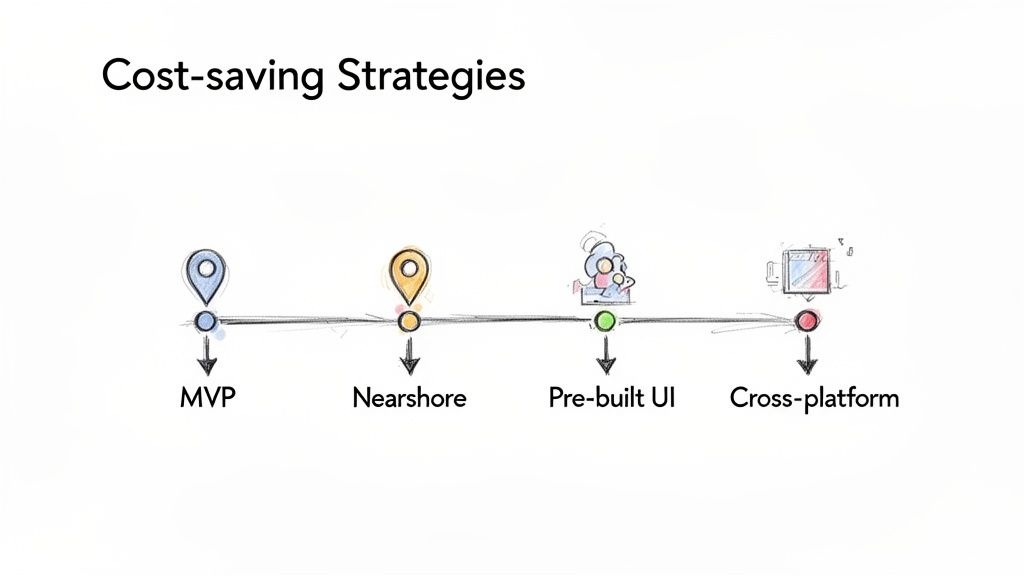
A limited budget doesn't mean you have to settle for a subpar app. If you're smart about it, you can dramatically reduce your iOS app development cost without sacrificing the quality your users expect. This isn't about cutting corners—it’s about making calculated, intelligent decisions from the very beginning.
The secret is to channel your funds into what truly matters. That means focusing on must-have features, picking the right development partners, and using tools that speed things up. A lean, strategic approach is your best financial asset.
Launch With A Minimum Viable Product (MVP)
One of the most effective ways to control costs is by launching a Minimum Viable Product, or MVP. Forget building every single feature you've ever imagined. An MVP is a stripped-down version of your app that includes just enough functionality to solve your users' main problem.
Think of it as the first, essential chapter of your story. This approach gets you into the App Store fast and on a much smaller budget. Once it's live, you can start collecting real feedback from actual users to guide your next moves, guaranteeing you only spend money on features people truly want.
An MVP isn't about building a cheap app; it's about building a smart one. It validates your core idea, minimizes financial risk, and lets your users co-pilot the development roadmap.
Pick a Strategic Hiring Model
Who you hire will have a huge effect on your bottom line. An in-house team gives you complete control, but it also comes with a mountain of overhead costs—salaries, benefits, office space, and more. This is where other hiring models, like nearshore development, really shine.
Partnering with a nearshore team gives you access to incredible talent in nearby countries, often in similar time zones, but at a significantly lower cost. You can dive deeper into the financial upsides by exploring the benefits of outsourcing software development. This model is a fantastic sweet spot, balancing quality, cost, and seamless communication.
As you look for ways to cut down development expenses, it's also worth understanding the full picture of staffing, including your recruitment cost per hire. Thinking about these related expenses helps you make better-informed budget decisions across the board.
Use Efficient Development Tactics
Beyond the MVP and your hiring model, a few other practical tactics can help you stretch every dollar. These on-the-ground approaches can shave off development hours and get your app to market sooner.
- Go Cross-Platform: Frameworks like React Native or Flutter let you build your app once and deploy it on both iOS and Android. This can nearly cut your development effort in half if you're targeting both platforms.
- Use Pre-Built Components: Why reinvent the wheel? Using pre-built UI kits and libraries for common elements like buttons, menus, and forms can save countless hours of design and coding time.
- Prioritize Ruthlessly: Pour your budget into the one or two core features that deliver the most value. Everything else is a "nice-to-have" that can wait for a future update based on user requests.
- Automate Your Testing: Setting up automated testing from the start catches bugs much faster and more cheaply than relying solely on manual testing. It's a small upfront investment that saves a fortune in the long run.
By weaving these strategies together, you create a lean development machine that gets you the best possible return on your investment. A thoughtful approach to managing your iOS app development cost ensures your money is spent creating an app that people will actually use and love.
Got Questions About iOS App Costs? We've Got Answers.
Thinking about the budget for your app can feel like navigating a maze. To make things a little clearer, I've pulled together some of the most common questions I hear about the cost of building an iOS app and answered them straight up.
Why Does It Seem Like iOS Development Costs More Than Android?
This is a classic question, and while it's not always true, there are a few reasons why iOS development can sometimes carry a higher price tag. Apple is famously strict about its App Store guidelines. Meeting their high bar for quality, performance, and user experience often means developers have to spend more time refining and testing.
On top of that, skilled iOS developers who are experts in Swift or Objective-C can often charge a bit more for their specialized skills. But here's the flip side: developers are building for a much smaller, more controlled ecosystem of iPhones and iPads. This is a huge advantage over Android, where you have to account for thousands of different devices from countless manufacturers, which can really complicate testing and development.
How Much Should I Actually Budget for App Maintenance?
This is one of the most overlooked costs, but it's absolutely crucial for your app's long-term success. A solid rule of thumb is to budget 15-20% of your initial development cost for maintenance every year. It's not just about squashing bugs that appear after you launch.
Think of it like a car. You don't just buy it and drive it forever without oil changes or new tires. This maintenance budget covers everything from updating your app for the latest iOS version and patching security holes to paying for server hosting and renewing third-party service subscriptions. It's the investment that keeps your app running smoothly and your users coming back.
Is It Possible to Get a Fixed Price for My App Project?
Absolutely. Getting a fixed-price quote is a very popular option, especially if you've done your homework and have a really detailed project plan. Development agencies often like this model because it gives everyone—you and them—a clear, predictable budget to work with.
The catch? A fixed price only works if you have your features and requirements completely locked in before any code is written. If you think your idea might change or you want the freedom to add new features along the way, you’ll probably be better off with a Time & Materials model. It offers the flexibility to adapt as you go.