The 12 Best Remote Team Communication Tools for 2025
Navigating the crowded market of remote team communication tools can be a significant challenge. The right platform can transform a distributed team into a cohesive, productive unit, while the wrong choice can lead to fragmented workflows, communication silos, and decreased engagement. This resource is designed to cut through the noise, providing a direct, practical guide to help you select the ideal communication stack for your organization's unique needs. Whether you're a startup building from the ground up, an SME scaling with nearshore talent, or a large enterprise optimizing complex workflows, the tools detailed here address the core challenges of distributed work: maintaining clarity, fostering culture, and driving projects forward.
This comprehensive listicle moves beyond generic feature rundowns. We provide a detailed analysis of 12 leading platforms, from industry giants like Slack and Microsoft Teams to powerful open-source alternatives such as Mattermost. For each tool, you'll find a concise description, key features, specific "best-for" scenarios, and transparent pricing information. We also include implementation tips and integration notes to help you visualize how each platform fits within your existing tech ecosystem. To build a truly integrated remote work environment, it's also helpful to look at platforms that facilitate project execution. For a comprehensive overview of the market, you might want to consult this guide on the best remote collaboration tools for 2025.
Our goal is to equip you with the information needed to make a confident, strategic decision. Each entry is structured for easy comparison, complete with screenshots and direct links, allowing you to quickly assess which solutions align with your team's size, industry, and security requirements. By the end of this guide, you will have a clear path to choosing and implementing the remote team communication tools that will best support your team's success.
1. Slack
Slack is a powerhouse among remote team communication tools, solidifying its place as the digital headquarters for countless organizations. It excels by organizing conversations into dedicated channels for projects, teams, or topics, drastically reducing internal email clutter. This channel-based structure, combined with powerful threading capabilities, allows for both real-time brainstorming and focused asynchronous discussions, making it highly adaptable to different work styles.
Its user-friendly interface is a significant advantage, ensuring new team members can onboard with minimal friction. Beyond simple chat, Slack offers spontaneous audio and video "Huddles" for quick check-ins, replacing the need for formal meetings. The platform's true strength, however, lies in its massive integration ecosystem, with over 2,600 apps that allow teams to build complex, automated workflows directly within their communication hub. For a deeper dive into leveraging such tools effectively, explore our tips for managing remote teams.
Key Details & Pricing
- Best For: Teams of all sizes, from startups to enterprises, that prioritize real-time collaboration and extensive app integration.
- Key Feature: Slack Connect allows secure collaboration with external partners, clients, and vendors in shared channels, keeping all project communication in one place.
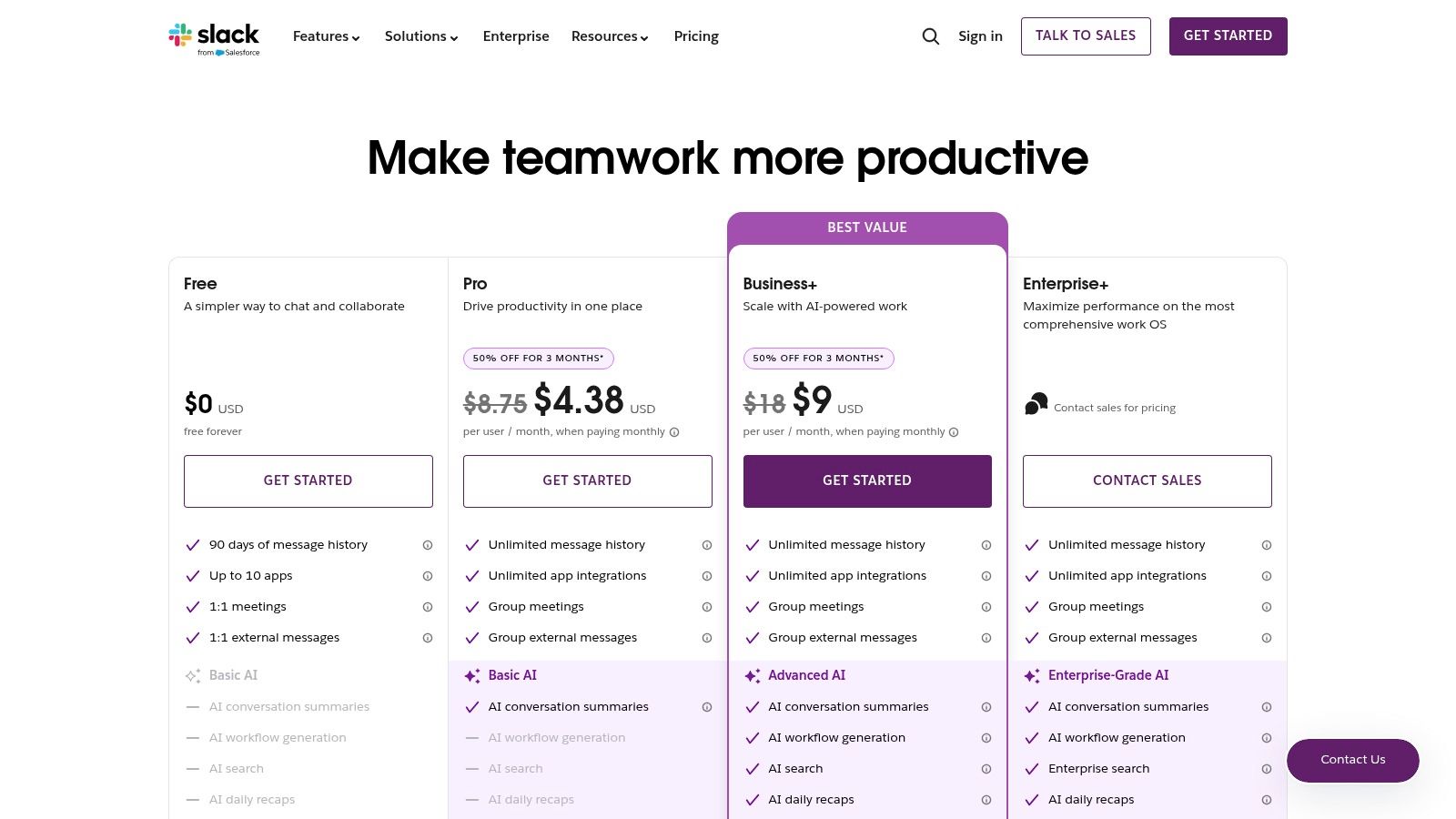
- Limitations: The free plan has significant limitations on message history and integrations. At scale, the per-user pricing on Pro and Business+ plans can become a considerable expense.
- Pricing:
- Free: 90-day message history, 10 app integrations.
- Pro: $8.75/user/month (billed annually) with unlimited history and integrations.
- Business+: $15/user/month (billed annually) with advanced identity management and compliance features.
- Enterprise Grid: Custom pricing for large, complex organizations.
- Website: https://slack.com/pricing
2. Microsoft Teams
Microsoft Teams serves as the central communication and collaboration hub for organizations deeply embedded in the Microsoft 365 ecosystem. It expertly centralizes chat, video meetings, file storage, and application integration into a single workspace. By leveraging native integrations with tools like SharePoint, OneDrive, and Outlook, Teams streamlines workflows and eliminates the need to constantly switch between different applications, making it one of the most cohesive remote team communication tools available.
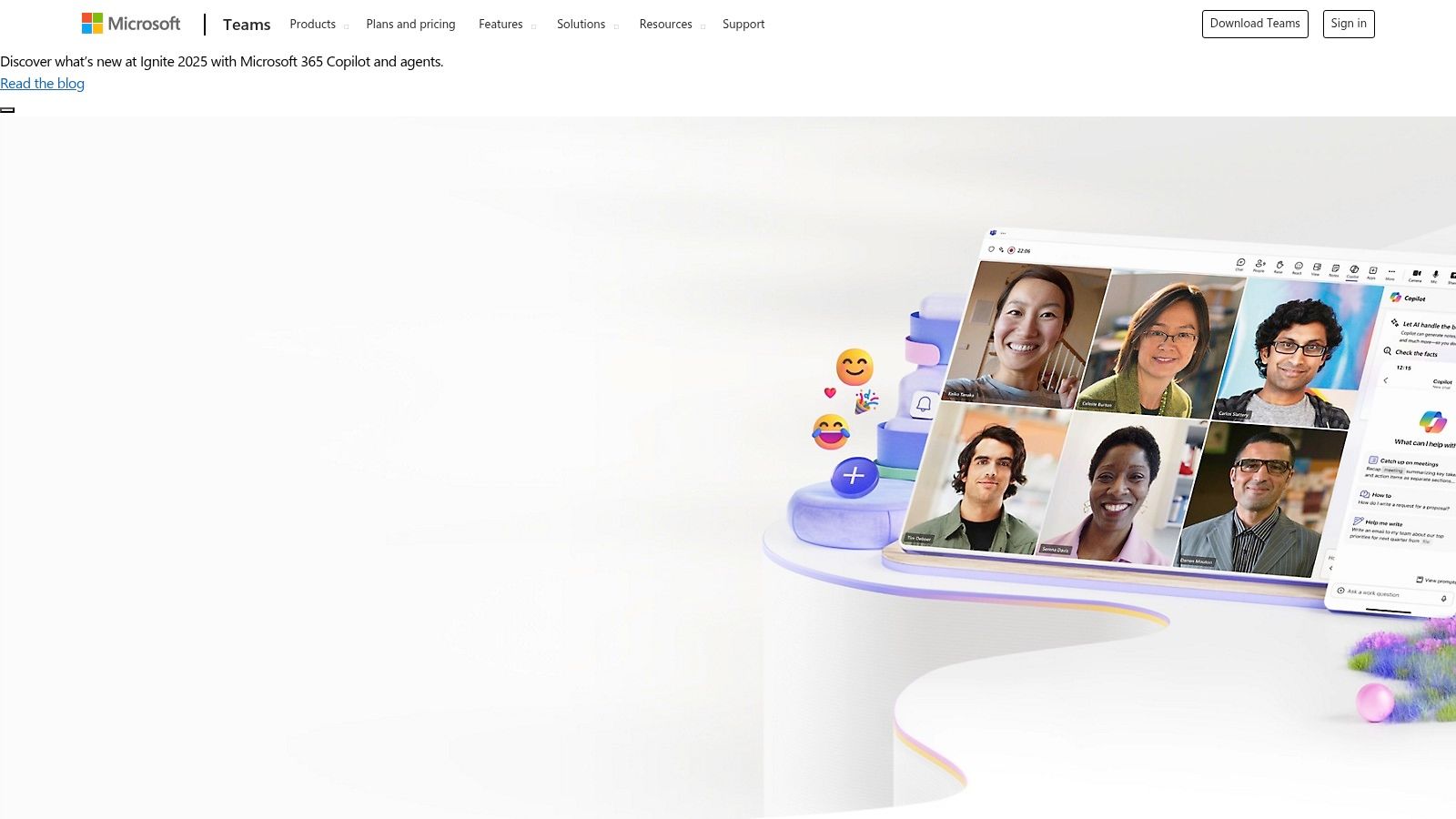
The platform is built on a foundation of channels for persistent, threaded conversations, similar to its competitors, but its true power lies in its comprehensive feature set. It goes beyond simple messaging by offering robust video conferencing with advanced features, integrated telephony options, and powerful file collaboration directly within documents. For enterprises, its comprehensive security, compliance, and administrative controls are a major differentiator, providing granular governance over how teams communicate and share information both internally and externally.
Key Details & Pricing
- Best For: Organizations of any size that are standardized on the Microsoft 365 suite and require a single, integrated platform for all communication and collaboration needs.
- Key Feature: The deep, seamless integration with Microsoft 365 apps (Word, Excel, PowerPoint, SharePoint) allows for real-time co-authoring and file management directly within the Teams interface.
- Limitations: The interface can feel complex and resource-intensive, especially for smaller teams or those with simple chat-first requirements. The licensing structure can also be confusing due to various bundles and feature sets.
- Pricing:
- Free: Limited features for individuals and small teams.
- Microsoft Teams Essentials: $4/user/month (billed annually) for standalone meetings and chat.
- Microsoft 365 Business Basic: $6/user/month (billed annually) includes Teams and web/mobile versions of Office apps.
- Microsoft 365 Business Standard: $12.50/user/month (billed annually) adds desktop Office apps and more.
- Website: https://www.microsoft.com/microsoft-teams
3. Zoom
Zoom has become synonymous with video conferencing, establishing itself as the gold standard for reliable, high-quality virtual meetings. While best known for its video-centric approach, it has evolved into a more comprehensive unified communications platform. It now integrates persistent chat channels, a phone system, and collaborative tools like whiteboards and lightweight docs, aiming to centralize key interactions for remote teams who prioritize face-to-face virtual communication.
The platform’s core strength is its rock-solid performance and intuitive user interface, which ensures meetings start on time with minimal technical friction. Features like breakout rooms, polls, and advanced screen sharing make it a powerful tool for interactive workshops and large-scale presentations. The addition of an AI Companion for generating meeting summaries and action items helps streamline post-meeting workflows, a key factor in boosting team efficiency. For more insights on leveraging such tools, you can explore strategies on how to improve developer productivity.
Key Details & Pricing
- Best For: Teams that rely heavily on video for daily stand-ups, client meetings, and collaborative sessions, from small businesses to large enterprises.
- Key Feature: An extensive ecosystem of add-ons, including Zoom Rooms for hybrid offices, Webinars for large audiences, and Zoom Phone for an all-in-one business communication system.
- Limitations: The chat and asynchronous features are less mature than dedicated platforms like Slack or Twist. Navigating the pricing for its various add-on products can be complex.
- Pricing:
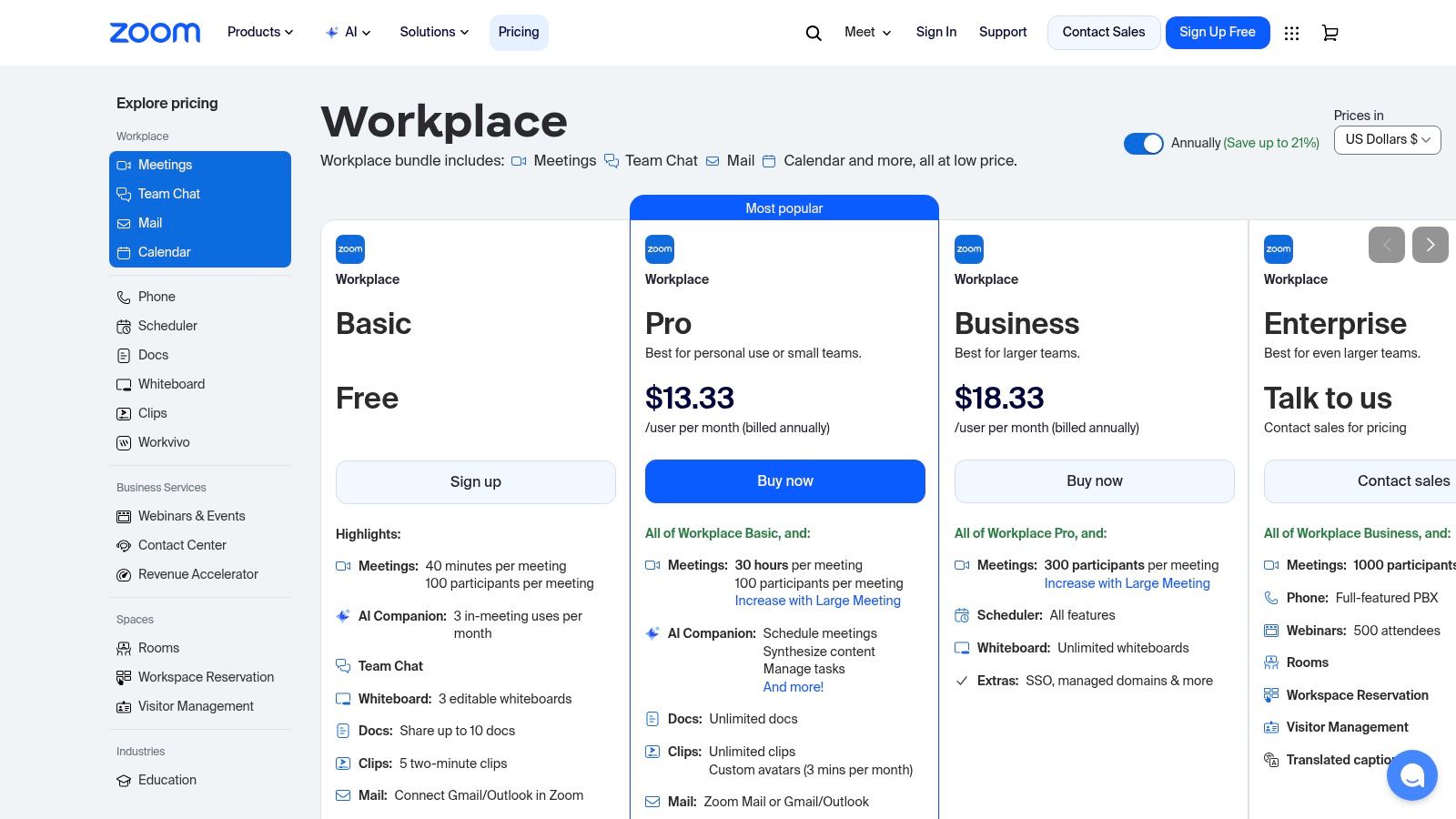
- Basic (Free): Host up to 100 participants for 40-minute meetings.
- Pro: $15.99/user/month for 30-hour meetings and cloud recording.
- Business: $19.99/user/month with company branding and managed domains.
- Enterprise: Custom pricing for large organizations requiring advanced features and support.
- Website: https://zoom.us/pricing
4. Google Workspace (Meet + Chat)
Google Workspace is an integrated suite of remote team communication tools that consolidates video conferencing (Meet), instant messaging (Chat), email (Gmail), and cloud storage (Drive) into a single, unified ecosystem. Its primary strength lies in this tight integration, allowing teams already invested in Google's services to move seamlessly between documents, calendars, and conversations. This eliminates the friction of managing multiple disparate platforms and simplifies user provisioning and administration.
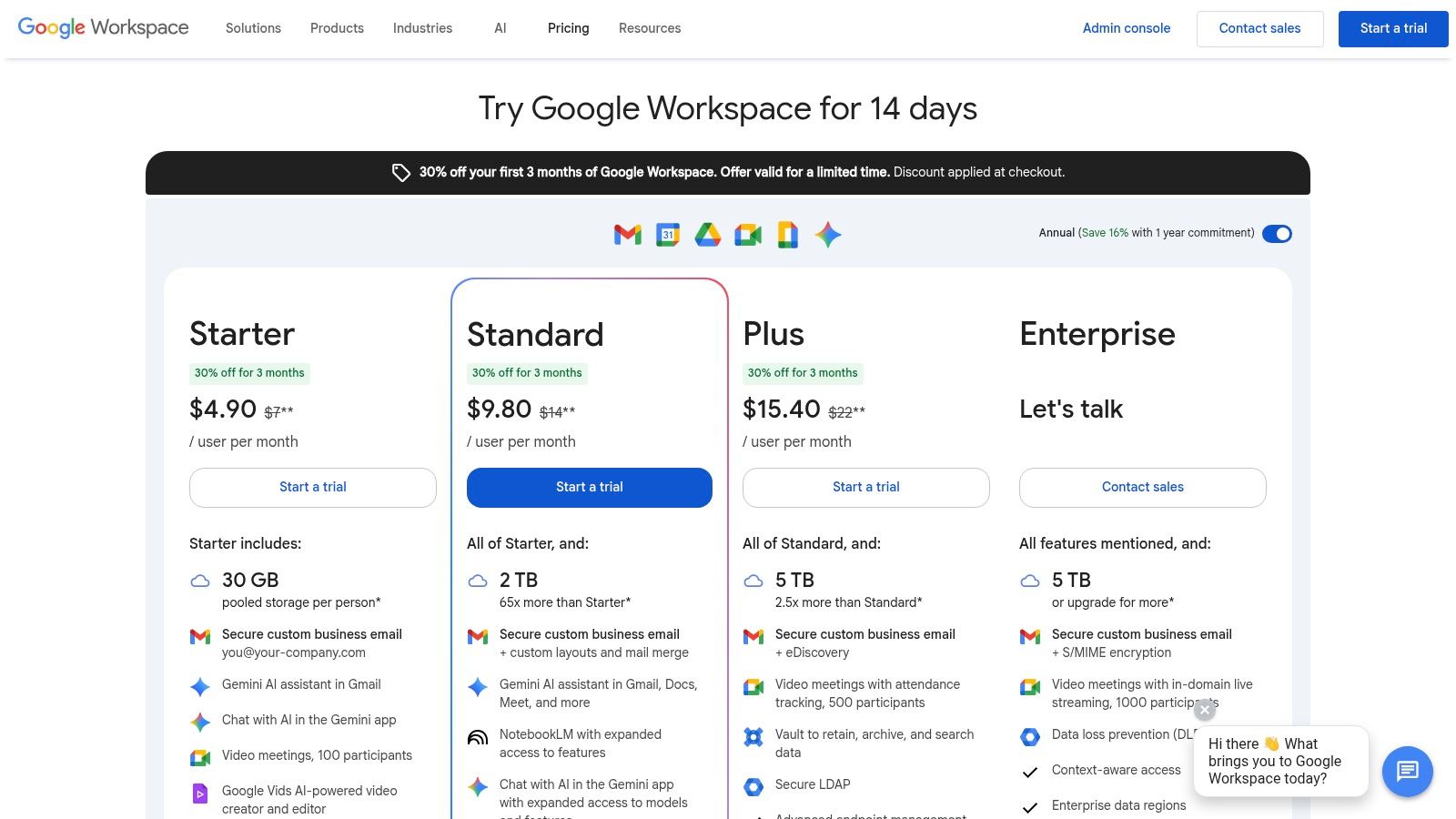
The platform is built for efficiency, enabling users to launch a Meet call directly from a Chat conversation or a Calendar invite with one click. Dedicated "Spaces" in Chat serve as project hubs for group discussions and file sharing, all backed by the powerful search capabilities of Google. With the recent addition of Gemini AI features, Workspace further enhances productivity by offering intelligent summaries in Meet, drafting assistance in Gmail, and content generation in Docs, making it a comprehensive solution for modern remote work.
Key Details & Pricing
- Best For: Organizations of any size that are deeply embedded in the Google ecosystem and prefer a single, unified platform for all productivity and communication needs.
- Key Feature: The seamless integration between Meet, Chat, Calendar, and Drive creates a frictionless workflow where all communication and documentation are interconnected.
- Limitations: Google Chat is less customizable and has a less extensive app integration library compared to dedicated platforms like Slack. Pooled storage tiers might require upgrades as the team scales.
- Pricing:
- Business Starter: $6/user/month with 30 GB storage per user.
- Business Standard: $12/user/month with 2 TB pooled storage and meeting recording.
- Business Plus: $18/user/month with 5 TB pooled storage and enhanced security.
- Enterprise: Custom pricing for advanced controls and compliance.
- Website: https://workspace.google.com/pricing
5. Cisco Webex
Cisco Webex is a mature, enterprise-grade unified communications platform that consolidates meetings, messaging, and calling into a single, secure application. It stands out for its strong security and compliance posture, making it a trusted choice for industries with stringent data handling requirements. While historically known for its robust video conferencing, Webex has evolved into a comprehensive suite that supports both synchronous and asynchronous workflows, positioning it as a powerful contender among remote team communication tools.
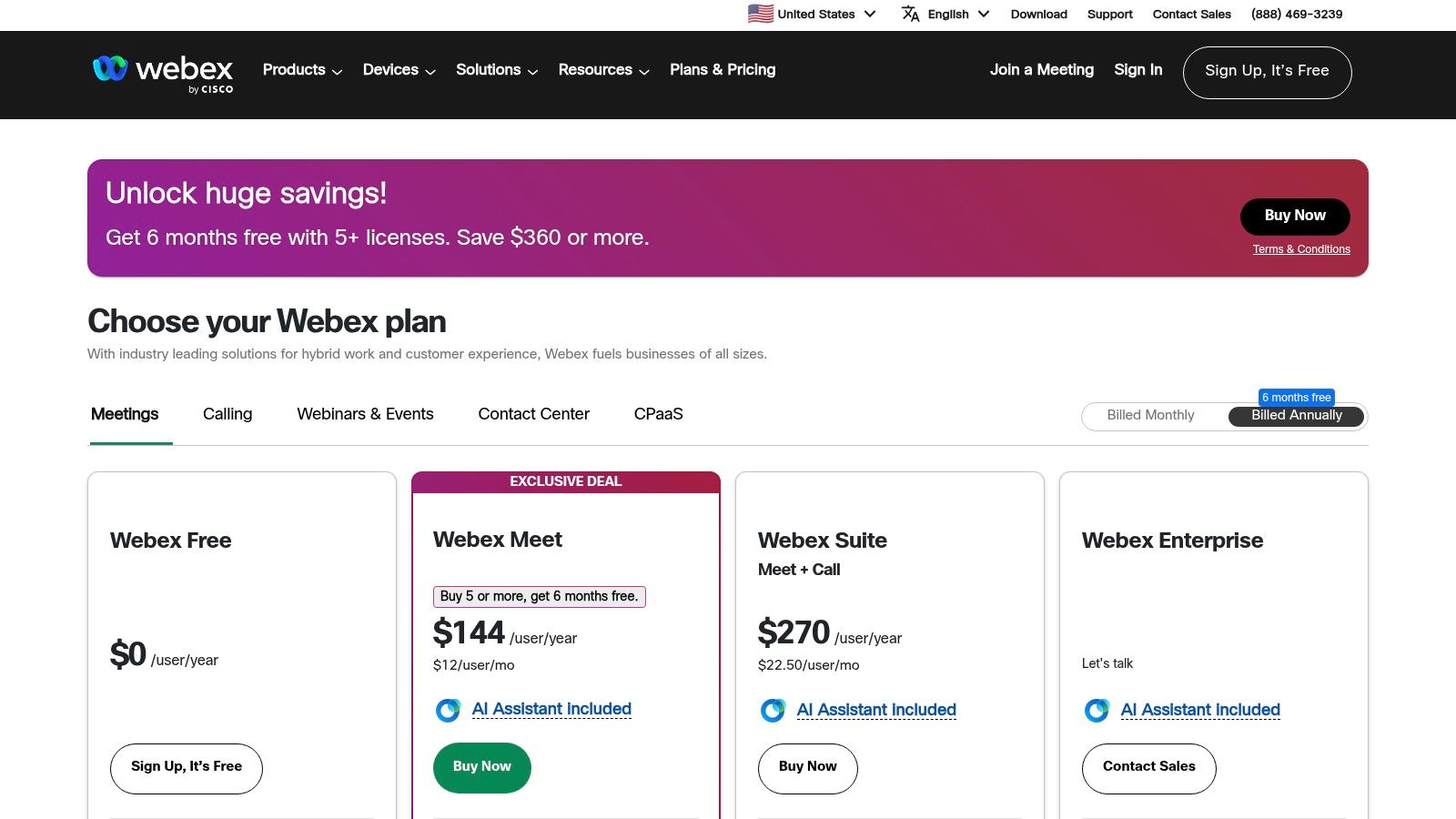
The platform integrates advanced features like real-time translation and AI-powered noise removal to improve meeting quality and accessibility. Its persistent messaging spaces allow teams to organize conversations, share files, and engage in collaborative whiteboarding, ensuring project continuity. Unlike some competitors focused solely on chat or video, Webex provides a holistic solution that includes a powerful cloud-based phone system, offering a true all-in-one hub for organizations aiming to streamline their tech stack.
Key Details & Pricing
- Best For: Organizations in regulated industries (government, finance, healthcare) and businesses seeking an all-in-one communication suite with enterprise-level security.
- Key Feature: The built-in AI Assistant on paid plans provides automated meeting summaries, action items, and highlights, significantly improving post-meeting productivity.
- Limitations: The user interface may feel less modern or intuitive to those accustomed to newer tools like Slack or Microsoft Teams. Feature packaging and naming across different plans can sometimes be confusing to navigate.
- Pricing:
- Free: Meetings up to 40 minutes for up to 100 attendees, team messaging.
- Meet Plan: $14.50/user/month (billed annually) with 24-hour meetings and 10GB cloud storage.
- Suite (Meet + Call): $25/user/month (billed annually) adds cloud-based calling capabilities.
- Enterprise: Custom pricing for large organizations requiring advanced security, control, and compliance features like FedRAMP authorization.
- Website: https://www.webex.com/pricing.html
6. RingCentral
RingCentral stands out as a unified communications as a service (UCaaS) platform that bundles team messaging, video meetings, and a robust business phone system into a single application. It excels for organizations that want to consolidate their communication stack and avoid managing separate vendors for chat, video, and voice. This integrated approach ensures a seamless transition between messaging a colleague, starting a video call, and managing business phone lines, all within one consistent interface.
The platform’s strength lies in its mature telephony features, offering advanced call routing, analytics, and enterprise-grade reliability that many chat-first tools lack. This makes it an exceptional choice for customer-facing teams or businesses where voice communication remains critical. With a wide array of integrations for major CRM and productivity suites like Salesforce, Microsoft 365, and Google Workspace, RingCentral positions itself as a central hub for all business communications, making it a powerful contender among remote team communication tools.
Key Details & Pricing
- Best For: Businesses of all sizes, particularly those with significant sales or support functions, that need a single, reliable provider for messaging, video, and enterprise-grade telephony.
- Key Feature: The integration of a full-featured cloud PBX phone system directly within the team collaboration app, complete with advanced call management and analytics.
- Limitations: The total cost can be higher than the advertised price after telephony taxes and fees are included. Some advanced features, like AI-powered analytics or webinar capabilities, require add-on purchases or higher-tier plans.
- Pricing:
- Core: $20/user/month (billed annually) with team messaging, video for up to 100 participants, and a business phone system.
- Advanced: $25/user/month (billed annually) adds automatic call recording and advanced integrations.
- Ultra: $35/user/month (billed annually) increases video participants to 200 and adds advanced reporting.
- Website: https://www.ringcentral.com/office/plansandpricing.html
7. 8x8
8x8 offers a unified communications platform that consolidates business phone, video conferencing, and team chat into a single, integrated solution. It stands out by merging traditional telephony with modern collaboration tools, making it one of the more comprehensive remote team communication tools for businesses that still rely heavily on voice communication. This all-in-one approach simplifies the tech stack, providing a single application for calls, meetings, and messaging across any device.
The platform is particularly strong for organizations with a global footprint or those needing robust contact center capabilities alongside their internal communication tools. By providing a reliable, enterprise-grade phone system with unlimited calling in many regions, 8x8 ensures that remote teams can stay connected with clients and each other without juggling multiple services. Its developer options, including Jitsi as a Service, also allow for custom-embedded video experiences, adding a layer of flexibility for tech-savvy companies.
Key Details & Pricing
- Best For: Small to mid-sized businesses (SMBs) and enterprises that need a robust, all-in-one communication solution that deeply integrates business telephony with modern chat and video.
- Key Feature: Its global telephony infrastructure and integrated contact center solutions provide a seamless communication experience for both internal teams and external customers.
- Limitations: The most advanced features and transparent pricing are often gated behind custom quotes from the sales team. The user interface for the unified app can feel less modern compared to chat-first competitors.
- Pricing:
- X2: From $24/user/month (billed annually) with unlimited voice calling in 14 countries, HD video meetings, and team chat.
- X4: From $44/user/month (billed annually) adds features like supervisor analytics and unlimited calling to 48 countries.
- Higher Tiers: Custom pricing for advanced contact center and enterprise features.
- Website: https://www.8x8.com
8. Mattermost
Mattermost is an open-core collaboration platform designed for technical and operational teams that require a high degree of security and control. It stands out among remote team communication tools by offering both self-hosted and cloud deployment options, giving organizations complete data sovereignty. This makes it a preferred choice for industries with stringent compliance requirements, such as government, finance, and healthcare, where data privacy is non-negotiable.
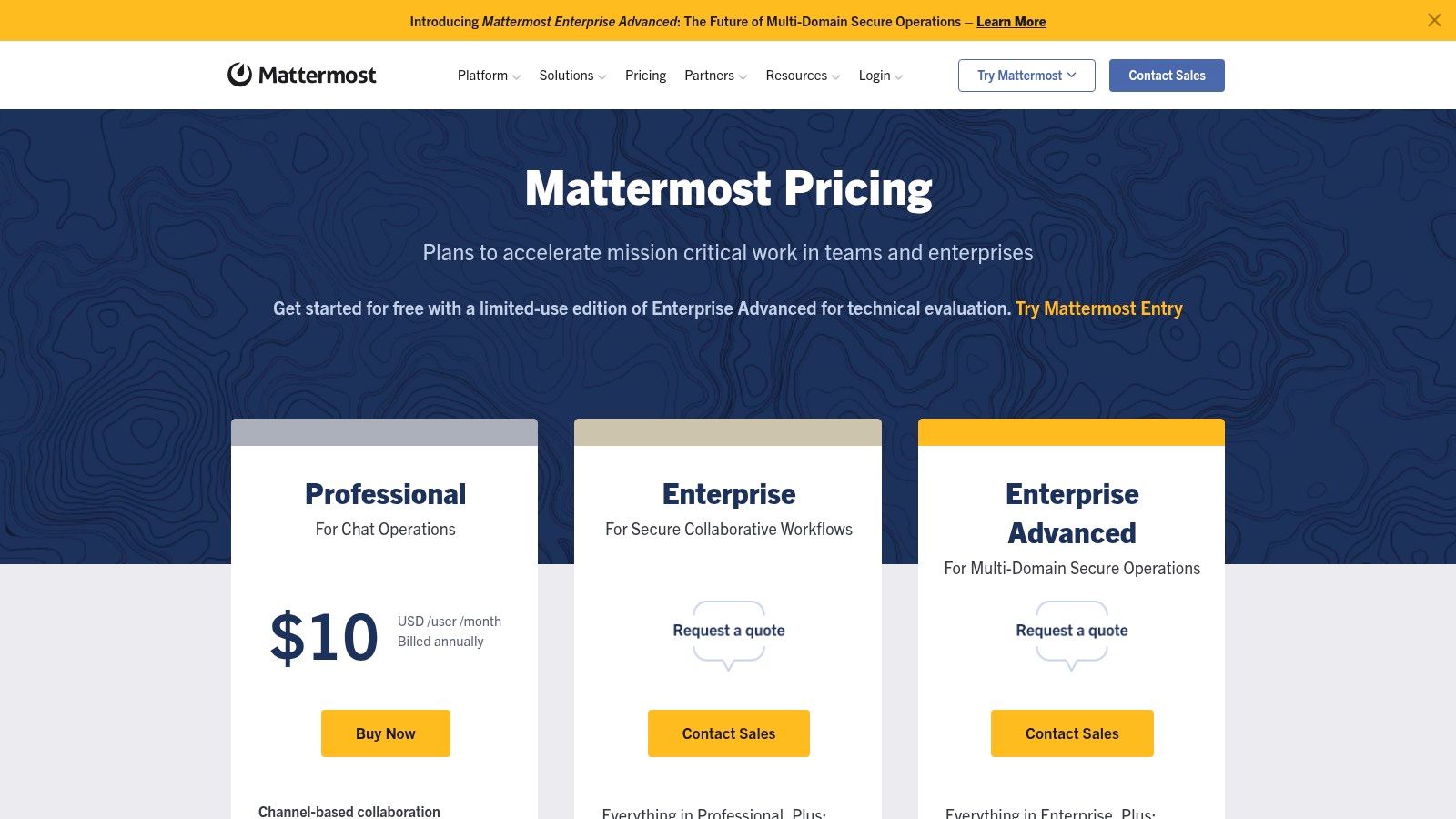
The platform provides familiar features like channel-based messaging, threaded conversations, and one-on-one audio calls with screen sharing. However, its core strength is its extensibility, particularly for DevOps and ChatOps workflows. Teams can integrate it deeply into their development lifecycle, automating alerts, incident responses, and deployments directly within their chat interface. This ability to script and customize workflows allows for significant operational efficiency gains for highly technical remote teams.
Key Details & Pricing
- Best For: Security-conscious organizations, government agencies, and DevOps teams needing full data control and deep workflow customization.
- Key Feature: The self-hosting option provides unparalleled control over data, security policies, and infrastructure, including support for air-gapped environments.
- Limitations: Self-hosting introduces significant operational overhead compared to pure SaaS solutions. The out-of-the-box integration library is less extensive than competitors like Slack.
- Pricing:
- Free (Self-Hosted): Core collaboration features for a single team.
- Professional: $10/user/month with advanced access controls and multi-factor authentication.
- Enterprise: Custom pricing with features for high-availability, compliance, and advanced security.
- Website: https://mattermost.com/pricing/
9. Rocket.Chat
Rocket.Chat offers a unique proposition in the landscape of remote team communication tools by being a powerful, open-source platform. This gives organizations complete control over their data, a critical factor for industries with stringent security and compliance requirements. It can be deployed on-premise, in an air-gapped environment, or on a private cloud, providing unparalleled flexibility in data governance and management.
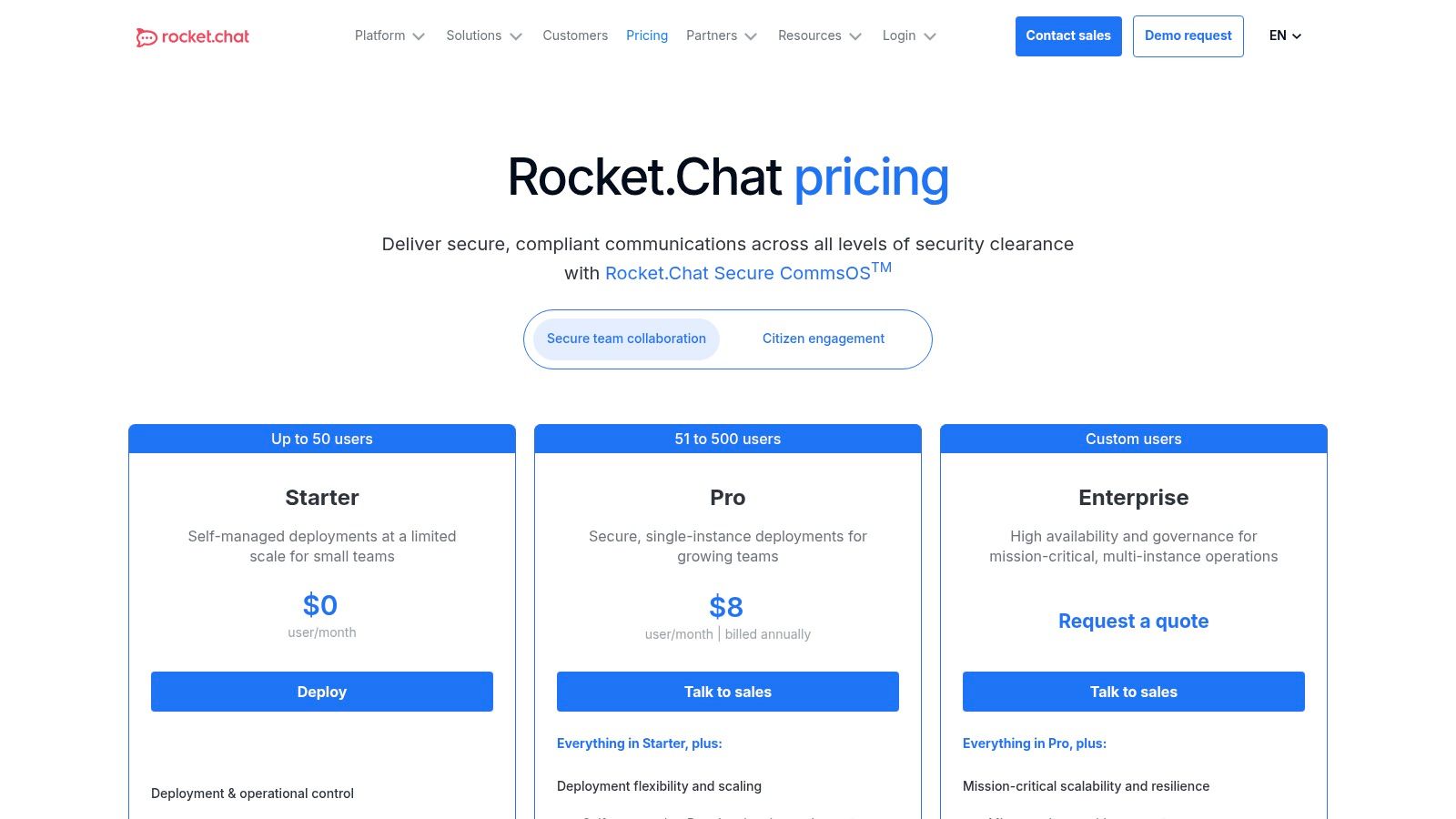
Functionally, Rocket.Chat mirrors the core features of its SaaS counterparts, offering channels, direct messaging, and file sharing. Its true strength lies in its customizability. Organizations can white-label the entire platform to match their brand identity and extend its capabilities through a marketplace of apps and integrations. This makes it an ideal solution for teams that need a secure, bespoke communication hub without vendor lock-in.
Key Details & Pricing
- Best For: Security-conscious organizations, government agencies, and companies in regulated industries that require full data sovereignty and control.
- Key Feature: The self-managed deployment model allows for complete control over infrastructure, data location, and security protocols, including options for end-to-end encryption.
- Limitations: The self-hosted version requires significant technical expertise for setup, maintenance, and scaling, creating an administrative burden that may be challenging for smaller teams.
- Pricing:
- Community: Free, self-managed starter tier for small teams.
- Pro: From $7/user/month (billed annually) for a hosted or self-managed solution with more features.
- Enterprise: Custom pricing (billed annually) for advanced security, compliance, and scalability needs.
- Website: https://www.rocket.chat/pricing
10. Zoho Cliq
Zoho Cliq emerges as a highly competitive player among remote team communication tools, particularly for businesses already invested in the Zoho ecosystem. It offers a robust chat platform centered around organized channels and searchable conversations, mirroring the functionality of its larger competitors but at a more accessible price point. The platform seamlessly blends asynchronous chat with real-time video and audio calls, ensuring teams have the flexibility to switch communication modes as needed.
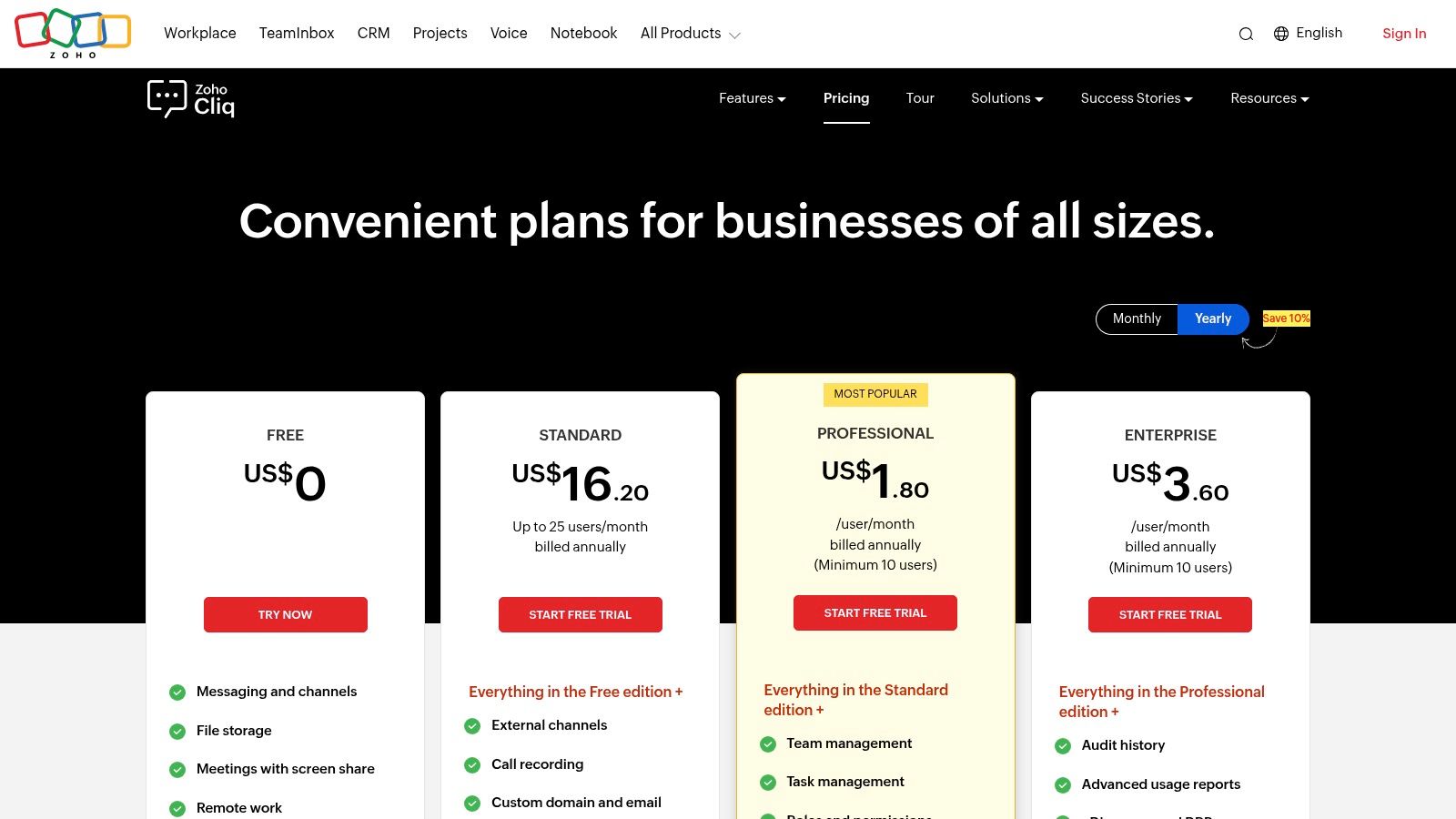
What sets Cliq apart is its deep, native integration with the expansive suite of Zoho applications, including Zoho CRM, Projects, and Desk. This creates a unified workspace where communication and operational tasks are tightly interwoven, reducing context switching and boosting productivity. Its generous participant limits for video meetings on paid plans and enterprise-grade security controls make it a powerful, value-driven choice for small to mid-sized organizations looking for an all-in-one solution.
Key Details & Pricing
- Best For: Small and mid-sized businesses, especially those already using or planning to adopt the Zoho suite of business apps.
- Key Feature: Fork from Chat allows users to instantly turn any chat message into a dedicated group discussion, preventing important conversations from getting lost in a busy channel.
- Limitations: While it offers many third-party integrations, its core strength and smoothest workflows are found within the Zoho ecosystem. The Unlimited plan has a minimum user requirement.
- Pricing:
- Free: Unlimited users, 10,000 searchable messages, 100 users per channel.
- Premium: $1/user/month (billed annually) with unlimited message history and external collaboration.
- Unlimited: $3/user/month (billed annually) with advanced governance controls, custom branding, and a minimum of 100 users.
- Website: https://www.zoho.com/cliq/pricing.html
11. Workvivo
Workvivo takes a different approach to remote team communication tools by focusing on large-scale employee engagement rather than project-specific chat. It functions as a modern, social intranet, designed to connect a distributed workforce and build a strong company culture. The platform excels at top-down and organization-wide communication through features like corporate newsfeeds, live-streamed town halls, and digital newsletters, ensuring key messages reach everyone, including frontline workers, via its mobile-first design.
While it offers an optional chat add-on, its core strength isn't replacing tools like Slack but rather complementing them with a dedicated space for company-wide announcements, employee recognition, and culture-building activities. This focus makes it a powerful asset for organizations looking to foster a sense of community and belonging among employees who may never meet in person. For companies expanding globally, tools like Workvivo are invaluable for maintaining a cohesive culture when you hire a remote development team.
Key Details & Pricing
- Best For: Mid-market to large enterprises focused on strengthening company culture, internal communications, and employee engagement across a distributed workforce.
- Key Feature: The social intranet-style newsfeed allows for a dynamic mix of official company announcements and peer-to-peer recognition, fostering a more connected and engaged workforce.
- Limitations: It is not a direct replacement for project-focused, real-time chat platforms like Slack or Microsoft Teams. Pricing is not transparent and requires a sales consultation.
- Pricing:
- Workvivo offers custom pricing based on the organization's size and required features. You must contact their sales team for a personalized quote.
- Website: https://www.workvivo.com/pricing/
12. G2 Communication Software
While not a direct communication tool, G2's software marketplace is an indispensable resource for any team evaluating their options. It functions as a meta-tool for discovery and comparison, aggregating extensive, verified user reviews for hundreds of communication platforms. Instead of relying on vendor marketing, teams can filter potential solutions by company size, required features, and user satisfaction ratings, creating a highly relevant shortlist.
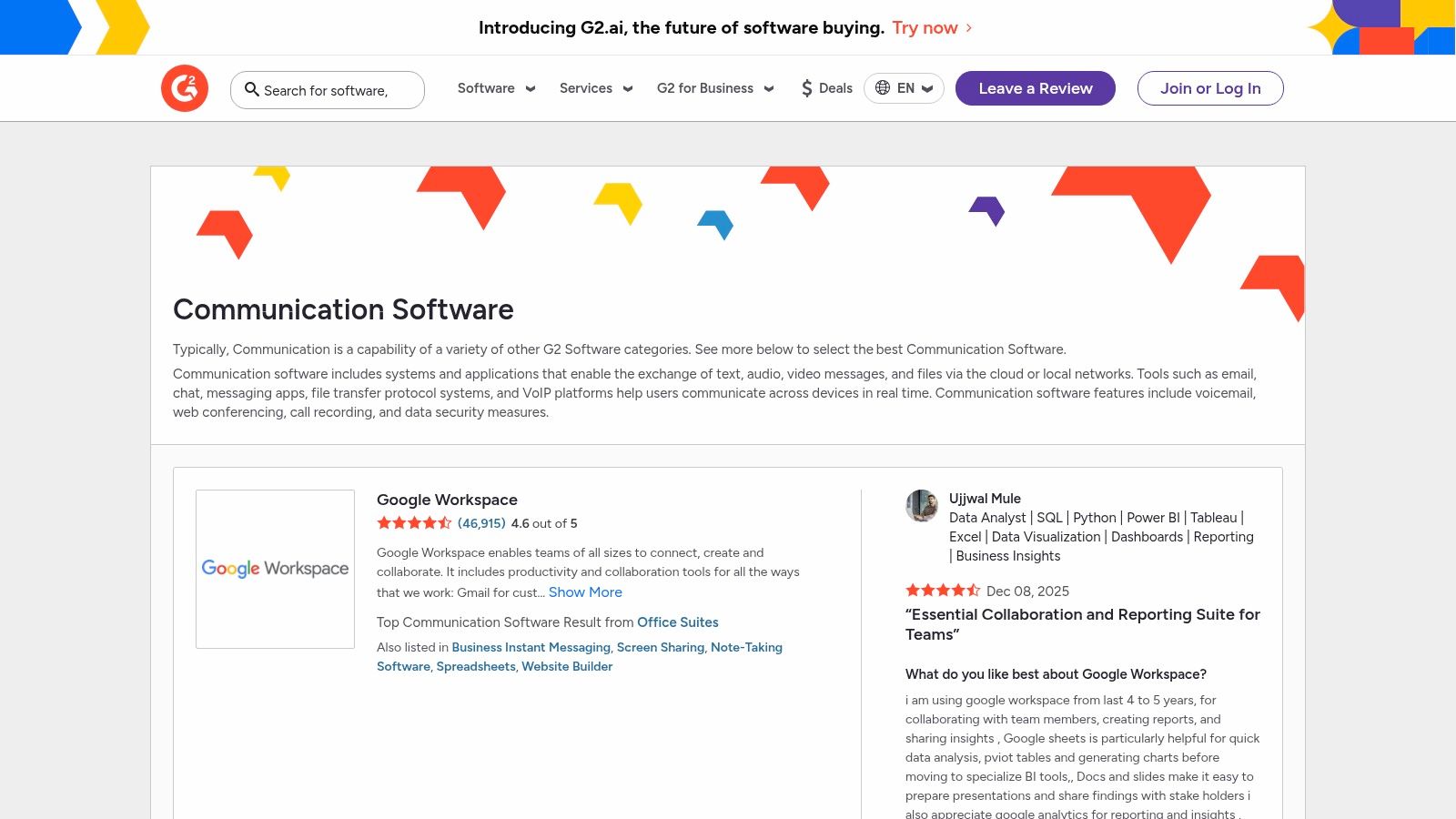
The platform’s power lies in its detailed feature matrices and side-by-side comparison grids, which allow for a granular analysis of how different tools stack up. This data-driven approach helps teams identify the best remote team communication tools for their specific needs, moving beyond popular choices to find the perfect fit. Reading recent, real-world feedback from peers provides invaluable insight into implementation challenges, customer support quality, and long-term usability that you won't find on a product's homepage.
Key Details & Pricing
- Best For: Teams in the research and selection phase, trying to navigate the crowded market and make an informed purchasing decision.
- Key Feature: The G2 Grid and detailed user reviews provide a powerful combination of quantitative and qualitative data for comparing software options objectively.
- Limitations: Reported pricing can sometimes lag behind vendors' dynamic updates, so always verify costs on the official site. Be mindful that some vendors may have paid placements that affect their visibility.
- Pricing:
- Free: Access to all reviews, comparisons, and reports is free for software buyers.
- Website: https://www.g2.com/software/communication
Top 12 Remote Team Communication Tools Comparison
| Tool | Core features ✨ | UX/Quality ★ | Value/Price 💰 | Target audience 👥 | Standout / USP 🏆 |
|---|---|---|---|---|---|
| Slack | Channels, threads, Huddles, 2,600+ integrations | ★★★★☆ — intuitive, fast | 💰 Mid→High; paid AI/search | 👥 Distributed product & dev teams | 🏆 Ecosystem & workflow automations |
| Microsoft Teams | Chat, meetings, files, telephony; deep M365 ties | ★★★☆☆ — feature‑rich, heavy | 💰 Included in M365; complex licensing | 👥 Enterprises standardized on Microsoft | 🏆 MS365 integration & governance |
| Zoom | HD meetings, whiteboard, chat, Zoom Phone | ★★★★☆ — best video reliability | 💰 Mid; add‑ons (Phone, Rooms) raise cost | 👥 Video‑centric remote teams | 🏆 Video quality & webinar/events |
| Google Workspace (Meet + Chat) | Meet, Chat, Gmail, Drive, Calendar, Gemini AI | ★★★★☆ — simple, unified | 💰 Competitive; pooled storage tiers | 👥 Teams using Google end‑to‑end | 🏆 Unified suite & AI integrations |
| Cisco Webex | Meetings, messaging, whiteboarding, calling; security | ★★★☆☆ — mature, secure | 💰 Competitive entry; enterprise plans | 👥 Security/compliance‑sensitive orgs | 🏆 Strong security & FedRAMP options |
| RingCentral | Messaging, video, full business telephony, integrations | ★★★☆☆ — robust telephony | 💰 Mid→High; telephony taxes/fees possible | 👥 Orgs wanting one UCaaS provider | 🏆 Mature voice features & analytics |
| 8x8 | Business phone, video, chat, CPaaS & global calling | ★★★☆☆ — SMB‑friendly | 💰 Low→Mid; SMB starter ~$15/user/mo | 👥 SMBs with global telephony needs | 🏆 Global telephony footprint |
| Mattermost | Channels, 1:1 audio, self‑hosted, geo‑HA, ChatOps | ★★★☆☆ — flexible, ops‑heavy | 💰 Cost‑effective at scale (self‑hosted) | 👥 Security‑sensitive & DevOps teams | 🏆 Data sovereignty & extensibility |
| Rocket.Chat | Open‑source chat, federation, white‑label, E2E options | ★★★☆☆ — customizable; maintenance req. | 💰 Very cost‑effective self‑managed | 👥 Teams needing self‑host & branding control | 🏆 Deployment & data control |
| Zoho Cliq | Channels, threads, calls, tasks, Zoho integrations | ★★★☆☆ — simple, lightweight | 💰 Low‑priced; strong admin features | 👥 SMBs & Zoho ecosystem users | 🏆 Affordability + admin controls |
| Workvivo | Newsfeeds, live streams, town halls, engagement analytics | ★★★★☆ — mobile‑first engagement | 💰 Enterprise pricing via sales | 👥 Internal comms for mid→large orgs | 🏆 Employee engagement & culture focus |
| G2 Communication Software | Filterable reviews, side‑by‑side comparisons, feature matrices | ★★★★☆ — data‑rich, easy to compare | 💰 Free to browse; vendor listings vary | 👥 Buyers shortlisting communication tools | 🏆 Large verified review volume |
Final Thoughts
Navigating the landscape of remote team communication tools can feel like an overwhelming task. We've explored a wide spectrum of platforms, from the synchronous chat powerhouses like Slack and Microsoft Teams to comprehensive unified communications systems like RingCentral and 8x8. The key takeaway is that there is no single "best" tool; there is only the best tool for your team's specific context, culture, and operational needs.
The selection process itself is a strategic decision that directly impacts productivity, team cohesion, and your bottom line. Simply choosing the most popular option on the market can lead to workflow friction, low adoption rates, and "tool fatigue." Instead, the ideal approach is a deliberate one, grounded in a clear understanding of your internal communication challenges and goals.
Your Actionable Next Steps
To move from information to implementation, consider this structured approach to making your final decision. This isn't just about picking software; it's about architecting a more effective communication ecosystem for your distributed team.
Conduct a Communication Audit: Before you even start a free trial, map out your current communication flows. Where are the bottlenecks? What information gets lost? Are teams struggling with too many meetings or not enough asynchronous clarity? Identifying these pain points will give you a clear problem to solve.
Define Your "Must-Have" Criteria: Based on your audit, create a checklist of non-negotiable features. This might include specific integrations (like with your CRM or project management tool), security compliance standards (like HIPAA or SOC 2), or support for a certain number of video participants.
Shortlist and Pilot: Select two or three top contenders from this guide that align with your criteria. Don’t make the decision in a vacuum. Form a small pilot group of diverse users (e.g., an engineer, a marketer, a project manager) to test the shortlisted remote team communication tools in real-world scenarios for a week or two. Gather their honest feedback on usability and impact.
Key Factors for Successful Implementation
Choosing the tool is only half the battle. Successful adoption hinges on a thoughtful implementation strategy.
Establish Clear Governance: Create and share a "Communication Charter." This document should outline which tool is used for what purpose. For example: Slack for urgent, real-time queries; Asana for project updates; and Notion for permanent documentation. This prevents channel chaos and ensures everyone knows where to find information.
Prioritize Onboarding and Training: Never assume a tool is "intuitive" for everyone. Host a kickoff training session, record it, and create a simple one-page guide with best practices. Proactive training minimizes the learning curve and encourages proper use from day one. For a different perspective on top-rated platforms, this guide to the 12 Best Remote Team Communication Tools for 2025 offers another comprehensive overview that can help validate your choices.
Plan for Integration: The true power of these tools is unlocked when they seamlessly connect with your existing tech stack. A well-integrated system automates repetitive tasks and creates a single source of truth, reducing context-switching for your team. This is where a partner like Nerdify can provide immense value, building custom integrations that mold the software to your unique workflows.
Ultimately, the goal is to empower your team with technology that fosters clarity, connection, and collaboration, regardless of physical distance. The right suite of remote team communication tools will feel less like a set of applications and more like a well-designed digital headquarters. By taking a strategic, user-centric approach, you can build a communication infrastructure that not only supports your remote team but helps it thrive.