Mastering Software Development Capacity Planning
Software development capacity planning is really just the process of making sure the work you have planned actually fits the team you have to do it. It’s about being honest about your team's available hours and skills before you commit to a roadmap.
The goal is to move from a reactive, "Can we build this?" scramble to a proactive, strategic approach. This shift ensures you have the right people with the right expertise available at the right time, which is the only way to deliver projects predictably without burning everyone out.
Why Capacity Planning Is Your Secret Weapon for Growth
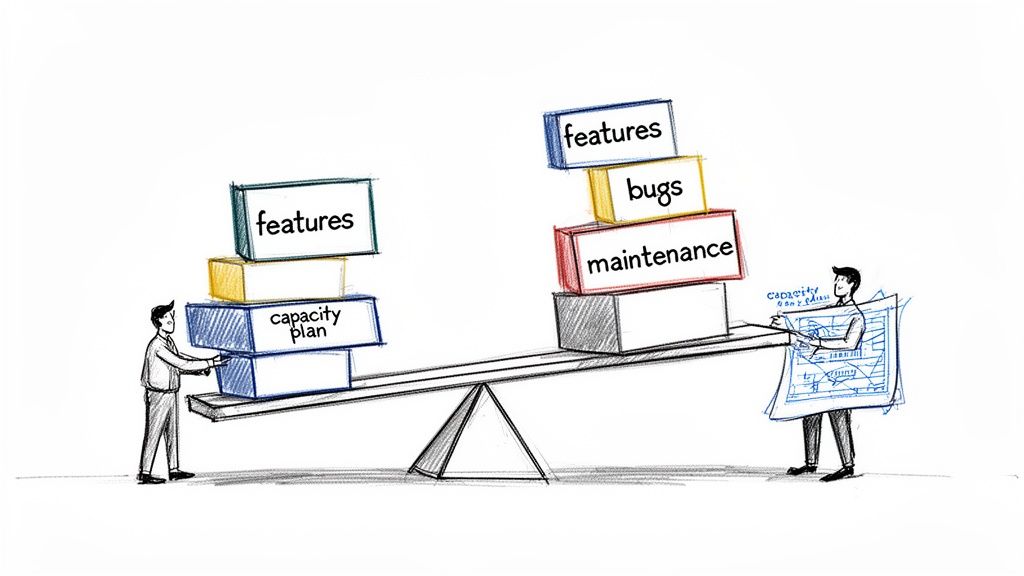
Let's be real—balancing ambitious project goals with your team's actual bandwidth is a constant struggle. It’s incredibly easy to fall into a cycle of overcommitment. This path always leads to the same place: missed deadlines, stressed-out developers, and a product backlog that feels more like a wish list than an actionable plan.
Capacity planning is the framework that finally breaks that cycle. It’s not just another task for a manager's checklist; it's the engine that powers sustainable, predictable growth. Without it, you’re basically flying blind and just hoping you have enough fuel to reach your destination.
The Real Cost of Reactive Planning
Picture a fast-growing SaaS company. They're signing new clients left and right, and their feature request list is exploding. The leadership team, eager to keep the momentum going, says "yes" to everything. The developers, already stretched thin, start putting in longer hours. At first, it seems to be working—code is shipping.
But soon enough, the cracks start to show. Deadlines slip, code quality drops, and critical bugs start popping up in production. The team is on a fast track to burnout, and morale hits rock bottom. This isn’t some made-up story; it’s a painful reality for many teams that don't prioritize capacity planning. The consequences are severe and they ripple across the entire organization.
"Effective capacity planning doesn’t just ask, 'Can we build this?' but rather, 'How can we sustainably deliver value given our constraints?' It transforms resource management from a source of frustration into a strategic asset."
This scenario is precisely why a proactive approach is so critical. The data backs it up, too. Research consistently shows that over 55% of software projects fail due to poor resource planning. That’s a staggering number that highlights just how essential capacity planning is to success.
The Core Goals of Capacity Planning
Good capacity planning isn't about creating rigid, unchangeable schedules that no one can stick to. It's a living, breathing process focused on hitting key business objectives.
When you get it right, you're really aiming to:
- Prevent Team Overload: You can finally set realistic workloads, protecting your most valuable asset—your developers—from burnout. Happy, rested developers write better code.
- Improve Project Predictability: By matching your roadmap to your team’s actual capacity, you can give stakeholders timelines they can trust. This alone can transform your relationship with the rest of the business.
- Make Data-Informed Decisions: It provides the clarity needed to decide when to hire, when to push back on a deadline, or when a project just isn't feasible with the current team.
To see just how transformative this can be, let's look at how these goals translate into tangible business results.
The Real Business Impact of Capacity Planning
The table below breaks down the primary goals of capacity planning and connects them to the real-world business outcomes you can expect. It's not just about managing hours; it's about driving measurable improvements across the board.
| Goal | Business Impact | Example Metric |
|---|---|---|
| Prevent Team Overload | Reduces employee turnover and maintains high code quality. | Decrease in developer attrition rate by 15%; 20% reduction in critical bugs. |
| Improve Predictability | Increases stakeholder trust and ensures on-time delivery. | Improved on-time delivery rate from 70% to 90%. |
| Data-Informed Decisions | Optimizes resource allocation and improves budget accuracy. | 10% reduction in project cost overruns. |
Ultimately, a solid capacity planning process provides a clear line of sight from your development team's daily work to the company's strategic objectives, ensuring everyone is pulling in the same direction.
To dive deeper into the fundamentals, a great resource on mastering workforce capacity planning can set the stage for turning your development efforts into a predictable, growth-oriented machine.
Gathering the Right Data for Accurate Forecasting
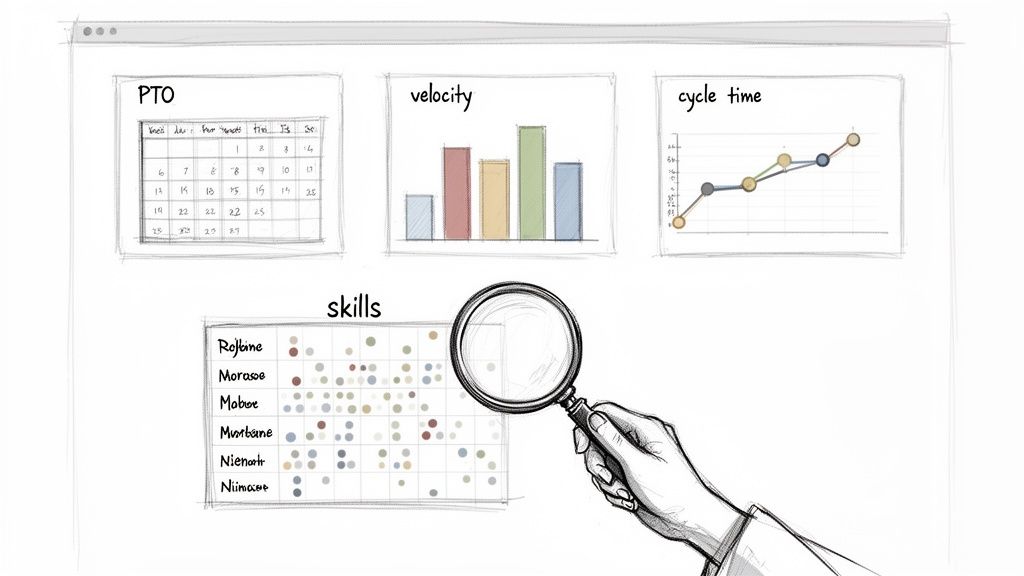
Any capacity plan built on optimistic guesswork is doomed from the start. To get this right, you need a foundation of solid, realistic data about your team's actual capabilities. This means looking past simple headcount and digging into the metrics that reveal your true delivery potential.
The first step is figuring out your team’s true available capacity, which is never 100%. Planning for full utilization is a classic mistake that completely ignores the realities of a developer's day-to-day work. Understanding how to measure developer productivity is a great starting point, as it helps you gather the right data to see what actually drives output.
You need to calculate total workdays and then start subtracting all the non-coding time. This isn't just about vacation days; it's about building a realistic model of your team's available focus time.
Calculating True Developer Availability
To get an accurate picture of your team's time, you have to account for everything that pulls them away from project work, both planned and unplanned.
- Paid Time Off (PTO): Obvious, but crucial. Factor in all approved vacation, personal days, and public holidays.
- Administrative Time: Don't forget the time spent in all-hands meetings, one-on-ones, performance reviews, and other recurring company events.
- Buffer for Unplanned Work: Here’s the one most people miss. Most teams I've seen spend 15-20% of their time on firefighting—urgent bug fixes, production support, or surprise requests. If you don't build this buffer in, you're already behind.
Think of it this way: a developer might have 21 workdays in a month on paper. But take away two days for PTO, another two for mandatory meetings, and a three-day buffer for unplanned work, and you’re left with just 14 days of actual project capacity. That's a huge difference.
A critical error in capacity planning is assuming every developer is an interchangeable unit with eight productive hours a day. Reality is far more nuanced, filled with context switching, collaboration, and creative problem-solving that don’t fit neatly into a timesheet.
Once you have a handle on real availability, you can start layering in performance metrics pulled straight from your project management tools.
Leveraging Historical Performance Data
Your team’s past performance is the most reliable predictor of its future output. Tools like Jira or Azure DevOps are goldmines of historical data that can ground your forecasts in reality.
These are the key metrics you should be pulling:
- Team Velocity: This is the bread and butter for agile teams. It’s the average number of story points completed per sprint over the last 3-5 sprints. It's a fantastic gauge of how much work the team can chew through.
- Cycle Time: This tracks the time from when work starts on a task until it's delivered. A consistently low cycle time is a sign of an efficient workflow. If it's high or erratic, you likely have a bottleneck somewhere, maybe in code review or QA.
- Lead Time: This is the big-picture view, measuring the total time from when a request is made until it's delivered. It includes backlog and prioritization time, making it invaluable for managing stakeholder expectations.
Looking at these metrics together tells a story. For example, if your velocity is stable but your cycle times are creeping up, it could mean that while the team is finishing work, individual tasks are getting stuck somewhere in the process.
Assessing Qualitative Data and Skill Sets
Finally, remember that numbers only tell part of the story. You also need to look at the qualitative side of your team’s capacity—specifically, who has the skills for the work coming down the pipeline.
This is where a skills matrix becomes incredibly useful. It's a simple grid mapping each team member against the key competencies your projects require (think front-end, back-end, mobile, database, etc.). This helps you see if you have not just enough people, but enough of the right expertise to tackle the roadmap successfully.
Picking a Capacity Planning Method That Actually Works
Once you've nailed down your team's real availability and have a handle on their past performance, it’s time to pick a framework for your capacity planning. There’s no silver bullet here. The right method really depends on how your team works, the kind of projects you tackle, and how much predictability your stakeholders need.
Trying to shoehorn a resource-based model onto a fast-moving agile team is just asking for trouble. Likewise, a velocity-based approach makes no sense for a team that bills clients by the hour. The trick is to find a method that fits your existing workflow like a glove, not one that you have to constantly fight.
Let's break down three of the most common—and effective—models I’ve seen work in the real world.
For Agile Teams: Go with Velocity-Based Planning
If your team is already living and breathing Scrum or a similar agile framework, velocity-based planning is your most natural fit. It’s built on the metrics you’re likely already tracking, like story points and sprint velocity, to make your forecasts surprisingly reliable.
This whole approach sidesteps the trap of estimating in hours, which, as any seasoned developer knows, is a notoriously flawed game for complex software development. Instead, it gets right to the point by asking a simple, powerful question: "Based on what we've actually done, how much work can we commit to in the next sprint?"
To get started, just calculate your team's average velocity. Look at the total story points they knocked out over the last three to five sprints. That historical average is your new baseline for what you can realistically take on.
For example, if a team wrapped up sprints with 28, 32, and 30 story points, their average velocity is a solid 30 points. That’s your capacity target for the next sprint. It’s not a wild guess; it’s a forecast backed by data, which makes it much easier to defend when you’re talking timelines with leadership. You can dive deeper into different estimation approaches in our guide on software estimation techniques.
Velocity isn't just a metric; it's a diagnostic tool. When you see it bouncing all over the place, that's often a signal of deeper problems—maybe the requirements are muddy, technical debt is piling up, or outside teams are causing blockages.
This method is fantastic for short-term, operational planning. It creates a steady, predictable rhythm that helps development teams consistently ship value, sprint after sprint.
When Hours Matter: Resource-Based Planning (Hours or FTEs)
While agile teams run on points, some environments just can't get away from tracking time. Resource-based planning, which zeroes in on available hours or Full-Time Equivalents (FTEs), is often the right call for:
- Agencies or consulting shops that have to bill clients for specific chunks of time.
- Maintenance or support teams where work is more about time-boxing tasks than estimating abstract complexity.
- Companies with rigid project budgets where tracking person-hours is non-negotiable for financial reporting.
The process here is pretty straightforward. You start by figuring out the total number of hours your team has available over a set period. Just remember to subtract all the time for meetings, PTO, and other non-coding activities we talked about earlier.
Let's say you have a team of four developers. On paper, that sounds like 640 hours of work in a month (4 people x 40 hours/week x 4 weeks). But once you account for a realistic 25% overhead for meetings, admin stuff, and a bit of a buffer, their actual capacity for project work is closer to 480 hours. That’s the number you plan with.
From there, you break down your upcoming projects into individual tasks and estimate the hours for each one. This lets you map out who is working on what, ensuring you don’t burn out your team by overcommitting their limited time.
For the Long View: Probabilistic Forecasting with Monte Carlo Simulations
When you need to plan a long-term roadmap or answer that classic stakeholder question, "So, when will it be done?", both velocity and resource-based methods start to show their cracks. They give you a single-point estimate that completely ignores the uncertainty baked into software development.
This is where Monte Carlo simulations are a total game-changer.
A Monte Carlo simulation is a powerful forecasting technique that runs thousands of "what-if" scenarios using your team's past performance data. Instead of giving you one flimsy date, it produces a range of possible completion dates, each with a probability attached.
The simulation takes your historical data—like cycle time or weekly throughput (how many tickets you finish per week)—and runs with it. It simulates the future thousands of times by randomly pulling from your past performance to model all sorts of potential outcomes.
This histogram from a Monte Carlo simulation shows how it creates a distribution of possible outcomes instead of a single guess.
The magic is that the results naturally cluster around a likely range, giving you a forecast that’s far more grounded in reality.
For instance, a simulation might tell you:
- There's an 85% chance this project will be done by December 1st.
- There's a 50% chance we'll hit our goal by November 15th.
- There's only a 10% chance we'll get it done by October 30th.
Having a probabilistic forecast completely changes the conversation with stakeholders. You move away from discussing false certainties and start having a grown-up talk about risk and confidence levels. It empowers everyone to make smarter decisions based on what’s likely to happen, not just on what they hope will happen.
Building and Maintaining Your Capacity Plan
Alright, you've crunched the numbers, you know your team's real capacity, and you've picked a planning method. Now it's time to actually build the plan. The goal here isn't to create some rigid document that gets filed away and forgotten. We're building a living, breathing tool that brings clarity, sparks the right conversations, and helps you make decisions before you're in a pinch.
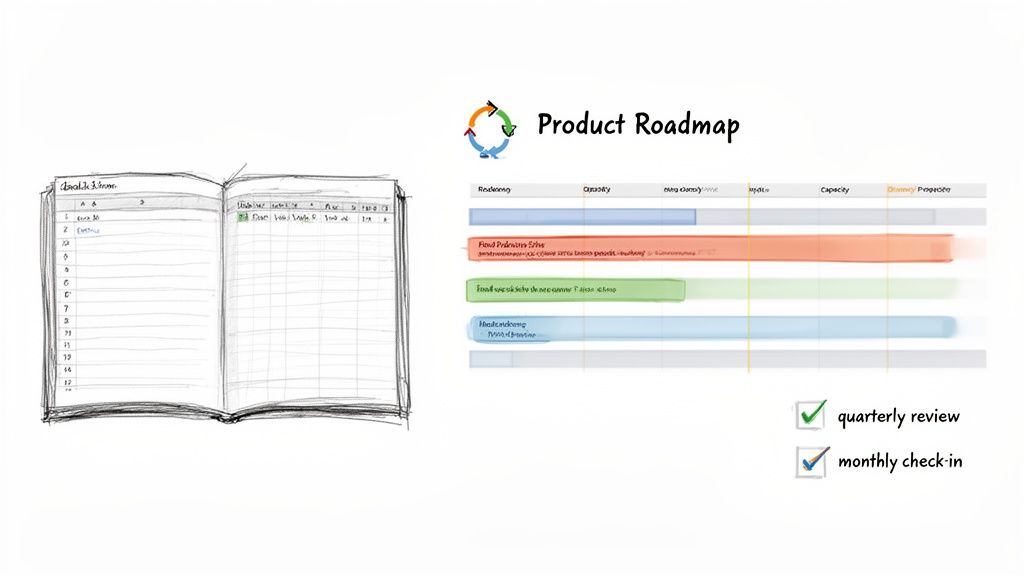
The best capacity plans I've ever seen started simple but were built to grow. They act as a visual bridge connecting your ambitious product roadmap to the very real, very human team tasked with delivering it. It’s how you spot the friction points long before they become emergencies.
Starting with a Simple Template
Forget about sinking money into fancy software right out of the gate. A well-organized spreadsheet is more than powerful enough to get started and, more importantly, to prove the value of this whole exercise.
Your first template is all about mapping your team’s available time against the upcoming demands. Here's a stripped-down structure that just works:
- Rows for Your People: List out each developer or team.
- Columns for Time: Lay out the next quarter week by week or month by month.
- Capacity Numbers: Plug in the realistic capacity—in hours or points—for each person in each time block. This is where you use the numbers you calculated earlier, the ones that account for holidays, meetings, and all that other "non-coding" work.
- Project Assignments: Start blocking out time for the big projects on your roadmap, assigning the effort estimates you have.
As you fill this out, the magic starts to happen. You'll literally see where the roadmap's demands pile up and overwhelm your team's availability. Those red flags are your early warning system, telling you a bottleneck is forming.
Visualizing the Roadmap Against Capacity
Once you have this basic grid, its real job begins: making the trade-offs obvious. The plan exists to force the tough conversations about ambition versus reality before you’re in the middle of a five-alarm fire.
For example, the spreadsheet might show a huge feature in Q3 needs 400 story points from the backend team, but after doing the math, you see they only have 300 points of real capacity. That isn't a failure—that's a win. You just spotted a major problem three months ahead of schedule.
A capacity plan is less of a rigid schedule and more of a conversation starter. Its real value is in forcing teams to confront trade-offs early, turning reactive firefighting into proactive strategic adjustments.
With this kind of foresight, your options open up. Do you de-scope the feature? Push back a different project? Or is this the hard data you finally need to get approval for a new hire? You're moving the discussion from "I think we're busy" to "Here's exactly where we're going to break." For more on this, our guide on effective project manager resource allocation dives deeper into navigating these choices.
Establishing a Sustainable Cadence for Reviews
A capacity plan that isn't updated is a useless one. It quickly becomes a historical artifact. The trick is to build a review rhythm that piggybacks on your company's existing planning cycles, so it doesn't feel like yet another meeting.
A regular cadence keeps the plan relevant and turns it from a spreadsheet into a dynamic governance tool. The industry is catching on, too. The capacity management market was valued at USD 597.5 million in 2018 and was projected to hit USD 1.55 billion by 2023. As you can see from trends on MarketsandMarkets.com, companies are investing heavily to get this right.
Here's a practical schedule that I've seen work time and time again:
- The Quarterly Strategic Review: This is your big-picture session. You'll align the capacity plan with the newly approved quarterly roadmap. This is where you hash out major project sequencing, negotiate scope, and decide if you need to bring in more help.
- The Monthly Tactical Check-In: Think of this as a course correction meeting. How are we tracking against the plan? Did a surprise priority pop up? Has anything changed? This is where you adjust the forecast for the next 4-6 weeks.
- The Weekly Operational Sync: This isn't a full plan review. It’s a quick gut-check during sprint planning. A simple "Does the work we're committing to this week still line up with our capacity plan?" is all you need.
This layered approach keeps your plan honest and useful, guiding everything from high-level strategy to day-to-day work without bogging everyone down in process.
Strategically Filling Capacity Gaps with Nearshore Teams
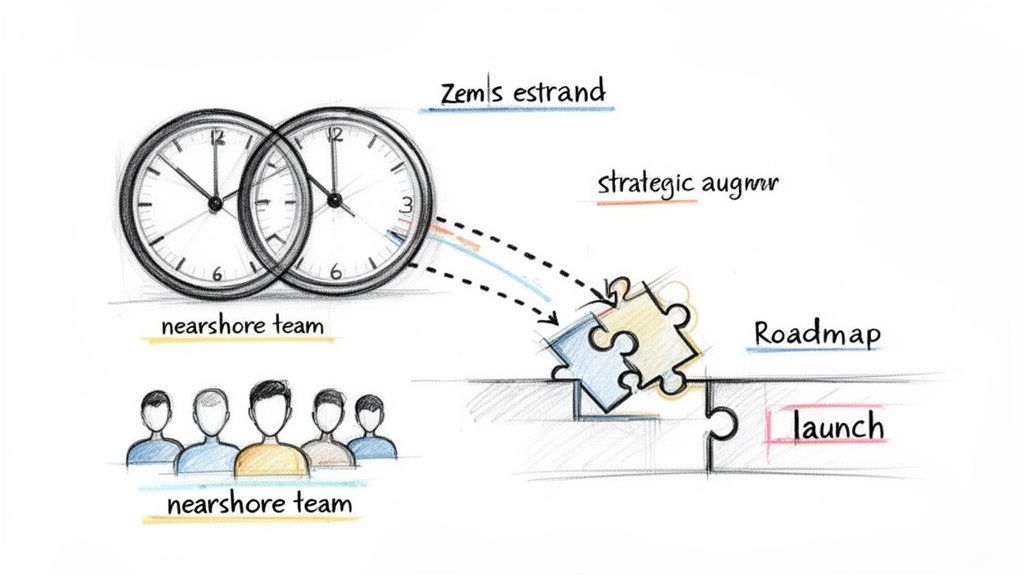
So, your capacity plan has done its job and flagged a gap. The ambitions on your roadmap are clashing with your team's actual bandwidth. This isn’t a planning failure—it’s a success. It means you have the foresight to act before you’re behind schedule.
Instead of immediately cutting scope or pushing deadlines, you can get strategic. This is where a flexible talent strategy becomes your most powerful tool. Staff augmentation, especially with nearshore teams, lets you scale your capacity exactly when and where you need it, skipping the long-term overhead and slow recruitment cycles of traditional hiring.
Think of it as adding specialized firepower to your team for a specific mission, whether for a few months or a year, and then scaling back down just as easily.
When Does Augmentation Make Sense?
This isn't just a tactic for putting out fires; it’s a proactive move that works incredibly well in a few common situations. See if any of these sound familiar:
- Accelerating a Key Feature: The market window for a critical new feature is closing fast, and your current team just can't hit the deadline. Bringing on two skilled developers for six months can mean the difference between winning market share and watching a competitor get there first.
- Accessing Specialized Skills: Your team is brilliant, but the next big project needs deep expertise they don’t have, like a niche machine learning framework or a specific cloud platform. Augmentation allows you to essentially "rent" that expertise for the life of the project.
- Covering a Temporary Leave: A key engineer is heading out on parental leave for four months. Instead of piling the work on everyone else and risking burnout, you can bring in a seasoned professional to keep the momentum going.
In every case, you’re surgically adding capacity right where you need it, without messing with your long-term team structure or budget.
The Nearshore Advantage
While you can augment your team from anywhere, there's a reason so many engineering leaders look to nearshore partners. By working with talent in nearby countries with similar time zones, the entire process becomes remarkably smooth. It feels less like hiring a contractor and more like extending your existing team.
The benefits are real and immediate:
- Time-Zone Alignment: When your augmented team works the same core hours, collaboration is natural. You can jump on a quick call to solve a blocker instead of waiting 12 hours for an email response. It’s a game-changer for agility.
- Cultural Similarity: Shared cultural norms and business etiquette flatten the learning curve. New team members can integrate into your workflow, communication style, and even your team's social rituals much faster.
- Cost-Effectiveness: You get access to a world-class talent pool at competitive rates without sacrificing the quality or collaborative chemistry that comes from a team that’s in sync.
Nearshore staff augmentation bridges the gap between needing specialized talent now and the long, expensive process of hiring full-time. It’s a flexible, powerful tool for executing your roadmap on your terms, not your constraints.
A Quick Case Study
Imagine a fintech startup rushing toward a major product launch. Their capacity plan showed they were 30% short on the backend development firepower needed to hit their hard deadline. Hiring would take months they simply didn't have.
Instead, they partnered with a nearshore agency and onboarded three senior backend developers in just three weeks. Because the new team members were in a compatible time zone, they instantly joined daily stand-ups and sprint planning. They were added to the team's existing Slack channels and Jira boards, becoming part of the workflow from day one.
The result? The startup didn't just hit its launch date; it launched with a more stable and thoroughly tested product. Once the launch was over, they scaled the augmented team back down, having met their goal without taking on long-term payroll costs. This is a perfect example of how nearshore staff augmentation can turn a potential crisis into a strategic win.
Answering Your Top Capacity Planning Questions
Even with the best framework in place, theory only gets you so far. Once you start putting capacity planning into practice, real-world questions are bound to surface. Let’s dive into some of the most common hurdles teams face and how to clear them.
How Do You Handle Unplanned Work and Emergencies?
The unexpected is, well, expected. The trick is to plan for it. Instead of letting emergencies blow up your sprint, formalize a buffer right from the start.
Most seasoned agile teams I've worked with bake this right into their process, reserving about 10-20% of each sprint's capacity for things that inevitably pop up—think critical production bugs or that "urgent" request from a key stakeholder. This isn't just guesswork; it's a strategic move. Look back at your last few sprints. How much time did you actually spend on unplanned tasks? Use that data to set a realistic buffer. It’s a simple change that makes your forecasts dramatically more reliable and keeps a single fire from burning down the whole village.
What Are the Most Common Mistakes to Avoid?
It's easy to get tripped up when you're starting out. I've seen a few common pitfalls sink otherwise solid capacity planning efforts time and time again. Forewarned is forearmed.
Here are four big ones to watch out for:
- Assuming 100% Productivity: This is the number one mistake. No one codes for eight straight hours a day. You have to account for meetings, emails, code reviews, and just plain thinking time. A much safer, more realistic number is to plan for 70-80% of a developer's time being dedicated to heads-down project work.
- Using Inconsistent Units: Are you measuring in story points or hours? Pick one and stick with it. Mixing them without a clear conversion or rationale just muddies the water and makes your data useless for future forecasting. Consistency is your best friend here.
- Treating the Plan as Static: Your capacity plan isn't a stone tablet. It's a living document. It needs to be revisited and tweaked regularly—at least monthly, if not more often. Market conditions change, people take vacations, and priorities shift. An outdated plan is worse than no plan at all.
- Ignoring Specific Skill Sets: Having five developers available doesn't mean you can tackle any problem. If your big upcoming feature is a complex backend service, assigning it to a team of junior front-end specialists is a recipe for disaster. You have to match the right skills to the work.
What Are the Best Tools for Capacity Planning?
Spreadsheets are a great place to start, but as you grow, you'll likely need something with more muscle. The demand for dedicated software is exploding for a reason. The global capacity planning software market was valued at USD 2.5 billion in 2024 and is on track to hit USD 6.8 billion by 2033. If you're interested in the market dynamics, you can find detailed industry analyses that break down these trends.
The right tool for you really hinges on your team's workflow and current tech.
The goal isn't just to find a tool but to choose one that seamlessly integrates into your team's daily workflow, making capacity management a natural part of the development cycle rather than an administrative burden.
For teams already living in the Atlassian or Microsoft ecosystems, platforms like Jira (especially with plugins like Tempo Planner) or Azure DevOps have fantastic built-in capabilities for tracking work and velocity.
If your needs are more complex—like managing resources across multiple teams or running sophisticated "what-if" scenarios—then you might want to look at specialized tools. Products like Forecast, Resource Guru, or Kantata are built from the ground up for exactly that.