Your Actionable Software Test Strategy Template And Guide
Think of a software test strategy template as more than just another document. It's a high-level game plan, a reusable guide that lays out your entire approach to testing. It defines the scope, clarifies objectives, and allocates resources, creating a blueprint that gets your development, QA, and business teams all speaking the same language.
Why A Test Strategy Is Your Project's Blueprint For Success
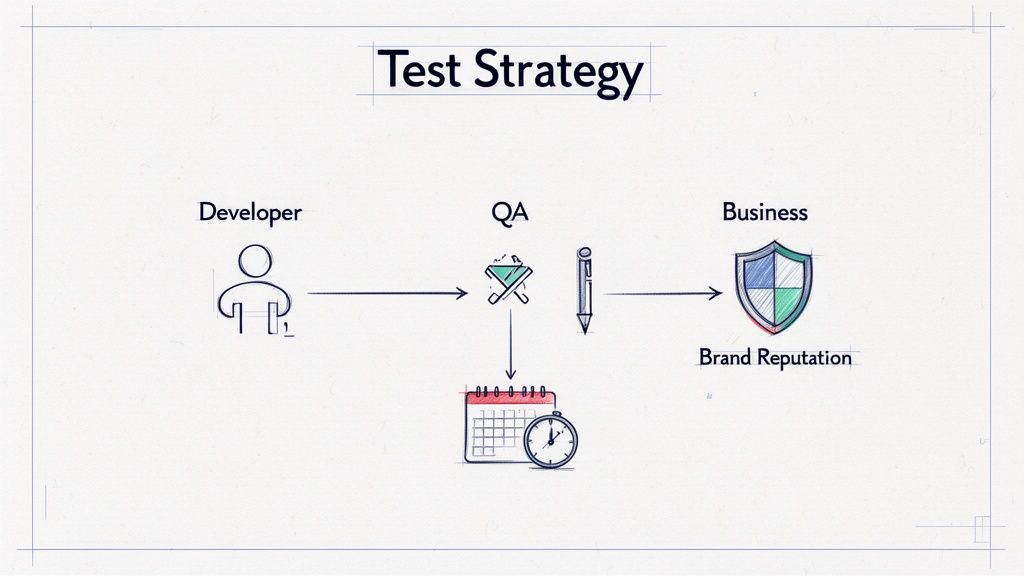
Before you jump into filling out the template, it's vital to grasp why this document is a genuine asset, not just a formality to check off a list. It’s what elevates testing from a reactive, bug-squashing exercise to a proactive force that drives quality and protects your brand. A solid plan stops the last-minute scramble, makes it clear who owns what, and acts as the single source of truth for the whole team.
Without this blueprint, teams stumble into the same old traps. I've seen it happen time and again—developers and testers operate on different assumptions, leading to friction. Scope creep runs rampant as stakeholders add "just one more test" ad-hoc, completely derailing timelines and budgets.
Aligning Teams and Managing Expectations
When properly filled out, a software test strategy template becomes a pact between all stakeholders. It forces everyone to answer the tough questions upfront, making sure the product manager and the newest developer are on the same page from day one.
This alignment pays off in huge ways:
- No More Guesswork: The dev team knows the exact quality bar they need to hit before a single line of code gets passed to QA.
- Smarter Budgeting: When you define the scope and types of testing early on, you can make much more accurate forecasts for the people, tools, and time you'll need.
- Faster Releases: An efficient, predictable testing process removes the bottlenecks that always seem to pop up right before a launch.
A great test strategy doesn't just list what you'll test; it explains why you're testing it. It connects every test case back to a real business goal, whether that's delighting users, securing data, or making sure the system doesn't crash on a busy day.
Here’s a quick-glance summary of the essential pillars covered in our downloadable template, explaining the 'why' behind each component.
Core Components Of An Effective Test Strategy
| Component | Strategic Purpose | Key Question It Answers |
|---|---|---|
| Scope & Objectives | Defines the battlefield and the victory conditions. | "What exactly are we testing, and what does 'done' look like?" |
| Test Approach | Outlines the overall methodology (e.g., Agile, manual, automated). | "How will we approach testing to achieve our quality goals efficiently?" |
| Test Environment | Specifies the hardware, software, and data needed. | "What specific setup do we need to replicate the real world?" |
| Tools & Resources | Lists the software and people responsible for execution. | "Who is doing what, and what tools will they use?" |
| Risks & Mitigation | Identifies potential roadblocks and plans for them. | "What could go wrong, and how will we handle it?" |
| Metrics & Reporting | Defines how success will be measured and communicated. | "How will we know if we're on track, and how will we share progress?" |
This framework ensures you're not just testing for the sake of it, but are strategically validating the product against concrete business needs.
From Reactive Chore to Proactive Quality Driver
Thinking strategically turns testing from a final hurdle into an integral part of how you build software. This proactive mindset is non-negotiable in today's market. The global software testing market is currently valued at around $45 billion and is expected to explode to $109.5 billion by 2027. This isn't just a random number; it shows that smart companies now view strategic testing as a core business function, not an optional cost.
I’ve worked with startups and SMEs where this shift was a complete game-changer. They went from finding critical bugs hours before a big launch to identifying risks early, building quality into every sprint, and shipping features with confidence. To see how this fits into the bigger picture, it's worth understanding how a complete Software Quality Assurance Strategy underpins project success.
Ultimately, your test strategy is the plan that transforms quality from an afterthought into your biggest competitive advantage.
Your Downloadable Software Test Strategy Template
Alright, let's move from theory to action. We've talked about why a test strategy is so critical, and now it's time to give you a tool that puts those principles to work. Here is a direct link to our software test strategy template, crafted from years of hands-on project experience.
Download Your Free Software Test Strategy Template Here
Think of this as more than just a document. It's a structured framework designed to become the single source of truth for your entire QA process. It’s built to cut through the noise, eliminate guesswork, and get everyone—from developers to stakeholders—on the same page.
A Glimpse Inside The Template
Here’s a quick peek at the clean, logical layout you'll get. We kept it straightforward so you can focus on what matters.
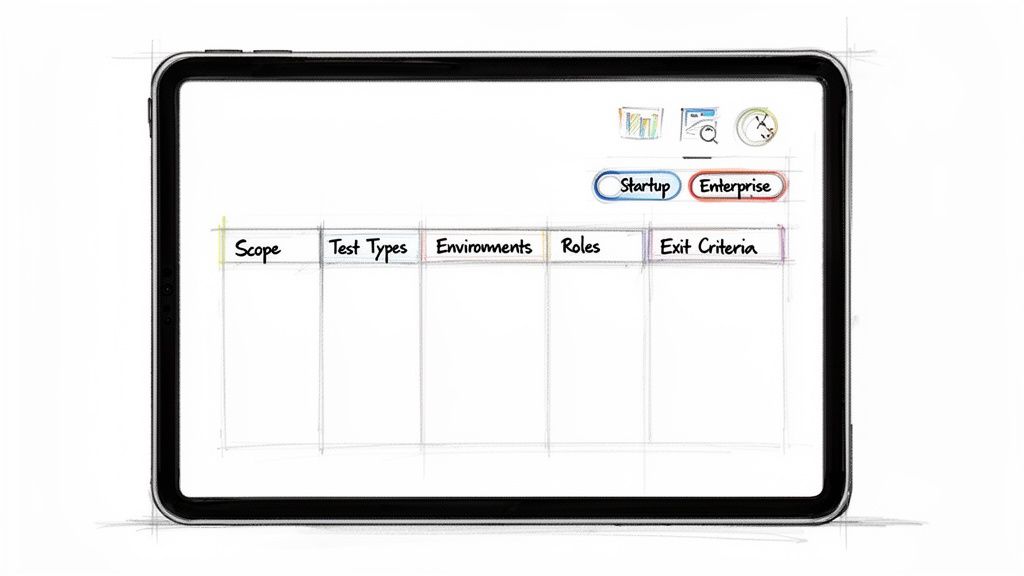
The structure is designed to help you capture all the essential details without getting bogged down in fluff.
Built for Real-World Adaptability
I’ve seen firsthand how a one-size-fits-all approach to documentation just doesn't work. The testing needs of a startup launching its first app are worlds apart from an enterprise migrating a legacy system. This template was specifically designed to bridge that gap.
The real power of a great template lies in its adaptability. It provides a robust skeleton, allowing you to flesh it out with the specific details your unique project demands, whether you're testing a simple API or a complex microservices architecture.
The sections are comprehensive enough to satisfy enterprise-level compliance but can be easily stripped back for smaller, fast-paced projects. You can remove what you don't need and expand on what you do.
For example, a startup might lean heavily into exploratory and user acceptance testing, while a fintech company will need to detail extensive security and compliance protocols. The template handles both scenarios perfectly.
A solid strategy document also feeds into other crucial project artifacts. It’s a key input for your project’s technical specifications, which you can learn more about in this guide on creating a technical requirements document template. This integration ensures everything you build is testable from day one, turning your strategy from a static document into a living asset.
How to Turn the Template Into Your Project’s Quality Playbook
A great software test strategy template is just a starting point. It’s a powerful framework, but its real value comes to life when you fill it with the specifics of your project. Let's walk through how to transform that blank document into your team's command center for quality.
This is where the rubber meets the road. We'll get practical, breaking down each section with actionable advice and real-world examples to guide you.
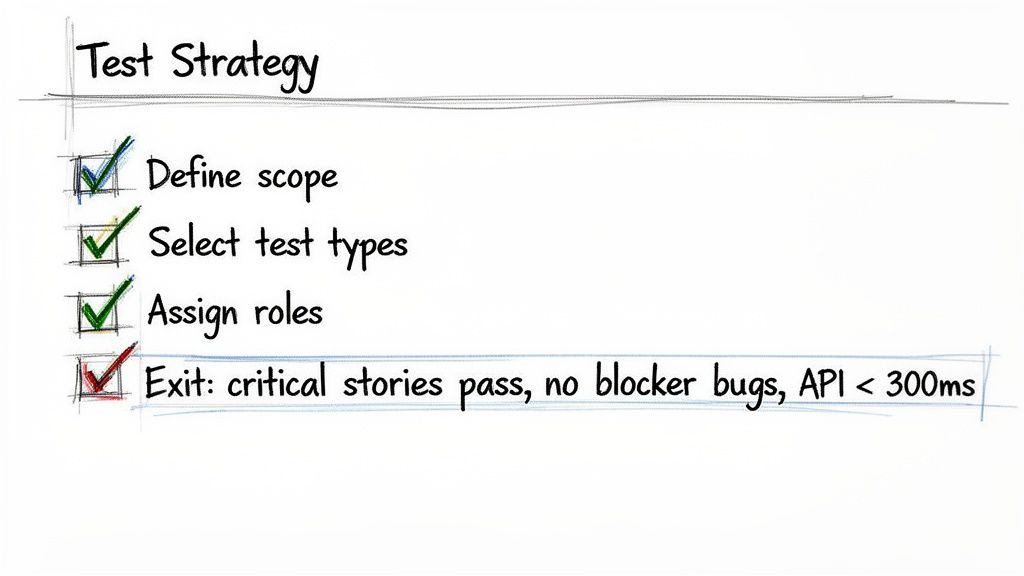
We’ll cover everything from nailing down your scope and picking the right test types to defining environments and clarifying who does what. These are the critical steps that bridge the gap between a written strategy and a successful execution.
Defining Scope And Objectives
This section is, without a doubt, the most important. I've seen more testing efforts fail due to a vague scope than any other single reason. It's a recipe for wasted time, blown budgets, and frustration. You have to be ruthless here, clearly defining what's in-scope (getting tested) and what's out-of-scope (not getting tested in this release).
Get started by asking some high-level questions:
- What are the core business goals for this release?
- Which features or user stories are absolute deal-breakers for launch?
- Are we depending on any third-party integrations?
Answering these questions helps you tie every testing activity directly back to business value. For instance, instead of a generic goal like "Test the user profile page," aim for something much sharper: "Verify users can successfully update their password and profile information, aiming to reduce related support tickets by 20%."
Let's Use an E-commerce Checkout Flow as an Example
Imagine your team is building a new, streamlined checkout process.
- In-Scope:
- Adding items to the cart from a product page.
- Successfully applying a discount code.
- Processing payments through the Stripe integration.
- Functionality for guest checkout.
- Out-of-Scope:
- The user account creation flow (another team is handling that).
- Testing on the old, legacy checkout system.
- Performance testing beyond 1,000 concurrent users (that’s scheduled for next quarter).
This level of clarity is your best defense against scope creep. It keeps the team laser-focused on what truly matters for this release.
Selecting Your Test Types And Approach
Once your scope is locked down, you need to decide how you're going to test everything. This isn't about doing every type of testing under the sun. It's about strategically picking a mix of test types that address your project's biggest risks.
This is also where you'll define your stance on automation versus manual testing. It's interesting to note that while 77% of companies have adopted some test automation, a mere 5% are fully automated. The reality for most of us is a blend—often a 75:25 or 50:50 manual-to-automation split. That balance is crucial to define in your strategy. For more on this, Testlio's research on test automation statistics is quite insightful.
Let’s look at the most common choices.
Functional And Non-Functional Testing
- Functional Testing: This is the bread and butter. It verifies that the software actually does what it's supposed to do. Think unit tests (checking tiny pieces of code), integration tests (making sure different modules play nice together), and end-to-end tests (simulating a full user journey).
- Non-Functional Testing: This checks how well the software works. This umbrella covers performance, load, stress, security, and usability testing. These are the things teams often push to the end, which is almost always a mistake.
A classic pitfall is leaving non-functional testing until the final days before launch. By explicitly including it in your strategy from day one, you force the entire team to think about performance and security early on. It's far cheaper and more effective to build these qualities in than to try and bolt them on later.
Applying This to Our Checkout Flow Project:
- Unit Test: A developer writes a test to confirm that the discount code validation logic works correctly on its own.
- Integration Test: A test is built to verify that when an order is submitted, the Stripe gateway receives the correct payment amount and our inventory system gets updated.
- Performance Test: We'll simulate 500 users hitting the checkout simultaneously to make sure API response times stay under 500ms.
- Security Test: We'll run an automated scan to check the payment form for common vulnerabilities like SQL injection.
Specifying Test Environments
The test environment—the specific hardware, software, and network setup where you run your tests—is your proving ground. The goal is to make it a near-perfect mirror of your live production environment. If you don't, you'll constantly be dealing with those dreaded "but it worked on my machine" bugs.
Get really specific in this section. "A staging server" just doesn't cut it.
Key details you absolutely need to include:
- Hardware: Server specs (CPU, RAM), mobile devices (e.g., iPhone 14, Samsung Galaxy S22).
- Software: Operating systems (e.g., Windows Server 2022, macOS Sonoma), browser versions (e.g., Chrome 124, Safari 17), and database versions (e.g., PostgreSQL 15).
- Test Data: How are you getting realistic data? Will you use an anonymized snapshot of production data, or will you rely on a data generation tool?
Example Test Environment Configuration:
| Category | Configuration Details |
|---|---|
| Web Server | AWS EC2 t3.large instance running Ubuntu 22.04 |
| Database | AWS RDS instance with PostgreSQL 15, populated with anonymized customer data |
| Browsers | Latest stable versions of Chrome, Firefox, and Safari on both Windows 11 and macOS |
| Mobile Devices | Physical devices: iPhone 15 (iOS 17), Google Pixel 8 (Android 14). Emulators for older OS versions. |
This level of detail eliminates guesswork and makes it infinitely easier for developers to reproduce any bugs the QA team finds.
Assigning Roles And Responsibilities
Clear ownership is the glue that holds a testing process together, especially when working with distributed or nearshore teams. This part of the template defines who is on the hook for what. It's not about playing the blame game; it’s about making sure every critical task has a dedicated owner so nothing falls through the cracks.
Typical Roles and Their Responsibilities:
- QA Lead/Manager: Owns the test strategy, orchestrates all testing activities, and makes the final call on a go/no-go release decision.
- QA Engineer (Manual): The explorer. They execute manual test cases, hunt for edge cases, and write crystal-clear bug reports.
- Automation Engineer: Builds and maintains the automated test suite for regression and performance. They're also responsible for integrating tests into the CI/CD pipeline.
- Developer: Writes unit tests for their own code. They fix bugs assigned to them and verify the fix before tossing it back over the wall to QA.
- Product Manager: Helps define the acceptance criteria for features and is a key player in User Acceptance Testing (UAT) to ensure the product meets business needs.
Outlining these duties up front fosters a culture of collaboration and makes the entire workflow more efficient.
Defining Entry And Exit Criteria
How do you know when it's time to start testing? Even more importantly, how do you know when you're done? Entry and exit criteria give you concrete, data-driven answers to these questions, replacing vague feelings with objective milestones.
Entry Criteria are the conditions that must be true before the testing team even touches a build. This prevents QA from wasting cycles on a broken or half-baked feature.
- Example Entry Criteria:
- All developer unit tests are passing for the features in this build.
- The build has been successfully deployed to the correct test environment.
- There are zero known "blocker" or "critical" bugs from the development phase.
Exit Criteria define when you can confidently say testing is complete for a release. This is your "Definition of Done" for quality.
Think of your exit criteria as a non-negotiable contract with the business. If the criteria aren't met, the release simply does not ship. This discipline is what separates high-performing teams from those who are constantly putting out fires in production.
Example Exit Criteria (for our E-commerce project):
- Test Execution: 100% of all planned test cases have been executed.
- Pass Rate: A minimum of 95% of all test cases have passed.
- Critical Defects: There are zero outstanding blocker or critical bugs.
- Performance: The average API response time for the checkout endpoint is under 400ms under simulated load.
These clear benchmarks take all the guesswork out of release decisions. A fantastic tool for tracking these items is a detailed software testing checklist. It helps ensure nothing gets missed in that final, frantic push before launch.
Integrating Your Test Strategy Into Agile And CI/CD Workflows
A solid test strategy is more than a blueprint; it's a living document. If it just sits in a shared drive collecting digital dust, it's not doing its job. To really make an impact, your strategy needs to be woven into the fabric of your daily development cycles, especially if you're working in an Agile, Scrum, or CI/CD environment.
The goal is to build quality into the process from the start, not just inspect it at the end. This means your strategy should directly influence how your team operates in each sprint and how your automated pipelines behave.
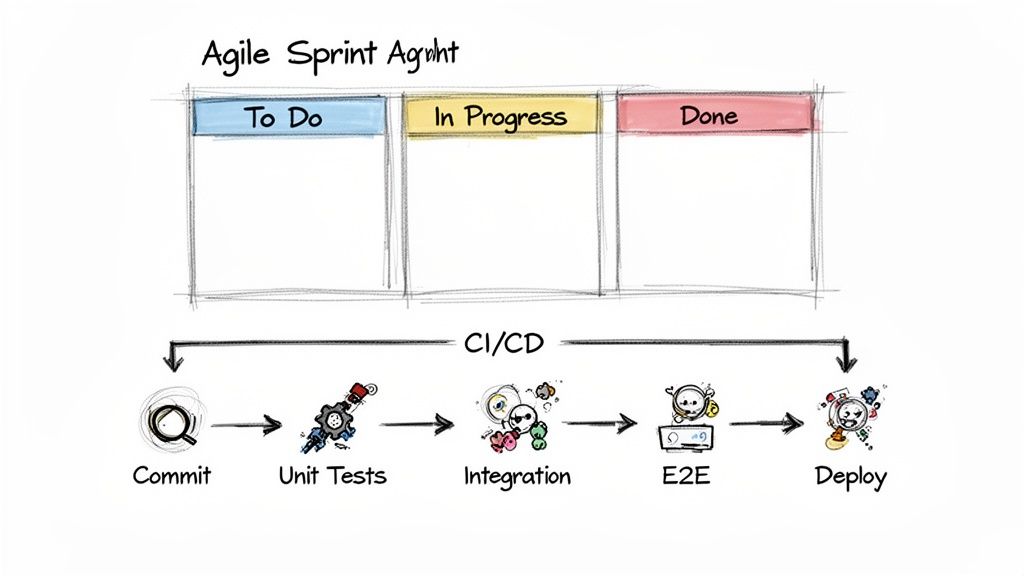
Adapting Your Strategy For Sprint-Based Testing
In the fast-paced world of Agile, your test strategy isn't some massive tome you review once a quarter. Think of it as a playbook that guides conversations during sprint planning, daily stand-ups, and retrospectives. It becomes the definitive source for any quality-related questions that pop up.
A great way to do this is by using the strategy to define what "done" actually means for each user story. The exit criteria you outlined in your document should map directly to your team's Definition of Done (DoD).
For instance, your team's DoD might look something like this:
- Unit Test Coverage: All new code must hit the 85% unit test coverage target defined in the strategy.
- Peer Review: The code has been looked over and approved by at least one other developer.
- Manual QA: A QA engineer has manually tested the feature against all acceptance criteria.
- Automated Tests: All relevant automated integration and end-to-end tests are green.
When you integrate your strategy this way, quality becomes non-negotiable. A story isn't "done" just because the code is written; it’s done when it meets the quality bar you all agreed on. This proactive mindset is a core part of effective delivery, and getting familiar with Agile software development best practices will only sharpen your team's approach.
How The Test Strategy Informs Your CI/CD Pipeline
Your Continuous Integration/Continuous Deployment (CI/CD) pipeline is where your test strategy gets automated and put to work. The strategy document should spell out exactly which test suites run at each stage of the pipeline, creating a series of automated quality gates.
Think of it like a layered security system for your code. Each stage offers a deeper level of validation, giving you faster feedback and stopping broken code in its tracks. A poorly designed pipeline is a classic pitfall—it's either too slow and creates a bottleneck, or it's too lax and lets bugs slip right through to production.
A well-structured CI/CD pipeline, guided by your test strategy, is your first line of defense. It automates the routine checks, freeing up your QA engineers to focus on more complex exploratory testing and edge cases where human intuition excels.
A typical testing structure within a CI/CD pipeline, based on a solid strategy, might look like this:
| Pipeline Stage | Trigger | Test Suite Executed | Purpose |
|---|---|---|---|
| Commit Stage | Every code commit | Unit Tests & Static Analysis | Gives developers instant feedback in minutes. Catches basic syntax and logic errors. |
| Build Stage | After successful commit | Integration Tests | Confirms that different modules and services play nicely together. Runs on a dedicated build server. |
| Staging Deploy | After successful build | End-to-End (E2E) & Regression Tests | Deploys to a production-like environment and runs through full user journeys to catch regressions. |
| Production | Manual or auto-trigger | Smoke Tests | Runs a small, critical set of tests right after deployment to make sure the application is stable. |
This tiered approach ensures the fastest, cheapest tests run most often, while the slower, more resource-intensive tests only run after the initial quality checks have passed.
A Real-World CI/CD Scenario In Action
Let’s see how this works in practice. Imagine a QA engineer, Sarah, is responsible for a new "Add to Cart" feature. She knows from the team's software test strategy that all new features need automated E2E tests.
- First, she consults the strategy. The document states that E2E tests for core user flows must be written in Cypress and run on both Chrome and Firefox.
- Next, she writes the test. Sarah builds a new automated script that mimics a user logging in, searching for an item, and successfully adding it to their shopping cart.
- Then, she integrates it with the CI pipeline. She commits her new test script. The CI/CD pipeline, which is configured based on the strategy, automatically detects the new test and adds it to the "Staging Deploy" suite.
- Finally, execution is automated. From now on, every time a developer's code passes the early commit and build stages, Sarah's E2E test will run automatically against the latest build in the staging environment.
This creates a powerful feedback loop. The strategy set the rules, and the CI/CD pipeline enforced them automatically, guaranteeing the "Add to Cart" feature is continuously validated with every single change.
Common Mistakes To Avoid When Building Your Strategy
A software test strategy document is a powerful tool, but it's not foolproof. I've seen even the most detailed plans get derailed by a few common, costly mistakes. Avoiding these pitfalls is what makes a strategy a living guide for your team, rather than a document that just gathers dust.
These aren't theoretical problems; they're traps I've watched teams fall into time and time again, from nimble startups to large enterprises. The good news? With a bit of foresight, they are almost entirely preventable.
The "Test Everything" Trap
One of the most common mistakes is creating a scope that is way too broad. It usually sounds something like, "test the entire application." That’s not a strategy—it's an impossible mission that guarantees shallow testing where nothing gets the attention it truly needs. You're setting the team up to fail from the start.
The key is to be ruthless with your prioritization. Instead of aiming to "test everything," tie your testing efforts directly to specific business goals. A vague objective like "test the new checkout process" becomes much more powerful when you get specific.
Our primary goal is to validate the new checkout workflow to cut cart abandonment by 15%. We'll focus on payment gateway integrations and discount code functionality on Chrome and Safari, since those two browsers make up 80% of our user traffic.
This simple shift forces you to concentrate your limited time and resources on what actually moves the needle for the business.
Ignoring Non-Functional Requirements Until It's Too Late
So many teams get laser-focused on functional testing—does this button work?—while pushing things like performance, security, and usability to the very end of the line. This is a classic recipe for last-minute panic. There's nothing worse than discovering your app crawls to a halt with just 100 concurrent users a week before you're supposed to launch.
The only way to avoid this nightmare is to weave non-functional testing into your strategy from day one.
- Performance: Set clear, measurable goals, like ensuring API response times stay under 300ms.
- Security: Make vulnerability scans a routine part of your CI/CD pipeline, not a one-off event.
- Usability: Plan for real user feedback sessions early in the design phase, not after the feature is already locked in.
When you treat these as ongoing activities instead of a final hurdle, you build a product that's not just functional, but also fast, secure, and genuinely easy to use.
Choosing Tools Based on Hype, Not Need
The market is swimming with testing tools, and it’s tempting to grab the shiniest new platform everyone is talking about. A huge mistake is picking a tool because it’s popular, not because it’s the right fit for your project, budget, or your team's actual skills. I've seen teams adopt a complex automation framework only to have it sit unused because no one had the coding expertise to maintain it.
Before you commit to any tool, ask yourself these simple questions:
- Does this tool solve a real, specific problem we have right now?
- Does our team have the skills to use it effectively, or are we willing to invest in training?
- How well does it integrate with our existing CI/CD pipeline and project management software?
Your strategy should define the requirements for a tool first. This needs-first approach ensures you end up with technology that empowers your team, not burdens them.
Overlooking The Unhappy Paths
Teams often get so wrapped up in making sure the "happy path" works perfectly that they forget to test what happens when things inevitably go wrong. What if a user enters an invalid email? Or the network connection drops mid-transaction? These aren't just hypotheticals; they are real-world scenarios. A huge, costly mistake is overlooking critical edge cases, which always leads to frustrated users and expensive fixes down the road.
Make sure you dedicate a specific part of your strategy to exploratory and negative testing. Encourage your QA team to think like a mischievous user trying to break things. Documenting these "unhappy paths" is what makes an application truly robust and ready for the chaos of the real world.
Your Top Questions About Test Strategies, Answered
Once you start putting a test strategy into practice, questions are bound to pop up. It’s completely normal to move from theory to reality and wonder about the details. Let's tackle some of the most common questions our teams hear when they start working with a software test strategy template.
How Often Should a Software Test Strategy Be Updated?
Think of your test strategy as a living document. The moment it stops reflecting your project's reality, it starts losing its value. It's definitely not a "set it and forget it" piece of paper.
If you’re working in an Agile setup, a good rhythm is to review the strategy at key project milestones. This could be right before you kick off a major new feature epic or even just as part of your quarterly planning. The whole idea is to make sure your approach to quality still makes sense for what you're building now.
You absolutely must update it if you have a significant shift in things like:
- The project's scope or primary business goals.
- The core technology stack you're building on.
- Your team structure, especially if you bring on a nearshore development team.
- A major change in a third-party service you depend on.
Even small check-ins can make a big difference. Bringing up a minor tweak during a sprint retrospective is a great way to keep the strategy sharp and prevent it from gathering dust.
What’s the Real Difference Between a Test Plan and a Test Strategy?
This one trips up a lot of people, but getting it right is key to clear communication and keeping everyone on the same page. I like to use a simple analogy: your strategy is the overall philosophy for winning the war, while a plan is the specific battle plan for a single fight.
The Test Strategy is your high-level guide. It answers the why and the general how for your quality efforts across the entire project. It's all about principles, standards, and the tools you'll use to get there.
A Test Plan, on the other hand, is a tactical document. It’s laser-focused on a specific release, feature, or sprint. This is where you get into the weeds—the nitty-gritty details of who is testing what, and when.
Here’s a quick way to see the difference:
| Aspect | Test Strategy (The Big Picture) | Test Plan (The Details) |
|---|---|---|
| Scope | Covers the whole project, sometimes the whole organization. | Tied to a specific release or feature. |
| Focus | Defines the general approach, metrics, and tools. | Lists out specific test cases, schedules, and resources. |
| Longevity | Stays fairly constant unless the project fundamentally changes. | Created for a specific cycle and then archived. |
| The Question It Answers | "How are we going to ensure quality on this project?" | "What exactly are we testing for the v2.1 release?" |
A single, solid test strategy can be the foundation for dozens of different test plans over the life of your software.
Can This Template Be Used for Both Web and Mobile Apps?
Yes, absolutely. The strength of a well-designed software test strategy template is in its structure—it's completely platform-agnostic.
The core ideas you need to define are universal to good software testing: scope, objectives, team roles, test environments, and key metrics. These are the building blocks of quality for any project, regardless of what you're building. The template gives you the framework; you bring the specific context.
The magic happens when you fill in the details.
For a mobile app, your "Test Environments" section would list out target devices like an iPhone 15 Pro running iOS 17 or a Google Pixel 8 on Android 14. Under "Test Types," you'd probably add checks for things like battery drain, how the app handles network drops, or if push notifications work correctly.
For a web app, "Test Environments" would be all about cross-browser compatibility—think Chrome, Safari, and Firefox—and different screen sizes for responsive design. Your tests would focus more on web-specific user journeys and API calls.
The foundational strategy doesn't change. You just customize the content to address the unique challenges and risks of the platform you're focused on, which makes a good template an incredibly versatile tool for any QA team.