A Practical Technical Requirements Document Template and Guide

A technical requirements document, or TRD, is essentially the project's blueprint. It’s the critical document that translates abstract business needs into a concrete, actionable plan for your engineering team. A well-structured technical requirements document template is your best friend here, giving you a framework to define functionality, set performance benchmarks, and clarify design constraints—ultimately saving you from the confusion and costly rework that can sink a project.
Why Most Technical Requirements Documents Fail
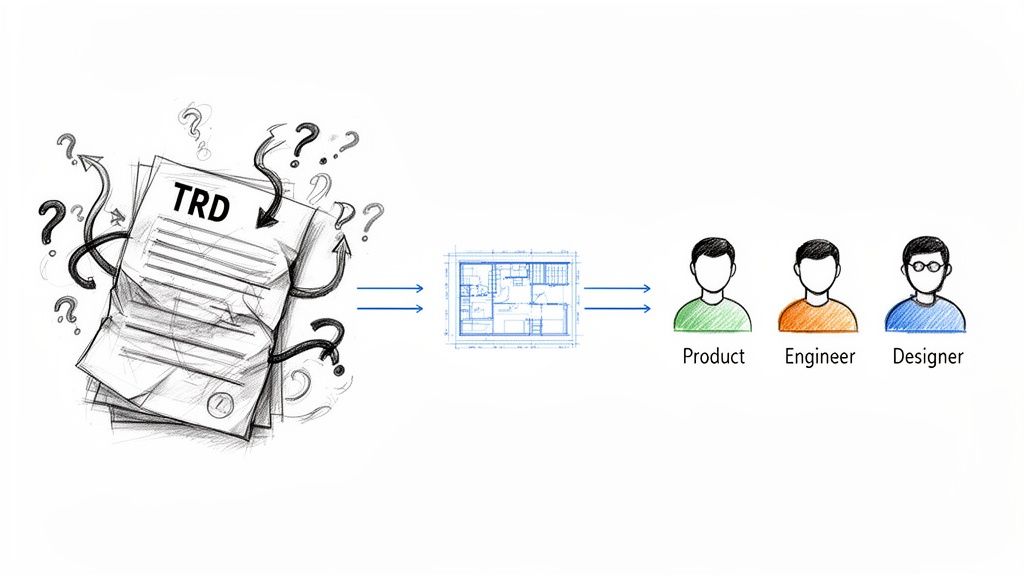
Let's be real for a moment. Most TRDs are a total mess. They often become dense, unread documents that feel more like a bureaucratic checkbox than a genuinely useful tool. I've seen it happen countless times.
When a TRD is treated as an afterthought, product managers, engineers, and designers all start working from different assumptions. This is a recipe for disaster, leading directly to scope creep, blown budgets, and those frustrating rework cycles we all dread.
A great TRD, on the other hand, becomes the single source of truth for the entire project. It’s not just a laundry list of features; it's about building a shared understanding of the technical path forward. That's why this guide is different—we’re focused on helping you create a TRD that is an actionable asset, not a doorstop.
The Strategic Value of a Good TRD
A thoughtfully prepared TRD does so much more than just list out technical specs. Its real power lies in forcing critical conversations early on, helping the team spot potential roadblocks before a single line of code is ever written. By defining everything from system architecture to acceptance criteria upfront, you create a clear, unambiguous contract between all stakeholders.
This clarity has a massive impact on project success. I've seen firsthand how teams with a solid TRD process sidestep common pitfalls. The data backs this up, too. Organizations that use formal requirements templates often see a 30–40% reduction in rework tied to requirement errors and a noticeable drop in schedule slippage. You can read more about these findings and see how a solid TRD improves project efficiency.
Bridging the Gap Between Vision and Execution
I always think of the TRD as the bridge connecting the "what" (the product vision) with the "how" (the engineering execution). Without that bridge, your development team is left trying to interpret vague business goals, often leading to conflicting outcomes. A structured template ensures that nothing critical falls through the cracks.
Our downloadable template is built from real-world experience and is designed to guide you through this process, hitting all the key areas that are so easy to overlook:
- Scope and Purpose: This is where you draw the lines in the sand, clearly defining project boundaries and what "done" looks like to prevent scope creep.
- Functional Requirements: You'll describe exactly what the system must do, often framed as user stories to keep the focus on value.
- Non-Functional Requirements: Here, you'll specify the "how well" criteria—things like performance, security, and scalability that are make-or-break for the user experience.
- Acceptance Criteria: These are the testable conditions that prove a requirement has been met. No ambiguity allowed.
By standardizing how your team documents technical needs, you’re not just writing a document; you're building a repeatable process for success. This alignment is the secret to delivering complex projects on time and on budget, ensuring everyone is building toward the same, well-defined goal.
Getting to the Heart of the Template: What Each Section Really Means
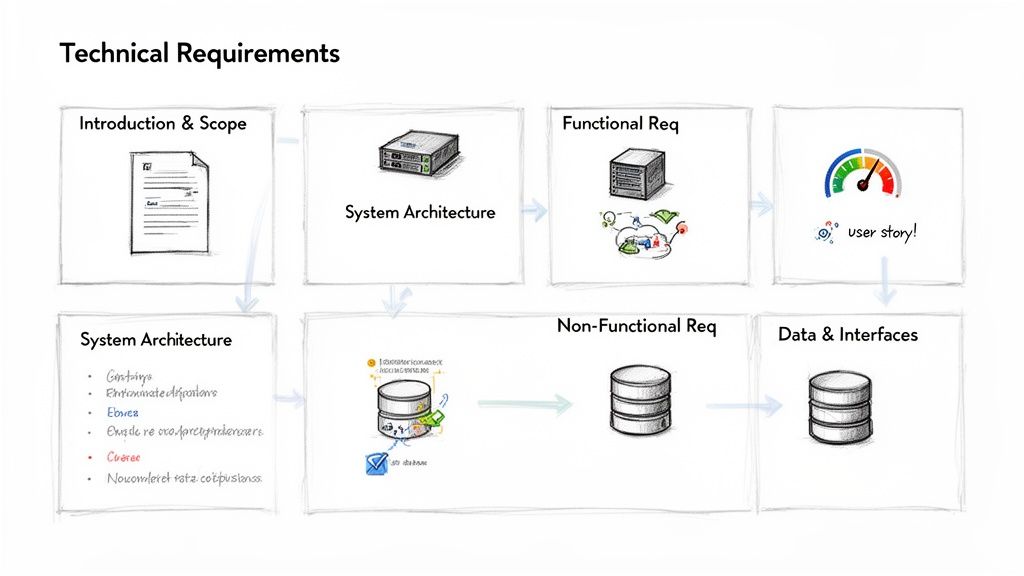
Alright, let's move from the abstract to the practical. Staring at a blank technical requirements document template can feel a bit overwhelming, but once you understand the why behind each section, it transforms from a chore into a powerful blueprint for your project.
Think of it as building a story, layer by layer. Each section adds a new level of detail that, together, creates a complete and unambiguous picture for your engineering team. This is how you get everyone on the same page and building the right thing.
Introduction and Project Scope
The introduction is your 30-second elevator pitch. It needs to quickly tell everyone—from a new developer to a senior stakeholder—what the project is about, what business goals it serves, and who should be reading this document. You're setting the stage and answering the fundamental "why are we doing this?" question.
Right after that comes what I consider the most important part of the entire document: the scope. Its job is to draw a thick, unmissable line in the sand, defining what's included in the project and—just as critically—what's being left out for now.
- In-Scope: Get specific about the major features and deliverables. For example, "Implement a new user authentication system using OAuth 2.0."
- Out-of-Scope: Be explicit about what you're not building. For instance, "This project will not include two-factor authentication; that is slated for a future release."
Being brutally honest here is your single best defense against scope creep. It manages expectations from day one and gives the development team a clearly defined sandbox to play in.
System Architecture Overview
This section is the 10,000-foot view of the technical landscape. It’s not meant to be a granular, down-to-the-code design doc. Instead, it gives engineers a map of how this new feature or system plugs into your existing tech stack.
Simple diagrams showing the main components, services, and how they talk to each other are perfect here. You should also call out key technology choices, like the programming language, frameworks, or database you'll be using. This context is invaluable for developers, helping them spot potential dependencies or constraints early in the game.
To really nail down the requirements, it helps to look at related artifacts. For example, a good product requirements document template will outline the "what" and "why" from a user perspective, which perfectly sets the stage for the TRD's "how."
Defining Functional Requirements with User Stories
Functional requirements are all about what the system must do. These are the concrete actions and features your users will interact with. While you could just make a boring list, framing them as user stories is a much better way to work, especially with agile teams. A user story elegantly captures the user, the action, and the motivation all in one.
The format is simple: As a [type of user], I want [an action], so that [a benefit].
Here’s a real-world example:
- As a
registered user, I want toreset my password via email, so thatI can regain access to my account if I forget my password.
This approach keeps the entire team focused on delivering actual value to the user. Many modern TRDs blend this agile style with more traditional requirement lists to get the best of both worlds—clarity for developers and context for everyone else.
Pro Tip: For every single user story or functional requirement, you absolutely must include acceptance criteria. This is non-negotiable. Acceptance criteria are the testable conditions that prove the feature is done and works as expected, leaving zero room for debate later.
Specifying Measurable Non-Functional Requirements
If functional requirements are about what the system does, non-functional requirements (NFRs) are about how well it does it. These are the crucial quality attributes—like performance and security—that make or break the user experience. Vague goals like "the app needs to be fast" are completely useless. You have to get specific and make them measurable.
Break your NFRs down into clear, testable categories:
- Performance: Define response times and load capacity.
- Example: "The user dashboard must load in under 2 seconds when the system is under a load of 500 concurrent users."
- Security: Outline authentication rules, encryption standards, and access policies.
- Example: "All user passwords must be hashed using the BCrypt algorithm."
- Scalability: Plan for future growth.
- Example: "The architecture must support a 20% year-over-year increase in traffic without needing a complete overhaul."
- Usability & Accessibility: Reference established guidelines like WCAG 2.1 AA compliance to ensure everyone can use your product.
Data Models and System Interfaces
Finally, you need to detail how your data is structured and how your system will talk to the outside world. You don’t need a complete database schema here, but you should outline the key data entities and their most important attributes. A simple table or an entity-relationship diagram works wonders.
For interfaces, document any APIs your system will use or provide. Specify the endpoints, request/response formats (like JSON), and how authentication works. This is especially critical for any project involving third-party services or internal microservices. Getting these interface specs right from the start saves a world of integration pain down the road.
Writing Acceptance Criteria That Actually Works
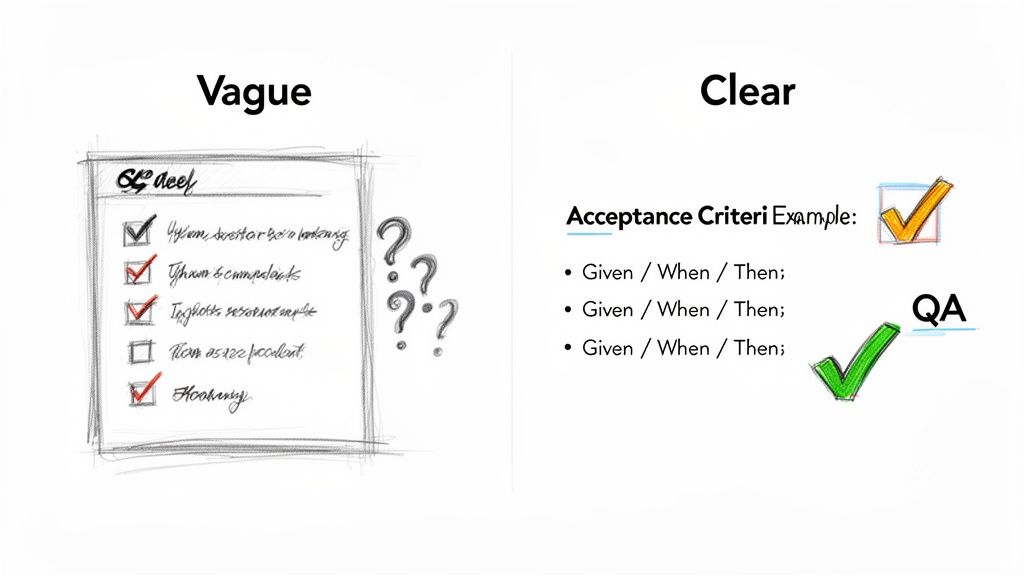
A requirement without clear acceptance criteria is like a map without a destination. It’s a guaranteed path to confusion, endless back-and-forth, and a final product that doesn't match anyone's expectations. I’ve seen projects stumble right here—not because the idea was bad, but because the definition of "done" was hopelessly vague.
Crafting testable and unambiguous acceptance criteria is arguably the most critical skill for writing an effective TRD. It's what turns a wish list of features into a set of verifiable instructions that your developers and QA teams can actually use.
When done right, strong criteria eliminate developer guesswork. Instead of wondering, "Is this what they meant?" an engineer can look at the criteria and know exactly what their code must achieve. This one step saves countless hours of rework down the line.
The Anatomy of Great Acceptance Criteria
Good acceptance criteria aren’t long essays. They’re concise, clear, and, above all, testable. Each criterion should be a simple statement that can be definitively proven true or false during testing. Ambiguous words like "fast," "easy," or "user-friendly" have no place here.
The key is to think like a tester. Ask yourself: "How would I prove this feature works correctly?" Your answer is your acceptance criteria. For this to really work, the criteria must align with the broader goals of what Quality Assurance entails in software development, giving everyone clear benchmarks for validation.
Acceptance criteria serve as the official contract between business stakeholders and the development team. They define the exact conditions under which a feature will be accepted, leaving no room for subjective interpretation.
Practical Formats for Different Requirements
A one-size-fits-all approach to writing criteria just doesn't work. The format you use will depend on the type of requirement you're defining. Let’s look at a few common scenarios and how to structure them.
For a UI Modification:
- Requirement: Add a "Date Range" filter to the user dashboard.
- Acceptance Criteria:
- WHEN the user clicks the "Filter" button, a "Date Range" option is visible.
- WHEN the user selects a start and end date, the dashboard data updates to show only records within that range.
- WHEN the user clicks "Clear Filter," the date range is removed and the full dataset is displayed.
For an API Endpoint:
- Requirement: Create a
GET /users/{id}endpoint to fetch user data. - Acceptance Criteria:
- GIVEN a valid
userId, the endpoint MUST return a 200 OK status. - THE response body MUST contain the user's
id,firstName,lastName, andemail. - THE
passwordfield MUST NOT be included in the response. - GIVEN an invalid or non-existent
userId, the endpoint MUST return a 404 Not Found status.
- GIVEN a valid
These specific, actionable statements form the foundation of a solid testing strategy. To really flesh this out, diving into how you build a complete https://getnerdify.com/blog/testing-strategy-and-test-plan can provide much deeper insight.
To see this in action, the table below shows how to transform a vague request into something a developer can build and a tester can verify.
From Vague to Verifiable Acceptance Criteria
| Vague Requirement | Specific, Testable Acceptance Criteria |
|---|---|
| "The login process should be secure." | 1. User password must be hashed using BCrypt. 2. The system must lock an account for 30 minutes after 5 failed login attempts. 3. An HTTPS connection must be used for all login requests. |
| "The image upload should be fast." | 1. The system must process and display an uploaded image (up to 5MB) within 3 seconds. 2. A progress bar must be visible to the user during the upload process. |
| "Users should be able to export a report." | 1. A "Download as CSV" button must be present on the reports page. 2. Clicking the button must generate and download a CSV file named report_[YYYY-MM-DD].csv.3. The CSV file must contain the columns: OrderID, CustomerName, Date, Amount. |
This shift from ambiguity to clarity is what separates a TRD that gathers dust from one that drives a successful project.
Integrating Compliance and Accessibility from Day One
In today's world, a product that just works is no longer enough. If you bolt on compliance and accessibility at the end of a project, you're not just creating technical debt—you're actively courting legal risk and alienating a huge chunk of your potential audience. It’s a rookie mistake, and a costly one.
These aren't optional features. Standards like accessibility guidelines (WCAG), data privacy laws (GDPR, CCPA), and other industry regulations are foundational. They need to be woven directly into the fabric of your technical requirements document template from the very beginning. They define how the product must be built to be secure, legally sound, and usable by everyone.
Defining Accessibility as a Core Requirement
Let's be clear: accessibility isn't a niche feature. It’s a core component of a quality product. Pushing it to the back burner is the same as consciously deciding to exclude a massive portion of your user base. The Web Content Accessibility Guidelines (WCAG) give us a clear, globally recognized roadmap for getting this right.
Your TRD needs to be explicit about the level of conformance you're aiming for. Most projects target one of two levels:
- WCAG 2.1 Level AA: This is the gold standard for most websites and apps. It ensures a solid, dependable level of accessibility that meets the needs of most users with disabilities without being overly restrictive for developers.
- WCAG 2.1 Level AAA: This is the highest level you can achieve. It’s usually reserved for specialized government services or applications where maximum accessibility isn't just a goal, but a legal mandate.
The W3C Web Accessibility Initiative (WAI) provides the official guidelines that form the basis of these digital standards.
These guidelines are built around four key principles—Perceivable, Operable, Understandable, and Robust (POUR). Think of them as the pillars of an accessible digital experience.
When you put "WCAG 2.1 AA compliant" in your TRD, you're giving your development team a set of concrete, measurable rules. This translates directly into technical tasks like ensuring proper color contrast ratios, full keyboard navigation, and compatibility with screen readers. For a deep dive into the practical side of this, our guide on how to make a website accessible is a great place to start.
Documenting Data Privacy and Compliance Rules
Just like accessibility, data privacy regulations aren't negotiable. Ignoring laws like Europe's GDPR or California's CCPA can lead to crippling fines and completely erode user trust. Your TRD is the perfect place to translate those dense legal requirements into clear technical instructions.
For instance, if your project must be GDPR compliant, the TRD should spell out exactly what that means for the tech stack.
- Data Encryption: "All personally identifiable information (PII) must be encrypted at rest using AES-256."
- User Consent: "The system must obtain and log explicit, timestamped user consent before any personal data is collected."
- Data Portability: "A dedicated API endpoint (
/users/me/export) must be created to allow users to download all their personal data in a structured, machine-readable JSON format."
By translating legal jargon into clear, testable technical requirements, you ensure compliance is baked into the architecture from day one, not slapped on later in a panic. This is how you get ahead of risk.
This isn't just a best practice; it's quickly becoming the standard. Industry experts predict that by 2025, TRD templates will have been completely reshaped by these very requirements, with regulators in the EU and U.S. explicitly mandating that digital products meet WCAG-based criteria. You can read more about these upcoming documentation trends on fluidtopics.com.
Documenting these needs proactively ensures your final product doesn’t just work—it works safely, inclusively, and ethically. That’s the sign of a truly mature development process.
Keeping Your TRD Alive: Handoff and Version Control
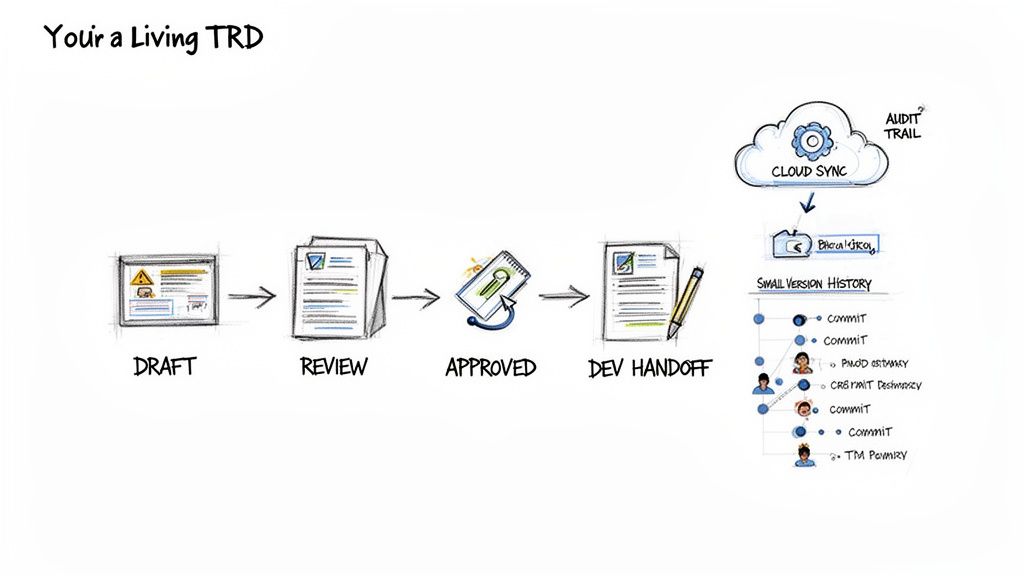
A technical requirements document that gets signed off and then collects digital dust is a project failure waiting to happen. The goal isn't to create a static artifact; it's to build a living guide that evolves with the project. To do that, you need a solid process for managing versions and handing the document off to the teams who will bring it to life.
Without a clear system, you'll quickly find yourself drowning in conflicting versions, outdated assumptions, and confused stakeholders. The TRD has to be the single source of truth, and that requires a deliberate effort.
Establishing Robust Version Control
First things first: you need a simple, clear versioning system. I’ve found that a semantic versioning approach (like v1.0, v1.1, v2.0) works beautifully. Major versions (v2.0) signify big, substantial changes, like a major scope addition. Minor versions (v1.1) are for smaller updates, clarifications, or bug-fix-related adjustments to the requirements.
Every single version of your technical requirements document template needs a change log. This is non-negotiable. It’s your audit trail.
- Version Number: The specific identifier (e.g., v1.2).
- Date of Change: When the update was made.
- Author of Change: Who made the revision.
- Summary of Changes: A clear, concise description of what was added, removed, or modified.
This log is the project’s memory. It puts an end to those frustrating debates over why a certain requirement was altered. For a deeper dive, our guide on version control best practices has some great strategies for keeping your documentation organized.
Running an Efficient Review and Sign-Off
Once a draft is ready, the review process kicks off. The key is to invite the right people and set crystal-clear expectations. Don't just fire off a generic "please review" email and hope for the best.
Structure the feedback process. Give reviewers a firm deadline and ask them to focus on their specific areas of expertise. A UI designer should be all over the user-facing requirements, while a database architect needs to scrutinize the data model section.
A classic mistake is inviting too many people to the review. Keep the circle tight: the tech lead, QA lead, product manager, and maybe one or two key senior developers. This focused group will give you high-quality, relevant feedback without derailing the whole process with minor opinions.
When conflicts arise—and trust me, they will—your job is to be the facilitator. Schedule a quick meeting to talk through the conflicting points and drive toward a consensus that serves the project's core goals. Once all the feedback is incorporated and everyone’s on board, get that formal sign-off from the key stakeholders.
Executing a Seamless Handoff
The handoff is so much more than just emailing a link. It’s a formal meeting where you walk the development and QA teams through the entire document. This is your chance to transfer ownership and make sure there are no ambiguities.
Here’s what that meeting should cover:
- Present the Big Picture: Start with the project goals and high-level architecture. Context is everything.
- Highlight Critical Sections: Point out the really complex functional requirements, the strict non-functional targets (like performance), and any key API definitions.
- Clarify Acceptance Criteria: Walk through several examples to ensure the team understands exactly what "done" looks like for each item.
- Establish Communication Channels: Designate a point person for questions and decide how future changes will be communicated and approved.
This formal handoff ensures the TRD isn't just some document they received, but a plan they have genuinely understood and embraced. It turns the document from a static blueprint into an active, shared guide for the entire team, setting you up for a much smoother execution phase.
Common Pitfalls That Derail Projects
Even the best technical requirements document template is no match for good old-fashioned human error. Experience is a fantastic teacher, but learning from someone else’s mistakes is a whole lot cheaper. Knowing what can go wrong when drafting a TRD is the first step to making sure it goes right.
Let's start with the biggest one: ambiguity. I’ve seen projects get hung up for weeks on a seemingly innocent phrase like "the system should be user-friendly." For a product manager, that might mean a clean, intuitive UI. For a developer, it could mean fast load times. Without clear, measurable definitions, you're leaving everything up to interpretation, which almost always leads to rework.
You have to be ruthlessly specific. Instead of "fast response time," write "API endpoints must return a response in under 500ms under normal load." That’s a requirement a developer can actually build and test against.
The Slow Creep of New Features
Then there's scope creep, the silent project killer. It almost never announces itself. It starts with a casual "Hey, while you're in there, could you just add...?" during a review. Because it sounds small, everyone agrees. But it's never formally added to the TRD.
A few of these "tiny" requests later, and your team is suddenly building a much bigger, more complex feature than anyone signed off on. The timeline slips, the budget bloats, and everyone is wondering what happened.
Your TRD has to be the single source of truth. If a change isn't documented and approved within an updated version of the TRD, it simply doesn't exist. This level of discipline is your best defense against the project spiraling out of control.
Writing in an Echo Chamber
Probably the most damaging mistake I see is when a TRD is written in isolation. Product managers and business analysts hole up in a conference room and emerge with a document, handing it off to the engineering team like a stone tablet.
This almost always ends in a painful handoff meeting where the developers start poking holes in the plan. They'll point out that a specified technology won't work with the current infrastructure, or that a performance target is physically impossible with the given resources. The whole thing has to go back to the drawing board.
Avoid this disaster by bringing your tech lead or a senior engineer into the process from day one. Their feedback is invaluable for grounding your requirements in reality.
Here are a few other classic mistakes to keep on your radar:
- Assuming Knowledge: Don’t just assume the dev team understands the business reasons behind a feature. Give them the "why" so they can make smarter technical decisions.
- Gold-Plating: This is when you add features that sound cool but don't solve a real user problem. Stick to the essentials to avoid unnecessary complexity.
- Forgetting Non-Functional Requirements: It's easy to get laser-focused on what the product does and forget about how it does it. A feature that works but is slow, insecure, or constantly crashing isn't really working at all.
Keeping an eye out for these traps will help you turn your TRD process from a reactive scramble into a proactive strategy for keeping your project on the rails.
Frequently Asked Questions
When you're knee-deep in planning a new feature or system, a lot of questions about technical requirements can pop up. Let's tackle some of the most common ones I hear from product managers, developers, and business analysts trying to get their TRDs just right.
How Detailed Should My TRD Be?
This is the classic "how long is a piece of string?" question. The honest answer is that it's a balancing act. Your TRD needs enough detail to kill any ambiguity for the development team, but it shouldn't be so rigid that it crushes their creativity and problem-solving skills.
Think of it as giving your team a detailed map of the destination, not painstakingly written turn-by-turn directions for the entire journey. A solid TRD nails down the "what" (functional requirements) and the "how well" (non-functional requirements) without getting bogged down in dictating every single implementation detail.
- Just Right: "The user authentication API must respond in under 300ms and return a JWT token upon success."
- Way Too Much: "The authentication endpoint must be built in Python with the Flask framework, connecting to a PostgreSQL database using this exact schema..."
The sweet spot is providing enough clarity for an engineer to understand the goals and constraints. From there, you have to trust them to pick the best technical path to get there.
Who Is Responsible for Writing the TRD?
While one person usually "owns" the document—often a Product Manager, Business Analyst, or even a Tech Lead—writing a TRD should never be a solo mission. It is, by its very nature, a team sport.
The Product Manager brings the crucial user needs and business context. The Tech Lead makes sure everything is technically feasible and doesn't clash with the existing architecture. Without direct input from your engineering team, you risk writing a document based on pure fiction.
Involving developers from the get-go makes the requirements realistic, helps spot potential roadblocks early, and builds a sense of shared ownership that's absolutely essential for a project to succeed.
How Is a TRD Different from an FRD?
It's a common point of confusion. A Functional Requirements Document (FRD) zooms in on what the system should do, almost entirely from the user's point of view. A Technical Requirements Document (TRD) is much broader and deeper.
A TRD includes everything you'd find in an FRD, but then it adds the all-important technical layers:
- Non-Functional Requirements: How fast? How secure? How scalable?
- System Architecture: Where does this piece fit in our overall tech stack?
- Data Models: How is the information going to be structured and stored?
- Interfaces: How will it talk to our other internal and external systems?
Simply put, an FRD describes the features. A TRD provides the full engineering blueprint needed to actually build, test, and launch those features.
Can I Use This Template in an Agile Workflow?
Absolutely. In fact, it’s a perfect fit. Within an Agile framework, this technical requirements document template acts as a foundational "source of truth" for a project or epic. It’s the home for the deep context and detailed specs that you’ll use to inform your backlog.
Instead of being some static document you write once and forget, the TRD becomes a living reference point. The well-defined requirements within it are broken down into user stories and tasks for your sprints, ensuring every small piece of work is always tied back to the larger technical vision.