12 Best User Experience Testing Tools for Product Teams in 2025
In a competitive digital market, a seamless user experience is the primary driver of customer loyalty and business growth. Moving from guesswork to data-driven design requires a robust testing strategy powered by the right user experience testing tools. This guide cuts through the noise to deliver an in-depth analysis of 12 leading platforms, helping you find the perfect fit for your specific research needs, whether that involves moderated interviews, session replays, or information architecture validation.
We'll explore not just what these tools do, but how they fit into specific workflows, their hidden costs, and which platforms are best suited for startups, mid-market companies, and enterprise teams. Each entry includes a detailed breakdown of core features, ideal use-cases, pros, cons, and direct links, ensuring you have all the information needed to make a confident decision. In a broader context, the UX testing tools discussed here are crucial components of a comprehensive strategy for leveraging a robust suite of solutions, such as Voice of the Customer (VoC) software, to capture and act on user feedback across all touchpoints.
This resource is designed for product managers, CTOs, and marketing teams who need to go beyond surface-level metrics. We'll examine platforms like UserTesting, Hotjar, and Maze, providing practical insights to help you uncover actionable data. Prepare to find the perfect toolkit to validate your designs, understand user behavior, and build products your customers will truly value.
1. UserTesting
UserTesting is an enterprise-grade human insights platform, renowned for its comprehensive suite of tools for both moderated and unmoderated user experience testing. It empowers teams to connect with real people, gather qualitative feedback, and make customer-centric decisions with speed and confidence. The platform’s key differentiator is its extensive, on-demand global participant panel, which significantly accelerates the recruitment process for user research studies.
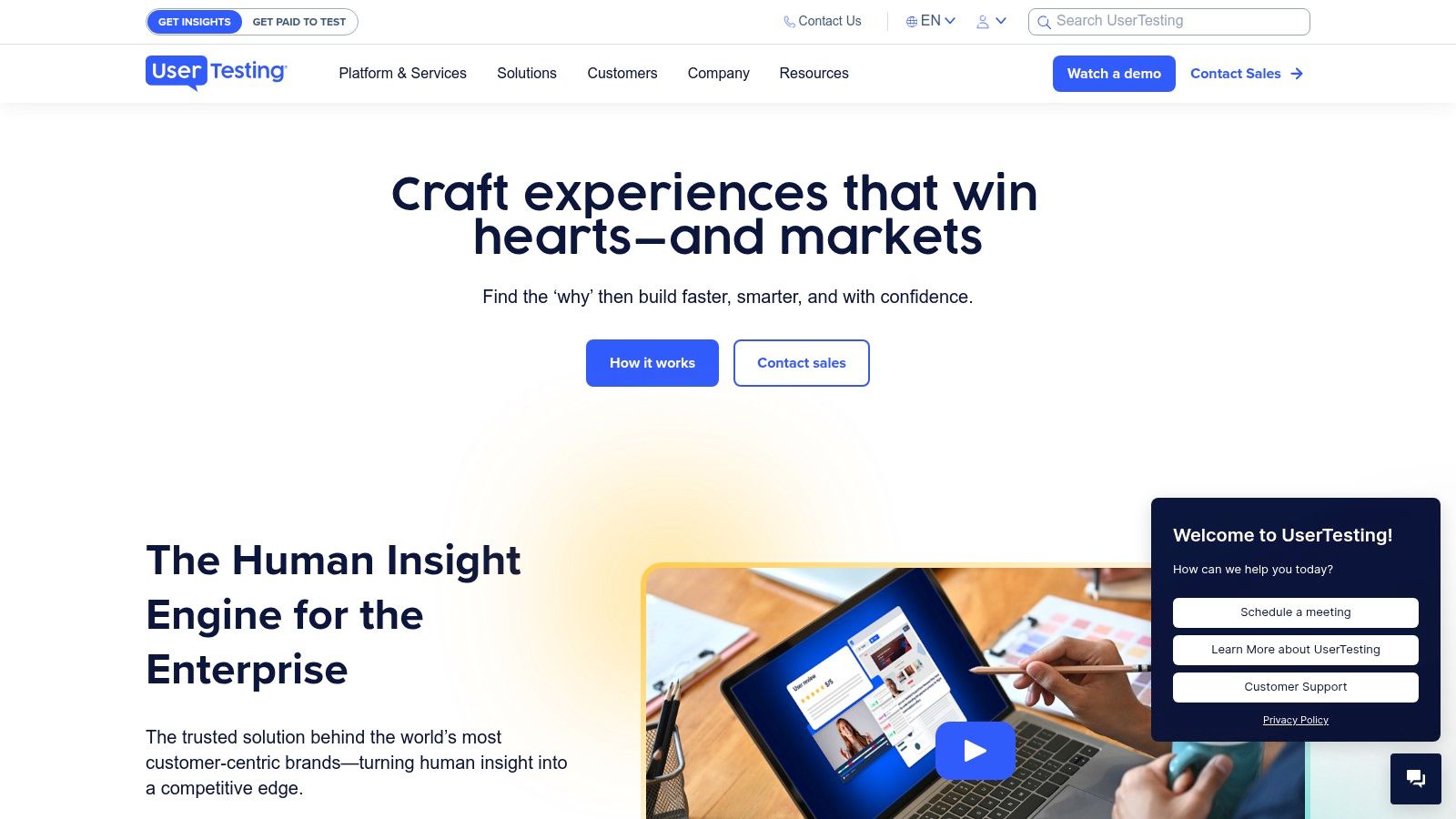
This tool is ideal for large organizations needing robust security, governance, and scalable research operations. The end-to-end workflow management covers everything from study creation and screener questions to scheduling live conversations and analyzing video feedback with AI-powered transcriptions and sentiment analysis. For a deeper understanding of how to structure these studies, you can explore various usability testing methods that pair well with the platform's capabilities.
Key Features & Use Cases
- Moderated & Unmoderated Tests: Conduct live interviews ("Live Conversation") or set up self-guided tasks for participants to complete on their own time. This is perfect for everything from early-stage concept validation to late-stage usability benchmarking.
- Global Participant Panel: Quickly access a diverse pool of vetted participants from over 60 countries, or bring in your own customers via "Custom Network" for targeted feedback.
- Enterprise-Grade Security: Features like role-based permissions, SSO, and rigorous data governance make it a secure choice for corporations handling sensitive information.
- Insight & Analysis Tools: Utilize features like transcripts, highlight reels, and sentiment analysis to quickly synthesize qualitative data and share impactful findings with stakeholders.
Pros and Cons
| Pros | Cons |
|---|---|
| Large, reliable participant panel speeds recruiting | Pricing is not public and requires a sales consultation |
| Flexible purchase models (seat or test-based) | Platform-controlled incentive payouts and timelines (~14 days) |
| Robust enterprise support and security features | The interface can have a learning curve for new users |
Website: https://www.usertesting.com
2. Hotjar (Contentsquare)
Hotjar is a product experience insights platform that combines quantitative and qualitative data to provide a complete picture of user behavior. It’s renowned for its powerful and easy-to-implement suite of tools, including heatmaps, session recordings, and on-site surveys. The platform's key differentiator is its ability to connect the "what" (analytics) with the "why" (feedback), making it one of the most accessible user experience testing tools for teams of all sizes.
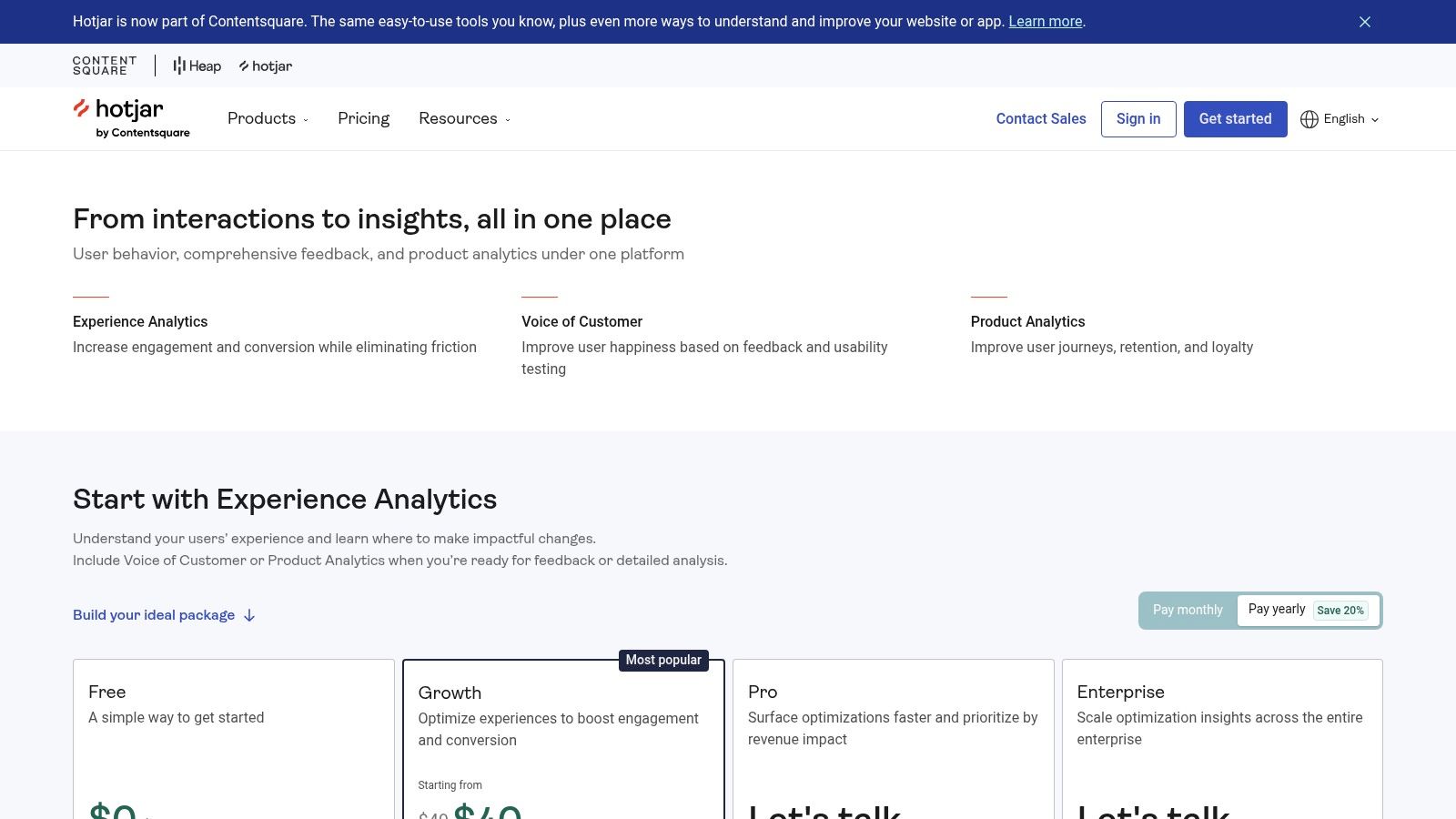
This tool is ideal for product managers, marketers, and UX designers who need to quickly understand user friction points and validate design changes without a heavy research lift. Hotjar's "no-code" setup and clear, self-serve pricing tiers lower the barrier to entry for behavioral analytics and voice-of-customer feedback. Its AI assistant and frustration scoring automatically surface the most critical issues, helping teams prioritize improvements effectively.
Key Features & Use Cases
- Heatmaps & Session Replays: Visualize where users click, move, and scroll with unlimited heatmaps, and watch recordings of real user sessions to identify bugs, confusion, and drop-off points in user journeys.
- Surveys & Feedback: Deploy targeted on-site surveys, feedback widgets, and schedule user interviews directly to gather contextual qualitative feedback at key moments.
- Funnels & Dashboards: Track conversion rates through key user flows to understand where users abandon a process. Centralize key metrics and insights in customizable dashboards for easy stakeholder reporting.
- Integrations: Connects seamlessly with popular tools like Google Analytics, Mixpanel, and Optimizely to enrich your existing analytics and A/B testing data.
Pros and Cons
| Pros | Cons |
|---|---|
| Quick setup with no-code tagging for most insights | Advanced capabilities often require upgrading to higher paid tiers |
| Generous free tier is perfect for light use or trial | Session caps and data retention limits vary by plan |
| Clear, transparent pricing with yearly and bundle discounts | Focus is more on behavioral analytics than moderated testing |
Website: https://www.hotjar.com/pricing
3. Maze
Maze is a rapid, remote research platform designed for modern product teams to test everything from prototypes to live products. It enables continuous product discovery and user-centered validation by integrating directly into the design and development workflow. Maze’s key differentiator is its speed, providing automated, actionable reports within hours and allowing teams to test, learn, and iterate much faster than with traditional research methods.
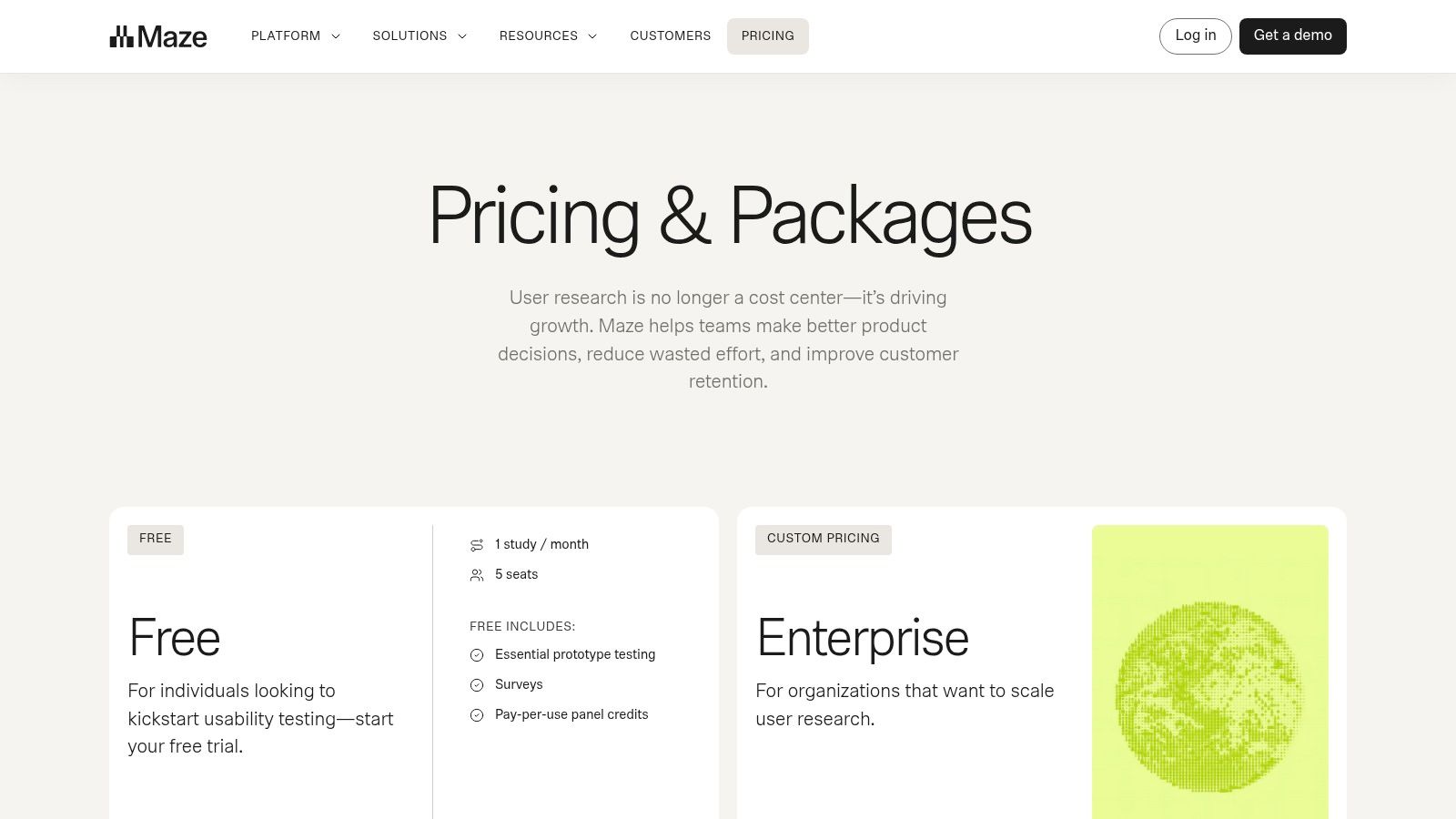
This tool is perfect for teams at product-led companies who need to democratize research and embed user feedback throughout the entire product lifecycle. It covers a wide spectrum of research needs, from prototype and website usability testing to information architecture validation with card sorts and tree tests. The platform also offers flexible participant recruitment, including a panel with transparent, credit-based pricing and the ability to test with your own users.
Key Features & Use Cases
- Rapid Usability Testing: Test prototypes from Figma, Adobe XD, and Sketch or live websites to get quantitative metrics like bounce rates, misclick rates, and heatmaps. This is ideal for quick design validation before development.
- Information Architecture Tests: Conduct open or closed card sorts and tree tests to optimize your website’s navigation and content structure.
- Participant Recruitment: Access a panel of over 700,000 participants using a simple credit system, or share a test link directly with your own audience.
- AI-Moderated Studies: Leverage AI for interview guide creation and analysis, streamlining the qualitative research process for one-on-one conversations.
Pros and Cons
| Pros | Cons |
|---|---|
| Fast study setup with shareable, automated reports | Public pricing focuses on features; budget planning can depend on credit packs |
| Simple, predictable panel pricing via credits | Using screeners to target specific demographics can increase credit costs |
| Integrates with major design tools (Figma, etc.) | Primarily focused on unmoderated, quantitative feedback |
Website: https://maze.co/pricing
4. Lookback
Lookback is a qualitative research platform specializing in moderated and unmoderated user experience testing, with a strong emphasis on live, collaborative observation. It allows research teams to capture rich, contextual feedback by seeing and hearing what users experience in real-time. The platform’s key differentiator is its focus on creating a virtual observation room, where stakeholders can watch live sessions, take time-stamped notes, and communicate with the moderator discreetly.
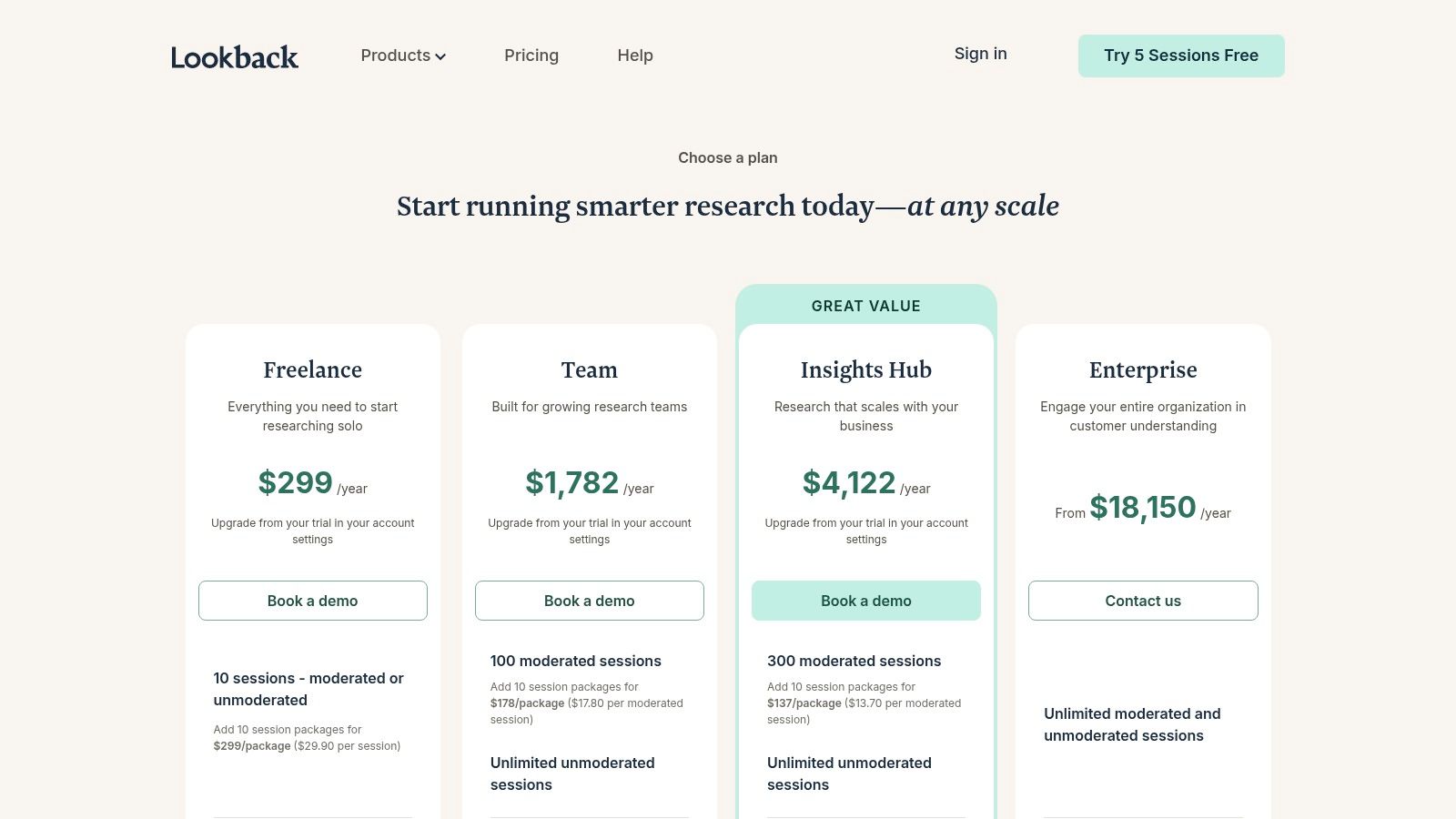
This tool is particularly well-suited for teams that prioritize live moderated research and want to foster a culture of customer-centricity by involving stakeholders directly in the process. Its transparent, session-based annual plans, which include a set number of participant credits through an integration with User Interviews, simplify budgeting for research operations. Furthermore, the platform supports bringing your own participants on all plans, offering flexibility for various study types.
Key Features & Use Cases
- Live Moderated Interviews: Conduct high-quality remote interviews with screen, face, and audio recording. The live "observation room" allows stakeholders to watch sessions without interrupting the participant.
- Integrated Participant Recruitment: Paid plans include participant credits via a built-in integration with User Interviews, streamlining the recruiting process for targeted demographics.
- AI-Assisted Analysis: The AI feature "Eureka" helps synthesize findings by automatically generating notes and summaries from session recordings, accelerating the analysis phase.
- Unmoderated Testing: Set up self-guided tasks and missions for users to complete on their own schedule, with unlimited unmoderated sessions available on higher-tier plans.
Pros and Cons
| Pros | Cons |
|---|---|
| Clear, session-based annual pricing with included recruits | Core plans are billed annually only; no self-serve monthly option |
| Excellent experience for moderators and stakeholder observers | Included participant packages do not cover incentive payments |
| Bring-your-own-participants are supported on all plans | Primarily focused on qualitative, not quantitative, data |
Website: https://www.lookback.com/pricing
5. Optimal Workshop (Optimal)
Optimal Workshop is a specialized user experience testing suite focused primarily on information architecture (IA) research. It provides a powerful set of tools designed to help teams understand how users find and organize information, making it an essential platform for building intuitive navigation and content structures. Its key strength lies in offering an all-in-one solution for foundational IA tasks like card sorting, tree testing, and first-click analysis.
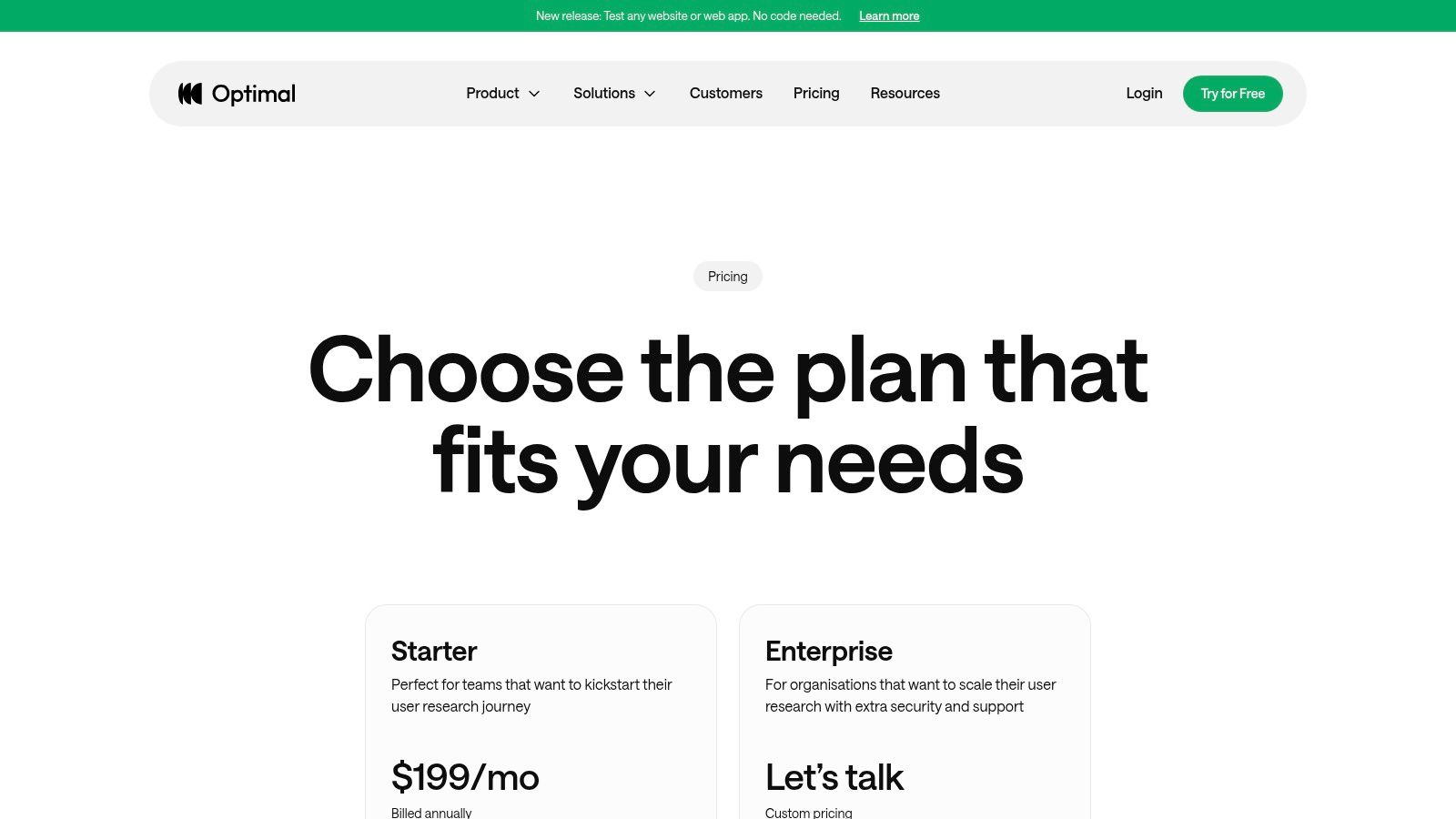
This tool is ideal for UX designers, information architects, and product managers who need to validate website sitemaps, app navigation, or content hierarchies. The platform's plans include unlimited seats, encouraging cross-functional collaboration on research projects. With flexible participant recruitment options, including an on-demand panel, you can gather insights efficiently and effectively to improve user experience design from the ground up.
Key Features & Use Cases
- Card Sorting (OptimalSort): Understand users' mental models by having them group content into categories that make sense to them. This is perfect for designing or refining website navigation menus.
- Tree Testing (Treejack): Evaluate the findability of content within your site structure. Use this to validate your information architecture before committing to a final design.
- First-Click Testing (Chalkmark): Analyze where users click first to complete a task on a wireframe or mockup, providing crucial insights into the effectiveness of your interface design and calls-to-action.
- Prototype & Survey Tools: Conduct qualitative surveys and test Figma prototypes with video recordings, rounding out its capabilities as a comprehensive research tool.
Pros and Cons
| Pros | Cons |
|---|---|
| Simple entry plan with all key tools enabled | Starter plan caps launched studies (5/year) without purchasing bundles |
| Unlimited seats helps cross-functional team adoption | Starter requires annual billing, limiting ad-hoc or infrequent use |
| Optional panel credits and managed recruiting | More focused on IA than general usability testing |
Website: https://www.optimalworkshop.com/pricing
6. Lyssna (formerly UsabilityHub)
Lyssna, formerly known as UsabilityHub, is a versatile, self-serve user experience testing tool that excels at providing rapid, quantitative feedback. It offers a suite of quick validation tests, such as five-second tests, first-click tests, and preference tests, making it a go-to platform for designers and product managers needing to make quick, data-informed decisions. Its key differentiator is the combination of fast, unmoderated testing with a large participant panel and transparent, accessible pricing.
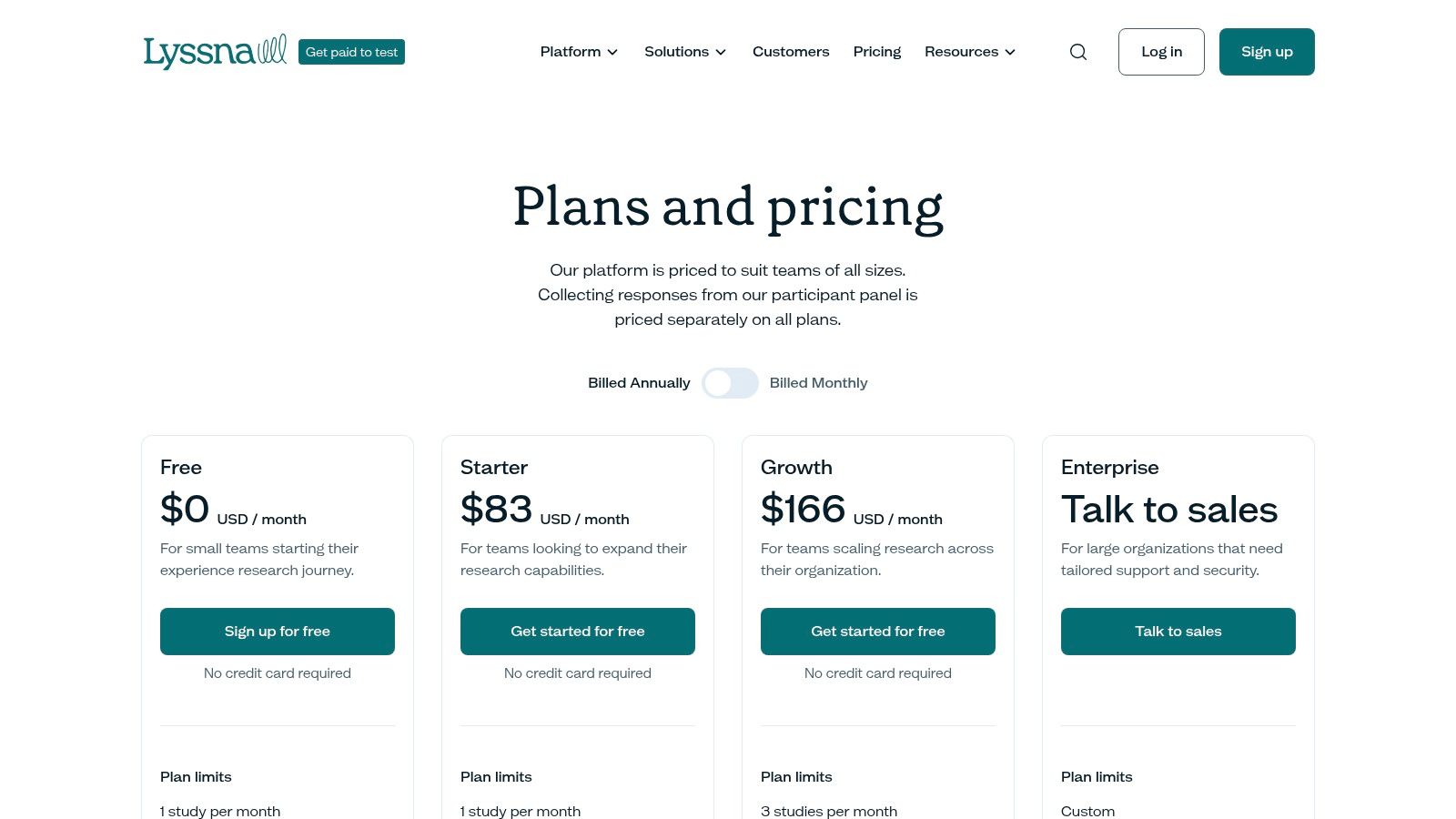
The platform is ideal for teams of all sizes, from startups to enterprises, that need to validate design concepts, information architecture, and user flows without the overhead of moderated sessions. Recent additions like user interviews, prototype testing, and AI-powered summaries have expanded its capabilities, turning it into a more comprehensive research suite. The clear monthly pricing and separate credit system for its panel make budget management straightforward for growing teams.
Key Features & Use Cases
- Quick Validation Tests: Includes five-second, first-click, preference, and design survey tests ideal for evaluating ad creative, landing page clarity, and brand recall.
- Information Architecture Testing: Offers both open and closed card sorting as well as tree testing to help you organize and validate your site structure and navigation.
- Participant Panel & Recruitment: Access a panel of over 690,000 participants with detailed demographic filtering, or bring your own audience at no extra cost.
- AI-Powered Analysis: Higher-tier plans include AI summaries and the ability to generate follow-up questions, which helps accelerate the process of synthesizing feedback.
Pros and Cons
| Pros | Cons |
|---|---|
| Generous free tier for light or occasional usage | Limits on launched studies per month depending on the tier |
| Transparent monthly pricing and separate panel credit model | Some advanced features (AI, recordings) are gated to higher tiers |
| All-in-one platform for quick validation and deeper interviews | Panel quality can vary for highly niche B2B criteria |
Website: https://www.lyssna.com/pricing
7. Userlytics
Userlytics is a comprehensive user experience testing tool that provides a full suite of moderated and unmoderated research capabilities. It stands out by combining qualitative and quantitative methods within a single platform, supported by a massive global panel of over two million participants. This integration allows teams to conduct diverse studies, from live interviews to card sorting and tree tests, all while leveraging powerful AI-assisted analysis for faster insights.
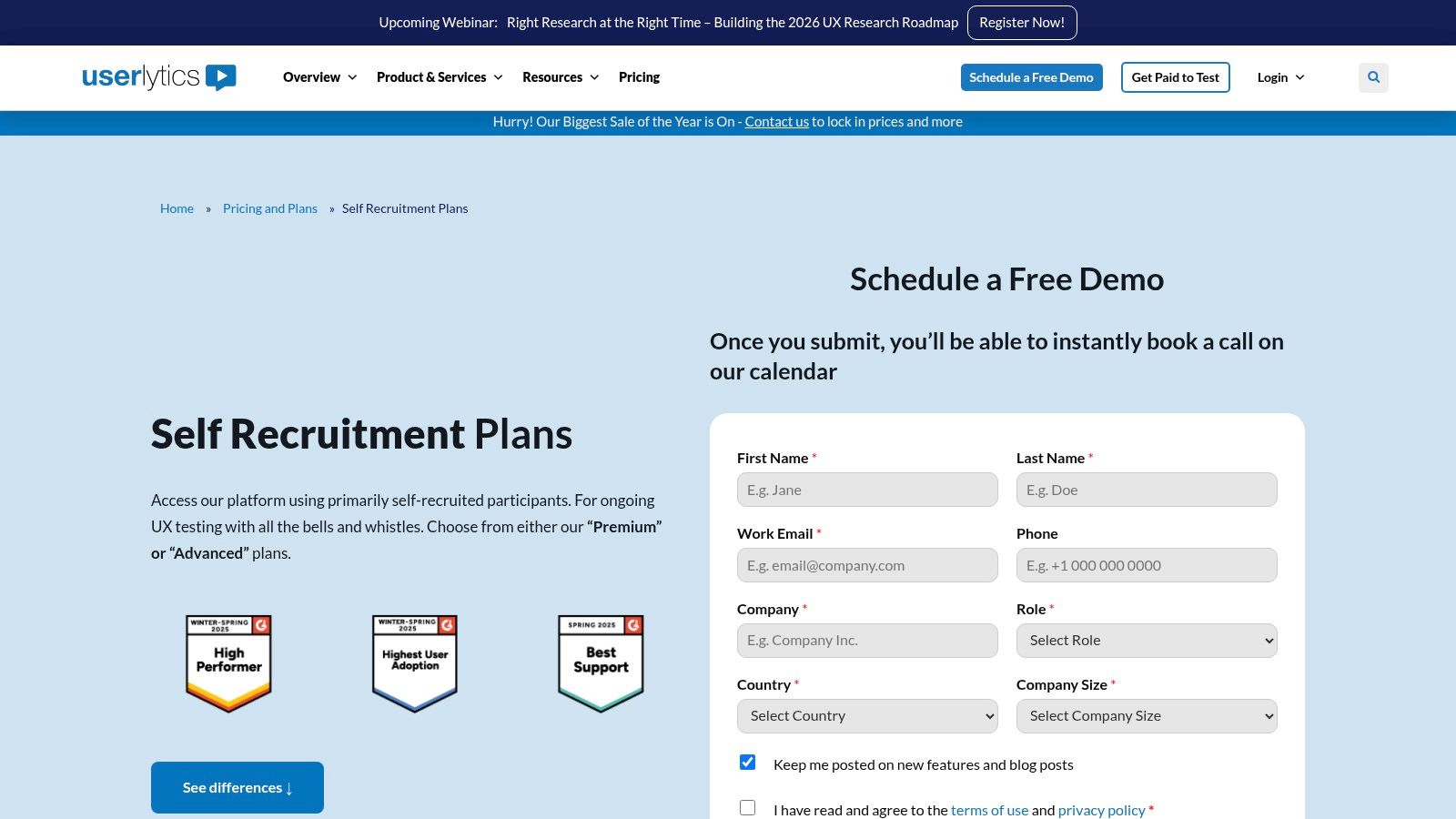
The platform is particularly well-suited for organizations that need to conduct mixed-method research at scale. Userlytics offers robust participant screening with advanced demographic filters and PII controls, ensuring high-quality, relevant feedback. A key advantage is its transparent pricing for teams bringing their own users (BYOU), making it an accessible option for small and mid-sized businesses, while its enterprise credit model offers volume discounts for larger organizations.
Key Features & Use Cases
- Mixed-Method Studies: Combine moderated/unmoderated tests, card sorting, tree tests, and quantitative surveys in one project for a holistic view of the user experience.
- AI-Powered Analysis: Automatically generate transcriptions, time-stamped notes, and sentiment analysis to significantly reduce the time spent synthesizing qualitative data.
- Advanced Recruiting & Screening: Access a global panel of over 2 million users with granular demographic and custom screener questions, or use the BYOU model for targeted feedback from your own customer base.
- Enterprise Scalability: The platform's panel credit system and robust security controls make it a viable choice for large-scale, ongoing research programs.
Pros and Cons
| Pros | Cons |
|---|---|
| Transparent BYOU plan pricing is great for smaller teams | BYOU plans require an annual billing commitment |
| Mix of qualitative and quantitative methods in one platform | Panel recruiting uses a separate credit system and payout timelines |
| Enterprise credit model can lower unit costs at volume | The interface can feel less modern compared to some competitors |
Website: https://www.userlytics.com/user-experience-research/pricing-and-plans/self-recruitment
8. PlaybookUX
PlaybookUX is a versatile, all-in-one user research platform designed to streamline the entire testing process, from recruitment to analysis. It offers a comprehensive set of moderated and unmoderated testing methods, making it a strong contender among user experience testing tools. The platform’s key differentiator is its transparent pricing model, including a pay-as-you-go option and clear per-participant costs, which simplifies budget planning for teams of all sizes.
This tool is particularly well-suited for teams that need flexibility and want to avoid seat-based pricing, encouraging widespread collaboration without extra cost. PlaybookUX supports a wide array of study types, including card sorts, tree tests, and five-second tests, consolidated into a single interface. Its commitment to security, with SOC2 and ISO compliance on higher-tier plans, also makes it a viable option for organizations with stringent data protection requirements.
Key Features & Use Cases
- Flexible Testing Methods: Conduct moderated interviews, unmoderated task-based studies, card sorting, tree testing, and first-click tests to gather diverse qualitative and quantitative data.
- Transparent Participant Recruiting: Access a B2B and B2C panel with upfront, per-participant pricing, allowing for precise budget control. You can also bring your own users at no additional cost.
- Collaborative Analysis Suite: Utilize AI-powered transcriptions, tagging, and highlight reel creation to synthesize findings efficiently. The platform is not seat-based, so the entire team can access and analyze results.
- Enterprise-Ready Security: Higher-tier plans offer enterprise-grade features like SOC2/ISO compliance and Single Sign-On (SSO), ensuring data security and streamlined user management.
Pros and Cons
| Pros | Cons |
|---|---|
| Flexible pay-as-you-go option requires no subscription | Panel session limits apply to the pay-as-you-go plan (e.g., 50/year) |
| Clear, upfront per-response costs simplify budgeting | Advanced integrations are gated to higher-tier Pro/Enterprise plans |
| Not seat-based, which encourages full team collaboration | The interface, while comprehensive, may require some initial setup |
Website: https://www.playbookux.com/pricing
9. Trymata (formerly TryMyUI)
Trymata, formerly known as TryMyUI, offers a unique hybrid approach by combining classic unmoderated usability testing with a suite of product analytics and UX diagnostic tools. It provides a platform for teams to capture both qualitative "think-aloud" video feedback and quantitative behavioral data, creating a more complete picture of the user experience. The platform's key differentiator is its transparent pricing and bundled offerings, which cater to teams seeking both user research and product analytics capabilities under one roof.
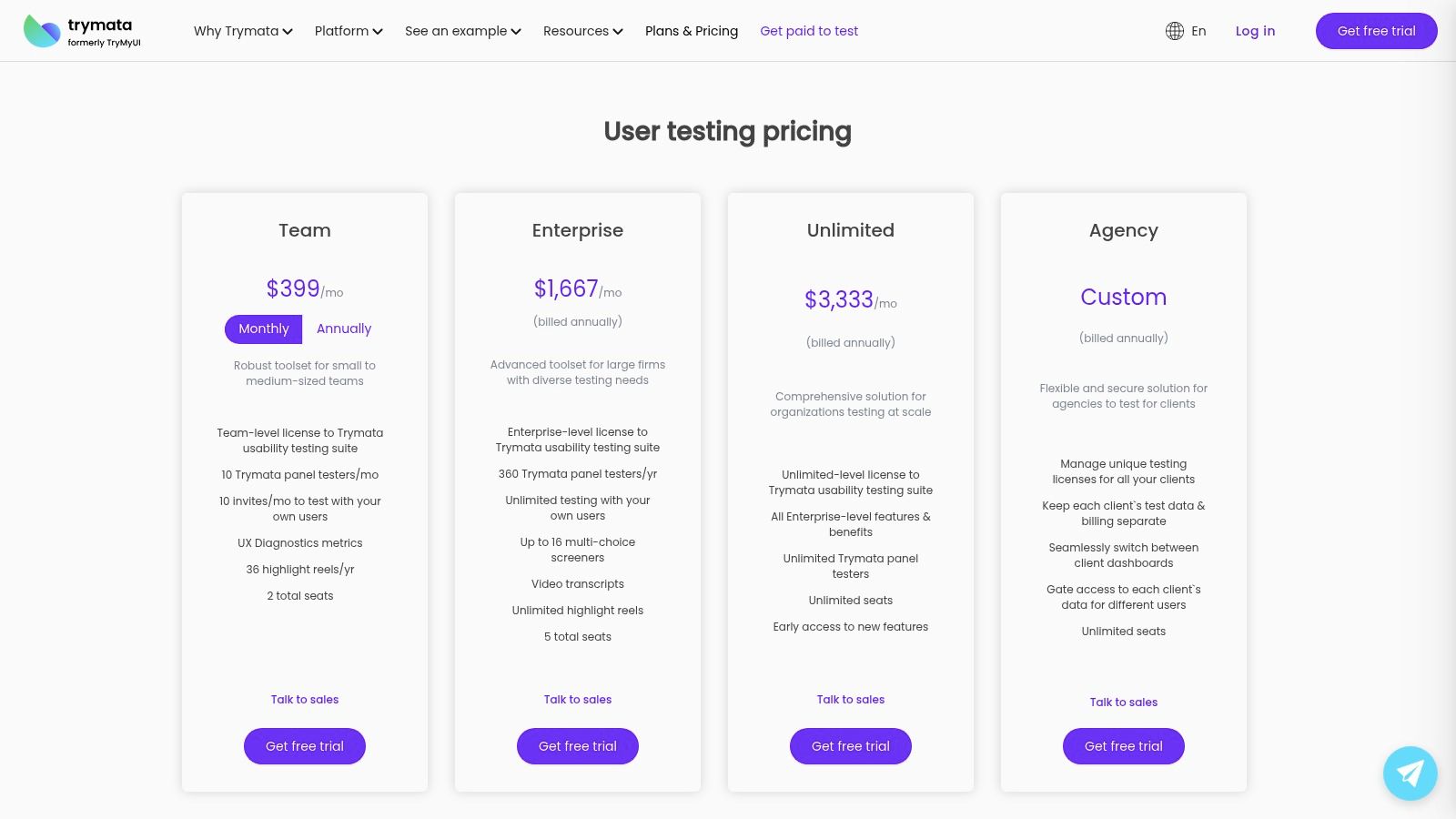
This tool is particularly well-suited for small to mid-sized businesses and product teams that need an all-in-one solution without the enterprise-level price tag. Trymata allows you to recruit from their panel, bring your own users, or analyze existing user behavior with its product analytics suite. This flexibility makes it a versatile choice among user experience testing tools for organizations looking to scale their research operations efficiently.
Key Features & Use Cases
- Unmoderated User Testing: Set up and launch remote, unmoderated tests for websites and mobile apps. This is ideal for quick feedback on prototypes, information architecture, or task completion flows.
- UX Diagnostics & Analytics: Complements qualitative feedback with quantitative metrics like session replays, heatmaps, and conversion funnels to identify user friction points at scale.
- Built-in Research Repository: All plans include one year of access to a research repository, helping teams store, organize, and synthesize findings from various studies over time.
- Flexible Participant Sourcing: Use panel credits included in your plan for general feedback or invite your own customers for more targeted, specific insights.
Pros and Cons
| Pros | Cons |
|---|---|
| Straightforward, publicly available pricing plans | Panel tester counts are capped by plan unless upgraded |
| Combines usability testing with product analytics | Analytics and testing are distinct products with different feature sets |
| Free trial is available for the usability testing tier | Platform may be less robust for complex, moderated research needs |
Website: https://trymata.com/plans
10. Userbrain
Userbrain is a lightweight and highly accessible user testing service designed for simplicity and affordability. It provides teams with unmoderated, think-aloud video feedback from real users, making it an excellent choice for startups, small teams, or anyone needing quick, ad-hoc insights without the complexity of an enterprise platform. The platform's key differentiator is its straightforward pay-as-you-go credit system and simple subscription plans, lowering the barrier to entry for continuous user feedback.
This tool is ideal for teams that need to run tests frequently but may not have a large, dedicated research budget. Userbrain allows you to either tap into their global panel of over 100,000 testers or invite your own participants at no extra cost. This flexibility makes it one of the more versatile user experience testing tools for validating designs, checking navigation flows, or getting a quick gut-check on a new feature before launch.
Key Features & Use Cases
- Unmoderated Think-Aloud Videos: Receive screen and audio recordings of users navigating your website or prototype while verbalizing their thoughts. This is perfect for quick usability checks and identifying major pain points.
- Pay-As-You-Go Credits: Purchase test credits individually or in bulk, which never expire. This model is great for teams with fluctuating research needs or those just getting started with user testing.
- Bring Your Own Testers: Invite your own customers or audience to participate in tests for free, allowing you to gather targeted feedback without using panel credits.
- Basic Analysis Tools: The platform provides essential insights through click maps and path flows, helping you visualize user journeys and interaction patterns alongside qualitative video feedback.
Pros and Cons
| Pros | Cons |
|---|---|
| Very low barrier to entry with flexible pay-as-you-go pricing | Feature set is lighter compared to comprehensive enterprise suites |
| Simple, user-friendly interface is ideal for smaller teams | Lacks the advanced automations and analytics of larger platforms |
| Test credits do not expire, offering excellent flexibility | Public pricing can vary; users should confirm final costs at checkout |
Website: https://www.userbrain.com
11. Crazy Egg
Crazy Egg is a website behavior analytics platform specializing in visual user feedback through heatmaps, session recordings, and A/B testing. It provides a quick, intuitive way for teams to understand how users interact with their website, identifying where they click, how far they scroll, and where they get stuck. The platform's key differentiator is its focus on easily digestible visual data, making it a powerful diagnostic tool that complements more in-depth qualitative usability studies.
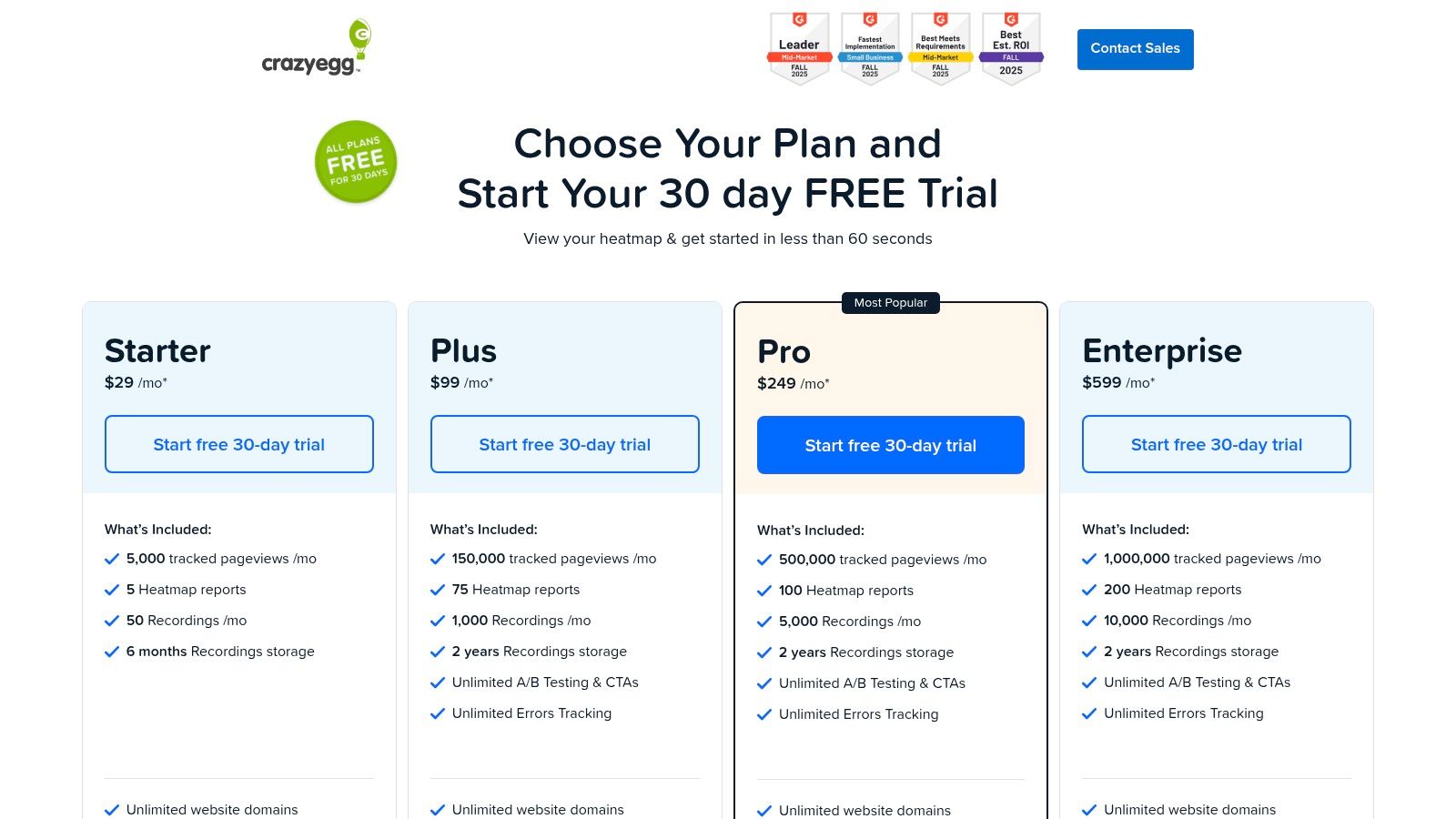
This tool is ideal for marketing teams, product managers, and small businesses looking for fast behavioral insights without the complexity of enterprise-level analytics. Crazy Egg helps pinpoint friction points and optimization opportunities by visualizing user behavior directly on the page. By analyzing this data, teams can better inform their hypotheses and measure the impact of design changes using key user experience metrics. The clear, pageview-based pricing also makes it an accessible choice for predictable budgeting.
Key Features & Use Cases
- Heatmaps & Session Recordings: Visualize exactly where users click, scroll, and move their mouse with heatmaps, scrollmaps, and confetti reports. Watch full session recordings to understand the user journey and identify bugs or usability issues.
- A/B Testing: Easily create and launch A/B tests to optimize page elements like headlines, CTAs, and layouts without needing extensive developer resources.
- Surveys & Error Tracking: Deploy on-site surveys and pop-ups to gather direct user feedback. The error tracking feature automatically identifies JavaScript errors that impact the user experience.
- Unlimited Domains & Team Members: All plans, including the free tier, support unlimited websites and team member collaboration, making it highly scalable for agencies or businesses with multiple web properties.
Pros and Cons
| Pros | Cons |
|---|---|
| Generous free plan and a 30-day trial for paid tiers | Not a participant recruiting tool; requires a separate method for user sourcing |
| Clear pageview-based pricing with no overage charges | Lacks the depth for moderated or deep qualitative research |
| Unlimited domains and team members on all plans | A/B testing feature is less robust than dedicated optimization platforms |
Website: https://www.crazyegg.com/pricing
12. Tobii (Eye-tracking hardware)
Tobii is a leader in eye-tracking technology, providing specialized hardware that adds an empirical layer of gaze and attention data to qualitative user research. While not a standalone software platform, its devices like the Tobii Eye Tracker 5 are essential user experience testing tools for in-lab studies, enabling researchers to see exactly where users look, what they ignore, and how they visually process an interface. This technology transforms subjective observations into objective data on visual engagement and cognitive load.
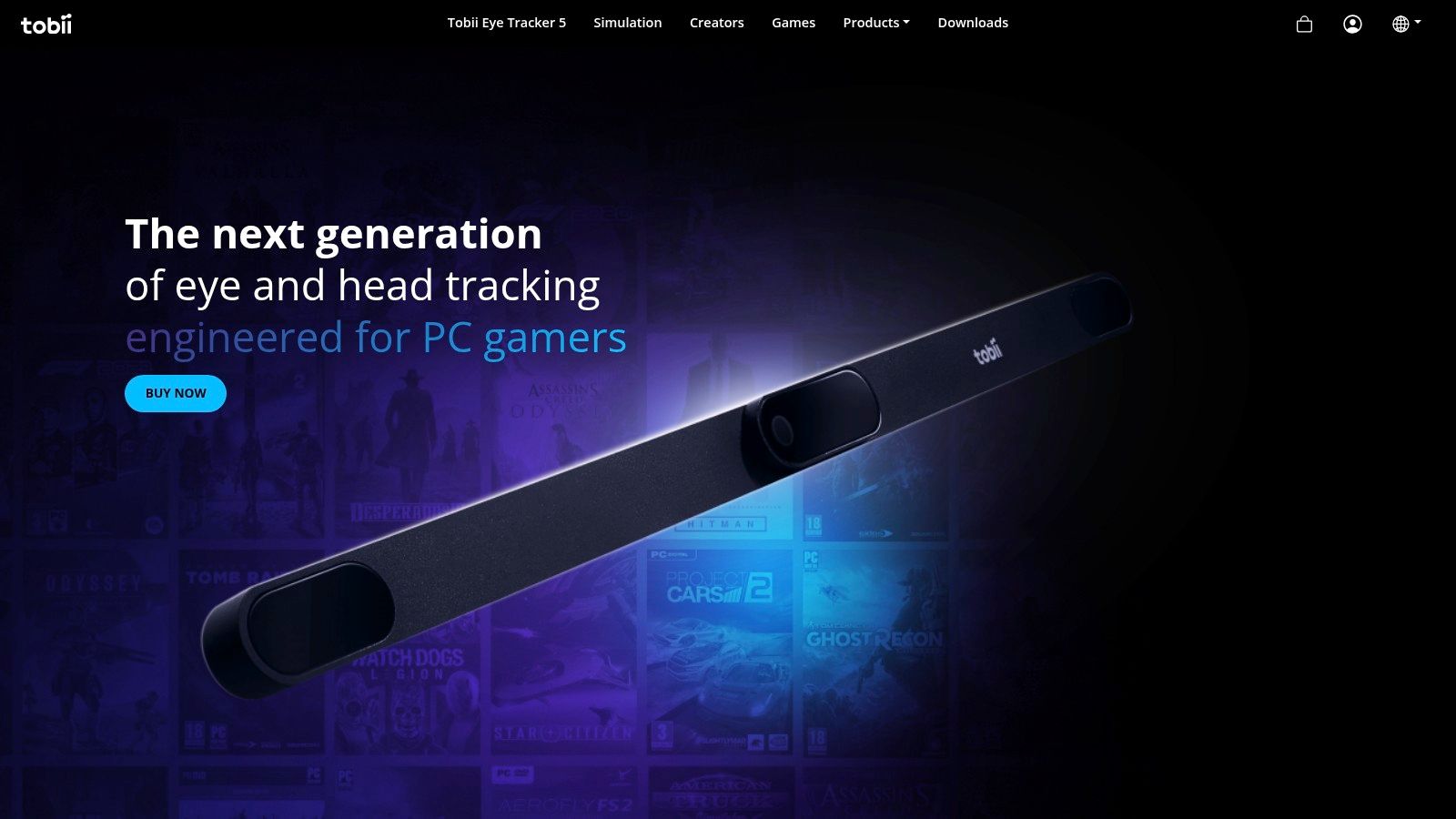
This hardware is ideal for UX labs and academic research institutions aiming to conduct deep usability analysis. The devices can be purchased directly from Tobii, which supports organizational purchasing and global shipping, or through major US retailers like Amazon and Newegg for faster domestic delivery. Integrating this hardware with other user experience testing tools provides a more complete picture of user behavior, combining "what they do" with "where they look."
Key Features & Use Cases
- Precise Gaze Tracking: Captures detailed eye movements, fixations, and saccades, providing incontrovertible evidence of what captures a user's attention on a screen. This is crucial for optimizing visual hierarchy and call-to-action placement.
- Hardware Accessibility: Consumer-grade devices like the Eye Tracker 5 are available through common online marketplaces, making the technology more accessible to smaller teams and independent researchers.
- SDK & Community Support: A broad ecosystem of Software Development Kits (SDKs) and community support allows for the integration of gaze data into various research platforms and custom applications.
- Organizational Purchasing: Tobii provides direct sales support for enterprises and institutions, facilitating bulk orders and managing international shipping logistics.
Pros and Cons
| Pros | Cons |
|---|---|
| Adds robust, quantitative gaze data to UX workflows | Marketplace prices can vary, and direct orders may incur import duties |
| Widely supported hardware with a strong developer ecosystem | Requires a physical lab setup and integration with other testing software |
| Easy to purchase through multiple online retail channels | Hardware represents an upfront investment compared to SaaS tools |
Website: https://gaming.tobii.com
Top 12 UX Testing Tools Comparison
| Tool | Core focus & features ✨ | UX quality ★ | Pricing/value 💰 | Target audience 👥 | Key strength 🏆 |
|---|---|---|---|---|---|
| UserTesting | Moderated & unmoderated studies, global panel, enterprise security ✨ | ★★★★☆ | 💰 Enterprise pricing (contact) | 👥 Large enterprises, UX ops | 🏆 Large reliable panel + governance |
| Hotjar (Contentsquare) | Heatmaps, session replays, funnels, surveys; no-code setup ✨ | ★★★★☆ | 💰 Clear tiers + generous free tier | 👥 PMs, product teams, SMBs | 🏆 Fast setup + behavioral analytics |
| Maze | Rapid prototype tests, IA tests, AI-moderated interviews, credits ✨ | ★★★★☆ | 💰 Credit-based, predictable panel costs | 👥 UX researchers, designers validating prototypes | 🏆 Fast validation + automated reports |
| Lookback | Live moderated & unmoderated sessions, Recruit integration, observers ✨ | ★★★★☆ | 💰 Annual plans with session bundles | 👥 Teams focused on moderated research | 🏆 Strong moderator/observer experience |
| Optimal Workshop (Optimal) | Card sort, tree test, first-click, Figma prototype testing ✨ | ★★★★☆ | 💰 Starter plan (annual) + optional panel credits | 👥 IA researchers, cross-functional teams | 🏆 IA-focused suite with unlimited seats |
| Lyssna (formerly UsabilityHub) | Quick tests (5-sec, preference), interviews, large panel, AI summaries ✨ | ★★★☆☆ | 💰 Transparent monthly + panel credits | 👥 Designers needing quick validation | 🏆 Wide quick-test toolset + large panel |
| Userlytics | Moderated/unmoderated, advanced screening, AI analysis, BYOU pricing ✨ | ★★★★☆ | 💰 BYOU annual + volume discounts | 👥 Mixed qual/quant teams, enterprises | 🏆 Robust demographics + enterprise recruiting |
| PlaybookUX | All-in-one testing, B2B/B2C recruiting, pay-as-you-go, compliance ✨ | ★★★★☆ | 💰 Pay-as-you-go or subscription | 👥 Teams needing flexible budgeting & compliance | 🏆 Transparent per-response pricing + SOC2/ISO |
| Trymata (TryMyUI) | Usability testing + product analytics, research repo, published tiers ✨ | ★★★☆☆ | 💰 Clear published plans + free trial | 👥 Teams wanting combined testing & analytics | 🏆 Testing + analytics in one product line |
| Userbrain | Lightweight unmoderated video tests, pay-as-you-go credits ✨ | ★★★☆☆ | 💰 Very affordable pay-as-you-go | 👥 Small teams, freelance designers | 🏆 Low barrier to entry & quick feedback |
| Crazy Egg | Heatmaps, session recordings, A/B testing, error tracking ✨ | ★★★★☆ | 💰 Pageview-based tiers + free plan | 👥 Marketing teams & conversion analysts | 🏆 Predictable pricing + unlimited domains |
| Tobii (Eye-tracking hardware) | Eye-tracking devices, SDKs, gaze-data integration ✨ | ★★★★☆ | 💰 Hardware pricing (store/marketplace) | 👥 UX labs, academic & enterprise researchers | 🏆 Industry-standard gaze data + SDK ecosystem |
Integrating Testing Tools into a Cohesive Research Strategy
Navigating the landscape of user experience testing tools can feel overwhelming. We've explored a wide array of options, from all-in-one platforms like UserTesting to specialized solutions like Optimal Workshop for information architecture and Hotjar for behavioral analytics. Each tool offers a unique lens through which to view your users’ interactions, but the real power doesn't come from any single platform. It emerges from building a strategic, multi-faceted research stack.
The most effective product teams understand that no one tool can provide all the answers. The goal is to move beyond isolated tests and create a continuous feedback loop that informs every stage of the product development lifecycle. This means combining quantitative and qualitative data to build a complete picture of user behavior and motivation.
Building Your UX Research Stack
Creating a cohesive strategy involves layering different types of tools to answer different questions. For instance, you might start with a broad, quantitative tool to identify problem areas and then use a qualitative tool to understand the underlying "why."
Here's a practical workflow example:
- Identify the "What": Use an analytics and heatmap tool like Hotjar or Crazy Egg to analyze user behavior on a live product. You might discover a specific page in your checkout flow with an unusually high drop-off rate. This data tells you what is happening.
- Understand the "Why": Now that you have a problem area, you can use a moderated or unmoderated testing platform like UserTesting or Lookback. By asking users to complete the checkout process while thinking aloud, you can uncover the specific usability issues, confusing copy, or design flaws causing the friction. This qualitative insight reveals why it's happening.
- Validate a Solution: Before dedicating development resources to a fix, you can prototype a new design and test it with a rapid testing tool like Maze or Lyssna. This allows you to validate your proposed solution with real users quickly and affordably, ensuring your changes will actually solve the problem.
- Measure the Impact: After implementing the new design, you return to your analytics tools to measure the impact. Did the drop-off rate decrease? Did conversions improve? This closes the feedback loop and provides data-driven evidence of your success.
Key Considerations for Your Team
Choosing the right user experience testing tools depends heavily on your team's size, budget, and maturity.
- For Startups and Small Teams: Affordability and ease of use are paramount. Tools like Userbrain, Maze, and the free tier of Hotjar offer immense value without a significant financial commitment. They allow you to build a foundational research practice from day one.
- For Mid-Sized and Scaling Companies: As your needs grow, you'll want a mix of specialized and comprehensive tools. Combining a platform like PlaybookUX for mixed-methods research with Optimal Workshop for IA can provide a robust, scalable toolkit.
- For Large Enterprises: Enterprise-grade solutions like UserTesting and Contentsquare (Hotjar's parent company) are often necessary to manage research at scale, offering advanced features, security, and dedicated support.
Ultimately, the goal is not just to collect data but to synthesize it into meaningful insights that drive product strategy. A key component of any cohesive research strategy is the ability to effectively transition from raw data to actionable decisions that improve the product.
By thoughtfully selecting and integrating the right user experience testing tools, you transform product development from a process of guesswork into a confident, user-centered engine for growth. The journey from good to great is paved with user insights, and with the right toolkit, you are well-equipped to build products that truly resonate with your audience.