A Practical Guide to the Web App Development Process
Building a web app isn't just a matter of writing code. It's a carefully orchestrated process that takes an idea from a rough sketch to a fully functional product. This journey is broken down into five core phases: Discovery, Design, Development, Testing, and Deployment. Following these stages keeps a project on track, on budget, and aligned with its core business goals.
Decoding the Web App Development Process
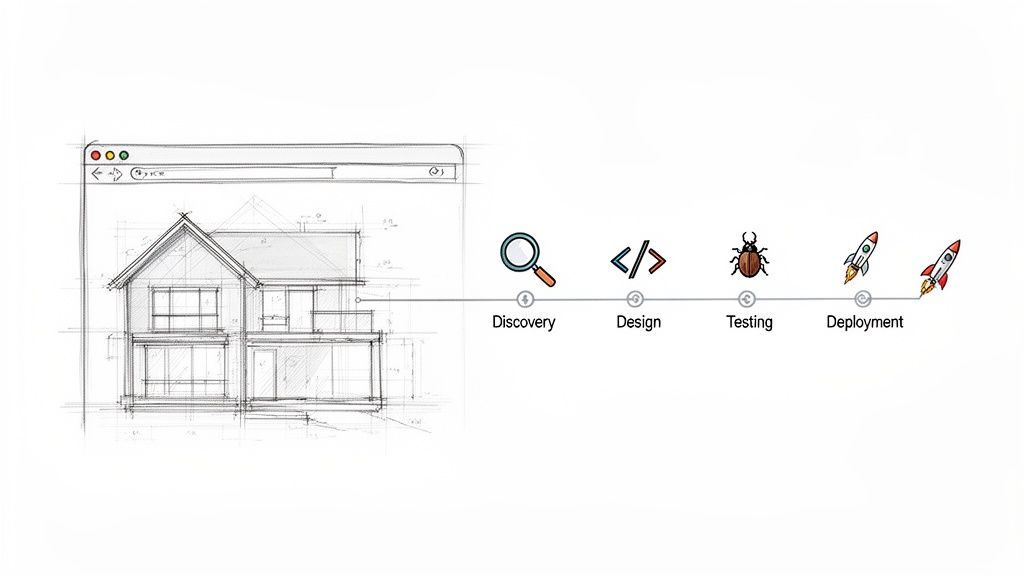
Think of it like building a house. You wouldn't just start laying bricks without a detailed blueprint. The same principle applies here; you can't just start coding without a clear, strategic plan. This development process is that plan—a roadmap guiding your project from a raw concept to a live application your customers can use.
Having a structured process is your best defense against common project-killers like scope creep, blown budgets, and missed deadlines. It creates a logical flow where each step builds on the last, ensuring nothing gets missed. It all starts with defining the "why" in Discovery, moves to crafting the look and feel in Design, and culminates in bringing it all to life during Development.
The Five Core Stages of Development
Every web app project, big or small, moves through a version of these five distinct stages. It’s a proven sequence that turns chaos into order.
Discovery: This is the critical foundation. Here, we define the project's goals, research the competition, and get crystal clear on the target audience. The key outputs are a detailed technical specification and a prioritized feature list for the Minimum Viable Product (MVP).
Design: Next, the UX (User Experience) and UI (User Interface) designers take over. They create wireframes and high-fidelity mockups that map out exactly how the app will look, feel, and function from the user's perspective.
Development: This is where the magic happens. Front-end and back-end developers write the code that brings the designs to life, building out every feature and function.
Testing: Before going live, Quality Assurance (QA) engineers put the app through its paces. They hunt for bugs, test usability, and check for performance issues to ensure everything works perfectly.
Deployment & Maintenance: Finally, the app is launched on a live server. But the work doesn't stop there; a plan for ongoing support, updates, and future improvements is put in place.
By sticking to a structured process, you take the guesswork out of building software. It reduces risk, makes collaboration smoother, and dramatically boosts the chances of creating a product that people actually love to use.
Ultimately, this methodical approach demystifies the entire journey and gives everyone involved a clear path to follow. A key part of that planning involves thinking about your infrastructure early, which means understanding things like what is VPS hosting and whether it’s the right fit. For anyone leading a project, this structured approach is the key to building a successful app on a solid foundation.
1. Laying the Groundwork: Discovery and Strategy
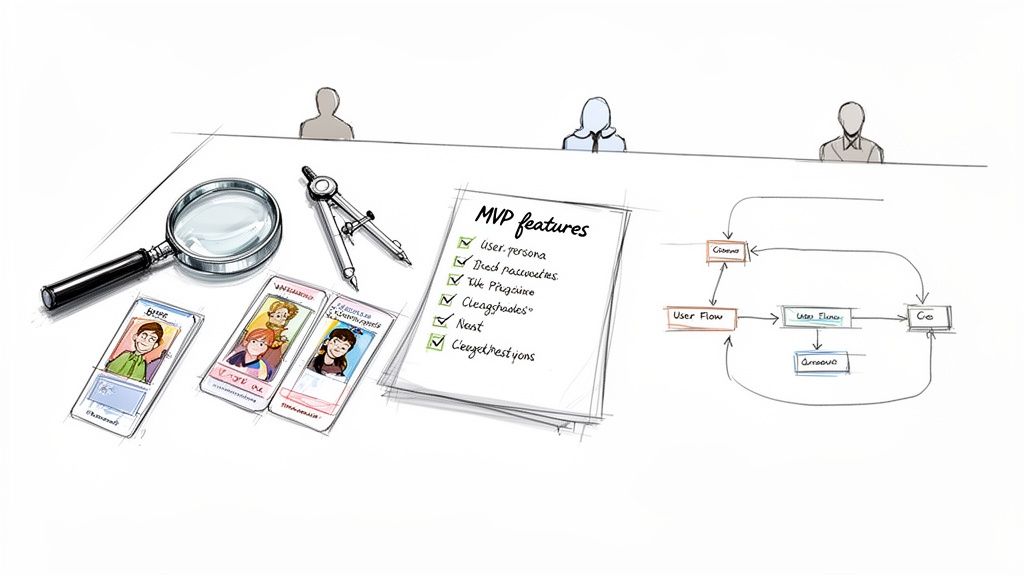
Think of this first phase as drawing the blueprints for a house. You wouldn’t just start pouring concrete and putting up walls without a solid plan, and the same goes for a web app. The Discovery and Strategy stage is where you get everything on paper, challenge your assumptions, and make sure what you think is a great idea is actually a viable one.
Skipping this step is one of the most common—and costly—mistakes I see teams make. It’s a deep, investigative dive where business goals, user frustrations, and technical realities all come together. The entire point is to de-risk the project by answering the hard questions before a single line of code is written.
This foundational phase is where you confirm project viability and align all stakeholders on a single, unified vision. It's the best insurance policy against budget overruns and missed deadlines.
When you do this work upfront, you’re directly tackling the biggest project killers: vague requirements and a product nobody actually wants. This isn’t just about brainstorming; it’s about making sure you’re building the right thing.
Defining Your Project Scope and Goals
First things first: what does "success" even look like for this project? This is where you move from a big-picture idea to a concrete plan with clear objectives.
You’ll want to get everyone in a room (virtual or otherwise) for some key activities:
- Stakeholder Interviews: Talk to the key decision-makers. What are their business goals? What's the budget? What does a successful return on investment look like to them?
- Competitive Analysis: Get a lay of the land. See what your competitors are doing right and, more importantly, where they’re falling short. This is where you find your opening.
- Target Audience Definition: You can't build something for "everyone." Create detailed user personas to get crystal clear on who you're building for, what problems they have, and what they need to succeed.
This process forces you to justify every feature. Does it solve a real user problem? Does it align with a business goal? If not, it gets cut. This keeps the project lean, focused, and on track.
Creating the Core Project Deliverables
The goal of all that research is to produce a set of tangible documents that will guide the rest of the project. These aren’t just formalities; they become the single source of truth for designers, developers, and project managers.
To help you keep track, here are the essential outputs you should expect from this phase.
Core Deliverables of the Discovery Phase
| Deliverable | Purpose | Key Stakeholders |
|---|---|---|
| Technical Specification Document | The project's "bible." Outlines all functional and non-functional requirements, features, user roles, and the proposed tech stack. | Product Manager, Lead Developer, Client/Sponsor |
| MVP Feature List | A prioritized list of the absolute must-have features needed to launch the first version and get user feedback. | Product Manager, Key Stakeholders |
| User Flow Diagrams & Wireframes | Low-fidelity sketches showing the app's structure and how users will navigate it to complete important tasks. | UX/UI Designer, Product Manager, Developers |
This table serves as a simple checklist to ensure you've covered your bases before moving on to the more expensive design and development stages.
This is also where your development methodology comes into play. The web app development process today heavily favors Agile approaches, and for good reason. A whopping 63% of organizations now use Agile, with 68% of them reporting a faster time-to-market compared to old-school Waterfall methods.
Agile works in "sprints," allowing you to continuously refine requirements—a critical step that, when done right, can prevent up to a 70% project failure rate. You can get a deeper look at these modern workflows in this web application development process guide.
Crafting an Intuitive User Experience and Interface
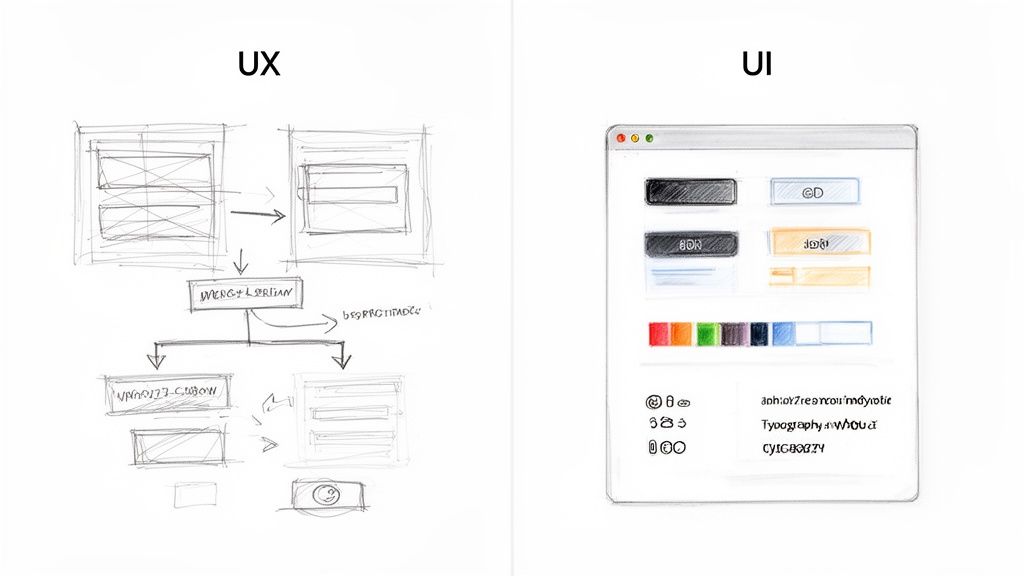
Once your strategy is locked in and you have a solid project blueprint, the development process pivots from high-level planning to the things users will actually see and touch. This is where the critical dance between User Experience (UX) and User Interface (UI) design begins. People mix these two up all the time, but they are very different disciplines, and nailing both is essential for a successful app.
I’ve always found the house-building analogy works best here. A UX designer is your architect. They’re completely focused on the structural integrity and flow of the house. They figure out the floor plan, how rooms connect, and make sure the layout just makes sense. You don't want to walk through a bathroom to get to the kitchen, right? That’s UX—making the entire experience of using the space logical and effortless.
The UI designer, on the other hand, is the interior decorator. They take the architect’s solid blueprints and bring them to life with style and personality. They choose the paint colors, the type of flooring, the cabinet handles, and the light fixtures. Their job is to make the house not just functional, but beautiful and enjoyable to be in.
The Role of User Experience UX Design
UX design is the methodical, analytical side of the coin. The core job of a UX designer is to get inside the user's head and map out the most intuitive path for them to get things done. It’s all about how the app feels and functions.
They aren't picking out fonts and colors at this stage. Instead, their work produces the foundational skeleton of the application. Key deliverables you'll see from a UX team include:
- User Personas: Detailed, semi-fictional profiles of your ideal customers that help keep every design decision user-centric.
- User Flow Diagrams: These are essentially roadmaps showing the exact steps a user will take to accomplish a task, like signing up or making a purchase.
- Wireframes: Simple, black-and-white layouts of the app’s screens. Think of them as blueprints for your app, showing where everything goes without any distracting visual design.
The entire point of great UX is to remove friction. A thoughtful UX design process is what stops users from getting frustrated and leaving your app before they’ve even had a chance to see what it can do.
The Art of User Interface UI Design
With the UX foundation firmly in place, the UI designer takes over. Their role is to apply the visual and interactive skin to the wireframe skeleton. This is where your brand’s personality really starts to shine through, turning a functional structure into a polished product.
UI design deals with every single visual element the user interacts with, from the biggest headline down to the smallest toggle switch. It’s what creates that immediate emotional connection with your app.
A great UI isn’t just about looking pretty. It's about creating a consistent visual language that guides the user. When a user sees a button, they should know instinctively that it’s a button.
The core components of UI design are:
- Visual Design: This includes everything from the color palette and typography to the style of icons and imagery used throughout the app.
- Interactive Elements: Designing the look and feel of all the interactive parts—buttons, forms, sliders, and menus—to make sure they’re inviting and easy to use.
- Design Systems: Creating a master library of reusable components (like buttons, form fields, and cards) to maintain absolute consistency across every single page.
A huge part of this is applying web form design best practices, because a poorly designed form can kill your conversion rates. When UX and UI work together seamlessly, you get an app that's not just easy to navigate but also a genuine pleasure to use.
Bringing Your Vision to Life with Code
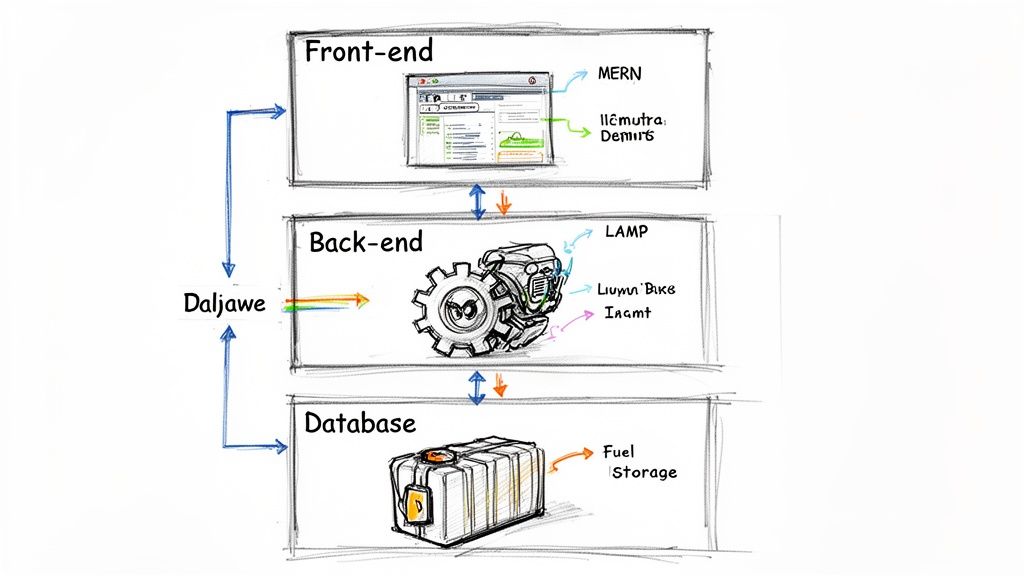
Alright, the strategy is set and the designs are approved. Now we get to the really exciting part of the web app development process: turning those static visuals into a living, breathing application. This is where the development team rolls up their sleeves and starts writing the code that will power every click, scroll, and feature.
To really understand how it all comes together, it helps to think of your web app like a restaurant. There are distinct parts that have to work in perfect sync to deliver a great experience.
The Front-End: The Dining Room
The front-end, or client-side, is everything the user sees and interacts with. In our restaurant analogy, this is the dining room—the tables, the decor, the menu, and the servers. It's the entire customer-facing experience.
Front-end developers are the architects of this experience. They use languages like HTML, CSS, and JavaScript, along with powerful frameworks like React, Angular, or Vue.js, to bring the UI/UX designs to life. Their job is to make sure every button is responsive, every animation is smooth, and the entire app looks great on any device, from a huge monitor to a small smartphone.
The Back-End: The Kitchen
If the front-end is the dining room, the back-end is the kitchen. It's completely hidden from the user, but it’s where all the magic happens. This is the server-side of your application, responsible for processing orders, managing reservations, and cooking the food.
Back-end developers work with languages like Node.js, Python, or PHP to build the core logic. They handle things like user authentication, business rules, and communicating with the database. When a user creates an account, for instance, the back-end takes that information, validates it, and tells the database where to store it securely.
Without a solid back-end, the beautiful front-end is just an empty stage. The back-end is the critical engine that manages data, security, and performance, making sure everything runs smoothly behind the scenes.
And what about the database? That's the pantry. It’s where all the ingredients (data) are stored, organized, and ready to be retrieved. This could be user profiles, product information, or customer order history. A well-organized pantry is crucial for a fast, scalable kitchen.
Choosing Your Technology Stack
One of the most important decisions you'll make is selecting your technology stack. This is essentially the set of tools and "recipes" your team will use to build both the kitchen and the dining room. This choice affects development speed, cost, performance, and how easily you can scale down the road.
A couple of common stacks you'll hear about are:
- MERN Stack: MongoDB (Database), Express.js (Back-end), React (Front-end), and Node.js (Server environment). This is a hugely popular choice because it uses JavaScript for everything, making development more consistent.
- LAMP Stack: Linux (Operating System), Apache (Web Server), MySQL (Database), and PHP (Programming Language). This is a classic, battle-tested stack that has powered a huge portion of the web for decades.
The right stack is all about your project's specific needs—its complexity, expected traffic, and your long-term goals. For a deeper look, our guide on how to choose the right technology stack is a great resource.
Working with Agile Sprints
Long gone are the days of developers disappearing into a cave for six months and emerging with a finished product. Modern teams work in an agile way, breaking the massive job of building an app into small, focused cycles called sprints.
A sprint is a short, defined period—usually one to four weeks—where the team focuses on completing a small batch of features. Progress is tracked in quick daily stand-up meetings, where everyone shares what they did, what they’re doing next, and if anything is blocking them.
This iterative approach keeps the project moving and allows for constant feedback and adjustments. For anyone managing the project, this transparency is invaluable, ensuring the development stays aligned with the business goals every step of the way.
Ensuring a Flawless Launch Through Rigorous Testing
Once the development team has turned your designs into a functioning app, it’s incredibly tempting to push the big red "launch" button. But hitting the market too soon is a classic, and often costly, mistake. This is where the Quality Assurance (QA) phase comes in—it’s the disciplined, essential checkpoint that separates a professional product from a user-frustrating disaster.
Think of it like this: a car factory would never ship a new model without putting the engine, brakes, and airbags through their paces. QA engineers do the same for your web app. Their job is to be methodical, detail-obsessed inspectors, hunting down bugs, flagging confusing user flows, and looking for security holes before your customers ever do.
This isn't just about clicking around and hoping to find something broken. It's a systematic effort to confirm the app actually delivers on everything promised back in the discovery phase. Getting this right builds trust and protects your brand from the fallout of a buggy release.
The Core Pillars of Application Testing
To make sure nothing gets missed, the testing process is broken down into a few key areas. Each one looks at the application from a different angle to ensure it’s solid, secure, and easy to use. Without this multi-layered approach, it’s just too easy for major flaws to slip through the cracks.
The four main types of testing you'll encounter are:
- Functional Testing: This is all about making sure things work. Do buttons go to the right place? Do forms actually submit the data they're supposed to? QA engineers run through very specific scenarios to ensure the app's core mechanics are doing their job.
- Usability Testing: This moves beyond "does it work?" to "is it easy and enjoyable to use?" Is the navigation a no-brainer? Can a first-time user figure out how to sign up or make a purchase without a manual? Often, this involves watching real people interact with the app to see where they get stuck or confused.
- Performance Testing: This is where we put the app under pressure. What happens when 500 people try to log in at the same time? How fast do pages load when the server is busy? The goal here is to ensure your app stays fast and stable, even when it’s popular.
- Security Testing: Here, the team essentially tries to hack the app. They’ll probe for common vulnerabilities, look for ways to access sensitive data, and try to break things on purpose to make sure user information stays safe from real-world threats.
A rigorous testing phase is non-negotiable. It's the final line of defense that ensures the product you deliver is not only functional but also secure, reliable, and a genuine pleasure for your customers to use.
From Finding Bugs to Fixing Them
The QA process doesn't stop at just finding problems—it’s about seeing them through to the fix. When a QA engineer finds a bug, they log it with a detailed report: what the bug is, its severity, and exact steps to make it happen again, usually with a screenshot or two.
That ticket gets assigned to a developer, who dives in to fix the code. Once the fix is in place, it's not done yet. Now it’s time for regression testing. This is a critical step where testers re-check everything to make sure the fix didn't accidentally break something else in another part of the app.
This cycle of test, fix, re-test continues until the app is stable, polished, and ready for prime time. For a deeper dive into the specifics, take a look at this detailed software testing checklist we put together. Following this kind of meticulous process is what allows you to launch with true confidence.
Deploying Your App and Planning for the Future
After all the hard work, rigorous testing, and countless bug fixes, your web app is finally ready to meet the world. This is the moment we've all been working toward, but deployment is much more than just pushing a button and hoping for the best.
Think of it like launching a rocket. You don't just light the fuse. There's an exhaustive pre-flight checklist to run through, ensuring every system is green-lit and ready for the public. A successful launch is a carefully planned event, designed to be seamless for the audience but meticulously managed behind the scenes.
Launching Your Application
Getting your app from a private development server to a live one that anyone can access is a critical, multi-step process. While the specifics can vary, the core mission is always the same: a smooth, secure, and stable launch.
Here’s a look at what’s happening during the deployment phase:
- Server Configuration: We'll set up and configure the cloud infrastructure, whether that's on a platform like Amazon Web Services (AWS) or Google Cloud, to be the home for your application.
- Production Environment Setup: The live environment is a different beast than the one we build and test on. It’s hardened for security and optimized for top-tier performance to handle real user traffic.
- Data Migration: If your app needs to launch with a pre-existing set of data (like a product catalog), this is when we move it from the staging database to the live one.
- Final Code Push: This is the big step where the final, tested version of the code is moved to the live server and pointed to your domain name, making it accessible to the world.
Once these tasks are complete, your app is officially live. But this isn't the end of the journey; it’s really just the beginning.
The Importance of Ongoing Maintenance
One of the biggest mistakes you can make is thinking a project is "done" after it launches. A web app isn't a static brochure; it's a dynamic, living product that needs consistent care to perform well over time. Just like a car requires regular oil changes and tune-ups, your app needs ongoing maintenance to stay fast, secure, and useful.
This post-launch support is what separates successful apps from forgotten ones. It typically involves:
- Performance Monitoring: Keeping a close eye on server health, page load times, and overall speed to identify and fix any bottlenecks before users notice.
- Security Patching: The digital world never sleeps, and new vulnerabilities are discovered all the time. We regularly apply updates to frameworks and libraries to keep your app protected.
- Bug Fixes: No matter how much testing we do, real-world users will always find new and creative ways to break things. We need to be ready to address any issues that pop up after launch.
- User Feedback Collection: Listening to what your first users are saying is invaluable. Their feedback is the blueprint for future improvements and new features.
A launch is not the finish line; it’s the starting line. A successful web app evolves based on real-world usage and feedback, and a commitment to maintenance is what guarantees its lasting value.
This long-term view is essential when planning your budget and timeline. The initial build is just one part of the total investment. To give you a clearer picture, let's look at some typical timelines and costs.
Typical Web App Timelines and Cost Estimates
The complexity of your web app is the single biggest factor influencing its development timeline and budget. A simple Minimum Viable Product (MVP) has a much different scope than a feature-rich enterprise platform. The table below provides a general overview based on our experience with nearshore development rates.
| App Complexity | Estimated Timeline | Estimated Cost Range (Nearshore Rates) |
|---|---|---|
| Simple / MVP | 1-3 months | $20,000 – $70,000 |
| Medium Complexity | 4-8 months | $70,000 – $150,000 |
| Complex / Enterprise | 9-15+ months | $150,000 – $300,000+ |
These figures are a great starting point for planning. For a more granular look at what drives these numbers, you can explore more detailed web app development cost breakdowns that dive deeper into the specifics. Factoring in maintenance from day one ensures your initial investment is protected and positioned to deliver value for years to come.
Got Questions? We've Got Answers.
When you're diving into web app development, a lot of questions come up. That's completely normal, especially if this is your first time building a digital product. Getting clear answers from the start helps everyone stay on the same page and makes the whole process, from that first idea to launch day, feel much more manageable.
Let's tackle some of the most common questions we get from clients.
A big one right out of the gate is always about timing. How long will this actually take? The honest answer is: it depends on how complex your idea is. A streamlined Minimum Viable Product (MVP) with just the essential features can come together in as little as 1 to 3 months. But for a more sophisticated application with custom integrations and advanced logic, you're realistically looking at 6 to 9 months, sometimes more.
How Do I Choose the Right Technology Stack?
Picking your "tech stack"—the collection of programming languages, frameworks, and databases that power your app—is a huge decision. It's the foundation of your entire project, and it affects everything from performance and security to how easily you can add features down the road.
There’s no single "best" stack; the right choice is always tailored to your specific project. Here’s what we consider:
- How complex is the app? A simple app might work perfectly on a classic LAMP (Linux, Apache, MySQL, PHP) stack. A feature-rich platform, on the other hand, might need the flexibility of something like the MERN stack (MongoDB, Express.js, React, Node.js).
- How big do you want to grow? If you're aiming for massive user growth, you'll want to use technologies built for scaling—think about the kind of infrastructure that powers giants like Netflix or Airbnb.
- What does your team know best? The fastest way to build is to use the tools your developers are already experts in.
- What’s your budget? Some technologies come with higher licensing fees or require developers with more specialized (and expensive) skills.
The goal isn't to chase the latest trend. It's about choosing a solid, secure, and scalable foundation that will support your app for years to come. A great development partner won't just push their favorite tech; they'll help you pick what’s right for your business goals.
What’s the Difference Between a Web App and a Website?
This is a really common point of confusion, but the distinction is pretty simple when you break it down. Both live on the web and you access them through a browser, but they do fundamentally different things.
A website is mostly for show. Its main job is to present information to people who visit. Think of a digital brochure for a company, a portfolio, or a blog. You read it, you look at it, but you don't really do much with it.
A web application, on the other hand, is for doing. It's interactive. You log in, you create things, you manage data, you complete tasks. Think of the difference between reading a news article (website) and writing a document in Google Docs (web app). The web app is a tool that performs a function.
Because of this, the web app development process is a much bigger undertaking. It requires a robust back-end, complex databases to store user data, and secure ways for people to log in and interact with the system.