What Is Headless CMS: what is headless cms and its benefits

Think of a headless CMS as a content engine, completely separate from the car it powers. The engine's only job is to provide structured content, while developers are free to build any kind of "car"—a website, a mobile app, a smartwatch interface—they want around it.
Unlike a traditional CMS where content and design are locked together, a headless system delivers raw content through APIs. This lets you push a single product update or blog post to every digital touchpoint simultaneously.
Understanding the Headless CMS Revolution
To really get what a headless CMS is all about, let's ditch the technical jargon for a minute.
Imagine a traditional CMS, like WordPress or Drupal, as a pre-packaged model car kit. You get all the pieces, a specific set of instructions, and a picture on the box showing you exactly what to build. It’s a great system if all you want is that one specific car. But what if you want to build a spaceship or a boat with those same pieces? You can't. The parts and the blueprint are fused together.
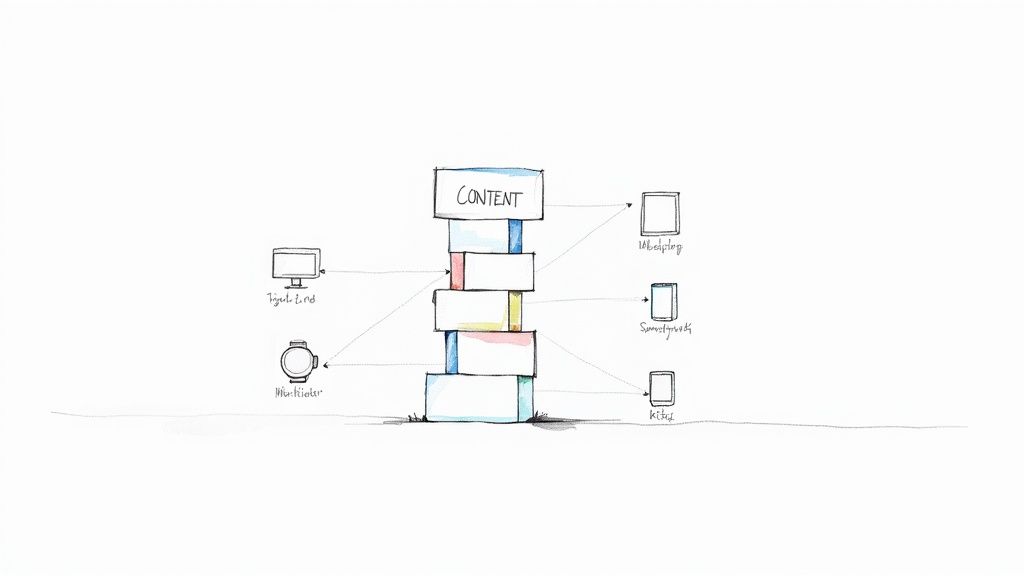
A headless CMS is more like a massive bin of high-quality LEGO bricks. Each piece of content—a blog post, a product description, a customer testimonial—is a perfectly formed, independent block. There are no instructions. Instead, your content is neatly organized in a central hub, ready for your developers to grab and build anything they can imagine.
The Power of Decoupling
This intentional separation of content from presentation is called decoupling. The back-end, where your team creates and manages content, is the "body." The front-end, where your customers see and interact with that content, is the "head." A headless CMS simply removes the head, leaving a powerful content repository that can serve its content anywhere.
So, how does the content get from the "body" to all these different places? Through an Application Programming Interface, or API. Think of the API as a universal translator that lets your content hub talk to any front-end framework or device. This frees your developers to use their preferred tech stack—like React, Vue, or Angular—to build lightning-fast, custom experiences.
A headless CMS doesn’t care about pixels, layouts, or templates. Its sole job is to manage structured content and make it available via an API. The front-end team has complete freedom to decide how and where that content appears.
This API-first philosophy is a massive win for tech leaders. Instead of wrestling with separate, siloed content for your website, your iOS app, and your Android app, you get to manage a single source of truth. One update, everywhere, instantly.
Why This Matters for Modern Business
In a world where your customers interact with you across countless channels, this kind of flexibility is essential. Product managers and CTOs are increasingly adopting headless architecture for a few very practical reasons:
- Future-Proofing: Ready to launch on a new channel like a smart TV, voice assistant, or in-store kiosk? With a headless setup, you just build a new front-end. No need to rip out and replace your entire content platform.
- Developer Freedom: Your engineers can use the best tools for the job, not just what the CMS allows. This leads to happier developers, faster build times, and a better final product.
- Enhanced Performance: Front-ends built with modern JavaScript frameworks are almost always faster and more secure than websites built on traditional CMS templates. That speed has a direct impact on your SEO rankings and user engagement.
This approach fundamentally changes how you think about content. It’s no longer just about feeding a website. It becomes a strategic, channel-agnostic operation that gives you the speed and agility to build modern digital products that win.
Traditional CMS vs Headless CMS at a Glance
To put it all into perspective, here’s a quick comparison highlighting the fundamental differences between monolithic and headless content management systems.
| Aspect | Traditional (Monolithic) CMS | Headless CMS |
|---|---|---|
| Architecture | Coupled: Back-end and front-end are tightly integrated. | Decoupled: Back-end (content) is separate from the front-end (presentation). |
| Content Delivery | Delivers content and presentation together, usually as HTML pages. | Delivers raw, unstructured content via APIs (e.g., RESTful or GraphQL). |
| Flexibility | Limited to predefined templates and a specific technology stack. | "Bring your own front-end." Works with any programming language or framework. |
| Use Cases | Best for single websites, blogs, and simple marketing sites. | Ideal for omnichannel experiences, mobile apps, IoT, and complex web applications. |
| Developer Experience | Often restrictive, forcing developers to work within the CMS's ecosystem. | Highly flexible, allowing developers to use modern tools and workflows. |
Ultimately, the choice comes down to what you're building. For a straightforward website, a traditional CMS might be all you need. But for a dynamic, multi-channel digital product, a headless CMS provides the foundation for growth and innovation.
How a Headless CMS Actually Works
To really get what a headless CMS is, you have to look under the hood at its architecture. The whole idea is surprisingly simple once you picture its two core parts: the "body" where content lives, and the "head" where it's shown. A headless CMS completely separates the two.
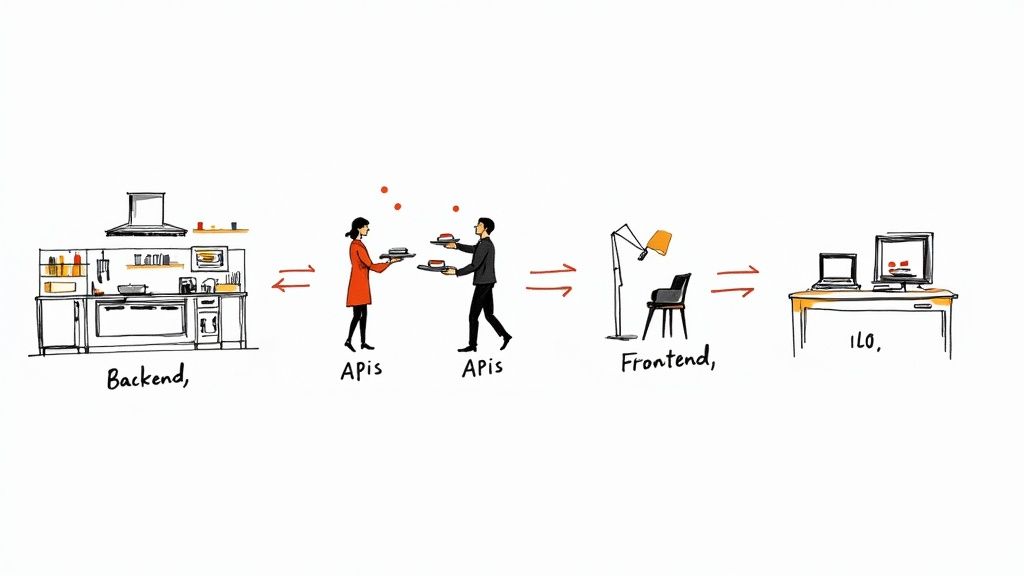
Think of it like a professional restaurant kitchen. The chefs (your content team) are focused on one thing: preparing high-quality ingredients (your content). This kitchen is the headless CMS backend—a centralized hub for creating, storing, and organizing everything. It’s all about the content itself, not how it’s going to look on a plate.
This backend "body" holds all your content in a raw, presentation-free format. A product description isn't saved with messy HTML tags or CSS styles. Instead, it’s stored as pure data in fields like product_name, price, or description_text. This structured approach is what gives it so much power. If you're new to this, understanding content modeling concepts like items and fields is the first step to getting it right.
The Role of APIs as Content Messengers
So, how does that perfectly prepared content get from the kitchen to the customer? That’s where the Application Programming Interface (API) steps in. You can think of the API as the restaurant's incredibly efficient waitstaff.
The API takes orders from any table—a website, a mobile app, a digital kiosk, even a smartwatch—and delivers exactly what was requested. It doesn't tell the front-end how to arrange the food on the plate; it just makes sure the right ingredients arrive quickly and accurately. This is the secret to creating a seamless experience everywhere.
In a headless architecture, the API is the universal translator. It takes structured content from the back-end and serves it in a standard format, like JSON, that any front-end application can easily understand and use.
This model gives your front-end developers total creative freedom. They can use whatever framework they love—React, Vue, Angular, you name it—to build the "head," or presentation layer. The front-end simply calls the API, gets the raw content, and then renders it beautifully for the user. It's this clean separation that lets your team deliver a consistent brand message across countless digital touchpoints, all from one content source.
REST vs. GraphQL: The Two Main API Styles
When you start working with a headless CMS, you'll run into two main types of APIs for delivering your content. Each has a different philosophy for fetching data, and your choice will depend on what your project needs.
- REST (Representational State Transfer): This is the classic, time-tested approach. With REST, you request data from predefined endpoints. For instance, you’d have one endpoint for blog posts and a separate one for author details. It's predictable and widely understood, but it can sometimes mean making several API calls just to pull together the information for a single page.
- GraphQL: A more modern and flexible query language for APIs. Instead of juggling multiple endpoints, GraphQL uses a single one. Your front-end app sends a single, detailed query spelling out precisely the data it needs, and the server sends back only that data in one go. This can lead to significant performance gains because you avoid fetching a bunch of extra, unnecessary information.
Both are great options, and both get the job done. The main takeaway is that the API serves as a clean, reliable contract between your content and any front-end you can imagine. For CTOs and product managers, this means greater technical confidence and a much clearer workflow.
To make sure your content delivery is as efficient and scalable as possible, it's worth brushing up on API design best practices.
Building the Business Case for Going Headless
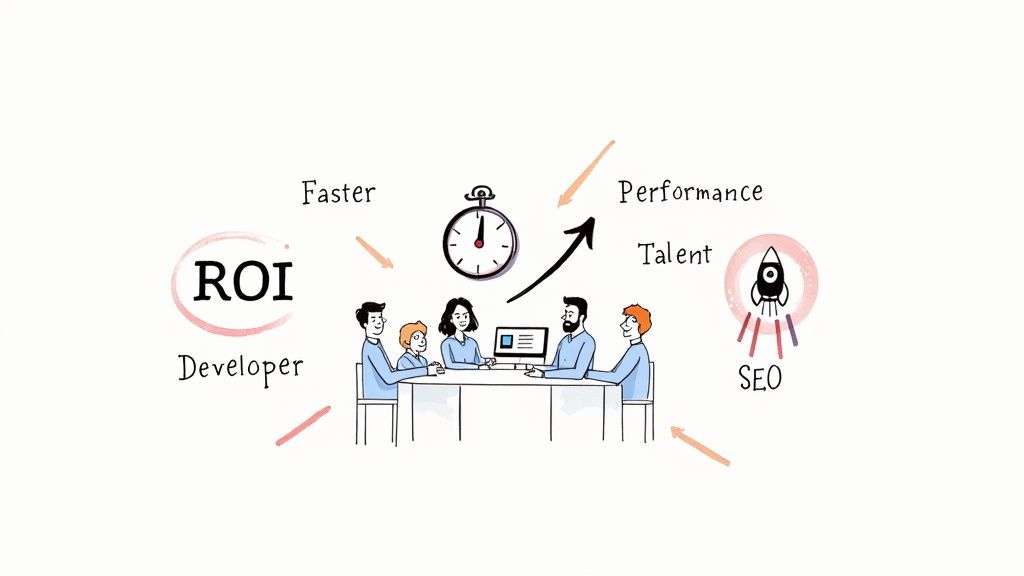
While the tech behind a headless CMS is impressive, the conversations that matter happen in the boardroom, and they're all about business results. For CTOs and product managers, a migration isn't just about cleaner code; it's about pushing for real growth, becoming more efficient, and carving out an edge over the competition. The argument for going headless stands firmly on three pillars: speed, performance, and being ready for whatever comes next.
Accelerating Time to Market
In a market that moves at lightning speed, getting campaigns, features, and products out the door quickly is a huge win. Traditional CMS platforms are notorious for creating bottlenecks. Their rigid templates and tangled dependencies can grind development cycles to a halt. A headless architecture smashes through those barriers.
With the front-end and back-end completely decoupled, your teams can finally work in parallel. The marketing team can spin up a new campaign in the CMS at the exact same time your developers are building the perfect user experience for it. This parallel workflow slashes the time it takes to get from an idea to a live launch.
By decoupling content from presentation, you empower your teams to innovate independently. Developers can push updates to the front-end without touching the CMS, and content editors can publish new material without needing a developer's help.
This isn't just a nice theory. A recent industry report found that a whopping 69% of users see a faster time-to-market or better team productivity after switching to headless. For a startup trying to outrun established players or a product manager facing a tight deadline, that kind of speed is invaluable. You can dive deeper into this and other headless CMS trends in these 2025 comparative market write-ups.
Boosting Performance and SEO
Let's be clear: website performance is not a "nice-to-have" feature anymore. It's absolutely essential for keeping users around, driving conversions, and climbing the search engine rankings. Slow pages kill business.
Headless architecture is a powerful fix for this. By freeing developers to choose any front-end technology they want, they can use modern, lightweight frameworks like Next.js or Astro that are built for pure speed. The result is lightning-fast load times and much better Core Web Vitals scores—metrics that Google takes very seriously when ranking websites.
This leads directly to tangible business outcomes:
- Better User Experience: A fast, responsive site keeps people engaged and happy.
- Higher Conversion Rates: There is a direct link between faster page loads and more sales or sign-ups.
- Improved SEO Rankings: Google openly favors faster websites, giving you a clear advantage over sluggish competitors.
The numbers don't lie. 58% of headless adopters report a noticeable improvement in site performance. That boost is a straight line to better user retention and much stronger organic search visibility.
Future-Proofing Your Digital Strategy
Committing to a new technology platform is a big deal. The last thing anyone wants is to invest in a solution that becomes a relic in a few years. A headless CMS is designed from the ground up to avoid this fate by being completely channel-agnostic.
Your content is stored as clean, structured data, ready to be sent to any device or platform you can imagine—both now and in the future.
- Want to launch an Apple Vision Pro app? Your content is ready to go.
- Need to power an interactive kiosk in a retail store? The API is there for you.
- Thinking about a skill for a voice-activated assistant? You have a single source of truth for all the content you need.
This "create once, publish everywhere" approach means you can jump on new technologies without having to start from scratch with a costly platform migration. You just build a new "head" for the new channel. This architectural foresight keeps your content strategy nimble and ensures your investment pays dividends for years to come, giving you a solid foundation for whatever's next.
Weighing the Challenges and Considerations
Let's be real: adopting a headless CMS brings a ton of power, but it’s definitely not a plug-and-play fix. Before you jump in, you need to look at the potential hurdles with clear eyes. A headless approach isn't a silver bullet for every problem; it's a major architectural shift that demands careful planning, the right team, and a solid grasp of the trade-offs. For startups and growing companies, being honest about these challenges is the first step toward getting it right.
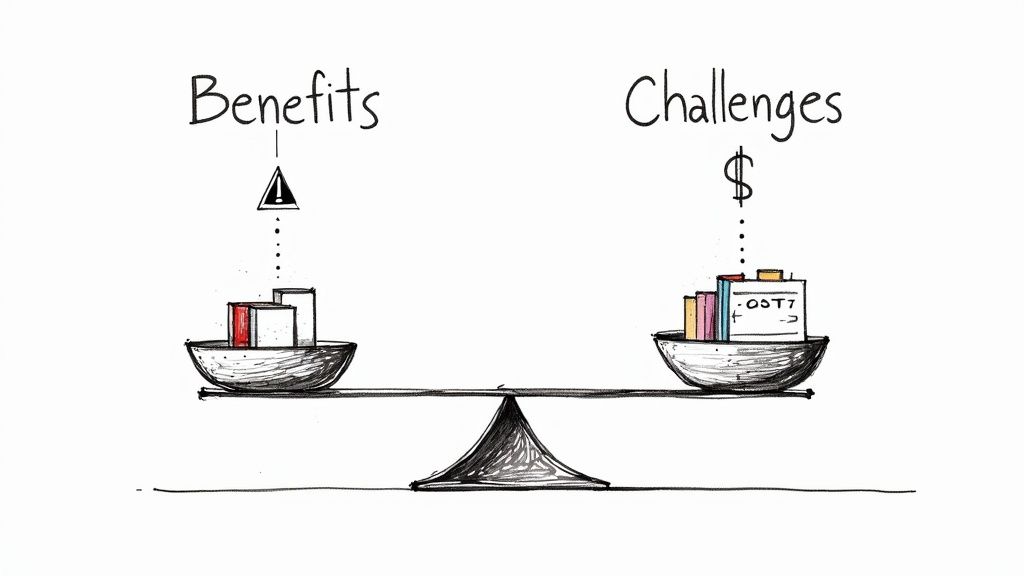
The transition fundamentally changes how your teams operate and the skills they need. You're moving away from an all-in-one package and becoming the architect of your own stack, piecing together best-in-class tools.
Increased Reliance on Developer Expertise
The single biggest shift is the heavy reliance on skilled front-end developers. Unlike a traditional CMS that comes with a built-in website template, a headless CMS only handles the content. Your team is now on the hook for building, deploying, and maintaining every single "head"—whether it's a website, a mobile app, or a smart display.
This means you need developers who are truly proficient in:
- Modern Frameworks: You'll need people who live and breathe JavaScript frameworks like React, Vue, or Svelte to build the actual user experience.
- API Integration: Your team has to be comfortable calling APIs, fetching content, and managing the data that comes back.
- Building Infrastructure: Setting up the build processes, hosting, and CI/CD pipelines is no longer handled by the CMS. It’s all on you.
Without this in-house expertise, projects can easily get bogged down, and your total cost of ownership can creep up as you hunt for specialized talent.
The Marketing Workflow Adjustment
For your marketing and content teams, the change can feel pretty abrupt. They're used to traditional CMS platforms with a familiar "What You See Is What You Get" (WYSIWYG) editor, where creating a page is almost like designing it live. A headless system completely breaks that connection.
Marketers will be creating structured content in the back-end, but they lose direct control over how it looks on the front-end. It requires a mental shift from "page-building" to "content modeling," which can make it tough to visualize the final product without a good preview setup.
While most modern headless platforms have come a long way with content previews, they still need a developer to configure and integrate them properly. This new reality forces a much tighter collaboration between your marketing and development teams to make sure content shows up correctly on every channel.
Understanding the Total Cost of Ownership
Finally, you have to look past the sticker price. While some monolithic systems have high upfront licensing fees, a headless architecture has its own set of costs that can add up over time. The total cost of ownership (TCO) for a headless setup is a mix of several things:
- Development and Maintenance: The ongoing salary and resource costs for your front-end team.
- Hosting: You'll have separate hosting bills for your front-end applications.
- Third-Party Services: You’ll likely need to pay for tools like search, forms, and analytics that used to be built-in.
Even with these investments, the operational gains often make it a worthwhile trade. While WordPress still runs a massive chunk of the web, research shows that 49% of users say publishing on legacy platforms can take over an hour. On the other hand, headless adopters in Germany reported a 70% improvement in performance and scaling. Those are real returns that can easily justify the cost. For a deeper dive into these numbers, you can explore detailed statistics on CMS user outcomes.
Choosing the Right Headless CMS for Your Team
The headless CMS market is blowing up, which is both good and bad news. It's no longer a niche tool for developers; it’s a full-blown industry. In fact, independent market research predicts the market will surge from around $973.8 million in 2025 to a massive $7.1 billion by 2035. You can dig into the numbers in the full headless CMS software market forecast if you're curious.
This explosion of options means you have more choices than ever, but it also makes picking the right one a real challenge. This isn't just about the tech—it's a strategic decision that will affect your developers, product managers, and content creators every single day. The goal is to find a system that fits your team's skills, your project's needs, and where you plan to be in a few years.
Defining Your Core Technical Requirements
Before you start booking demos, get your technical leaders in a room to outline the absolute must-haves. These are the non-negotiables that will form the foundation of your search. Getting this wrong from the start can create huge headaches and friction down the line.
The first big question is usually about the API. Does your team prefer the precision of GraphQL, where the front end can ask for exactly the data it needs and nothing more? Or are they more comfortable with the straightforward, predictable structure of REST APIs? There isn't a universally "correct" answer here; it comes down to your team's experience and what your application actually needs to do.
After that, zoom in on the developer experience. A great headless CMS should feel like a partner, not an obstacle. Look for well-documented APIs and official Software Development Kits (SDKs) for the languages your team uses, whether that’s JavaScript, Python, or something else. Good SDKs cut down on boilerplate code, speed up development, and just make everyone’s life easier. And of course, don’t forget security—things like role-based access control (RBAC), audit logs, and compliance certifications (like SOC 2) are essential for protecting your data.
Evaluating the Content Authoring Experience
While the engineers are looking under the hood, your content and product teams are the ones who will be driving this thing every day. You can have the most powerful API in the world, but if the interface is a nightmare for content creators, you’ve failed. The authoring experience is every bit as critical as the developer experience.
A flexible content modeling system is at the heart of a good authoring setup. Can your content strategists easily create new content types—like a blog post, an author profile, or a product page—with all the right fields, without needing a developer? The more control they have to structure content logically, the more powerful and reusable that content becomes across all your channels.
The best headless platforms bridge the gap between developer freedom and content creator confidence. They provide marketers with reliable content preview environments and collaboration tools, ensuring that what they create in the back-end translates beautifully to the front-end without constant developer intervention.
Here are a few features that separate the great from the just-okay for content teams:
- Live Previews: Being able to see exactly what a piece of content will look like on the website or in the mobile app before it goes live is a game-changer for marketers.
- Collaboration Tools: Things like comments, version history, and scheduled publishing are vital for helping teams work together without tripping over each other.
- User-Friendly UI: The interface should be clean, fast, and intuitive enough for someone non-technical to jump in and get to work.
Aligning with Business and Growth Goals
Finally, the platform you choose has to make sense for the business. This means thinking about long-term scalability and the total cost of ownership. Dive into the pricing models. Is there a free or low-cost tier to get you started? More importantly, how does the pricing scale as your content grows and you get more API traffic? You want predictable costs, not a surprise bill when you have a successful launch.
And scalability isn't just about handling more traffic. It's about whether the platform can grow with your ambitions. Will it support complex localization if you expand to new countries? Can it handle sophisticated personalization needs? You’re not just buying a tool; you’re choosing a partner for your growth. For smaller teams trying to navigate these decisions, our guide on the best CMS for small business offers some more specific advice.
To help you organize your evaluation, we've put together a checklist of the key criteria to consider when you're comparing different options.
Headless CMS Selection Criteria Checklist
| Evaluation Criteria | What to Look For | Why It Matters |
|---|---|---|
| API Design | Support for GraphQL, REST, or both. Clear documentation and rate limits. | Your team's productivity and your application's performance depend on a well-designed API they can work with efficiently. |
| Developer Experience | Official SDKs for your tech stack, comprehensive documentation, and a helpful community or support forum. | A great DX speeds up development, reduces bugs, and makes it easier to onboard new team members. |
| Content Modeling | An intuitive UI for creating custom content types, a wide range of field types, and support for content relationships. | Empowers content teams to structure information logically without relying on developers for every change. |
| Authoring Experience | Live previews, collaboration features (comments, workflows), and a clean, fast user interface. | If content creators can't use the system effectively, your content velocity will suffer, no matter how good the tech is. |
| Security & Compliance | Role-Based Access Control (RBAC), SSO, audit logs, and industry certifications (SOC 2, ISO 27001). | Protects your content, customer data, and brand reputation from unauthorized access and breaches. |
| Scalability & Performance | Global CDN, image optimization services, and a clear path for scaling API usage and content volume. | Ensures your site or app remains fast and reliable as your audience and business grow. |
| Pricing & TCO | Transparent, predictable pricing tiers. No hidden costs for API calls, users, or assets. | Total Cost of Ownership (TCO) goes beyond the subscription fee; it includes development and maintenance costs. |
| Vendor Support & Ecosystem | Enterprise-level support options, a marketplace for integrations, and a strong partner network. | A good support system and a healthy ecosystem can save you from major roadblocks and extend the platform's capabilities. |
Using a structured checklist like this helps you move beyond marketing hype and make a data-driven decision that sets your team up for success.
The Future of Content Is Decoupled
The shift toward a headless architecture isn't just another tech trend; it's a fundamental change in how we think about building digital experiences. We all face the same challenge: how do you deliver a consistent, high-quality brand experience to people interacting with you on a dozen different channels? The answer is to separate your content from how it’s displayed.
This decoupling directly supports the goals of any growing business. It gives you incredible flexibility, boosts site performance, and—most importantly—prepares your content for technologies that don't even exist yet. That kind of future-proofing turns a technical choice into a real competitive advantage.
A Cornerstone for Composable Architecture
Instead of thinking of a headless CMS as just one more tool, it’s better to see it as the cornerstone of a composable architecture. This modern approach is like building with LEGOs—you assemble your digital experience platform from a collection of best-in-class, API-first services. The result is a system that's agile, scalable, and perfectly tailored to what you actually need.
By embracing this model, you unlock some serious benefits:
- Agility: Need to swap out your e-commerce provider or add a new channel? No problem. You can do it without rebuilding everything from scratch.
- Scalability: Each component scales independently. You only pay for the resources you’re actually using, which is a huge win for efficiency.
- Innovation: Experimenting with new tech and integrations becomes much easier, helping you stay ahead of the curve.
This architectural flexibility is especially powerful when you're using various cross-platform app development tools, as it allows content to flow seamlessly into any application.
A headless CMS acts as the content hub in a composable strategy. It’s the structured, reliable foundation that lets all the other pieces of your digital experience work together, ensuring your content can show up wherever your business needs it.
Your Next Strategic Move
Ultimately, deciding to go headless is about holding your current content strategy up against your future ambitions. If your goal is to create exceptional experiences on every single touchpoint, then a decoupled approach isn't just an option—it’s a necessity. It stands out as one of the most effective software architecture design patterns for creating resilient, forward-thinking digital products.
Moving to a headless CMS is the next logical step toward real innovation. It gives you the power to build the future of your brand, one API call at a time.
Got Questions About Headless CMS? We've Got Answers.
Even after you wrap your head around the architecture, it's normal to have specific questions about how a headless CMS actually fits into your team's day-to-day. Let's tackle some of the most common ones we hear from CTOs, product managers, and developers.
So, Is a Headless CMS Any Good for SEO?
Yes, it can be fantastic for SEO—but it's not an out-of-the-box fix. A headless CMS gives your developers the freedom to build a front-end that Google absolutely loves.
Think of it this way: developers aren't stuck with a clunky, pre-built theme. They can use nimble, modern frameworks to create websites that load incredibly fast. That speed directly boosts your Core Web Vitals, which is a huge ranking factor for Google. Better speed means a better user experience, lower bounce rates, and, ultimately, higher search rankings.
Plus, because all your content is neatly structured data, it's much easier to implement clean HTML and sophisticated SEO tactics like schema markup. You're essentially handing search engines a perfect, easy-to-read map of your content, which can seriously improve your visibility.
Can My Non-Technical Team Actually Use This Thing?
Absolutely. While developers are essential for the initial setup, today's best headless platforms are built specifically for content creators and marketers. The scary, code-heavy interfaces of the past are long gone.
Modern headless systems offer clean, intuitive dashboards that are all about creating content, not fighting with the software. They're packed with features that make life easier for non-technical folks:
- Live Previews: Editors can see exactly what their content will look like on the website or app before hitting publish.
- Easy Content Modeling: Your content strategist can define new content types and fields with a drag-and-drop interface—no coding required.
- Familiar Collaboration Tools: Things like comments, version history, and approval workflows are now standard, just like in Google Docs.
The whole point is to let your content team fly solo once the developers have built the front-end "heads."
It’s really a shift in mindset. Instead of thinking in terms of "pages," your team will be creating structured blocks of content. It takes a little getting used to, but a good UI makes the transition feel natural.
What's the Real Difference Between "Headless" and "Decoupled"?
You'll hear these two terms thrown around a lot, sometimes as if they mean the same thing. They're close, but there's a key technical difference that's worth knowing. Both separate the back-end (content) from the front-end (presentation), but the distinction is all about content delivery.
A headless CMS is pure API-first. It's the "body" with no "head" attached at all. It just serves up raw content through an API and has zero opinions about how or where you display it. Your team builds the entire front-end from the ground up.
A decoupled CMS, however, usually comes with a default front-end system or templating engine that's connected but optional. It gives you a more traditional path for building a website while still providing API access for other channels.
You could say a headless CMS is the most extreme, API-only version of a decoupled architecture.