Mobile App Development Roadmap: Your Guide to mobile app development roadmap
A mobile app development roadmap is your strategic playbook. Think of it as the master plan that visualizes the entire journey of creating and launching an app, from that first lightbulb moment all the way to post-launch support. It clearly lays out the phases, key milestones, features, and timelines, making sure everyone on your team is rowing in the same direction.
Building Your Foundation For App Success
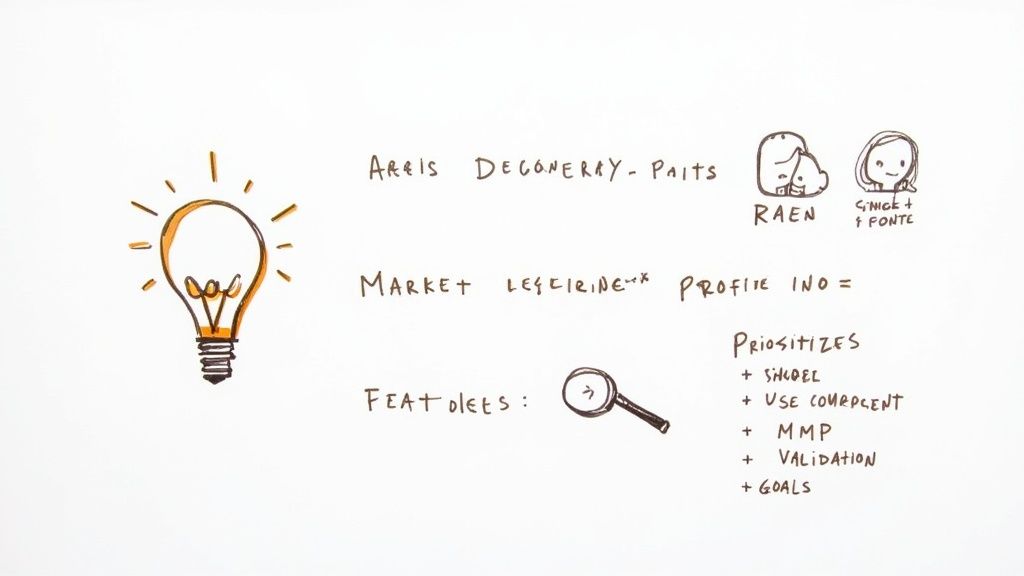
Every truly great app starts long before a single line of code is written. It begins with a solid foundation built on painstaking research and honest validation. This is your discovery phase—the time to battle-test a promising idea and shape it into a real, viable business concept. It’s where you ask all the tough questions before you sink serious time and money into the project.
This initial groundwork is non-negotiable in today's crowded market. The global mobile app scene was valued at around $259.55 billion and is projected to explode to $1,103.48 billion by 2034. With that kind of explosive growth, a well-thought-out plan is the only way you're going to stand out.
Defining Your Core Purpose
Before you get lost in dreaming up features, you have to nail down your app's core purpose. What specific problem are you solving? And who, exactly, are you solving it for? To answer this, you need to go deeper than just a quick look at your competitors; you're hunting for genuine gaps in the market.
For example, simply deciding to build "a fitness app" is a recipe for getting lost in the noise. A winning idea might be a fitness app designed specifically for new parents, offering short, equipment-free workouts they can squeeze in while the baby naps. That's a niche focus that solves a very real problem for a clearly defined audience.
To get this strategic groundwork right, using a practical product manager roadmap template can give you a proven framework to guide you from concept to launch.
Your app cannot be everything to everyone. The whole point of the discovery phase is to get crystal clear on your app's primary value and the single most important problem it solves for a very specific user.
Translating Goals Into Actionable Plans
Once your purpose is clear, it's time to translate those big business goals into a manageable project scope. This means getting into your users' heads by creating detailed personas and mapping out how they'll actually use the app.
- User Personas: Don't just stick to basic demographics. Flesh out profiles for your ideal users. Think of "Busy Brian," a 35-year-old project manager who needs a lightning-fast way to delegate tasks, or "Creative Chloe," a freelance artist searching for daily inspiration.
- User Journey Mapping: Walk a mile in their shoes. Visualize the entire path a user takes within your app, from the moment they open it to the moment they achieve their goal. This process is brilliant for spotting potential roadblocks and finding opportunities to create a genuinely delightful experience.
- Feature Prioritization: Now, use those personas and journey maps to define your Minimum Viable Product (MVP). An MVP isn’t a stripped-down, buggy version of your final app. It’s the core set of features needed to solve that one primary problem for your first wave of users.
This disciplined approach forces you to be ruthless about prioritizing what's essential for launch. It's your best defense against "feature creep"—that sneaky habit of adding more and more functionality, which can completely derail your budget and timeline. The output here isn't a vague wish list; it's a strategic blueprint that will guide every single decision you make from here on out.
The following table breaks down the crucial outputs from this phase and who is responsible for them.
Discovery Phase Key Deliverables and Roles
| Deliverable | Description | Key Roles Involved |
|---|---|---|
| Market Research Report | An in-depth analysis of competitors, industry trends, and target audience needs. | Product Manager, Market Analyst |
| User Personas & Journeys | Detailed profiles of ideal users and visual maps of their interactions with the app. | UX Designer, Product Manager |
| MVP Feature List | A prioritized list of core functionalities essential for the initial launch. | Product Manager, Lead Developer |
| Project Scope Document | A formal document outlining project goals, deliverables, timelines, and budget. | Project Manager, Stakeholders |
Nailing these deliverables ensures your project starts on solid ground, safeguarding you against costly missteps down the road.
Designing an Experience Users Will Love

With a solid strategy locked in, the mobile app development roadmap pivots from abstract goals to something you can actually see and feel. The design phase is where your app’s personality truly emerges, defining how it looks, how it works, and how it makes users feel. This is about so much more than picking a color scheme; it’s about architecting a user journey that feels both intuitive and memorable.
Think of it this way: great design is a silent ambassador for your brand. A clunky, confusing interface is a surefire way to get your app deleted in minutes. But a seamless experience? That’s what builds loyalty and gets people talking.
From Blueprints to Visuals
The entire process doesn't start in fancy design software—it begins with simple blueprints. Wireframes are the bare-bones skeletal structure of your app. They're intentionally lo-fi, focusing purely on layout, user flow, and the placement of key features without any distracting colors or graphics. They are the architectural drawings that show where every door and window goes long before you start picking out paint.
Once everyone agrees on the fundamental structure, the team moves on to creating high-fidelity mockups. These are static, but incredibly detailed, visual representations of the app.
- Visual Identity: Your brand’s color palette, typography, and logo are finally applied to the wireframes.
- Component Design: Every single button, form field, and icon is meticulously designed for clarity and consistency.
- Screen Layouts: Mockups give you a pixel-perfect preview of what each screen will look like on a user's device.
This step is critical. It ensures that everyone, from the CEO to the junior developer, shares the exact same vision for the final product before a single line of code is written.
Catching a fundamental user flow issue in a wireframe might take a few hours to fix. Discovering that same issue after the app is coded can cost thousands of dollars and weeks of rework. Early design validation is your best insurance policy.
Making Designs Interactive
Mockups are great for showing what the app will look like, but they can't capture the feel. For that, you need interactive prototypes. These are essentially clickable mockups that simulate the real user experience, letting you tap through screens, test navigation, and interact with menus as if it were a live app.
Getting a prototype into the hands of real users for testing is a total game-changer. It uncovers invaluable, honest feedback on usability and helps you spot confusing or frustrating parts of the experience early on. The detailed steps of the UX process, from initial research to final testing, are what separate good apps from great ones. To see how it all fits together, check out the complete UX design process steps in our detailed guide.
Creating a Design System
To keep everything consistent and make future development much faster, building a design system is one of the smartest things you can do. Think of it as a centralized library of reusable UI components, brand guidelines, and ready-to-use assets.
| Component | Description | Benefit |
|---|---|---|
| UI Kit | A collection of all design elements like buttons, forms, and navigation bars. | Ensures visual consistency across the entire app. |
| Style Guide | Rules for using brand colors, typography, and spacing. | Maintains a cohesive brand identity. |
| Component Library | Reusable code snippets for developers that match the UI kit. | Speeds up development and future updates significantly. |
This system becomes the single source of truth for both your design and development teams. It stops inconsistencies from creeping in and makes it dramatically easier to scale your app or add new features later on in your mobile app development roadmap.
Diving into Core Development and Testing
This is where the magic happens. All the wireframes, user stories, and strategic planning now get turned into a real, functioning product. The core development phase is all about translating your validated blueprints into clean, working code, bringing your app to life one feature at a time. It's a deeply technical process, and the decisions made here will directly impact your app's speed, stability, and how easy it is to update down the road.
The stakes couldn't be higher. The smartphone app development industry in the U.S. is on track to pull in revenues of around $234 billion in 2025, with smartphone ownership hitting 91.0% of adults in 2024. In a market this crowded, technical excellence isn't just a nice-to-have; it's a basic requirement for survival. For a deeper dive into the market's growth, IBISWorld offers detailed stats on the U.S. smartphone app developer industry.
Picking Your Development Path
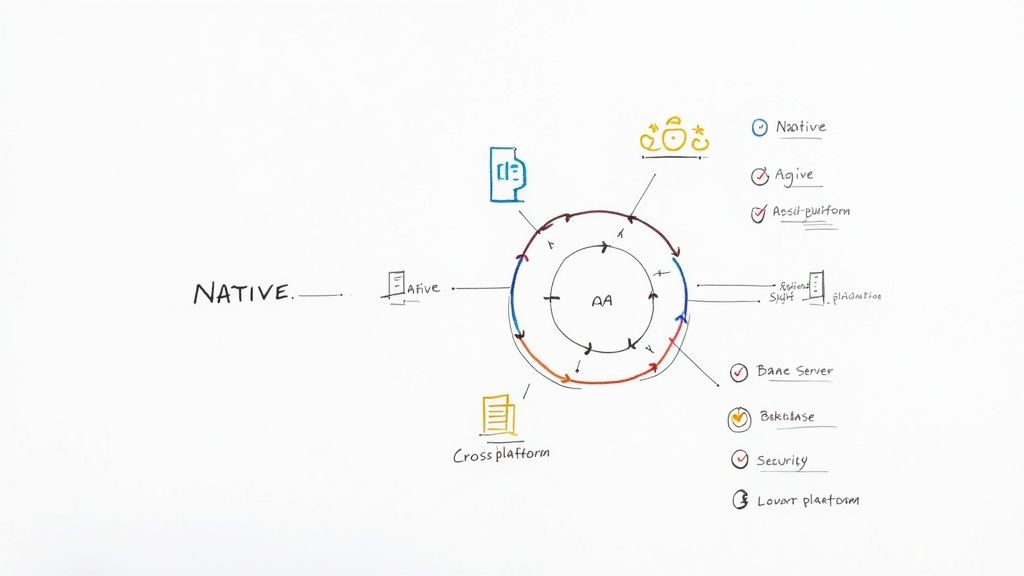
One of the first big calls you'll make is how to actually build the app. This choice has a ripple effect on everything—your budget, your timeline, the user experience, and future maintenance. You're not just selecting a technology; you're setting the foundation for your app's entire future.
You've essentially got three paths to choose from:
- Native Development: This means building two separate apps from the ground up: one for iOS (using Swift or Objective-C) and another for Android (using Kotlin or Java). It delivers the absolute best performance, flawless integration with device hardware, and the slickest user experience. The catch? It's the most expensive and time-consuming route.
- Cross-Platform Development: Using frameworks like React Native or Flutter, your team writes one codebase that runs on both iOS and Android. This dramatically cuts down development time and cost, which is a huge win for startups. The trade-off is occasionally a slight hit to performance and less direct access to some native device features.
- Hybrid Development: Think of this as wrapping a web app inside a native "container." It's the quickest and cheapest way to get an app out, but it often comes with noticeable performance lags and a user experience that doesn't feel quite as polished.
There's no single right answer here. A graphics-intensive game might absolutely need the power of native development, while a straightforward content app could be a perfect fit for a cross-platform solution.
Your development approach is a strategic decision, not just a technical one. Balance your budget, timeline, and performance requirements carefully. A cross-platform MVP can be a smart way to get to market quickly, with the option to build native versions later as you scale.
Working in an Agile Way
Gone are the days of rigid, year-long development plans. Today, the best teams run on an agile methodology, usually a framework like Scrum. This approach breaks the entire project into small, bite-sized cycles called sprints, which typically last two to four weeks.
At the beginning of each sprint, the team pulls a handful of features from the product backlog and commits to getting them done. By the end of the sprint, you have a small, shippable piece of the app. This iterative cycle provides incredible flexibility, allowing the team to pivot based on user feedback or changing priorities. It keeps the mobile app development roadmap a living, breathing document, not something carved in stone.
Quality Assurance Can't Be an Afterthought
Let me be clear: Quality Assurance (QA) is not a final checkpoint. It’s a continuous process that should be baked into every single step of development. Treating testing as something you do at the very end is one of the most common—and expensive—mistakes I see teams make. A solid QA strategy is your shield against bugs, crashes, and a flood of one-star reviews.
Good QA means looking at the app from all angles to make sure it's stable, secure, and genuinely easy to use. For a full breakdown, our complete mobile app testing checklist is a great resource for building a bulletproof plan.
A comprehensive QA strategy usually involves a few key types of testing:
- Functional Testing: Does every feature do what it's supposed to do? When you tap the "Add to Cart" button, does the item actually get added? This is about verifying the basics.
- Usability Testing: How intuitive is the app? The best way to find out is to watch real people try to use it. You’ll be amazed at what you learn.
- Performance Testing: How does the app handle a weak Wi-Fi signal or an older phone? This testing measures speed, responsiveness, and how much battery it drains.
- Security Testing: This is non-negotiable. Here, testers actively try to break into the app and find vulnerabilities to ensure user data is locked down tight.
By weaving these tests into every sprint, you spot problems when they are small and cheap to fix. This ensures that when you finally launch, you’re releasing a polished, reliable product that people can trust.
Executing a Powerful App Launch Strategy
You’ve poured everything into building a fantastic app, but a great product is only half the battle. A lot of teams stumble here. They treat the launch as an afterthought, but your launch strategy is what ensures your app doesn't just quietly appear in the app stores—it makes an impact. This phase of your mobile app development roadmap is your playbook for getting noticed in a ridiculously crowded marketplace.
A successful launch is a mix of technical precision and smart marketing. It starts with the nitty-gritty of the submission process and extends to building pre-launch excitement that carries you through those critical first few weeks. Neglecting this part is like building a brilliant product and then hiding it in a locked room.
Mastering the App Store Submission
Before you can even think about marketing, you have to get your app approved. Both the Apple App Store and Google Play Store have their own specific, and often strict, guidelines. I’ve seen launches delayed for weeks over a simple mistake, so careful preparation here is non-negotiable.
Think of your store listing as your digital storefront. App Store Optimization (ASO) is how you get people to walk through the door. This isn't just about stuffing in keywords; it's about crafting a compelling first impression that converts lookers into downloaders.
- App Title and Subtitle: Your title needs to be memorable and, ideally, include your top keyword. The subtitle is your chance to clearly state your app's core promise in a single, punchy line.
- Compelling Screenshots: Don't just upload random screens. Use your screenshots to tell a visual story, highlighting the features that solve real problems. I always recommend adding short text overlays to explain what users are seeing and why it matters.
- Engaging Preview Video: A short, 30-second video can dramatically increase downloads. Show the app in action, focusing on the most exciting or useful bits. Keep it fast-paced and benefit-driven.
ASO is essentially SEO for the app stores. It’s a continuous process of refining your listing to improve visibility and conversion rates.
A common mistake I see is treating the store submission as a one-time admin task. Your store listing is a living marketing asset. You should be planning to A/B test your icon, screenshots, and description regularly to see what actually resonates with your audience.
Building Pre-Launch Buzz
The best launches don't start on launch day—they begin weeks, sometimes months, in advance. The goal is to have an eager audience waiting to hit "download" the moment your app goes live. That initial spike in activity is crucial for climbing the app store rankings.
You don’t need a massive marketing budget for this, either. A simple but incredibly effective strategy is to put up a basic landing page well before launch. Use it to tease the app and, most importantly, include an email signup form to build a waitlist.
This list of early adopters becomes your most valuable asset. They're your first users, your first source of honest feedback, and your first potential evangelists.
Igniting Your Post-Launch Marketing Push
Once your app is live, the real work begins. Your marketing efforts shift into high gear, focusing on driving a consistent stream of new users and, critically, gathering those first positive reviews. Social proof is incredibly powerful in the app stores; a steady flow of four- and five-star reviews can seriously boost your downloads.
Here are a few things to do right out of the gate:
- Email Your Waitlist: The second your app is live, send a notification to everyone who signed up. Make them feel like insiders for being the first to know.
- Engage on Social Media: Announce the launch across all your channels. Share that preview video, highlight key features, and give people a direct link to download and share.
- Encourage Reviews (The Right Way): Implement a non-intrusive in-app prompt that asks happy users to leave a review. The key is timing—trigger it after they've had a positive experience, like completing a key task for the third time.
This combined strategy—a technically sound submission, pre-launch hype, and a focused post-launch push—turns your launch from a simple release into a strategic event that sets your app up for long-term success.
Driving Growth After Your Launch
Launch day isn't the finish line—it's the starting gun. This is where the real work of building a successful app begins. The mobile app development roadmap doesn't end when you hit "publish"; it simply enters a new, crucial phase. Now, the focus shifts from building to growing, transforming your app into a living product that evolves right alongside its users.
Forget the assumptions you made back in the discovery phase. You now have something far more valuable: real-world data and direct feedback from the people who actually use your app. This post-launch period is all about listening, learning, and iterating to turn a good app into an indispensable one.
Tracking What Truly Matters
To get a real sense of your app's health, you need to look past vanity metrics like the total download count. The genuine insights come from Key Performance Indicators (KPIs) that show you exactly how people are interacting with your product. This is why having a solid analytics platform running from day one is non-negotiable.
Focus on the numbers that tell a story about user engagement and happiness:
- User Retention Rate: What percentage of people come back a week or a month after their first visit? This is the ultimate test of your app's "stickiness."
- Session Length: How much time are users spending in the app? While this depends on your app's function, longer sessions usually signal deeper engagement.
- Crash Rate: How often do sessions end abruptly? A high crash rate is a surefire way to lose trust and rack up negative reviews.
- Daily Active Users (DAU) / Monthly Active Users (MAU): This ratio is a fantastic indicator of how central your app is to your users' daily lives.
A classic mistake is trying to track everything at once and getting lost in the data. My advice? Pick three to five core KPIs that tie directly to your business goals. If you're aiming for engagement, watch session length and DAU/MAU like a hawk. If stability is your priority, the crash rate is your north star.
Once your app is in the wild, the game changes to keeping users around and maximizing their value. Understanding and improving customer lifetime value is absolutely essential for building a sustainable business.
Building a Feedback-Driven Roadmap
The features that got you to launch are just the beginning. Your users will be the ones to tell you where to go next. It's vital to create clear channels for feedback—and don't just sit back and wait for it. You have to actively seek it out.
I've found the best approach is to blend different types of feedback:
- App Store Reviews: Keep a daily eye on these. They are a raw, public forum for what people love and what drives them crazy. Make sure you respond to both the good and the bad; it shows you're listening.
- In-App Surveys: Use tools like Hotjar or SurveyMonkey to ask smart, timely questions. For example, right after a user completes a key task, pop up a quick survey asking them to rate the experience.
- Support Tickets: Your support inbox is a goldmine. It's filled with direct evidence of bugs, confusing features, and user pain points. Look for patterns and recurring themes.
This feedback loop becomes the engine for your growth. It guides your priorities, making sure you invest your team's time in features that will actually make a difference to the user experience and keep people coming back. For a deeper dive into building out your growth plan, check out our guide on creating a mobile app marketing strategy.
Let's look at the key metrics you should be tracking to gauge your app's performance after launch.
Post-Launch Success Metrics
This table outlines the crucial KPIs to monitor after your app goes live. Tracking these will give you a clear picture of its health, user engagement, and overall market fit.
| Metric Category | Key Performance Indicator (KPI) | Why It Matters |
|---|---|---|
| User Engagement | Daily/Monthly Active Users (DAU/MAU) | Measures app "stickiness" and how frequently users return. |
| Retention | User Retention Rate | Shows the percentage of users who continue using the app over time. |
| Performance | Crash Rate & App Load Time | Directly impacts user experience; high rates lead to uninstalls. |
| Monetization | Average Revenue Per User (ARPU) | Tracks the revenue generated per user, essential for financial health. |
| Acquisition | Customer Acquisition Cost (CAC) | Measures the cost to acquire a new user, vital for marketing ROI. |
| Satisfaction | App Store Ratings & Reviews | Public-facing indicator of user satisfaction and a key driver of downloads. |
By keeping a close eye on these metrics, you can make informed, data-driven decisions to continuously improve your app and drive sustainable growth.
The Never-Ending Task of Maintenance
Finally, remember that ongoing maintenance is a non-negotiable part of your roadmap. The mobile world moves fast. Mobile apps generated about $522.7 billion in 2024 and are on track to hit $673.8 billion by 2027. To get your piece of that pie, you have to stay current. Discover more insights about mobile app growth on itransition.com.
This means committing to a few key activities:
- OS Updates: Apple and Google roll out major OS updates every year. Your app needs to be tested and updated to stay compatible and leverage new capabilities.
- Security Patches: You have to regularly update libraries and other dependencies to shield your app and your users from security threats.
- Bug Fixes: No app is flawless. Create a system for prioritizing and shipping regular updates to squash bugs found by users or your own monitoring.
When you treat your app as a product that is never truly "finished," you build a foundation for long-term success. This mindset ensures your app stays relevant, secure, and valuable to your users for years to come.
Common Questions About the App Development Roadmap
Even with a detailed roadmap, you’re going to have questions. That’s perfectly normal. Building an app for the first time involves a ton of moving parts, and it's easy to feel like you're missing something important.
Let's walk through some of the most common questions we get from founders and project managers. Getting these cleared up early can save you a lot of headaches down the line and keep your project from getting stuck.
How Long Does This Actually Take?
Ah, the million-dollar question. The honest, no-fluff answer is: it all comes down to complexity. A streamlined Minimum Viable Product (MVP) focusing on just a few core features can realistically go from idea to launch in about three to four months.
But if you're building a more sophisticated app—think custom animations, complex third-party integrations, or heavy backend logic—you're looking at a timeline closer to six to nine months, sometimes even longer. It’s critical to see your initial timeline as a well-informed estimate, not a promise set in stone. Agile development gives you room to adapt, but adding major features will always push back your launch date.
A smart way to manage this is to time-box your MVP. Ask your team, "What is the absolute best product we can build and get into users' hands in exactly four months?" This forces you to be ruthless about prioritizing features and helps you get to market faster—which should always be the main goal.
So many teams get paralyzed trying to build the "perfect" app right out of the gate. A much better strategy is to launch a solid, focused MVP as quickly as you can. You'll get more valuable feedback from real users in one week than you will from your internal team in three months of meetings.
What’s a Realistic Budget for a Mobile App?
Just like timelines, app development costs are all over the map. A fairly simple app built by a small nearshore team might land in the $30,000 to $70,000 range. For a more feature-heavy, cross-platform app, you should probably be thinking more in the ballpark of $75,000 to $250,000 or more.
It’s helpful to know exactly where that money is going:
- Design (UX/UI): This isn't just about making it look pretty; it's about creating an experience that's intuitive and enjoyable to use. It's a major investment.
- Development (iOS/Android): This is usually the biggest piece of the pie. It covers the frontend (what people see and interact with) and the backend (all the behind-the-scenes servers, databases, and APIs).
- Project Management: A good PM is the glue that holds everything together, keeping the project on track and on budget.
- QA Testing: You can't skip this. Rigorous testing is the only way to ensure you launch a stable, bug-free product.
And don't forget about life after launch. A good rule of thumb is to set aside an extra 15-20% of your initial development cost for annual maintenance. This covers things like server hosting, fixing bugs that pop up, and keeping the app compatible with new OS updates from Apple and Google.
Native vs. Cross-Platform: Which One Is Right for Me?
This is a big fork in the road and one of the most important technical decisions you'll make. There’s no single right answer here—the best path really depends on your app's specific goals and your priorities as a business.
Here’s a simple way to think about it:
| Factor | Native (Separate iOS & Android Apps) | Cross-Platform (e.g., React Native, Flutter) |
|---|---|---|
| Performance | The absolute best. You get the highest possible speed and responsiveness. | Very good, but can sometimes be a hair less optimized than true native. |
| User Experience | Seamless. It looks and feels exactly like it belongs on an iPhone or an Android device. | Excellent, but might need a little extra polish to achieve a fully "native" feel. |
| Cost & Speed | More expensive and takes longer because you're essentially building two separate apps. | Faster and more budget-friendly since you're working from a single codebase. |
| Best For | High-performance apps like complex games, AR experiences, or photo editors. | The vast majority of business, social media, and content-focused apps. |
For most startups, going with a cross-platform framework is a no-brainer. It delivers the best balance of cost, speed, and quality, letting you hit both the App Store and Google Play from day one without needing double the budget. It's the most efficient way to get your idea out there and see if it sticks.