Boost Your QA with a test strategy template in software testing for clear plans

So, what exactly is a test strategy template in software testing? Think of it as a high-level game plan for your entire testing effort. It's a reusable document that lays out the general approach, objectives, and standards for quality, ensuring everyone is on the same page.
Essentially, it’s the blueprint that answers how testing will be done, what tools are in play, and what "good enough" actually looks like.
Why a Solid Test Strategy Is Your Project’s Foundation
Let's be honest, unstructured testing is a recipe for disaster. When teams just "wing it," the results are all too familiar: missed deadlines, buggy releases, and developers pulling their hair out trying to fix last-minute fires. A test strategy flips this script, turning a chaotic, reactive process into a proactive and predictable one. It makes quality a core part of development, not just something you check for at the end.
This document is so much more than a box-ticking exercise. It's the framework that brings clarity and alignment to the entire development lifecycle.
Unifying Teams with a Single Source of Truth
When you have a well-defined test strategy, everyone from developers and QA engineers to product managers and stakeholders is reading from the same playbook. There’s no confusion about what needs to be tested, what the quality bar is, or who is responsible for what.
This shared understanding does a few critical things:
- Prevents Miscommunication: It creates a common language and set of expectations, which cuts down on the friction between teams.
- Clarifies Responsibilities: Roles are spelled out, so everyone knows exactly what part they play in ensuring quality.
- Aligns with Business Goals: The strategy ties testing activities directly to the project's objectives, making sure the team's effort is focused on what really matters.
A great test strategy doesn't just find bugs; it prevents them from ever reaching the user. It builds confidence by creating a systematic, repeatable process for delivering high-quality software.
Ultimately, this document is your secret weapon. It helps you get ahead of risks and avoid costly mistakes. For instance, by outlining performance testing requirements from the get-go, you can prevent a system crash during a critical product launch. This isn't just about catching errors; it’s about building a reliable framework for shipping excellent digital products, time and time again.
Anatomy of a Winning Test Strategy Document
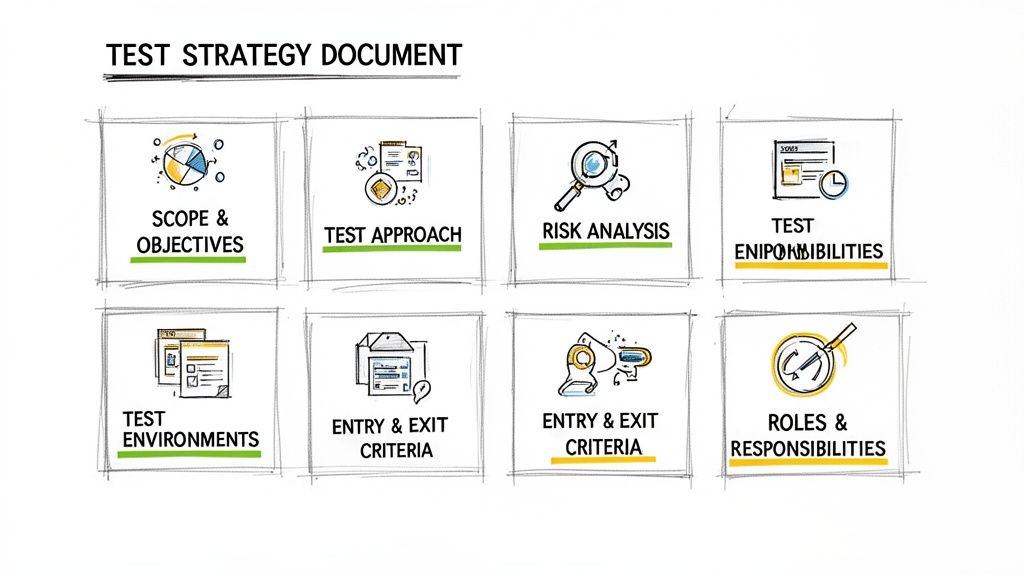
A great test strategy is more than just a checklist; it's the blueprint that guides your entire quality assurance effort. A test strategy template in software testing gives you a solid foundation, but the real magic happens when you understand the why behind each section. That’s how a static document becomes a dynamic tool for success.
Let's break down the essential components that make a template truly work. We'll go beyond the textbook definitions and dig into the practical side of things, looking at how each piece comes together in the real world. This isn't about just filling in blanks—it's about building a document with strategic intent.
H3: Defining Scope And Objectives
This first section is, without a doubt, the most important. It draws a clear line in the sand, defining the boundaries of your testing effort—what’s in, what’s out, and why. If you get this wrong, you open the door to "scope creep," that infamous project killer where testing expands endlessly, burning through time and money.
Your objectives need to be sharp, measurable, and tied directly to the business's bottom line. Forget vague goals like "make sure the app works well." Get specific.
Here's a real-world example for an e-commerce checkout feature:
- In Scope: The entire checkout funnel, from adding items to the cart and applying discount codes to calculating shipping, processing payments (credit card and PayPal), and generating the final order confirmation.
- Out of Scope: The product recommendation engine on the confirmation page. We know it's there, but it's slated for a future release, so we're not touching it.
- Objective: We're aiming for a 99.5% success rate on all payment processing across our supported browsers. Additionally, the end-to-end checkout time must be under 60 seconds on a standard internet connection.
H3: Crafting The Test Approach
Now we get to the how. This is where you lay out the methodologies, types of testing, and specific tools you plan to use. The decisions you make here will directly impact your project’s timeline and budget, so you need to be strategic.
A classic dilemma is striking the right balance between manual and automated testing. You have to weigh factors like the feature's stability, how often it changes, and whether you need a human's intuition to spot subtle issues.
Let's say you're testing a brand-new, visually rich user interface. A smart approach would be a blend of techniques:
- Manual Exploratory Testing: This is perfect for uncovering weird usability quirks and visual glitches that an automated script would almost certainly miss. A human tester can give priceless feedback on the actual user experience.
- Automated Regression Testing: For the stable, underlying logic—things like form validations or API calls—automation is your best friend. These are repeatable, predictable tests that save a ton of time.
This blended approach gives you comprehensive coverage without burning out your team. The test strategy defines this high-level plan, but you can dive deeper into the differences between a https://getnerdify.com/blog/test-plan-vs-test-strategy-in-software-testing to see how project-specific execution gets detailed.
H3: Conducting Thorough Risk Analysis
Every single project comes with risks—things that could derail your testing or even the entire release. This section is where you face them head-on. You identify potential problems upfront, figure out how bad they could be, and create a plan to deal with them. Pretending risks don't exist just means you'll be caught flat-footed when they inevitably show up.
And don't just think about functional bugs. Consider the bigger picture:
- Performance: What happens if the app collapses under a massive user load during a Black Friday sale?
- Security: Are we sure customer payment details are locked down tight and not vulnerable to an attack?
- Data Integrity: Is there any chance a weird bug could corrupt our user database?
By proactively identifying and planning for risks, you transform potential disasters into manageable challenges. A good risk analysis shows stakeholders that you've thought ahead and are prepared for bumps in the road.
For a high-traffic mobile app, for instance, performance degradation is a huge risk. The mitigation plan would involve hardcore load testing with a tool like JMeter, simulating peak traffic to find and crush bottlenecks long before the app ever sees the light of day.
To help organize these core ideas, here's a quick look at the main components of a solid test strategy.
| Component | Primary Objective | Example Focus Area |
|---|---|---|
| Scope & Objectives | Define boundaries and success metrics. | E-commerce checkout flow, targeting a <1% transaction failure rate. |
| Test Approach | Detail the 'how'—methods and tools. | Blended manual (UI/UX) and automated (API) testing. |
| Risk Analysis | Identify and mitigate potential issues. | Performance bottlenecks under high user load. |
| Test Environments | Specify the testing infrastructure. | iOS 17 on iPhone 15, Chrome 124 on Windows 11. |
| Entry/Exit Criteria | Define 'ready to start' and 'done'. | Start: 100% unit tests passed. Done: 0 critical bugs. |
This table provides a high-level snapshot, but diving into the details of each section is what brings your strategy to life.
H3: Establishing Test Environments
Your test environment is the stage where all the action happens—the specific hardware, software, and network setup you'll use for testing. If this environment is shaky or poorly configured, your test results are worthless. You'll end up with false positives (bugs that aren't real) and, even worse, false negatives (missing critical bugs).
Be obsessively detailed here. Specify everything needed to mirror the live production environment as closely as humanly possible.
Key Environment Details to Nail Down:
- Hardware: Server specs, exact mobile device models (e.g., iPhone 15, Samsung Galaxy S24).
- Software: Operating systems (e.g., Windows 11, iOS 17), browser versions (e.g., Chrome 124), and database versions.
- Test Data: A clear plan for how test data will be created or sourced (e.g., anonymized production data, using a synthetic data generator).
A clear environment plan prevents last-minute chaos and ensures that when a bug is found, the development team can actually reproduce it.
H3: Setting Clear Entry And Exit Criteria
How do you know when you're ready to start testing? And just as important, how do you know when you're done? Entry and exit criteria give you objective, data-driven answers, taking all the guesswork and "gut feelings" out of the equation.
- Entry Criteria: These are the non-negotiable prerequisites that must be met before the testing phase officially kicks off. They protect the QA team from wasting time on a broken, unstable build.
- Exit Criteria: These are the conditions that signal the testing phase is complete. They provide a clear, agreed-upon definition of "done."
Here's what this looks like for a typical software release:
| Criteria Type | Example Condition |
|---|---|
| Entry | The development team has successfully deployed the build to the QA environment. |
| Entry | 100% of unit tests have passed. |
| Exit | 95% of all planned test cases have been executed and passed. |
| Exit | There are zero open critical or high-severity defects. |
Adopting a standardized test strategy template has been shown to slash defect rates. In fact, some studies report up to a 40% reduction in production bugs when teams use structured test cases from the very beginning. The well-known IEEE 829 standard, a benchmark since 1983, is often built into templates because it mandates critical sections like test item identification and risk assessments—precisely the areas where sloppy planning leads to chaos. You can see how structured testing improves quality on BrowserStack.
Get Your Hands on a Reusable Template (and See It in Action)
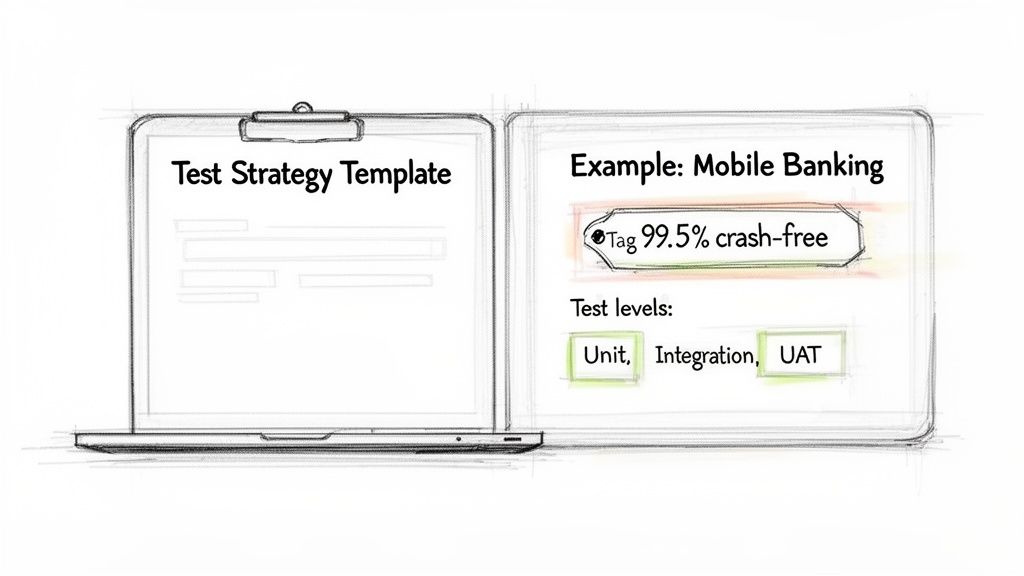
It's one thing to talk about the theory, but the real value comes from putting it into practice. This is where the rubber meets the road. We're moving from just understanding the pieces of a test strategy template in software testing to actually building and using one.
Below, you'll find a clean, straightforward template you can copy and paste directly into your own documents. But I'm not just going to give you a blank slate. To make this crystal clear, I've also included a fully filled-out example right after it. You'll see how the template works for a real-world project: developing a new mobile banking app. Seeing it filled out with specific goals and clear responsibilities will give you the confidence to craft your own.
The Ready-To-Use Test Strategy Template
Grab this structured template and use it as the backbone for your next project. Just remember to adapt each section to fit the unique needs of what you're building.
1. Introduction & Scope
- 1.1 Overview: [Give a quick rundown of the project and explain what this document is for.]
- 1.2 In-Scope Features: [List every module, feature, and function that you WILL be testing.]
- 1.3 Out-of-Scope Features: [Clearly state what you WILL NOT be testing. It's just as important. Add a brief "why" for clarity.]
2. Test Objectives
- [What does success look like? List your SMART goals here. For example: achieve 99.5% crash-free sessions, keep transaction processing time under 3 seconds, etc.]
3. Test Approach
- 3.1 Test Levels: [How will you layer the testing? Describe your approach to Unit, Integration, System, and User Acceptance Testing (UAT).]
- 3.2 Testing Types: [What kinds of testing are you doing? Specify things like Functional, Usability, Performance, Security, Regression, Compatibility, etc.]
- 3.3 Automation Strategy: [What's the game plan for automation? Detail what gets automated, what stays manual, and why you made those calls.]
4. Test Environment
- 4.1 Hardware: [List all the servers, phones, desktops, and other hardware you'll need.]
- 4.2 Software: [What operating systems, browsers, or database versions are required?]
- 4.3 Test Data Management: [Explain your plan for getting and managing test data. Is it anonymized? Generated from scratch?]
5. Roles & Responsibilities
- [Who does what? Define the key roles (QA Lead, Test Engineer, etc.) and spell out exactly what they're responsible for during testing.]
6. Risks & Mitigation
- [What could go wrong? Identify potential roadblocks like tight deadlines or shaky environments, and create a plan to deal with each one.]
7. Entry & Exit Criteria
- 7.1 Entry Criteria (When We Start): [Define the exact conditions that must be met before testing can officially kick off.]
- 7.2 Exit Criteria (When We Stop): [What are the signs that testing is done and successful? Be specific.]
8. Test Deliverables
- [What documents will you produce? List everything from Test Plans and Test Cases to Defect Reports and the final Test Summary Report.]
A Real-World Example: The "FinBank" Mobile App
Alright, let's bring that template to life. Imagine your team is tasked with testing "FinBank," a brand-new mobile banking application. Here’s what the strategy might look like.
1. Introduction & Scope
- 1.1 Overview: This document defines the test strategy for the v1.0 launch of the FinBank mobile app on iOS and Android. The goal is to verify the app is secure, performant, and functionally sound before it hits the app stores.
- 1.2 In-Scope Features: We will test User Registration & Login (both password and biometric), Account Balance Viewing, Transaction History, Peer-to-Peer (P2P) Fund Transfers, and Bill Pay.
- 1.3 Out-of-Scope Features: Mobile Check Deposit and the Loan Application module. These are planned for the v1.1 release and are not part of this test cycle.
2. Test Objectives
- Hit a 99.5% crash-free user session rate on all supported devices.
- Guarantee the end-to-end P2P fund transfer success rate stays above 99.9%.
- Verify that all API response times are below 800ms under typical load conditions.
- Confirm full compliance with PCI DSS standards for handling sensitive payment data.
3. Test Approach
- 3.1 Test Levels: Our process will include Unit tests (done by devs), Integration tests (focused on APIs), System tests (end-to-end flows run by QA), and UAT (run by a small group of beta testers).
- 3.2 Testing Types:
- Functional & Usability: Manual exploratory testing on the core user journeys.
- Performance: Load testing the fund transfer API to simulate 1,000 concurrent users.
- Security: Focused penetration testing on authentication and data encryption.
- Regression: An automated suite that runs nightly to check all core features.
- 3.3 Automation Strategy: We will automate the regression suite for login, balance checks, and transaction history using Appium. New features like Bill Pay will be tested manually in this cycle to ensure they're stable before we invest time in automating them.
A smart automation strategy is a game-changer. It stops you from wasting cycles automating unstable features while ensuring your core, reliable functions are always covered against regressions.
4. Test Environment
- 4.1 Hardware: iPhone 14 (iOS 17+), Google Pixel 8 (Android 14+), and a Samsung Galaxy S23 (Android 14+).
- 4.2 Software: A production-mirror environment hosted on AWS with a PostgreSQL database.
- 4.3 Test Data Management: We'll use anonymized data from the staging database and generate fresh user profiles for UAT with a dedicated script.
5. Roles & Responsibilities
- QA Lead (Maria): Owns this strategy document, coordinates all testing, and gives the final green light.
- Test Engineers (John & Priya): They will write and run manual test cases, build out the automation scripts, and log defects.
- Developers: Responsible for writing and maintaining their unit tests and, of course, fixing bugs promptly.
6. Risks & Mitigation
| Risk | Likelihood | Impact | Mitigation Plan |
|---|---|---|---|
| Test Environment is Unstable | Medium | High | A dedicated DevOps resource will be on standby during the entire system testing phase to troubleshoot issues immediately. |
| Aggressive Release Deadline | High | High | We will ruthlessly prioritize test cases based on business impact. "Must-have" features get tested first, no exceptions. |
| Slow Third-Party API | Low | Medium | For integration tests, we'll use API mocking to isolate our system's performance and avoid external dependencies. |
7. Entry & Exit Criteria
- 7.1 Entry Criteria (When We Start): The build must be successfully deployed to the QA environment, all developer unit tests must be passing, and our initial smoke test suite must pass.
- 7.2 Exit Criteria (When We Stop): We're done when 100% of critical path test cases are executed and passing, there are zero open critical defects, and our automated test code coverage is above 85%.
8. Test Deliverables
- The Project Test Plan document
- All Manual and Automated Test Cases (we'll manage these in TestRail)
- Daily Defect Reports (pulled from Jira)
- The Final Test Summary Report (with all our pass/fail metrics)
This example should give you a solid picture of what a finished strategy looks like. Use this as a guide for your own team discussions to make sure no stone is left unturned. If you want to dive even deeper, our comprehensive software testing checklist is a great resource to have handy during planning.
How to Adapt Your Test Strategy for Any Project
Here’s a hard truth in QA: a rigid, one-size-fits-all approach to testing is a recipe for failure. The real magic of a solid test strategy template in software testing is how flexible it can be. Experienced teams know the template is a guide, not gospel. It needs to be molded to fit the unique DNA of every single project.
Thinking like a QA strategist means you're doing more than just filling in blanks. It’s about getting under the hood of the project, understanding its context, and shaping your approach around it. The strategy you’d write for a nimble Agile startup looks nothing like the one for a massive, regulated enterprise system.
Adjusting for Project Methodology
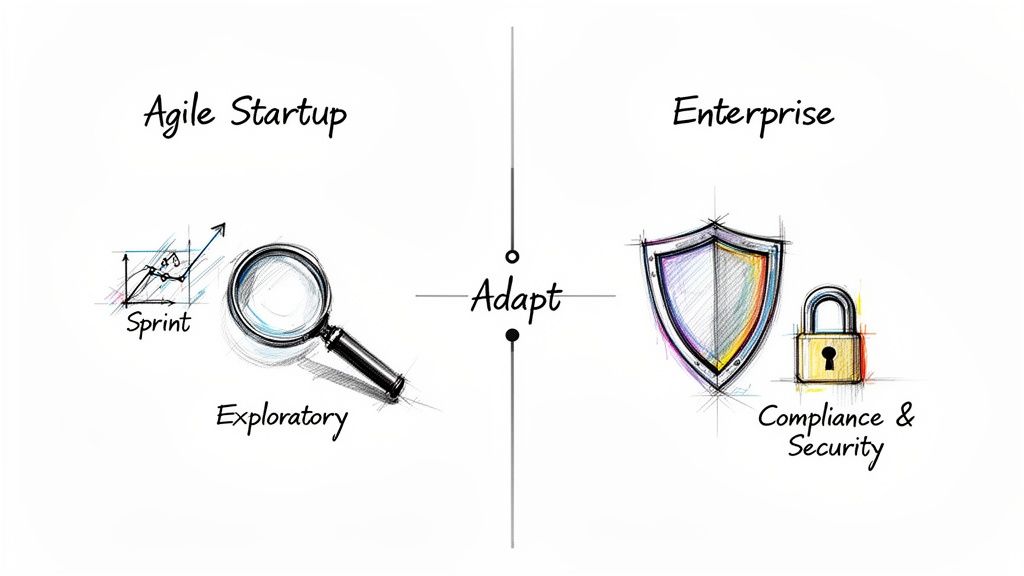
Your project's development methodology is probably the single biggest factor that will shape your test strategy. A lean startup pushing code in two-week sprints has completely different priorities than a corporation building a mission-critical financial system over 12 months.
- For Agile Startups: It's all about speed. Your strategy needs to champion exploratory testing and lightning-fast feedback loops. Automation should zero in on a lean, core regression suite that runs in minutes, while manual testing focuses on poking and prodding new features as they emerge. The endgame is continuous delivery, not exhaustive documentation.
- For Enterprise Systems: The entire mindset shifts to risk mitigation, compliance, and security. The test strategy becomes a much more formal affair, with hefty sections dedicated to regulatory requirements like HIPAA or GDPR. You'll need to plan for distinct, rigorous phases like security penetration testing and heavy performance load testing.
The template's core sections don't change, but the emphasis does. An agile project might cover security in a single paragraph, while an enterprise project could dedicate ten pages to it.
This same thinking applies when you drill down into the finer details. Our guide on how to write a software test plan is a great resource for translating this high-level strategy into those project-specific tactical plans.
Adapting to Team Structure and Culture
You also have to consider who is on your team and where they are. An in-house team sitting in the same room can get away with a lot of informal communication to bridge any gaps in the documentation. A distributed team spread across different time zones doesn't have that luxury.
When you're working with a distributed team, clarity is king. Every single section of the test strategy has to be unambiguous and painfully explicit.
- Roles & Responsibilities: Don't just list titles; name names and assign specific duties.
- Communication Plan: Spell out which tools to use (like Slack or Jira), when meetings happen, and what the escalation path is for show-stopping bugs.
- Test Environment Access: Provide detailed, step-by-step instructions for getting connected and set up remotely.
Getting this right has a massive payoff. Over the years, I've seen teams that standardize their approach with templates cut their overall testing timelines by 25-30%. That efficiency comes from everyone operating within a transparent framework where the plan is clear and proven. This kind of adaptability turns your test strategy from a document nobody reads into a practical tool that drives real success, no matter what kind of project you're on.
Best Practices Versus Common Pitfalls
Even the most polished template is just a starting point. A truly effective test strategy is born from experience—knowing which habits to cultivate and which traps to avoid. Let’s dive into the real-world dos and don'ts that distinguish a document that guides success from one that just collects digital dust.
It's not just a theoretical exercise. So many projects get derailed by a flawed QA strategy, and understanding why is the first step to making sure yours doesn't suffer the same fate.
H3: Best Practices to Embrace
To transform your test strategy from a simple document into a powerful tool, you have to treat it as a collaborative, breathing guide. These practices will keep it relevant and impactful from kickoff to launch.
Get Everyone in the Room, Early. A test strategy written in a silo is dead on arrival. Pull in your developers, product managers, and key business stakeholders right from the beginning. Your developers can flag technical risks you might not see, while product managers can ensure your testing goals are perfectly synced with the actual business objectives.
Treat It Like a Living Document. The single biggest mistake I see teams make is writing the strategy, checking a box, and never looking at it again. Your project will inevitably evolve, and your strategy must evolve with it. You should be revisiting and updating it at every major milestone, especially if you're working in an Agile environment. When a new risk pops up or a requirement pivots, that change needs to be reflected in your plan.
H3: Common Pitfalls to Sidestep
Knowing what not to do is arguably more important than knowing what to do. I’ve seen countless teams stumble into the same pitfalls, which almost always leads to missed deadlines, frustrated engineers, and a buggy release. Here’s what you need to watch out for.
Being Way Too Generic
A vague strategy is a useless one. It's time to banish fuzzy statements like "test the application thoroughly." What does that even mean? Get specific. Instead of a goal like "ensure good performance," write something concrete: "achieve an average API response time of under 500ms with 200 concurrent users."
This level of detail eliminates ambiguity and gives your team a clear, measurable target. Without it, "done" is just a feeling, not a fact.
A test strategy's value is directly tied to its precision. Vague goals produce vague results. Clear, measurable criteria, on the other hand, build a straight-line path to quality and give the entire team a shared definition of success.
Forgetting About Real Users
It’s surprisingly easy to get so wrapped up in technical test cases that you forget a human being has to actually use this thing. A strategy that only validates technical functions while ignoring real-world user workflows is how you build a product that works but is an absolute pain to use.
Think about it: your test cases might confirm that a user can add an item to their cart. Great. But does your strategy account for a user who adds an item, gets a phone call, and comes back to the site an hour later? This focus on genuine human behavior is what uncovers the critical usability issues that purely functional tests will always miss.
Setting Impossible Exit Criteria
Your exit criteria define the finish line for testing. If you set that line at "zero open bugs," you're setting yourself up for failure. That idealistic goal is rarely practical and can hold a release hostage over minor, low-impact cosmetic issues, creating a ton of friction between QA and development.
A much smarter approach is to set pragmatic criteria based on bug severity. For example:
- Zero open critical or blocker bugs.
- No more than five open major bugs, all with documented workarounds.
- All high-priority test cases must have a 100% pass rate.
This kind of realistic standard ensures you can ship a high-quality product without getting trapped in an endless bug-fixing loop. It’s all about balancing the push for quality with the practical demands of a release schedule.
H3: Test Strategy Do's and Don'ts
To make it even clearer, I've put together a quick-reference table that pits best practices against the common mistakes teams often make.
| Best Practice (Do) | Common Pitfall (Don't) |
|---|---|
| Collaborate early and often with developers, PMs, and stakeholders to get buy-in and diverse insights. | Write it in isolation. A strategy created by one person or team will miss critical perspectives and risks. |
| Be hyper-specific with objectives, scope, and metrics. Use real numbers and clear targets. | Use vague language. Statements like "ensure high quality" are meaningless without concrete definitions. |
| Keep it a living document. Update it regularly to reflect changes in requirements, risks, and project scope. | Treat it as a one-time task. A "set it and forget it" approach makes the document irrelevant almost immediately. |
| Focus on real user journeys and business workflows, not just isolated technical functions. | Ignore the end-user. Testing features without context leads to a product that is functional but not user-friendly. |
| Set realistic, risk-based exit criteria that balance quality with practical release timelines. | Aim for perfection. Demanding "zero bugs" is often impractical and can needlessly delay a launch. |
| Prioritize ruthlessly. Focus testing efforts on high-risk areas and critical business functionalities. | Try to test everything equally. A lack of focus spreads resources too thin and lets major issues slip through. |
Ultimately, your test strategy is a communication tool. The more clear, collaborative, and grounded in reality it is, the more effective it will be at guiding your team toward a successful launch.
Got Questions About Test Strategies? We've Got Answers
Even with a solid template in hand, you're bound to have questions. That's a good sign—it means you're thinking critically about moving from ad-hoc testing to a more deliberate, strategic process. Here are some of the most common questions that land in my inbox from product managers, developers, and QA folks.
Let's clear the air and get you on the right track to putting that test strategy template in software testing to good use.
What's the Real Difference Between a Test Plan and a Test Strategy?
This is, hands down, the most common question I get. I like to explain it by thinking about a cross-country road trip.
Your Test Strategy is your overall philosophy for the road. It’s the set of guiding principles you apply to any trip you take. Things like: always check the tire pressure before a long drive, never go more than eight hours without a real break, and stick to scenic routes when possible. It's a high-level, long-term document that you don't mess with very often.
Your Test Plan, on the other hand, is the specific itinerary for this one trip from New York to Los Angeles. It’s got the turn-by-turn directions, the scheduled gas stops, who’s driving which shift, and exactly which landmarks you're hitting. It’s project-specific, packed with detail, and always operates under the rules set by your overarching strategy.
Think of it this way: The strategy sets the rules of the game for your whole company. The plan details how your team is going to win this specific match.
How Often Should We Actually Update the Test Strategy Document?
A test strategy should be a living document, not a "write it and forget it" artifact collecting dust in a folder somewhere. While it's definitely more stable than a test plan, it needs a check-up now and then to make sure it's still relevant.
I generally recommend reviewing it on a pretty regular cadence:
- Annually: At the very least, give it a thorough review once a year. This keeps it aligned with shifting company goals and any new tech you’ve adopted.
- When Your Process Changes Big Time: If you’re moving from Waterfall to Agile, for instance, your entire testing approach has to be rethought. That’s a mandatory strategy update.
- After a Tough Release: Did a project post-mortem uncover some major gaps in your quality process? That’s your cue. Take those hard-earned lessons and bake them right into the strategy.
For teams in a fast-paced Agile world, even a quick check-in during quarterly planning can be a lifesaver. It’s a small effort that ensures the strategy is still genuinely helping the team, not holding it back.
Can I Use This Template for Both Manual and Automated Testing?
Of course. In fact, it's designed specifically for that. Most modern teams I work with use a hybrid approach, and a good strategy has to reflect that reality.
The trick is to be crystal clear about it in your "Test Approach" section. This is where you lay out what gets tested how, and why. For example, you might spell out that all critical-path regression tests for core features are automated using a framework like Selenium.
At the same time, you can specify that every new user-facing feature goes through a round of manual, exploratory testing. Why? Because you need a human eye to catch the subtle usability quirks and visual bugs that an automated script will always miss. The template gives you the framework to define this balance so there’s no confusion.
Who's Actually Responsible for Creating the Test Strategy?
On paper, this usually falls to a senior QA person—a QA Lead, Test Manager, or maybe a Principal Engineer. They've been around the block, can see the big picture, understand the technical weeds, and know how to connect testing activities to business goals.
But—and this is a big but—the best strategies are never written in an echo chamber. The author’s job is to lead the charge, not dictate from on high. They need to be pulling in feedback from developers, product managers, and DevOps. I've even seen huge wins from looping in key business stakeholders.
This kind of collaboration is what makes a strategy work in the real world. It ensures the final document is technically sound, practical to implement, and has the buy-in it needs to actually succeed.