A Practical Guide to the Futuristic User Interface
A futuristic user interface isn't just about the cool holograms and glowing lines we see in sci-fi movies. It's about designing an interaction that’s intelligent, predictive, and deeply personal. At its core, it’s an interface that starts to anticipate your needs before you even realize you have them.
Defining the Next Generation of Interaction
When we talk about a "futuristic" UI, what we're really describing is a fundamental shift in the relationship between people and the software they use. We're moving away from static systems that force users to learn their rules and toward systems that learn and adapt to the user.
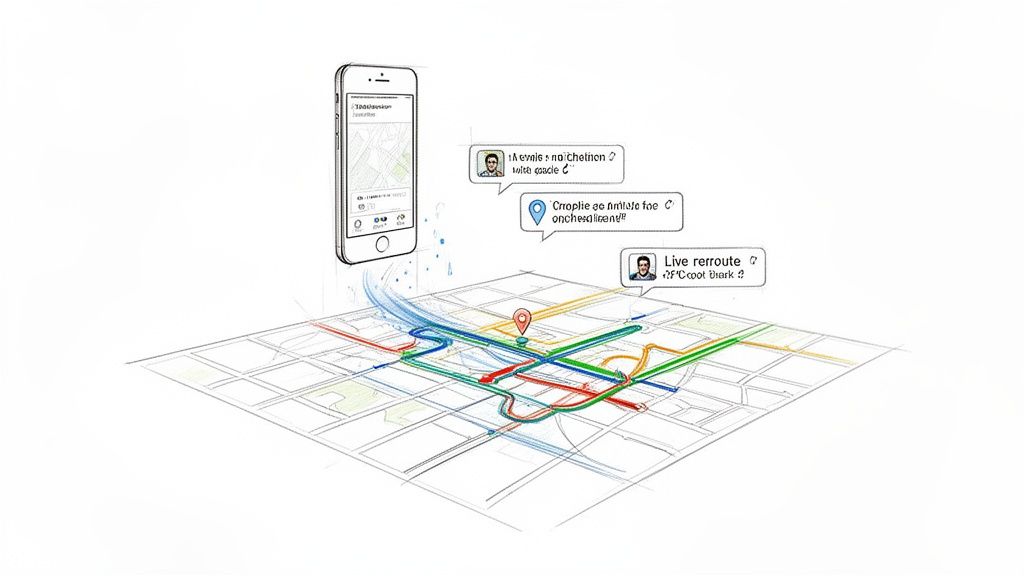
Think about the difference between an old paper map and a modern navigation app. The paper map gives you all the information at once, but you do all the work—finding your location, plotting a route, and guessing where traffic might be. A modern app like Waze or Google Maps is a dynamic partner. It already knows where you want to go, sees traffic jams ahead, and reroutes you on the fly. It works with you, not just for you.
Core Traits of a Futuristic UI
This forward-thinking approach really stands on three pillars that set it apart from traditional design. Getting these right is the first step toward building an experience that feels genuinely ahead of its time.
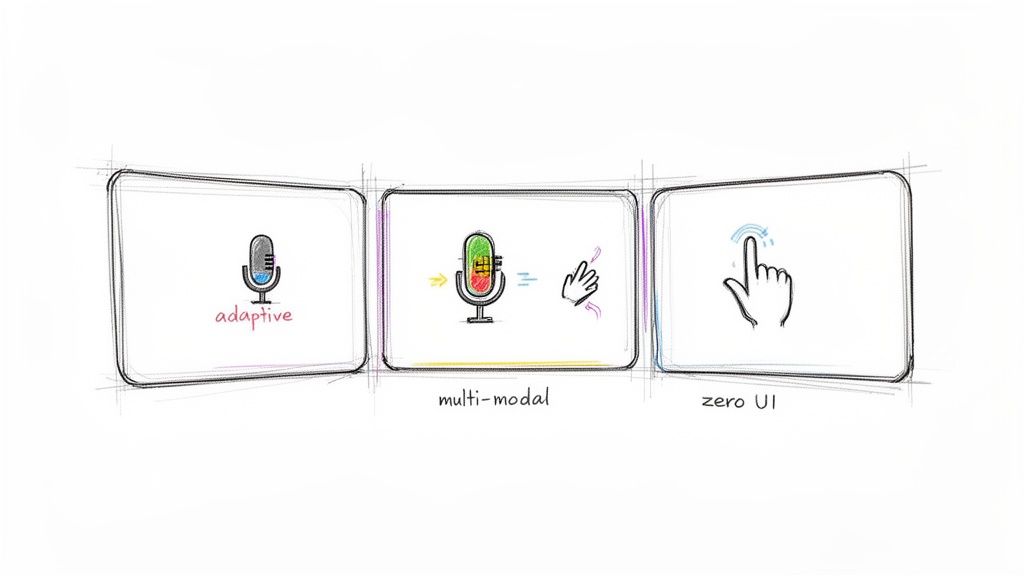
Adaptive: The interface doesn't have one-size-fits-all. It morphs based on your context, skill level, and even your past behavior. A brand new user might see a simplified, guided experience, while a power user gets a dense dashboard packed with advanced tools.
Immersive: It breaks free from the flat, 2D screen. By using technologies like Augmented Reality (AR) or Virtual Reality (VR), it can overlay digital information directly onto the physical world, making interactions feel far more direct and intuitive.
Multi-Modal: You're not just limited to a mouse or a touchscreen. A futuristic UI can understand and combine different inputs seamlessly. Imagine pointing at an object in an AR view and asking, "What are the specs on this?"—that’s a combination of gesture and voice.
A truly futuristic interface is defined not by how it looks, but by how it understands. It feels less like a tool and more like a conversation where the technology is already anticipating the next sentence.
Ultimately, the goal isn't just to build something that looks like it belongs in Blade Runner. It's about creating a frictionless, almost invisible bridge between what a person wants to do and the action itself. We're trying to reduce cognitive load so that the technology feels less like a computer and more like an extension of our own thoughts. When it's done right, it feels like magic.
Core Principles of Next-Generation UI Design
When we talk about building a "futuristic" user interface, we're not just talking about cool animations or a sci-fi aesthetic. We’re moving beyond designing static, predictable pages and starting to create living, breathing systems that feel genuinely intelligent and responsive.
These next-gen UIs are built on a handful of core principles that all point toward making interactions seamless, intuitive, and deeply personal.
Getting these fundamentals right is what separates a truly valuable experience from a flashy gimmick. It’s all about building an interface that acts as a natural extension of what the user is trying to accomplish.
Embrace Adaptive and Contextual Design
A truly forward-thinking UI knows who you are and what you need in the moment. This is the heart of adaptive design. The interface—its layout, features, and information—reconfigures itself based on user behavior, location, or even their expertise.
For example, a project management tool could show a simplified task list to a new intern. But for the project manager viewing the exact same screen, it might automatically surface complex Gantt charts, budget burn-down rates, and resource allocation data.
The interface adapts, giving the right tools to the right person without them ever having to ask. This kind of contextual awareness makes software feel less like a rigid tool and more like a perceptive assistant.
Strive For Zero UI
Here’s a counterintuitive idea: the best interface is sometimes no interface at all. This concept, known as Zero UI, is about making interactions so natural and integrated into our environment that we don't even think of them as "interactions." It’s all about unobtrusive, background processes.
Think about smart home devices that adjust the lighting and temperature based on the time of day and whether you're in the room. You don't tap a screen; the system just works around you. The same goes for an in-car system that automatically pulls up navigation to your next calendar appointment. It just happens.
The ultimate goal of a futuristic interface is to reduce the cognitive load on the user to near zero. Technology should disappear into the background, enabling users to focus entirely on their task, not on navigating the software.
Integrate Multi-Modal Interactions
Why force someone to use only a mouse and keyboard? Multi-modal interaction is all about letting users combine different inputs—voice, touch, gesture, and even gaze—to get something done. This creates a much richer, more flexible, and often faster experience.
Imagine a designer using an AR application to place a 3D model of a chair in a room. They could physically walk around it, use hand gestures to resize it, and then use a simple voice command—"make it blue"—to change its color.
That blend of inputs is far more intuitive than digging through nested menus. When done right, this approach makes even the most complex actions feel effortless. For more on the fundamentals, our guide on the best practices for user interface design provides a great foundation that you can build on with these advanced concepts.
Prioritize Function Over Flash
This might be the most important principle of all: you have to be able to tell the difference between meaningful innovation and a superficial gimmick. Every "futuristic" element must serve a purpose, whether it's making a task faster, easier, or more intuitive. If it's just a distracting animation or a clunky 3D element that slows the user down, it’s failing.
To help your team stay on the right track, it's useful to have a clear way to evaluate new features.
Distinguishing Innovation from Gimmicks in UI
This simple table can help you quickly sanity-check whether an idea is adding real value or just noise.
| Characteristic | Meaningful Innovation | Superficial Gimmick |
|---|---|---|
| Purpose | Solves a real user problem or streamlines a workflow. | Exists purely for aesthetic or novelty purposes. |
| Performance | Is optimized, responsive, and does not hinder usability. | Causes lag, increases load times, or distracts the user. |
| Intuition | Makes the interaction feel more natural and direct. | Adds unnecessary steps or complexity to a simple task. |
Ultimately, a successful futuristic UI isn't defined by how much it looks like something out of a movie. It’s defined by its ability to create a seamless, intelligent, and genuinely valuable connection between a person and their digital world. These principles give you a solid framework for building experiences that are truly forward-thinking.
The Technologies Powering Futuristic Interfaces
A futuristic interface feels alive and responsive for a reason—it’s driven by some seriously powerful tech working just beneath the surface. These aren't just cosmetic upgrades. They represent a fundamental shift in how software understands and reacts to us. When you peel back the layers, you find a potent mix of artificial intelligence, immersive reality, and high-performance graphics.
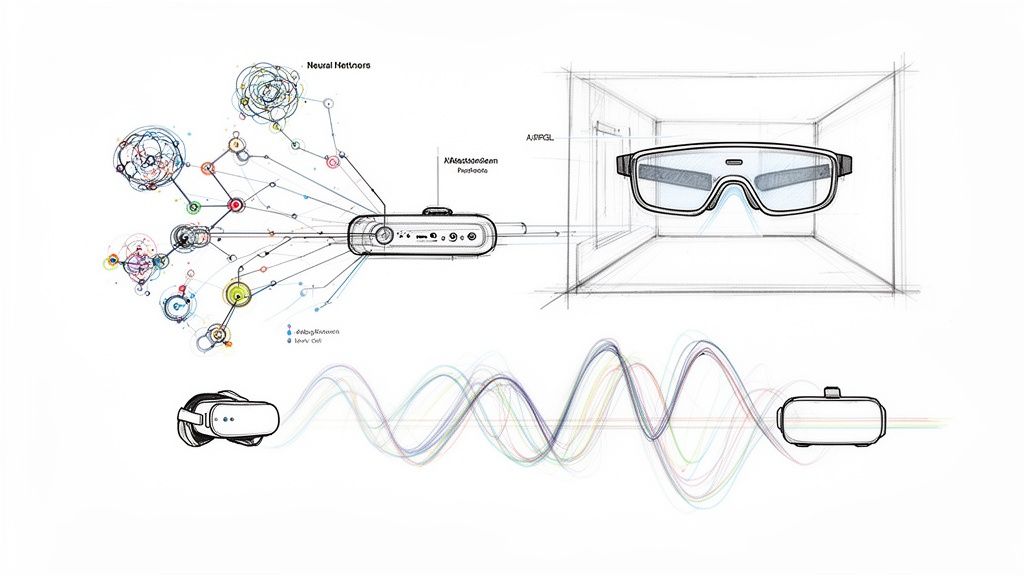
It’s this convergence that allows an interface to move beyond rigid, pre-set commands. Instead, it can become predictive, adaptive, and genuinely helpful. Let’s look at the key pieces of the puzzle that make this a reality.
Artificial Intelligence and Machine Learning
At the heart of any truly futuristic UI is the ability to learn and predict. Artificial Intelligence (AI) and Machine Learning (ML) are the brains of the operation, turning a static screen into something that adapts to you. Instead of just following a strict set of rules, these systems watch how you work and start to anticipate what you'll need next.
This means a UI can reconfigure its own layout, bring forward the information you need before you ask for it, or even create new interface elements on the fly. Think about an e-commerce site. It might use ML to give a first-time visitor a simple, guided shopping flow. But for a loyal customer, it could present a dense dashboard packed with personalized recommendations and one-click reordering. This kind of AI-driven personalization is proven to work, often resulting in a 20% uplift in customer satisfaction.
The real magic of AI in UI design is its power to have a one-to-one conversation with every single user. The interface stops being a generic tool and becomes a personal system that evolves with you, making everything feel more intuitive and efficient.
This predictive power is what makes software feel less like a clunky machine and more like a smart partner, anticipating your next move and clearing the path so you can get things done faster.
Augmented and Virtual Reality
The next piece of the puzzle breaks the interface out of the flat, two-dimensional screen. Augmented Reality (AR) and Virtual Reality (VR) create spatial interfaces, either by merging digital information with the physical world or by building entirely new, immersive environments from scratch.
AR overlays data onto your view of the world. Imagine a technician wearing smart glasses who sees repair instructions floating right over the engine they're fixing. The interface isn't stuck on a separate tablet; it’s integrated directly into their line of sight, which speeds up the work and cuts down on mistakes.
VR, on the other hand, puts you inside a completely digital world. This is perfect for complex simulations and training. Architects can walk through a building long before a single brick is laid, or surgeons can practice a tricky procedure in a totally risk-free environment.
These technologies open the door to interactions that feel much more direct and physical:
- Gestural Control: You can literally reach out and manipulate digital objects with your hands.
- Spatial Awareness: The UI knows where you are, what you’re looking at, and how you’re moving.
- Immersive Data Visualization: Complex datasets are no longer spreadsheets but 3D landscapes you can explore.
By making our interactions more physical and context-aware, AR and VR are laying the groundwork for the next generation of computing.
Advanced Motion Design and WebGL
A futuristic UI has to do more than just be smart—it has to feel fluid and responsive. Clunky animations and laggy performance will shatter the illusion in an instant. This is where advanced motion design and rendering technologies like WebGL are absolutely critical.
Motion design here isn't just about looking cool; it's functional. Smooth transitions guide your eye, confirm that an action was successful, and help you understand the spatial relationships between different elements. Just think of the subtle animation when you minimize an app on your phone—it shrinks right back into its icon, telling you exactly where it went.
WebGL (Web Graphics Library) is the technology that makes this possible on the web. It lets developers tap directly into your device's GPU to render complex 2D and 3D graphics right in the browser. The result is cinematic, high-performance animations and interactive visuals that don't bog down your machine. It’s what powers those rich data visualizations and immersive 3D product configurators you see online, delivering a console-game-like feel without killing performance.
Diving Into Generative and Voice-Driven UIs
Two of the biggest shifts happening in interaction design right now are Generative UI (GenUI) and Voice User Interfaces (VUI). Both are pushing us past the static, pre-built screens we're all used to. They're helping us create experiences that feel less like using a tool and more like working with a smart, intuitive partner.
GenUI is a total departure from traditional design, where we painstakingly craft every single screen and component ahead of time. Instead, it uses AI to literally generate the interface in real time, shaping it to fit exactly what the user needs in that specific moment.
Think about an analytics app. Instead of a single, overwhelming dashboard for all users, GenUI could build a simple, one-chart view for someone just starting out. For a power user, it might instantly assemble a dense, multi-layered dashboard with advanced filtering tools. The key is, a designer never had to pre-build either version.
The Rise of Adaptive Interfaces
The big idea behind GenUI is to make software hyper-adaptive. By using AI, interfaces can literally build themselves on the fly based on who the user is, what they've done before, and what they're trying to accomplish right now. This dynamic approach means the most relevant tools are always front and center.
This isn't some far-off concept; it's happening fast. Some analysts predict that GenUI will fundamentally redefine the futuristic user interface by 2026, as the lag time for AI to generate code shrinks to milliseconds. Soon, these generated interfaces will load just as quickly as the static pages we build today. For a real-world look at how generative AI is being used in user support, check out the approach taken by supportGPT.
Generative UI isn't about replacing designers. It's about changing their role. The focus shifts from drawing endless static screens to designing the systems, rules, and logic that let an AI build millions of perfect, personalized interfaces on demand.
The impact is real. We're seeing that this kind of AI-driven personalization can lead to a 20% uplift in customer satisfaction and engagement. It turns a one-size-fits-all product into a truly unique experience for every single person—something that used to be impossible for most companies to even consider. You can find more insights on these exciting developments on uxtigers.com.
The Power of Voice User Interfaces
Working in parallel with generative design, Voice User Interfaces are making technology more hands-free and accessible than ever before. VUIs let people talk to their devices using natural language, completely removing the need to tap, click, or type. It’s a foundational change in how we interact with our digital world.
We’re surrounded by VUIs now—from smart speakers that turn on our lights to the in-car systems that handle navigation so we can keep our hands on the wheel. Their explosive growth comes down to one thing: pure convenience.
But designing for voice is a whole different ballgame compared to visual design. You have to solve a unique set of problems:
- Discoverability: Users can't see a menu, so how do they know what they can say? The system has to intuitively guide them.
- Error Handling: What happens when the VUI mishears a command? It needs to recover gracefully without making the user want to shout.
- Contextual Awareness: A great VUI remembers what you just talked about, so you can ask follow-up questions naturally.
Building a solid VUI also means doubling down on accessibility. For many users with motor or visual impairments, voice is their primary way of interacting with technology. The principles are universal; our guide on how to make a website accessible covers core concepts that are just as relevant here.
Ultimately, both generative and voice-driven UIs point to a future where technology bends to us, not the other way around. By generating interfaces that fit our needs and letting us interact with a simple command, these systems are making our digital tools smarter, more personal, and a whole lot easier to use.
Prototyping and Implementing Your Advanced UI
So, you have a groundbreaking idea for a user interface. How do you get it from a sketch on a napkin to a living, breathing product? The journey requires a disciplined, step-by-step approach that marries wild creativity with rock-solid technical execution. This isn't just about making things look cool; it's about ensuring those ambitious ideas actually work for real people.
The path starts slow. You have to build a strong foundation first.
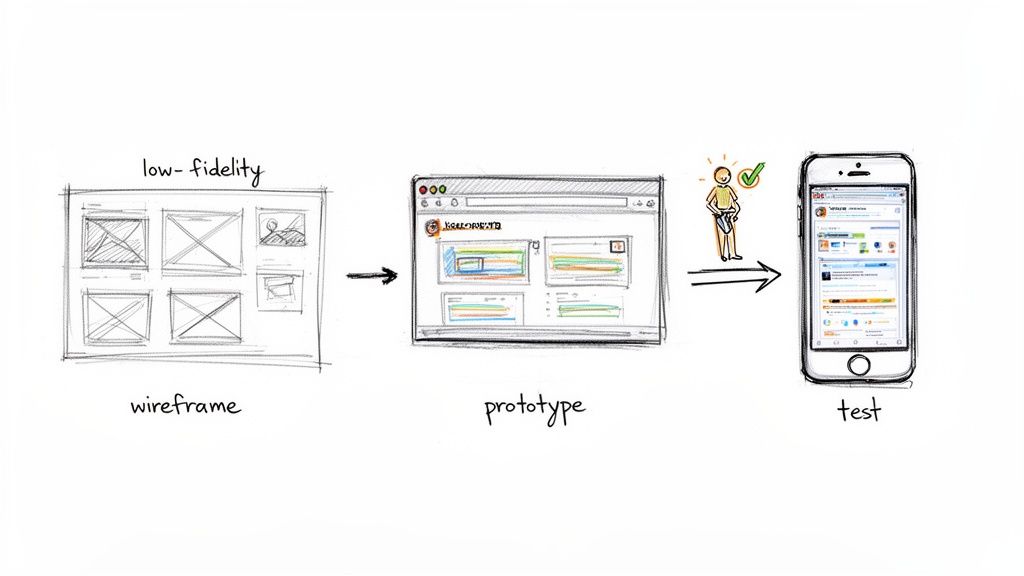
This process is iterative, with each phase building on the one before it. Trying to jump straight to the high-gloss visuals is a recipe for disaster, especially when you're dealing with complex, unconventional interactions. It almost always leads to expensive do-overs down the line.
From Low-Fidelity Concepts to Interactive Prototypes
Everything begins with low-fidelity wireframes. Think of these as simple architectural blueprints for your UI. They are all about structure and flow, not colors or fonts. This is where you wrestle with the big questions: How will a user get from A to B? Where does a voice command or a gesture fit into the journey? Getting this part right is absolutely essential. For a deep dive, check out this guide on how to create effective wireframes.
Once you have a solid blueprint, it's time to bring it to life with high-fidelity, interactive prototypes. This is where the magic really starts to happen. With the right tools, designers can build mockups so realistic they feel like the final product.
- Figma: The go-to for nailing the visual direction. It’s perfect for creating beautiful static designs and wiring them together for basic click-through prototypes.
- ProtoPie: When your interactions get complicated, this is your tool. It lets you build sophisticated, code-free prototypes to test out complex animations, gesture controls, and even experiences that span multiple devices.
- Framer: This one blurs the line between design and development. It allows you to build incredibly realistic prototypes using React, which makes the handoff to your engineering team a whole lot smoother.
The goal here isn't just to make something pretty. It's to create a tangible artifact that you can put in front of users to get real, meaningful feedback.
The Critical Role of User Testing and Optimization
Armed with your interactive prototype, it's time for the most important step: user testing. For a futuristic UI, this is non-negotiable. An idea that seems ingenious in a design meeting can fall completely flat when a real person tries to use it.
A futuristic UI fails if it makes a simple task complex. Continuous user testing is the only way to ensure that innovative interactions feel intuitive and natural, rather than just novel.
Testing is where you validate your assumptions. Can people figure out that new gesture you designed? Is the feedback from a voice command clear? The insights you gather here are pure gold, fueling the next round of design tweaks until the experience feels effortless.
After the design is validated, the focus shifts to the technical build-out, where two things absolutely have to be top-of-mind:
- Performance Optimization: A UI loaded with rich graphics and slick animations can quickly become a laggy, frustrating mess if it isn't built for performance. Your developers need to be laser-focused on efficient rendering and smart resource management so the experience stays buttery smooth, even on older hardware.
- Accessibility: Innovation should empower everyone, not leave people behind. Your interface must be usable for people who rely on screen readers or other assistive tools. That means providing text alternatives for visuals, ensuring everything works with a keyboard, and keeping color contrast high.
As developers bring the UI to life, they’ll inevitably run into bugs. Having a solid strategy for error handling is key to building a stable, reliable product. For a great resource on this, check out A Practical Guide to Handling JavaScript Errors. By following this structured process—from rough sketch to rigorous testing and a technically sound implementation—you can turn your vision for an advanced UI into a reality.
When Does a Futuristic UI Actually Make Sense?
Deciding to build a futuristic user interface is a major call—it goes way beyond just picking a cool aesthetic. The temptation to create something visually stunning and dynamic is real, but it’s definitely not the right move for every project. The trick is to make sure the interface’s sophistication genuinely serves your users and aligns with your business goals.
Think of it less as a visual upgrade and more as an investment in a deeper, more intuitive kind of interaction. You pull the trigger on a futuristic UI when it can untangle a complex problem in a way a traditional interface never could. For example, slapping a bunch of slick animations on a simple "About Us" page is a classic misstep. It's expensive, and you’re more likely to annoy users than to wow them.
Scenarios Where a Futuristic UI Shines
Some applications and industries are practically tailor-made for the kind of advanced interactions a futuristic UI can offer. In these situations, the interface isn't just a feature; it's a core part of what makes the product valuable and gives it a serious edge over the competition.
Here are a few perfect examples:
- Taming Complex Data: Imagine you're building a financial trading platform, a cybersecurity dashboard, or a tool for scientific research. Users are swimming in enormous, constantly changing datasets. A futuristic UI can turn that overwhelming flood of information into an intuitive, interactive 3D space, making it far easier to spot trends and outliers than with a bunch of static charts.
- Deeply Immersive Training: High-stakes fields like aviation, healthcare, and complex manufacturing depend on realistic training. Using AR or VR, a futuristic UI can create hands-on simulations that feel incredibly real—think of a surgeon practicing a delicate procedure or an engineer learning to fix a jet engine in a completely safe, virtual environment.
- Configuring High-End Products: When you're selling something premium and customizable, like a luxury car or bespoke architectural elements, the experience is everything. A futuristic UI can power an immersive 3D configurator, letting customers build, tweak, and explore their potential purchase in stunning detail. This does wonders for engagement and gives them the confidence to click "buy."
- Gaming and Entertainment: This one’s a no-brainer. The entire point of many games and interactive experiences is to create a sense of wonder and pull you into another world. The "sci-fi ninja interface" in a game like Ninja Gaiden 4 wasn't just for show; it was designed to immerse players in its cyberpunk universe, making the UI a key part of the story.
A futuristic UI is the right call when the experience is the product, or when it offers a profoundly better way to solve a core user problem. If a simple, conventional interface gets the job done just as well, stick with it.
When to Keep Things Traditional
On the flip side, one of the most common mistakes is trying to shoehorn a futuristic design into a simple application. It just adds unnecessary complexity, inflates development costs, and can seriously damage usability. If your main goal is to help users find information or complete a task as fast as possible, a clean, traditional UI will win every time.
A conventional approach is almost always better for:
- Utility Apps: Think about your calculator, a simple note-taking app, or a weather tool. The user just wants to get in, get the job done, and get out. Any extra visual flair is just noise that gets in their way.
- Standard E-commerce: For most online stores, shoppers are comfortable with a familiar layout. Straying too far from what they know can cause confusion and lead directly to abandoned carts.
- Blogs and Informational Sites: Here, readability is king. A simple, clean, and fast-loading design will always serve your content better than a complex, animation-heavy one.
In the end, it all comes down to knowing your audience and what you’re trying to achieve. A futuristic UI should be a powerful tool you use with purpose—to unlock new ways of interacting with information, not just to look cool. When used correctly, it can elevate a product from a simple tool into an experience people won't forget.
Got Questions About Futuristic UI? We've Got Answers.
Stepping into the world of next-generation user interfaces always stirs up a few questions. Let's tackle some of the most common ones we hear from teams who are thinking about building a truly futuristic experience.
What’s the Real Difference Between a "Modern" and a "Futuristic" UI?
Think of a modern UI as the perfection of what we already know and use. It’s all about clean lines, minimalism, intuitive navigation, and making sure everything works seamlessly on your phone. It’s the peak of current best practices.
A futuristic user interface, on the other hand, isn't just refining the present—it's inventing the future. It’s about creating entirely new ways for people to interact with technology. We're talking about interfaces that adapt on the fly, offer deep personalization, and understand more than just clicks and taps, like your voice or gestures. It often leans on technologies like AI and AR to create an experience that feels alive, predictive, and uniquely yours.
It's a shift from a predictable tool to an intelligent partner. A modern UI is a beautifully crafted hammer; a futuristic UI is a smart assistant that anticipates which nail you need to hit next.
Do Futuristic UIs Kill Performance?
Not if they're built right. It's a common misconception that all the cool animations and 3D elements will automatically grind your app to a halt. In reality, a well-executed futuristic UI has performance baked into its DNA from day one.
Smart design teams use things like GPU acceleration, clean code, and highly optimized assets to make sure the experience is buttery smooth. The whole point is to create something amazing without the frustrating lag. Speed isn't an afterthought; it's a feature.
How Can a Small Business Even Afford This Stuff?
You don't have to be a tech giant with a nine-figure budget. For small businesses and startups, the key is to be strategic. Instead of a massive, all-or-nothing redesign, you can weave in futuristic elements one piece at a time.
For instance, you could start small and smart:
- Add an AI-driven recommendation engine to just one part of your app.
- Use sophisticated motion design to make your most important user journey feel incredible.
- Introduce a simple voice command for a frequent, high-value action.
Another great route is teaming up with a specialized agency. This gives you access to top-tier talent without the cost and headache of building a huge in-house team from scratch. It’s a way to punch above your weight, innovate where it counts, and see a real return on your investment.